
Tag Groups Context:
What-
Why-
How-
When-
How to create a tag group
- Login to venue (root) username: kbest
- Navigate to Venue page
- Click Tags tab
- Click Add Tag Group
How to add a tag
- Click Tags tab
- Click __________
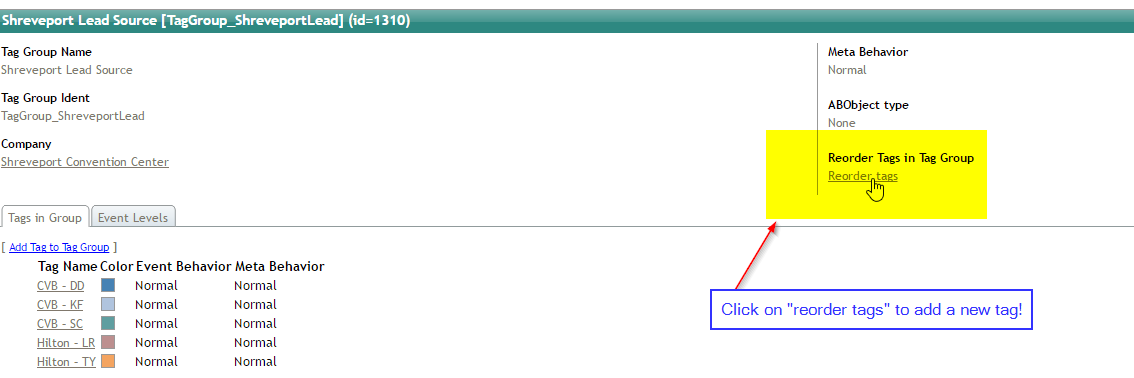
- Click Reorder Tags
- Add tag
- Tag Color: click spacebar (it will make it tranparent)
- See note below to change tag color to nothing
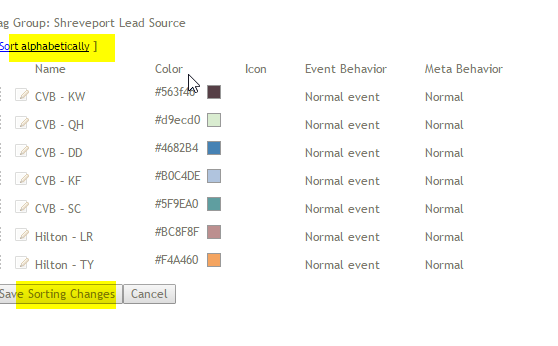
- Sort alphabetically
- Click Save
*To change tag color to nothing, click on person's name (under tags) then click on tag color, and clear out all the settings
Important: assign tag group to "event level(s)"
- Click Tag group
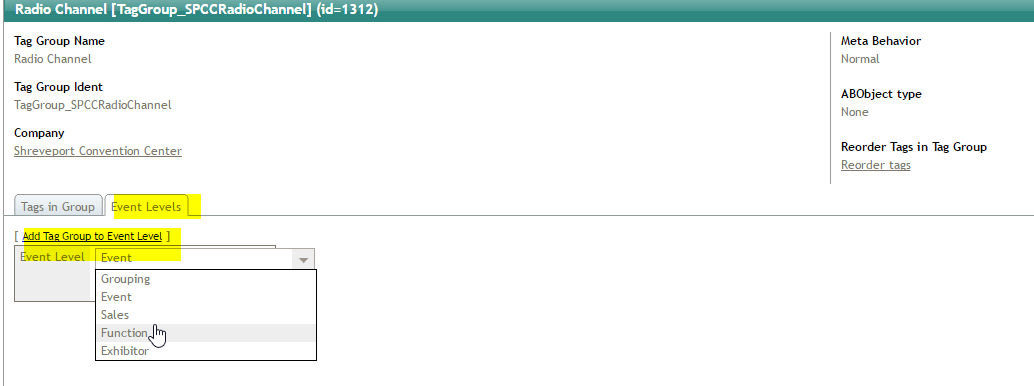
- Click "event levels" tab
- Click "add tag group to event level"
- Select appropriate levels to add tag group to
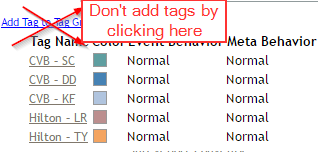
- Create new tag by clicking "Reorder Tags"
Comments
0 comments
Article is closed for comments.