
DISNEY CALENDAR SETUP
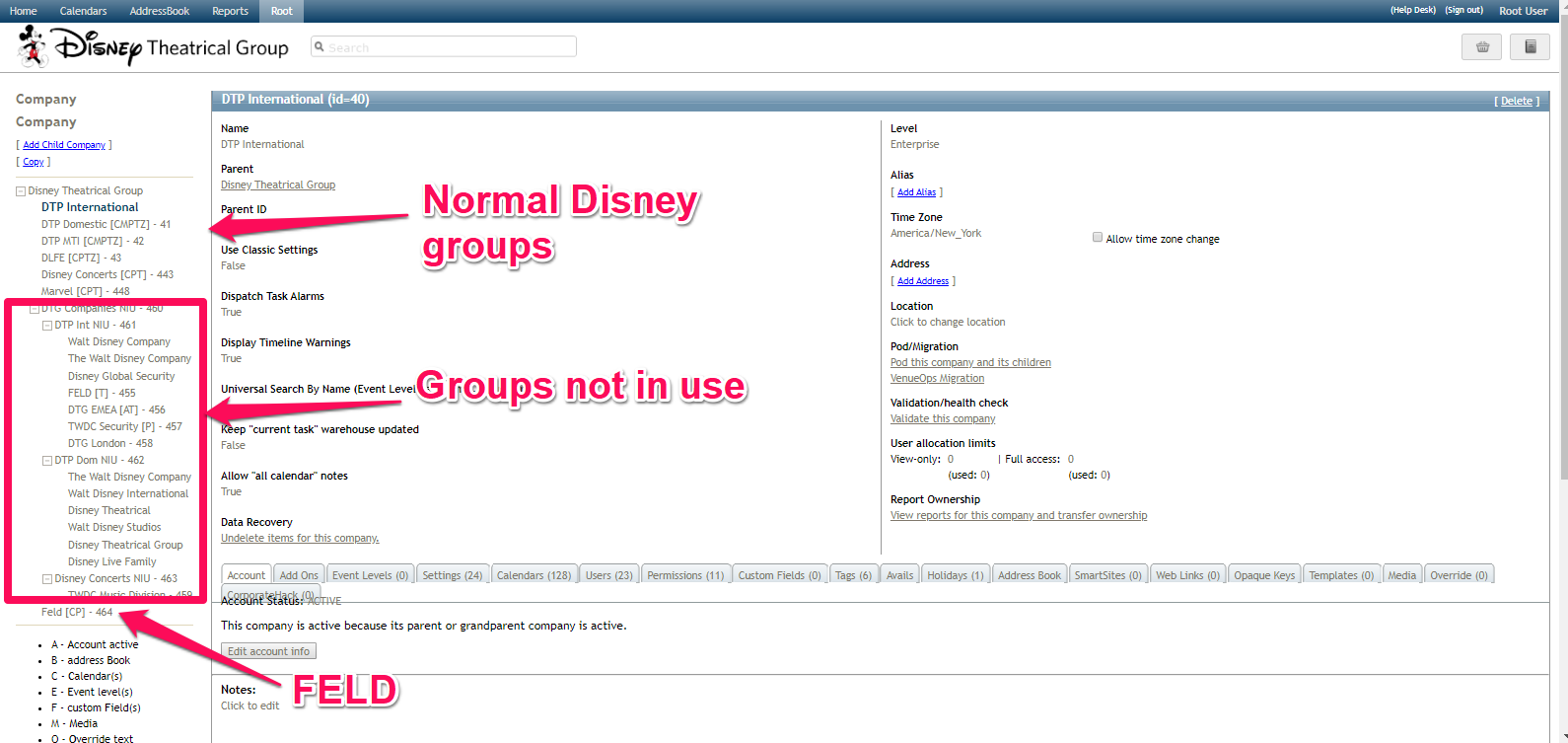
Setting up a new calendar for the Disney Theatrical Group follows much of the same procedure as you normally would for any client with just a few exceptions. The first is that all of the "companies" in the corporate hierarchy are the various divisions of DTG and are not separate entities. The second is that we have set up custom development for DTG to import events if they are associated with FELD. You will always want to clarify if this is a Feld or Non-Feld calendar.
Login
The login is the same as the rest of the North American servers. Login information can be found in LastPass.
Determine the Division
Confirm with the client which group the new calendar or series of calendars will be associated with.
- DTP International
- DTP Domestic
- DTP MTI
- DTP DLFE
- Disney Concerts
- Marvel
- FELD
If the new calendar will be under FELD then you must get an ID Code for each space from the client.
New Non-FELD run Calendar
- Open the corresponding group in the corporate hierarchy
- Add the new calendar or calendar group as normal
- Move them under the existing calendar hierarchy
- Assign permissions as normal
New FELD run Calendar
If the new space will be under FELD then:
- Select FELD from the corporate hierarchy
- Add the new calendar
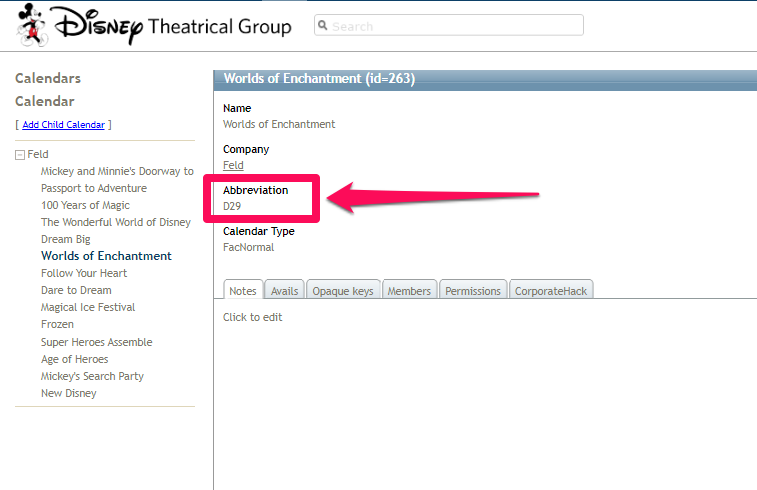
- Set the Parent ID to 310 so it appears under the FELD parent calendar
- MAKE SURE THAT THE ABBREVIATION MATCHES THE FELD ID CODE
- Assign permissions as normal
 Archiving a Calendar
Calendars cannot be deleted as normal due to the fact that DTG needs to have them available for historical reporting. Each group (excluding FELD) contains a section marked ARCHIVE. Move the calendar or calendar group under this section and change the calendar permissions in all profiles to View Only for these spaces.
User Alerts
Several user alerts are set up for the FELD import so if a new user is set up with any of the FELD permissions make sure that you confirm with the contact if they will need the user alerts set up for their login.
- Feld Notes Added
- Feld Name Changes
- Feld Onsale Date Added
- Feld Events Added
- Feld Cancellations
There is also an automatic alert that will be sent out for when a spreadsheet import is completed but we do not need to do any additional configuration. This feature is now built in with the custom development we setup for them.
Comments
0 comments
Article is closed for comments.