
Example: Change U.S. format: 7/30/2017 to U.K. format: 30/07/2017
Note: Although the example used in these directions is changing the date format from U.S. to U.K. format, the steps are the same to change to other date formats.
*If you don’t have Google Chrome internet browser already, download it: https://www.google.com/chrome/browser/desktop/
- Open Chrome
- Click the 3 dots in the right-hand corner, then click "Settings"
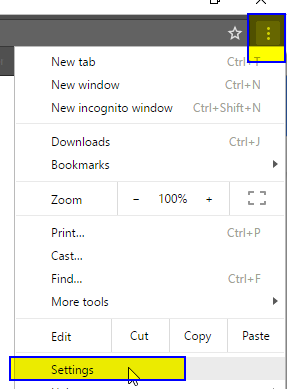
- Scroll down to the very bottom, click "Show Advanced Settings"

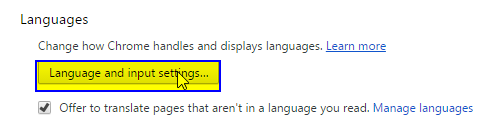
- Scroll down to the "Languages" section, click "Language and input settings"
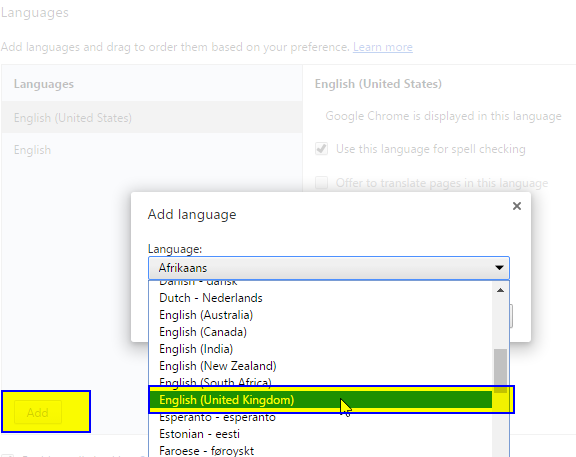
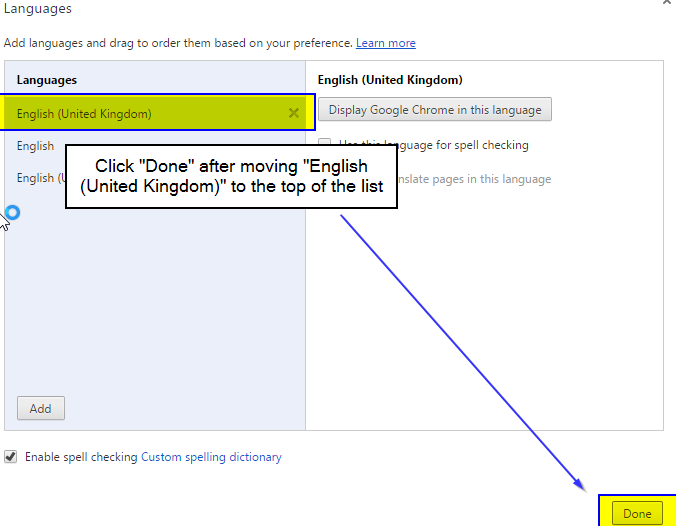
- Click "Add," select "English (United Kingdom) on the dropdown
Click English (United Kingdom) and hold down your computer mouse and drag English *United Kingdom) to the very top (under languages)
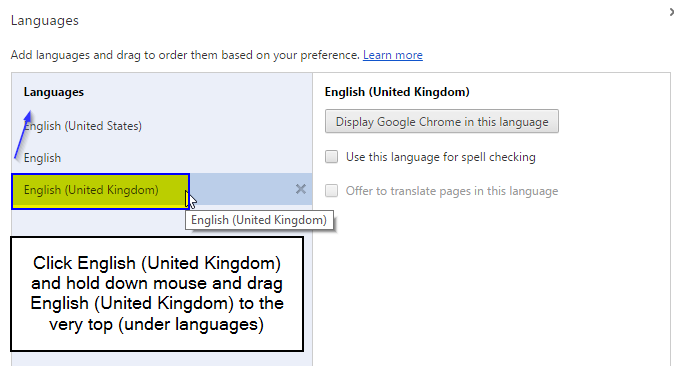
Click Done
Make sure to completely close out of all open windows and restart your browser!
Sign into EventBooking. Dates / Reports will be displayed in the new format:
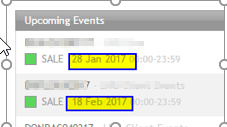
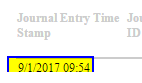
Report Example:
Comments
0 comments
Article is closed for comments.