Avails export - exporting in single pages
Refer to Support
🐛 Possible Bug - Avails export is condensing dates to single columns
-
Environment Observed
- Where was the issue observed? NA/EMEA/Sandbox
- Account Name - Co-op Live - Eastlands Arena (EMEA), First & Goal - Lumen Field (NA), Sandbox Consulting TESTING
- Account ID account-25-A | account-6387-A | account-2187-A
-
Is this a converted account?
- Only First & Goal is a converted account
-
Issue Scope
- How widespread is the issue? Multiple customers
- Event Name - AVAILS View Download in any environment
-
Was the issue reported by the client?
- Yes - Jacob McLaughlin - jmclaughlin@cooplive.com
-
What’s the problem?
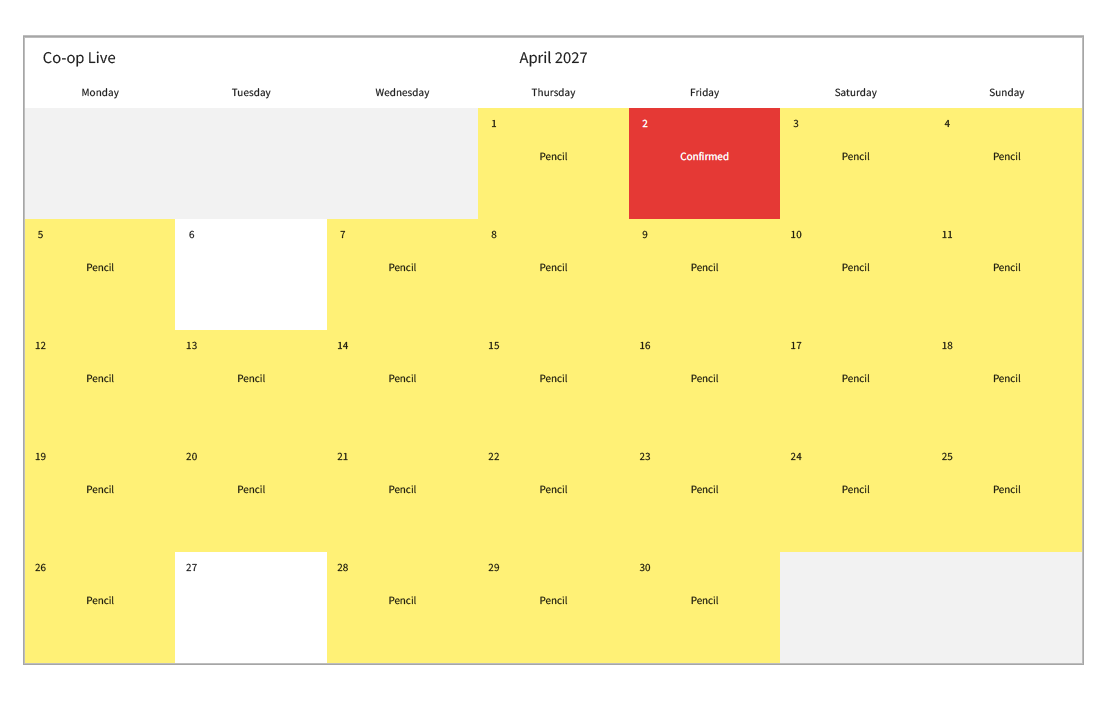
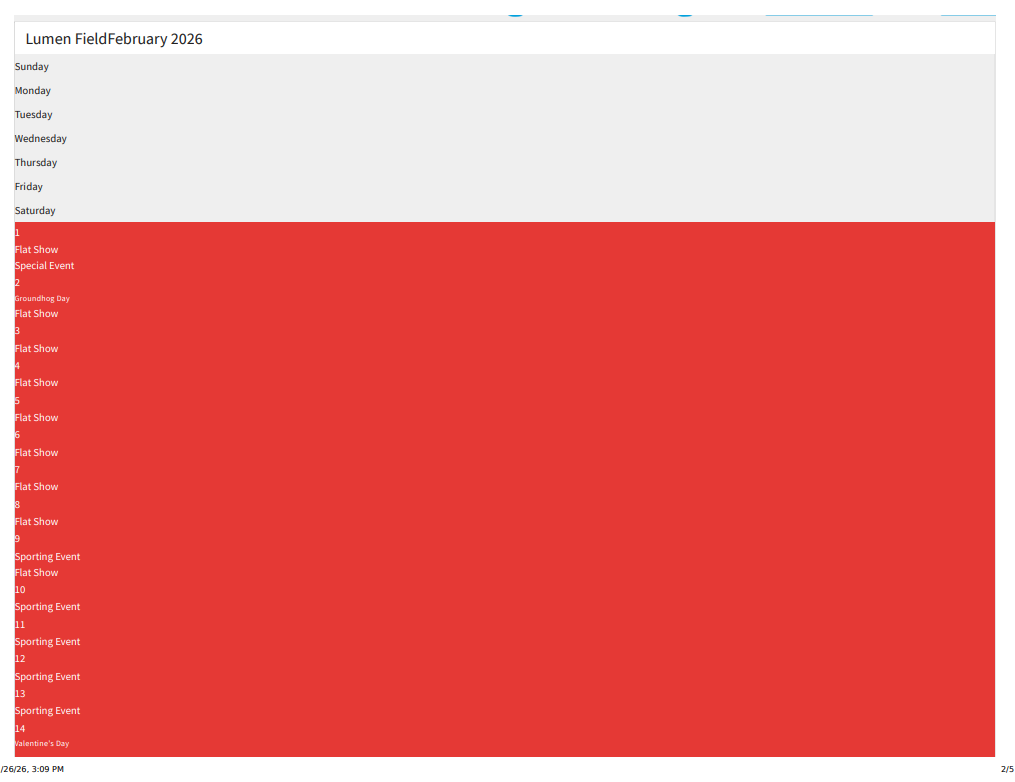
- When downloading the Avails view calendar, it's inconsistently condensing the information to a single column. See attached for previous vs current.
-
Is the issue reproducible?
- Yes, but strangely and inconsistent. Amber and I were able to pull a correct looking Avails calendar for Eastlands, but for First and Goal, it's showing condense column. In my sandbox and demo account, it shows condensed though.
-
Steps to reproduce the issue
- Go to Avails tab and export the calendar
-
Expected behavior
- Avails calendar shows as a normal calendar on an export
-
Troubleshooting steps already taken
- Tried various filters and removed/added logo and sub headers.
-
Workaround identified?
- No
-
Attachments available?
- Attached examples
- Zendesk ticket link (for Support use)
Sandbox:
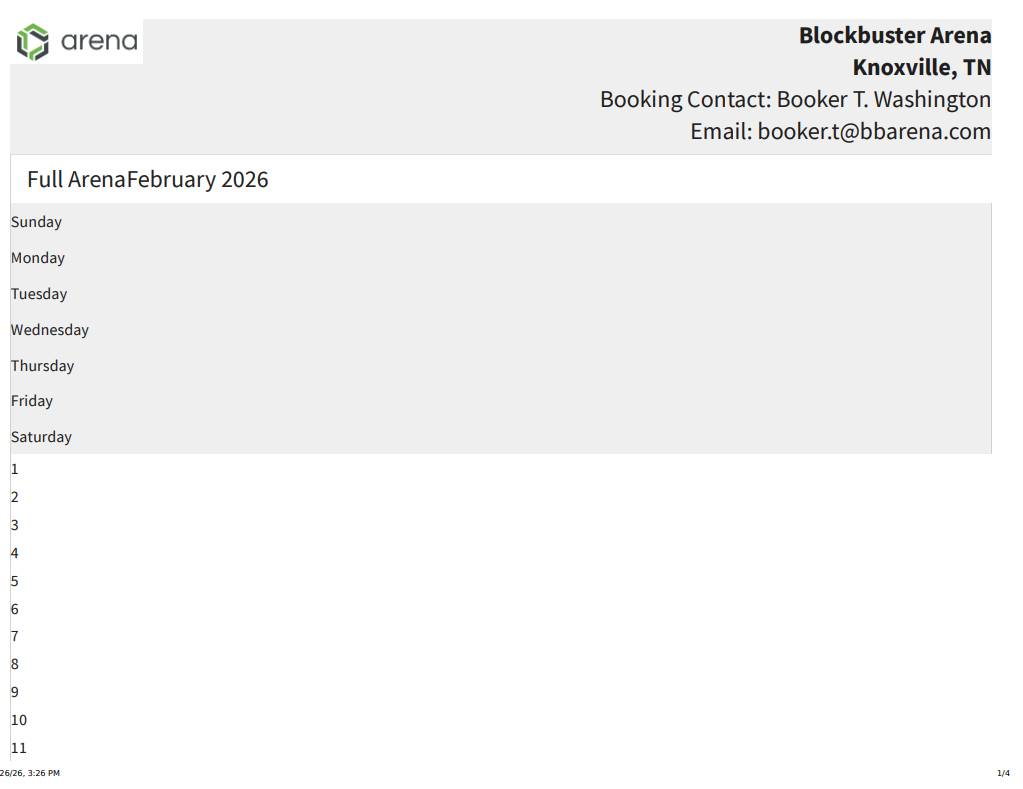
Eastlands Arena (from customer):
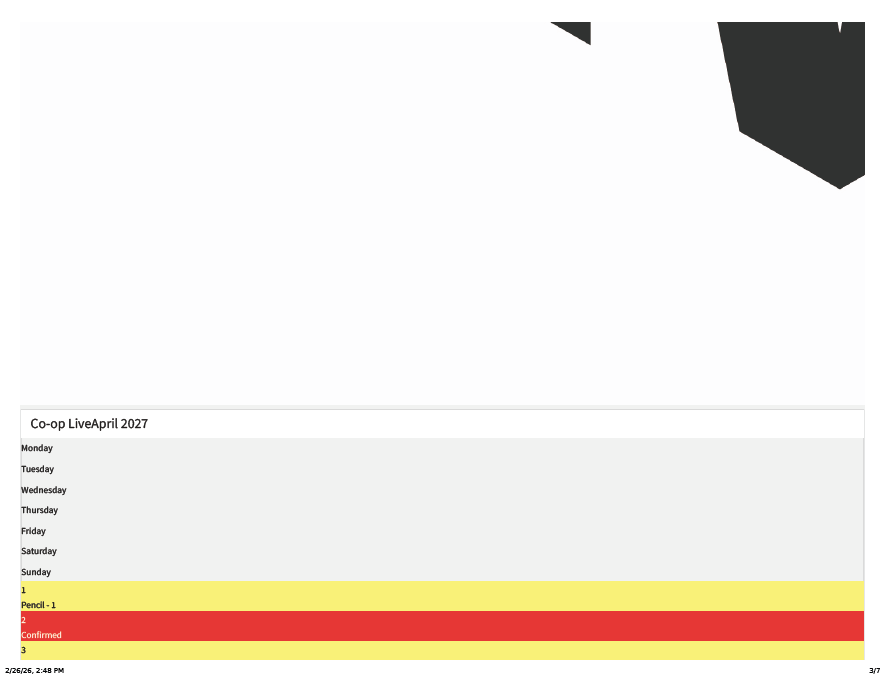
Eastlands when I export it:
Lumen Field:
-
Hello again –
Troubleshooting update: I tried having Eastlands clear cache and cookies and it did not resolve the issue.
-
Hello again –
Another update – Hard Rock Hollywood just wrote in about this. I advised on clear cache and cookies and it did not resolve the issue.
cc - Hayley Burkhardt
-

Michelle Hannaford we've seen this from a couple people and are looking at it. In our testing, it looks like this is some sort of weird caching issue. Luke and Alex tested this and if you sign out of Elite, clear cache and then sign back in that seems to fix it for now for the venues we've had try. Development is looking into why this happened originally.
Please have those venues send in tickets/forward those emails to Support and we can work with them directly!
-
Thanks Emma Whitlock – That worked on my end, but Eastlands Arena (EMEA) said they did that and did not have any luck. Let me know if there is anything else they can try.
Thanks!
Michelle
Please sign in to leave a comment.
Comments
4 comments
Date Votes