Unauthorized Users Receiving Incident Links via Email Notifications

Issue Summary
Description:
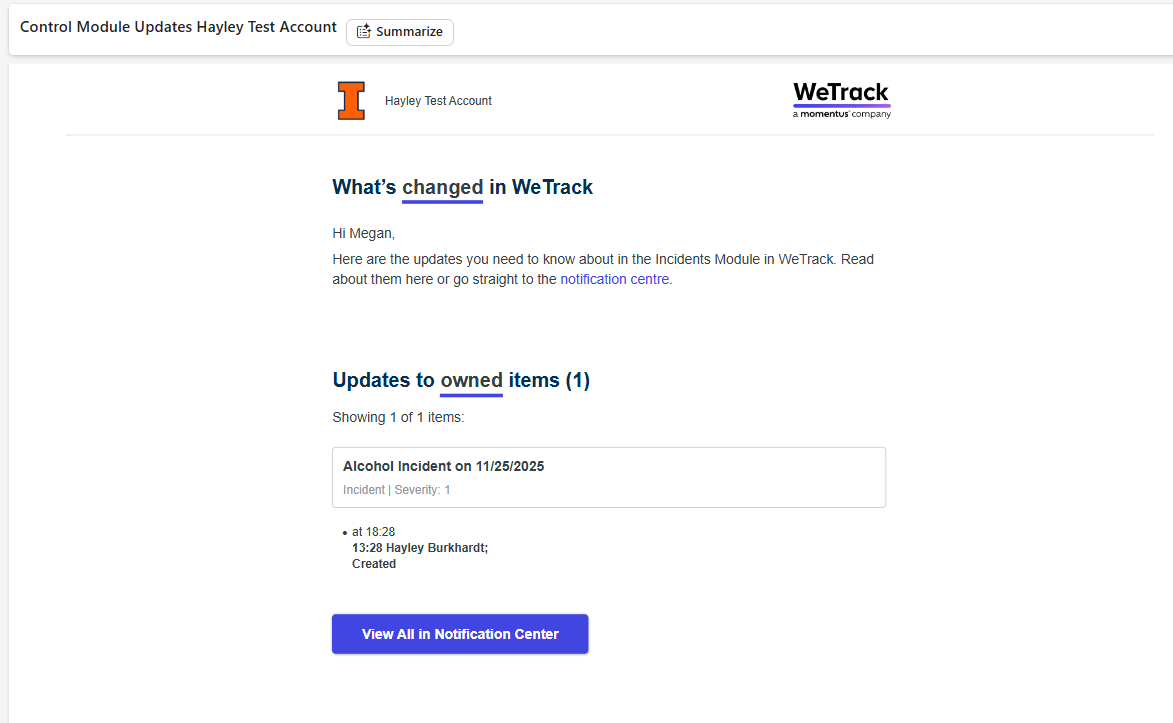
A permission-related defect appears to allow users to receive email notifications containing links to incidents they do not have access rights to view. When following the notification link, the user encounters an error message.
Business Impact:
This creates a potential security exposure by surfacing incident-level information to unauthorized users. It may also disrupt customer workflows by generating confusion, inconsistent access experiences, and potential audit concerns.
Environment Details
Site URL:
Hayley’s WeTrack test environment
Affected Users
Megan Fontenot and Hayley Burkhardt
Reproduction Steps
- Log into the customer’s or test environment using a user who does not have permissions to view a specific incident.
- Trigger or receive an incident-related email notification tied to restricted content.
- Open the email and select the embedded incident link.
- Observe the error message displayed upon navigation (screenshot attached).
- Forward the same email to a user with appropriate permissions and note that they can access and interact with the incident without issue.
Verification
Notes:
Testing was conducted using both Megan’s and Hayley’s credentials. Unauthorized users consistently receive the notification and encounter an error upon clicking the link, while authorized users can open the content directly from the same email.
Behavior Description
Actual Outcome:
Unauthorized users are receiving incident email notifications that include direct links to records they cannot access. Clicking the link returns an error.
Expected Outcome:
Only users with the appropriate incident-level permissions should receive related email notifications. Users without access should not receive notifications, links, or references to restricted incidents under any circumstances.
Supporting Evidence
Screenshots:
Email Received
Error when clicking View All in Notificaiton Center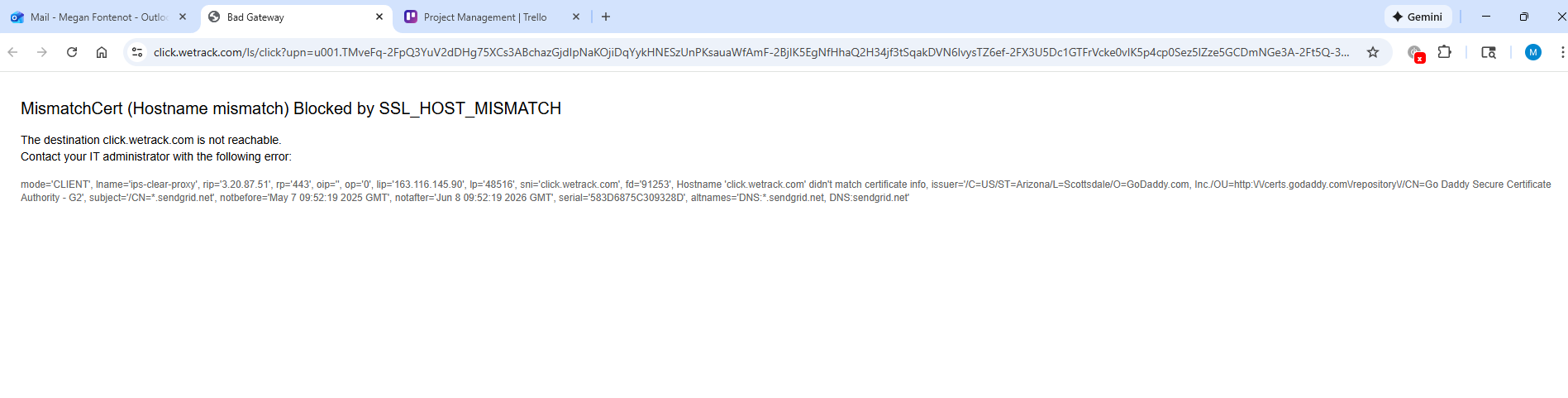
-
Hayley Burkhardt for reference or additional context if needed.
-

Hi both. Just a clarification - how did Megan receive the email with this information about an incident? Need more info of what you mean by - “Trigger or receive an incident-related email notification tied to restricted content.”
-
You clicking on the link and not being able to see the content means there is no potential security breach because you cant access the incident in question. The messaging could definitely be better but i would not treat that as priority. Hence the need to find out how you even receive this email unless someone explicitly shared it with you?
-

Vernica Lodha — Megan’s role was updated so she can only see items she owns. For this test, I added her User Group onto the incident. That User Group assignment is what triggered the email, even though she still can’t view the incident itself since she isn’t an owner.
I agree this isn’t a security breach, but it is a notification/communication issue. If User Groups don’t grant visibility like Departments or Owners, then they shouldn’t trigger incident emails for users who ultimately can’t open the record. Otherwise users receive links they can’t act on, which is confusing and feels inconsistent.
Please sign in to leave a comment.
Comments
4 comments
Date Votes