"Privacy" field not copying from Incident when creating a Job
Answered
Description of the issue: "Privacy" field not copying from Incident when creating a Job
Zendesk Ticket Number: 396169
Account name: Ottawa Senators
Region: CAN
Client version: 77.6
Reproduction steps:
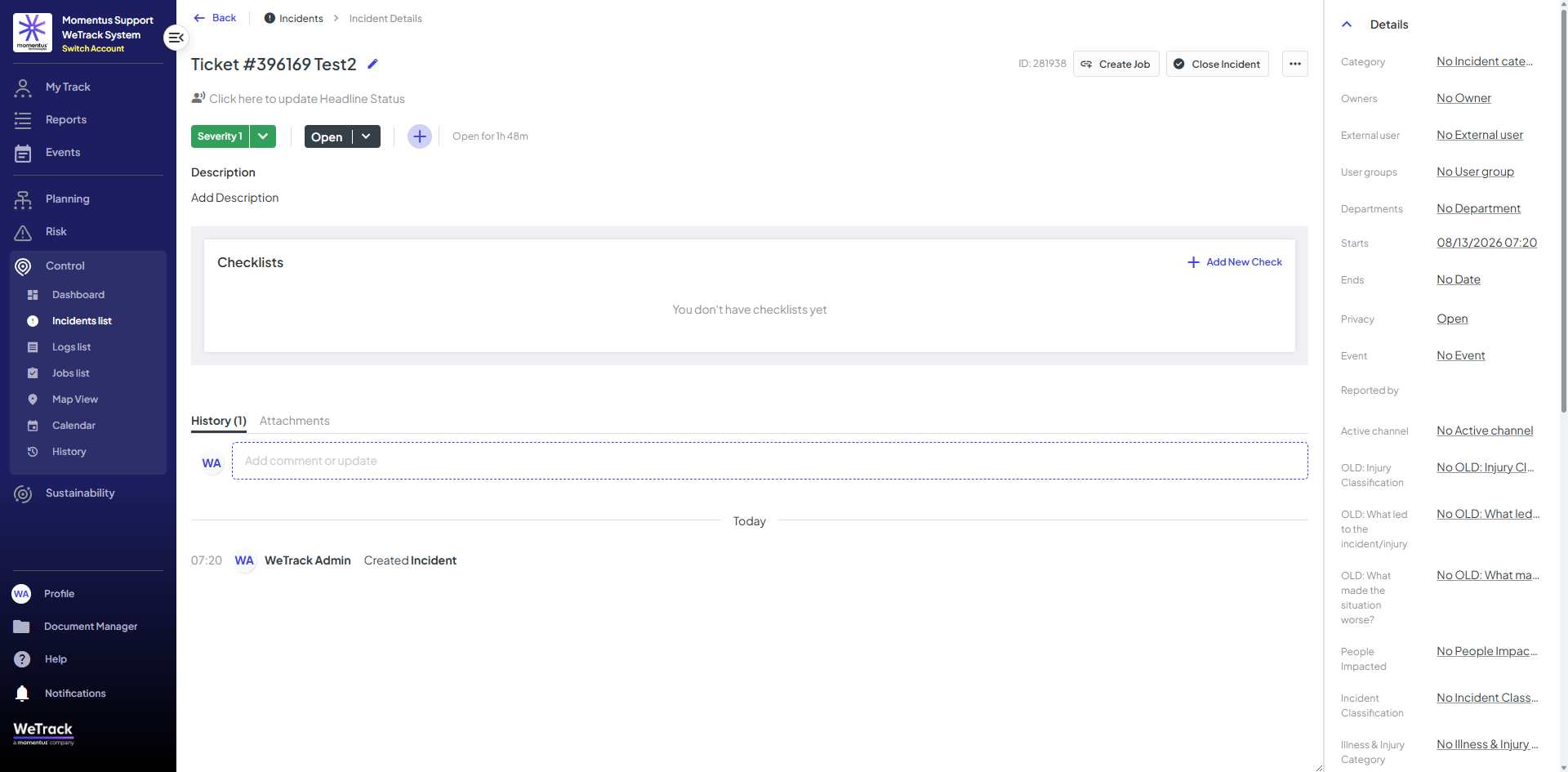
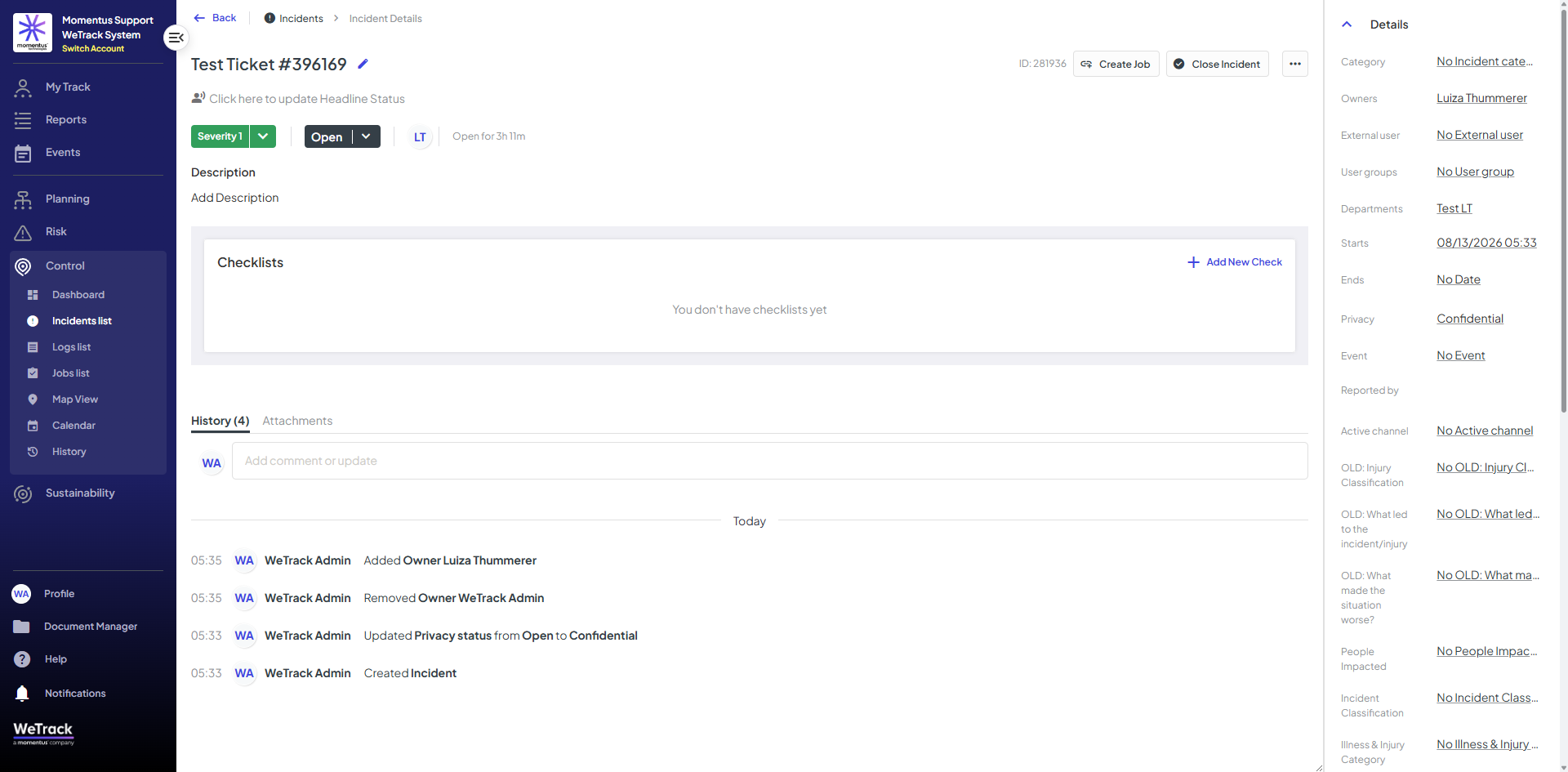
1. In the Test account, go to Incidents and add an incident. As examples, I've added Test Ticket #396169 and Ticket #396169 Test2.
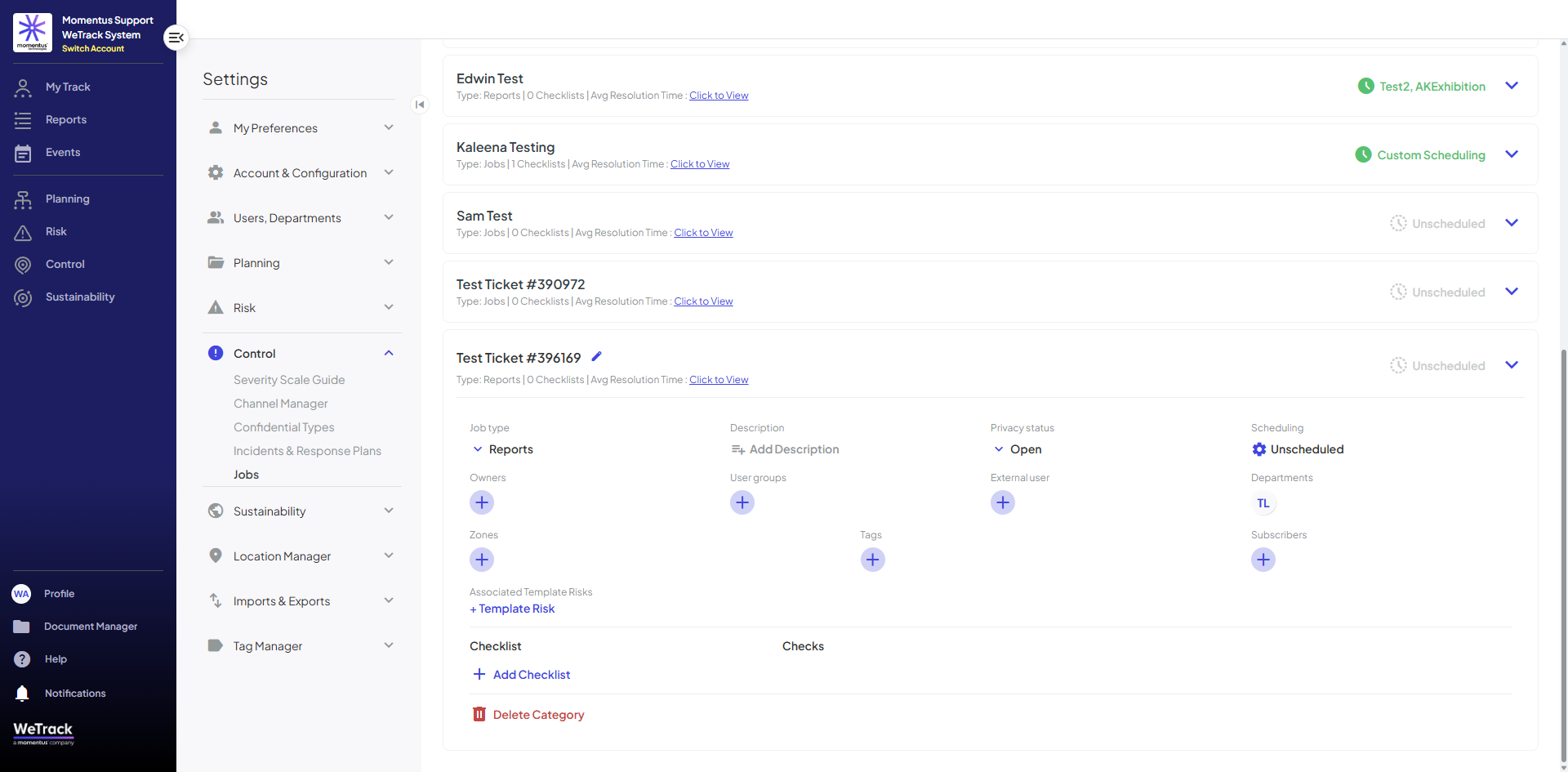
2. For the first incident, leave all fields blank and, click to Create Job and then select the Test Ticket #396169 Job Category. Notice that the Owner and the Department that are added to the category do not automatically apply to the Job.
3. For the second incident, add the fields as desired. In the example “Test Ticket #396169” I've added the Owner and the Department as the ones added to the Job Category, and set the Privacy as Confidential.
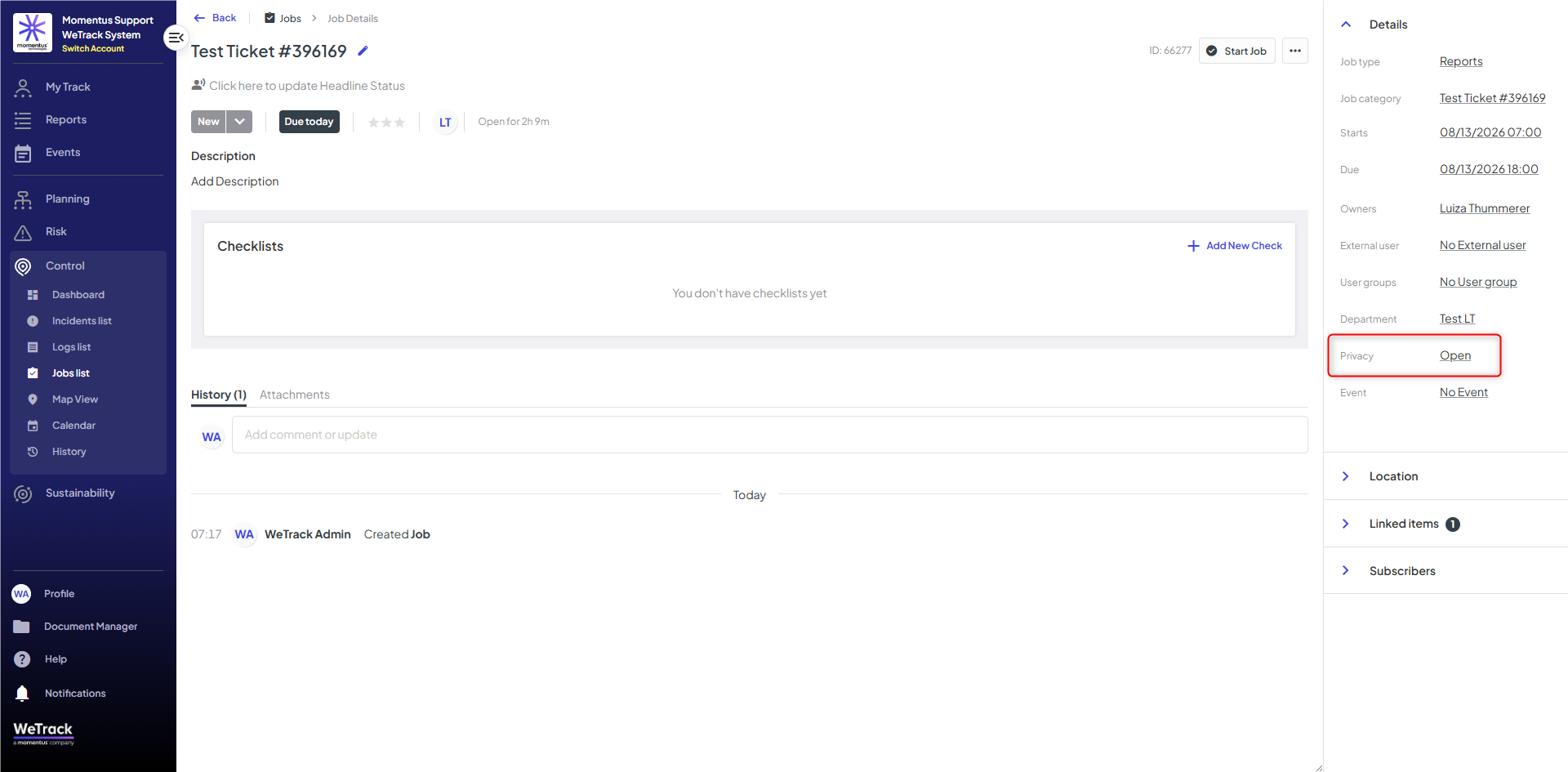
4. Click to Create Job, select the Job Category mentioned on Step 2 and then Save. Notice that now the fields will be copied from the Incident, but the Privacy field will still appear as “Open”.
Observed Results vs Expected Results: Fields not copying from Job Category/Not all fields copying from Incident vs Being able to keep the Privacy field on the Job when creating them from Incidents
What is the job the client is trying to accomplish: User needs that the Jobs created via Incidents keep the same restrictions as the Incidents added. They thought that a way to workaround this would be creating a Job Category and assigning an owner and a department, so the details are only accessible by the users that are from said department or are the owner. However, when the Job is created, the fields are not automatically assigned. I supposed that this is the expected behaviour, and the the fields should copy automatically from the Incident, as they actueally do for Owner and Department and wanted to suggest this as a workaround to the client. However, when I set the Privacy field to Confidential, this is NOT copied, so I would like to understand if this specific part would be a bug or if this is the expected as well? And if so, if there are any other workarounds available that could be suggested?
Business impact if not resolved: Confidential information from Medical and Police Intervention incidents getting an Open Privacy status
Attach relevant files (screenshots, logs, videos) to round out the report:

Link to any articles referenced during Support investigation:
https://wetracksupportcenter.ungerboeck.com/hc/en-us/articles/32224299836823-Job-Categories
https://wetracksupportcenter.ungerboeck.com/hc/en-us/articles/32224313290391-Adding-a-Job-All-Details
-

Hi Luiza Thummerer from reading here, it seems like a bug. Any config on Job Category should pass when you create a job - department, owner, privacy status
I am curious, why are support specialists raising stuff on Documentus? We used to just raise bugs on Jira. -

Vernica Lodha thanks for confirming.
Re: why we used Documentus - if we (support/consulting/CSM) are unsure of the expected behavior, the process is to post to Documentus first to confirm before creating an unnecessary Jira. Now that you've confirmed this is a bug, we will raise the Jira. This is the same process used for All Momentus products and helps keep the engineering backlogs cleaner. -
ok. I looked at the knowledge base articles and can see that the link between job categories and jobs is not called out anywhere - so i can understand why support will not know this functionality.
Job Categories when used while creating a job, passes down all settings of the job category to the created job.
Please sign in to leave a comment.
Comments
3 comments
Date Votes