Service Order Items Do Not Retain Entry Sequence When Added Before Saving
Refer to Product Ideas
Zendesk Ticket: https://supportwebus.ungerboeck.com/LondonCC_Prod
Account: RBC Place London (London Convention Centre)
Region: US
Articles used in your research:
https://supportcenter.ungerboeck.com/hc/en-us/articles/30391433718423-Add-and-Manage-Service-Order-Items
https://supportcenter.ungerboeck.com/hc/en-us/articles/30413991406743-Add-and-Manage-Service-Orders
General
Business impact if not resolved: Users add Service Order Items in a specific sequence to match their operational workflow. When multiple items are added in sequence without saving in between items, the items are not displayed in the order they were entered.
Short Summary of issue (issue description): The client recently attended an Open Q&A session and submitted a question that was not addressed during the session.
Original question: When entering Service Order Items, there is a feature that allows users to add multiple items without saving between entries, which is very helpful. However, we have noticed that the items appear in the Service Order in the reverse order from which they were entered. Is there a way to have the items appear in the same order they were added?
What does the client want to accomplish: The client would like to know whether there is a way that would allow Service Order Items to appear in the same order they were added when using the Add Items pane without saving between entries.
Macro Vertical: Convention Centers
Debug Environment:
Customer DB Location: Hosted
Database: LondonCC_Prod_0904333510_USI
Server: Debug-Canada,1433
Version: 26.1.9663.19219 (20260616)
V30 Link: https://supportwebus.ungerboeck.com/LondonCC_Prod
User Login: test@gomomentus.com/123456
Recreation Steps:
1. Log into: https://supportwebus.ungerboeck.com/LondonCC_Prod >> User Login: test@gomomentus.com/123456
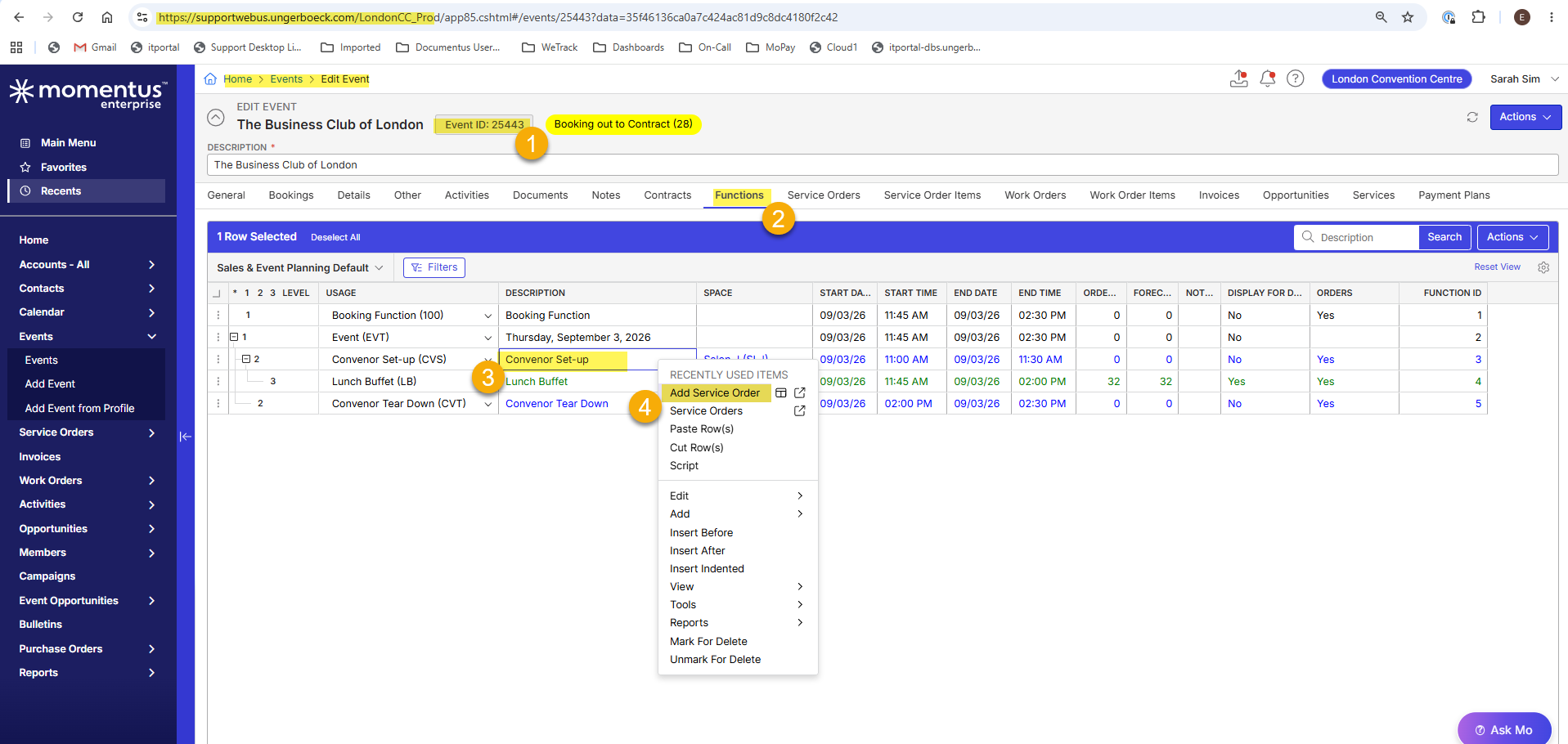
2. Navigate to Event 25443 and open it for editing > Select the Functions tab
3. Select function Convenor Set-up (Funcition ID 3) > Right-Click > Add Service Order
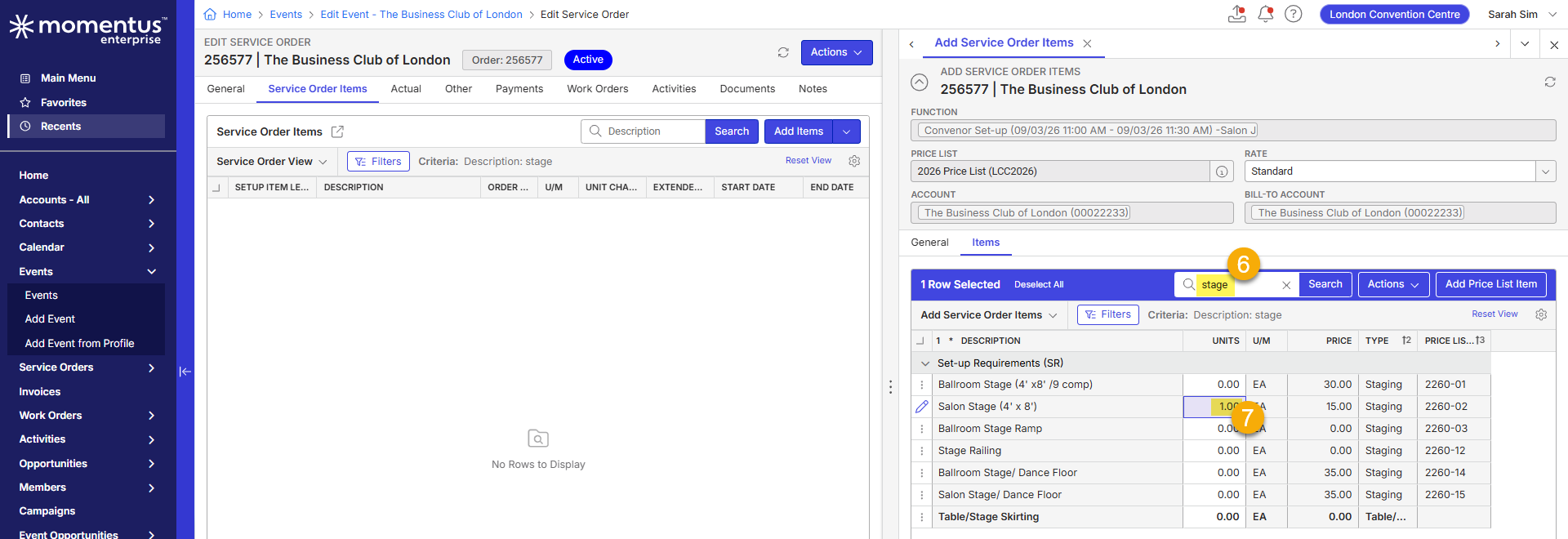
4. The 'Add Service Order ● The Business Club of London' window will open > In the 'Items' tab, enter 'rounds' into the Search field and hit Enter
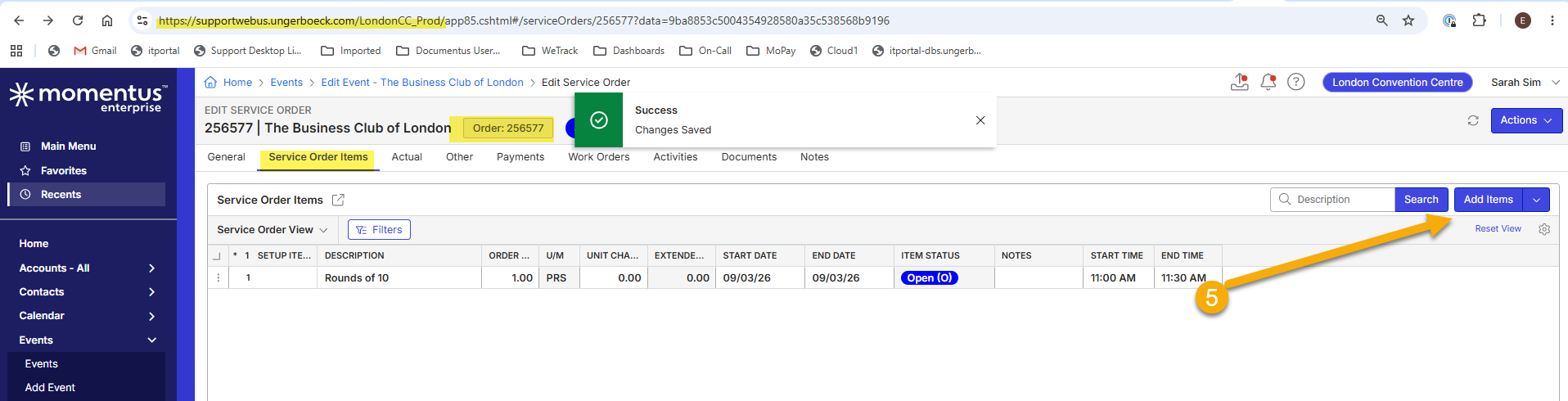
5. The search will return 3 items, enter 1 into the Units for 'Rounds of 10' (RNDS10-R) and hit Save
7. The Service Order (256577) will be created and open for editing.
8. In the Service Order Items tab, click Add Items to open the reading pane
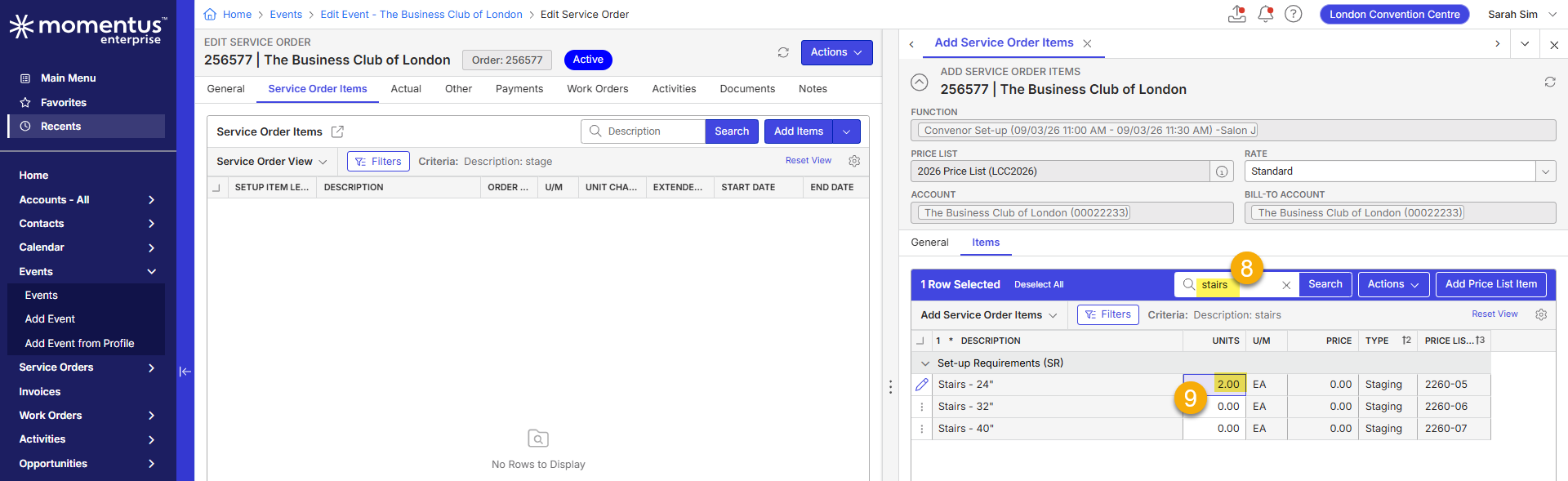
9. the client will start searching and adding units using the reading pane to add items in a specific order: ex search for 'stage' > hit enter > add number of units > search for 'stairs' > hit enter > add number of units > search for 'podium' > add number of units > search for 66" > hit enter > add number of units > etc. etc. All these without hitting Save in between adding the next item. When all the items have units the client will click Save > Save and Close. This workflow cause that the items will be entered in a different order that how the items are searched and units are added.
10. They used to entered items hitting Save in between searching the items, and the system will enter the items in the same order how the units are entered.
...
Observed vs. Expected Results:
Observed: After reviewing the client's workflow and testing locally I was able to reproduce the behavior. When multiple Service Order Items are added through the Add Items (pane) without saving between entries, the resulting Item's Order does not preserve the order in which the items were searched for and units added.
For example, a user may add items in the following sequence:
- Stage
- Stairs
- Podium
- 66" Round Tables
After clicking Save, the items may appear in a different order within the Service Order (66" Round Tables > Podium > Stairs > Salon Stage > Power at Podium).
Expected: Items should appear in the Service Order in the same order they were entered by the user, even when multiple items are added before saving.
Attachments:
Attachments or screenshots:
RECORDING: Recap: Sarah Sim and Edwin Hernandez Wednesday, July 15 | Meeting | Microsoft Teams
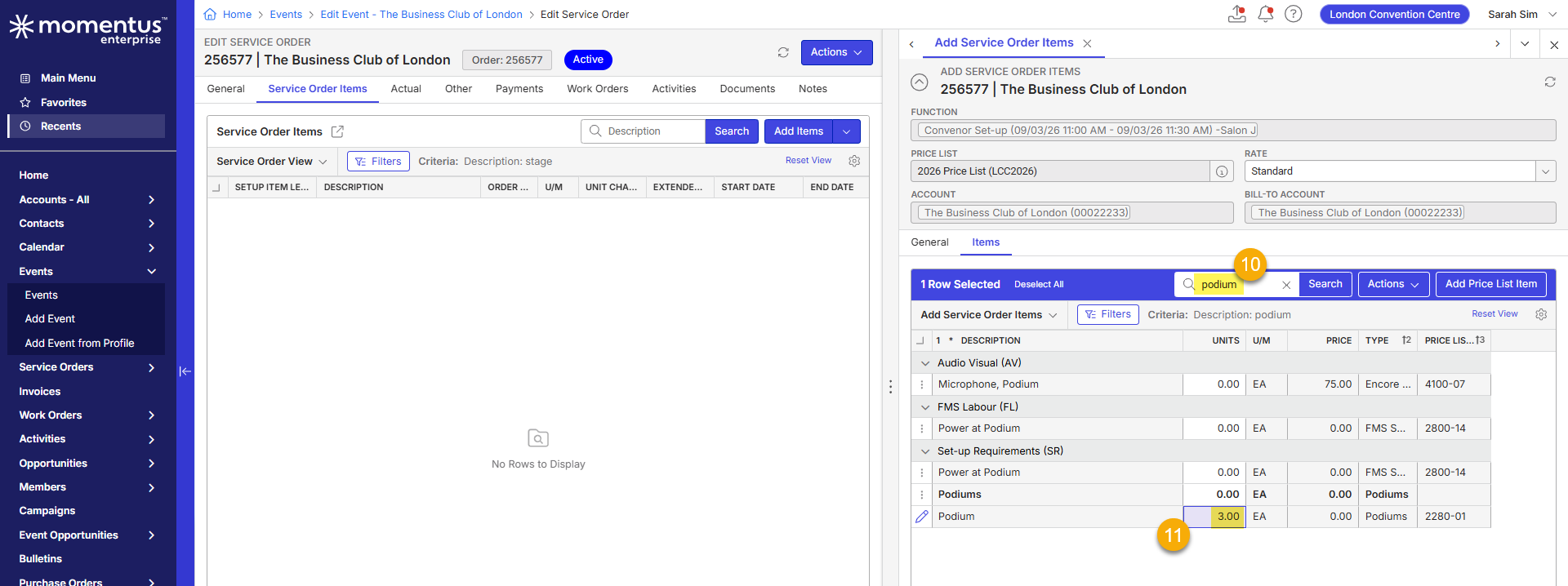
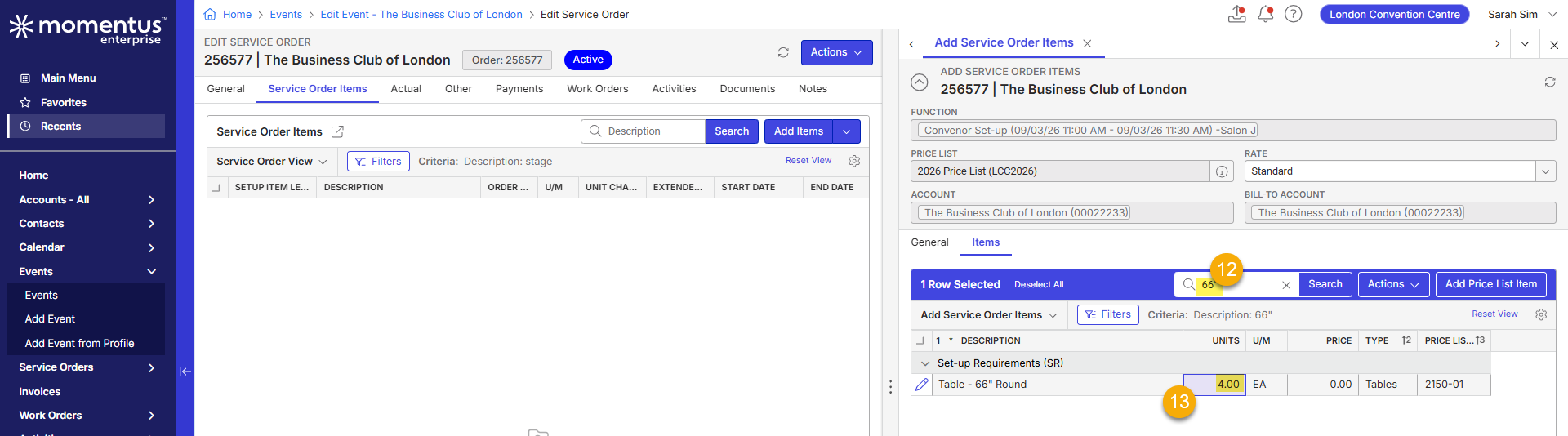
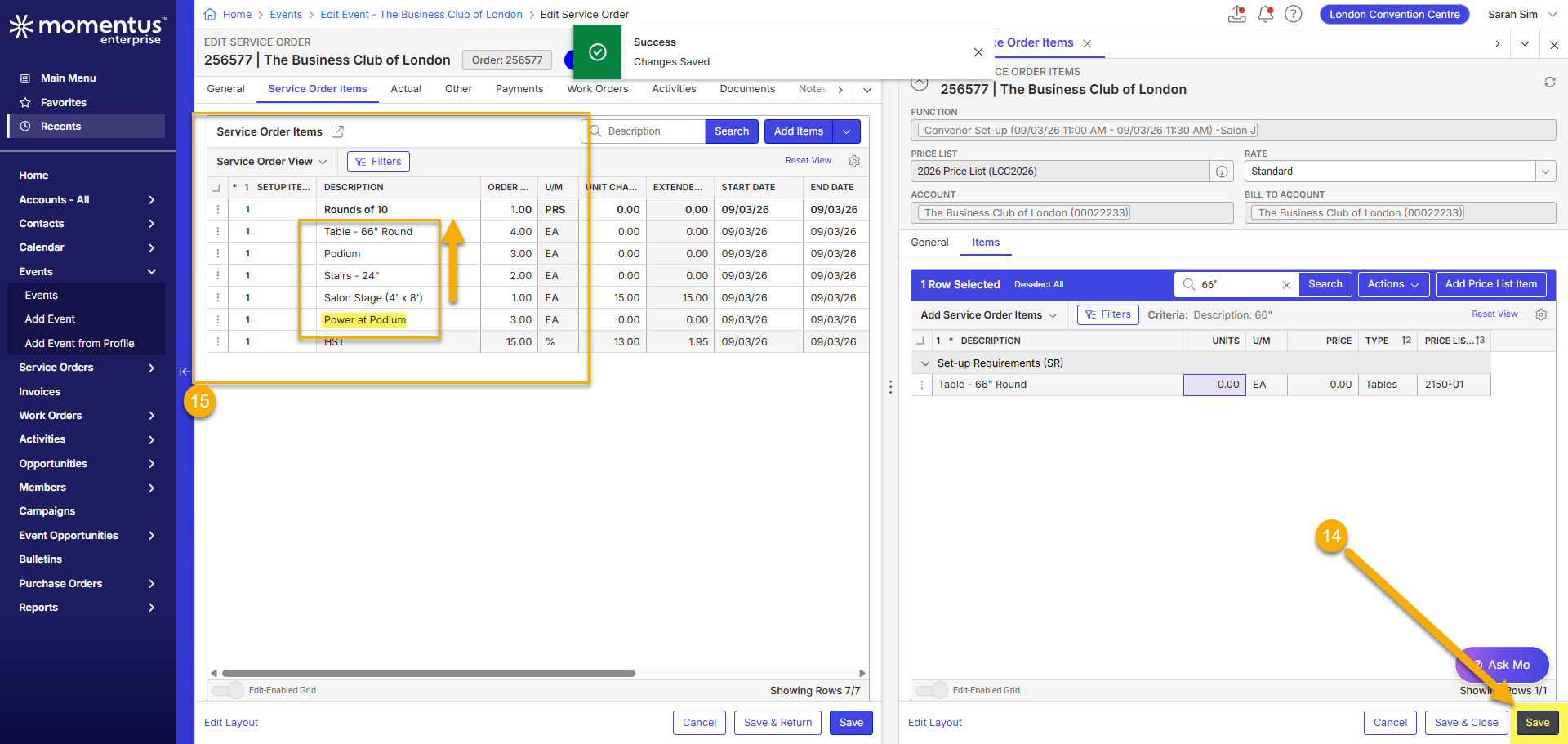
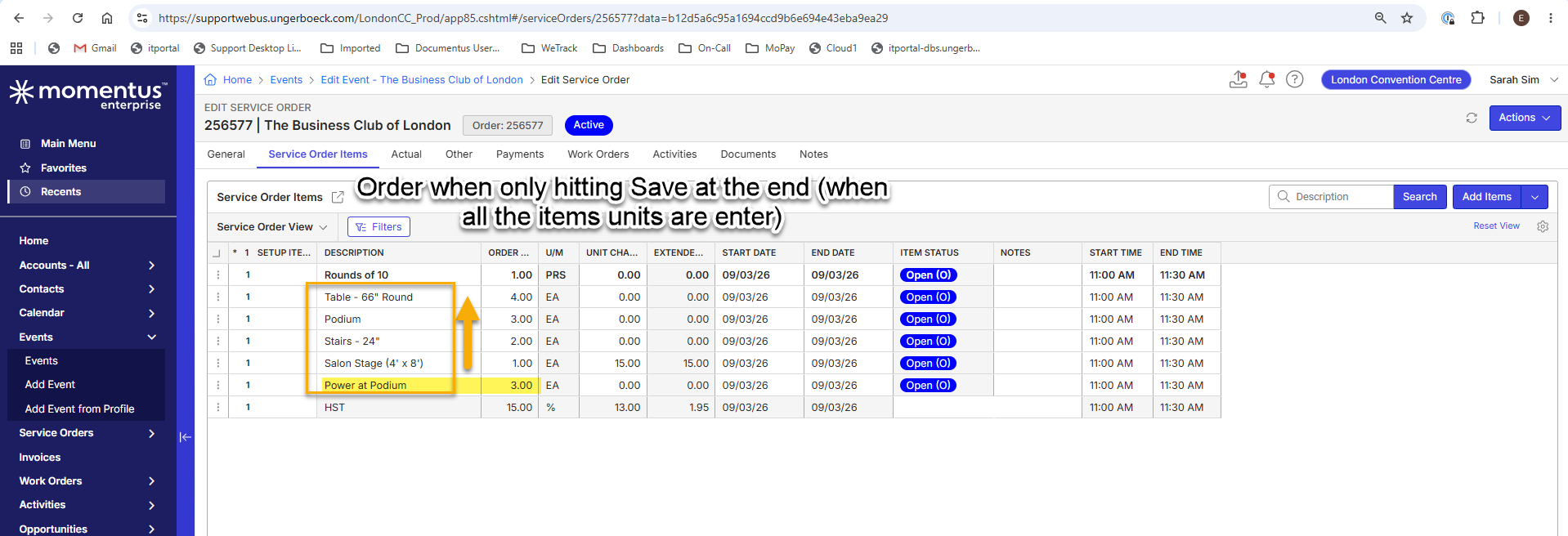
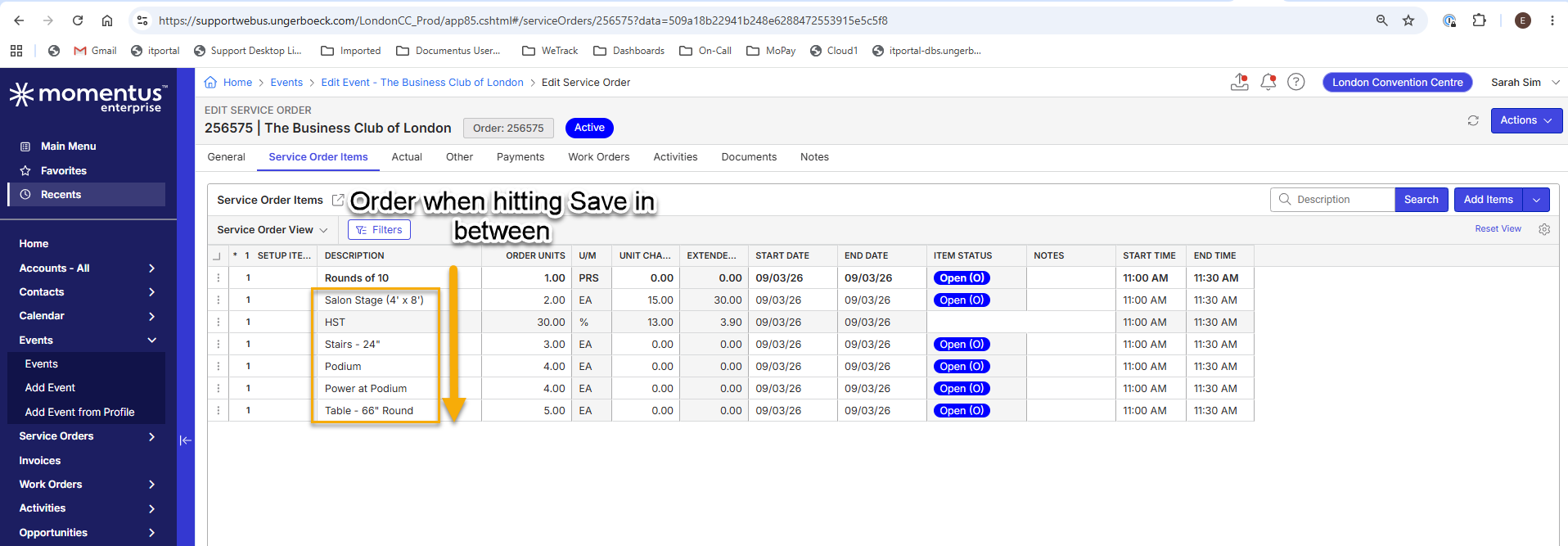
-

Edwin Hernandez Does the same thing happen in previous versions?
I'm not sure what the logic is for saving, maybe it's adding them based on where they appear on the price list, but what is the customer's need for them to be in a specific sequence? Is it for reports? You can change the print sequence after the items are added.
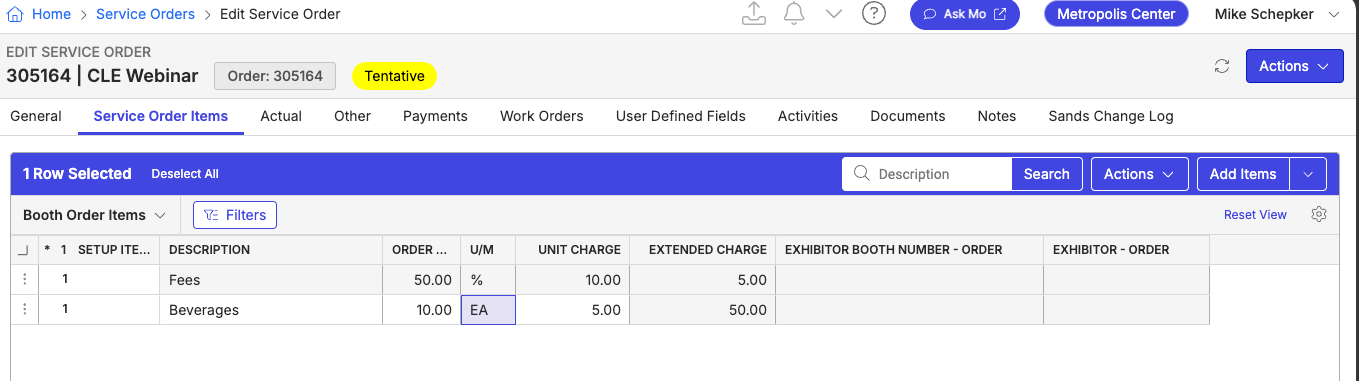
If I right click and go to Tools → Print Sequence
I can move Fees above Beverages on this window.

And after this is what my order looks like.
-
Mike Schepker I am testing this in QE_24, and I can see that the same behavior occurs there as well.
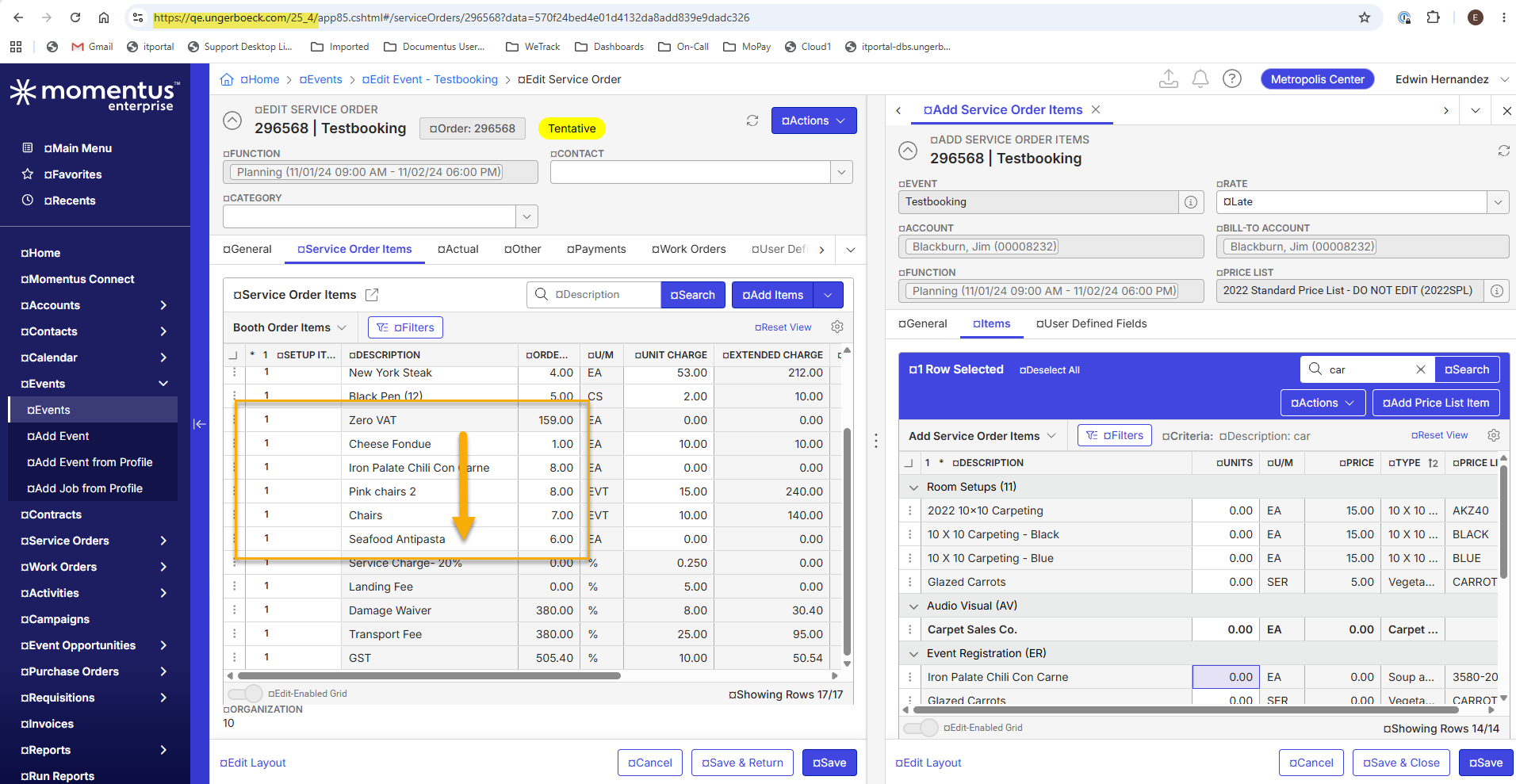
However, I was not aware that the print sequence can be changed using the 'Print Sequence' tool. I just tested it and it works for me.
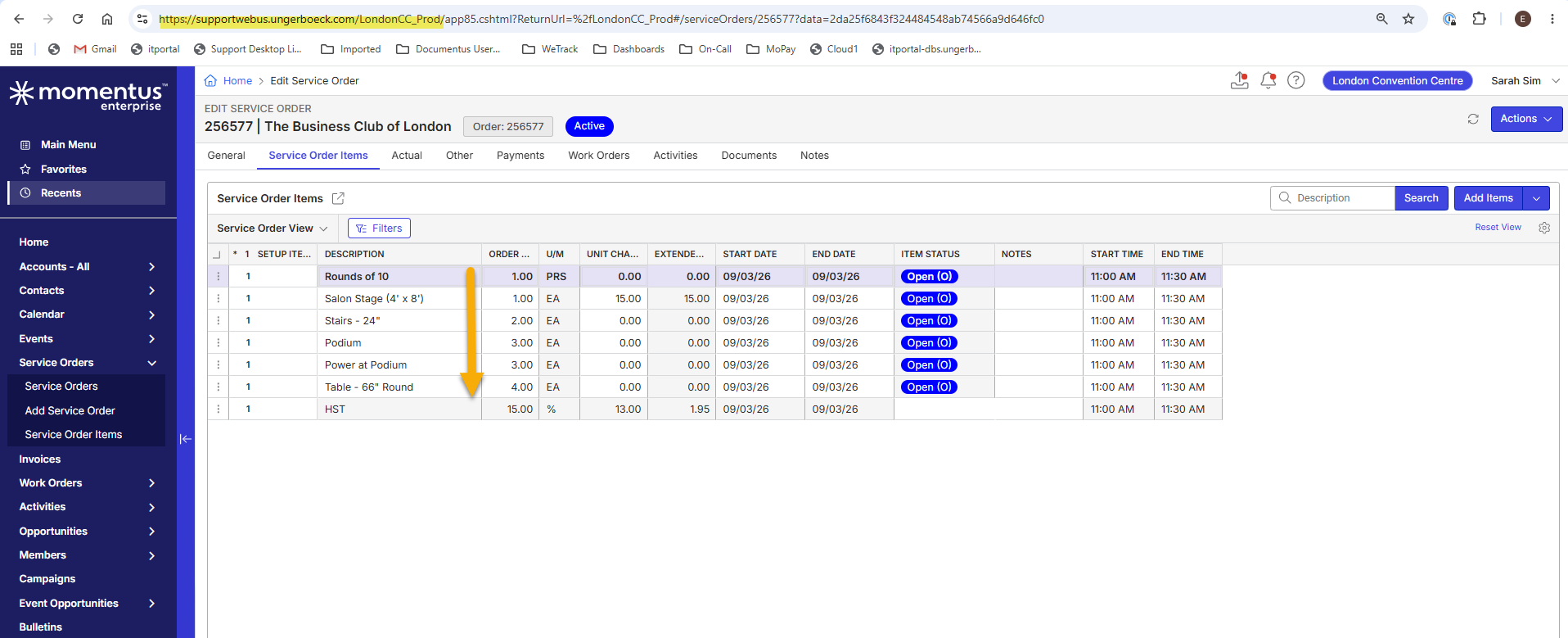
The client only mentioned that this is the correct order. They prefer entering the items in the same order the room will be set up, starting from the front and moving toward the back of the room. I am not sure whether they also need this order reflected in reports.
I will present this workaround to the client to see if it resolves their concerns. If not, I will ask them to confirm their expectations regarding the save order logic.
Thank you very much for taking the time to review this. I appreciate your help. -
Hello Mike Schepker - London CC has reopened ticket: #391772, while they recognize that the Print Sequence feature is useful, they do not believe using it is more efficient that their previous workflow, if users must manually reorder every service order they create.
Martin explained that the current save behavior is due to the way the system processes items when they are added. His understanding is that the system stores the items as an array/stack and assigns the hierarchy in reverse order when saving at the end of the process, so, the last item added shows first.

Do you know anyone in the team that can confirm whether this behavior is working as designed? If this is WAD, I would like confirm whether this could be submitted as an enhancement request for future consideration.
Thank you for any insight you can provide. -
Hi Seth Halvaksz - I was working on this case with Mike; however, he is out of the office this week. I was wondering if you could please confirm whether this behavior is working as designed? If this is expected behavior, I would also like to confirm whether it could be submitted as an enhancement request for future consideration. ZD ticket: https://ungerboeck.zendesk.com/agent/tickets/391772
Martin explained that the current save behavior is due to the way the system processes items when they are added. His understanding is that the system stores the items as an array/stack and assigns the hierarchy in reverse order when saving at the end of the process, so, the last item added shows first.
Thanks in advance for your help!
-

Edwin, we had a related ticket on print sequencing we just worked on. Not sure if this is related to this issue?
-
Hi Seth Halvaksz - Thank you for this information! I've checked APP-7330 and confirmed that this case does not appear to be related to the issue being reported in my ticket.
The issue we're seeing involves the new functionality that allows users to add multiple Service Order Items sequentially without saving between entries. We've observed that, after saving, the items appear within the Service Order in the reverse order from which they were entered.
Martin explained that this behavior may be related to how the system processes and saves the items. His understanding is that the items are temporarily stored as an array or stack during entry, and when the save occurs at the end of the process, the hierarchy is assigned in reverse order. So, the last item entered appears first in the Service Order.
Could you please confirm whether this behavior is working as designed? If so, would it be possible to submit this as an enhancement request so that items are displayed in the same order in which they are entered by the user?
Thank you in advance for your help!
-
can you point me the ticket number or release notes for this and I'll investigate: "new functionality that allows users to add multiple Service Order Items sequentially without saving between entries"
-
Edwin Hernandez This sounds like an enhancement request. They want the current behavior of the system to change. That is an enhancement. Their other option is to use print sequence, which is how all other customers who need to control their sequencing for reports work.
-
Thanks for all your help! I've submitted a Pendo request: Enhancement Request: Preserve Service Order Item Entry Sequence.
Please sign in to leave a comment.
Comments
9 comments
Date Votes