🐛 Possible Bug - Bullet Points Disappearing when Previewing Event Outline in Ops Hub
Answered
🐛 Possible Bug - Bullet Points Disappearing when Previewing Event Outline in Ops Hub
-
Environment Observed
- Sandbox
- Account Name - NA: AMBSE / Mercedes-Benz Stadium (Spreadsheet Conversion) (EXP:2026-08-10)
- Account ID - account-27832-A
-
Is this a converted account?
- Yes
- Date Converted (if known) - June 10, 2026
-
Issue Scope
- One customer but reproduceable in Demo
- Event Name - Atlanta United vs. LA Galaxy at 7:30PM
- Event ID - event-4466-A
-
Was the issue reported by the client?
- Yes
- Client Contact Name (if yes) - Janine Flaxer
- Client Contact Email (if yes) - janine.flaxer@ambse.com
-
What’s the problem?
- When adding event-wide functions (instructions) to the Event Outline, it correctly pulls in the instructions with bullet points as set up in the Detailing tab. Once you hit the Preview button for the Event Outline, all bullet points go away. This makes understanding the information a lot harder.
- When I edit the information and put the data from the event-wide function, it shows up with the rich text, including bullet points:
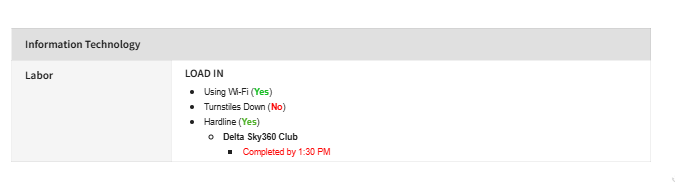
- But then when I save and "preview", it reverts back to no bullet points, making it difficult to decipher information, especially on larger and more complex instructions.
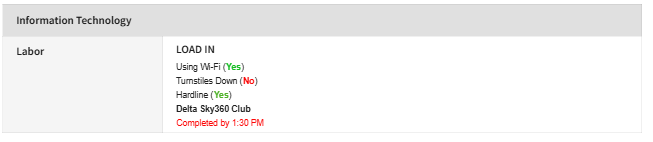
-
Another example in Edit Mode the bullet points are visible -
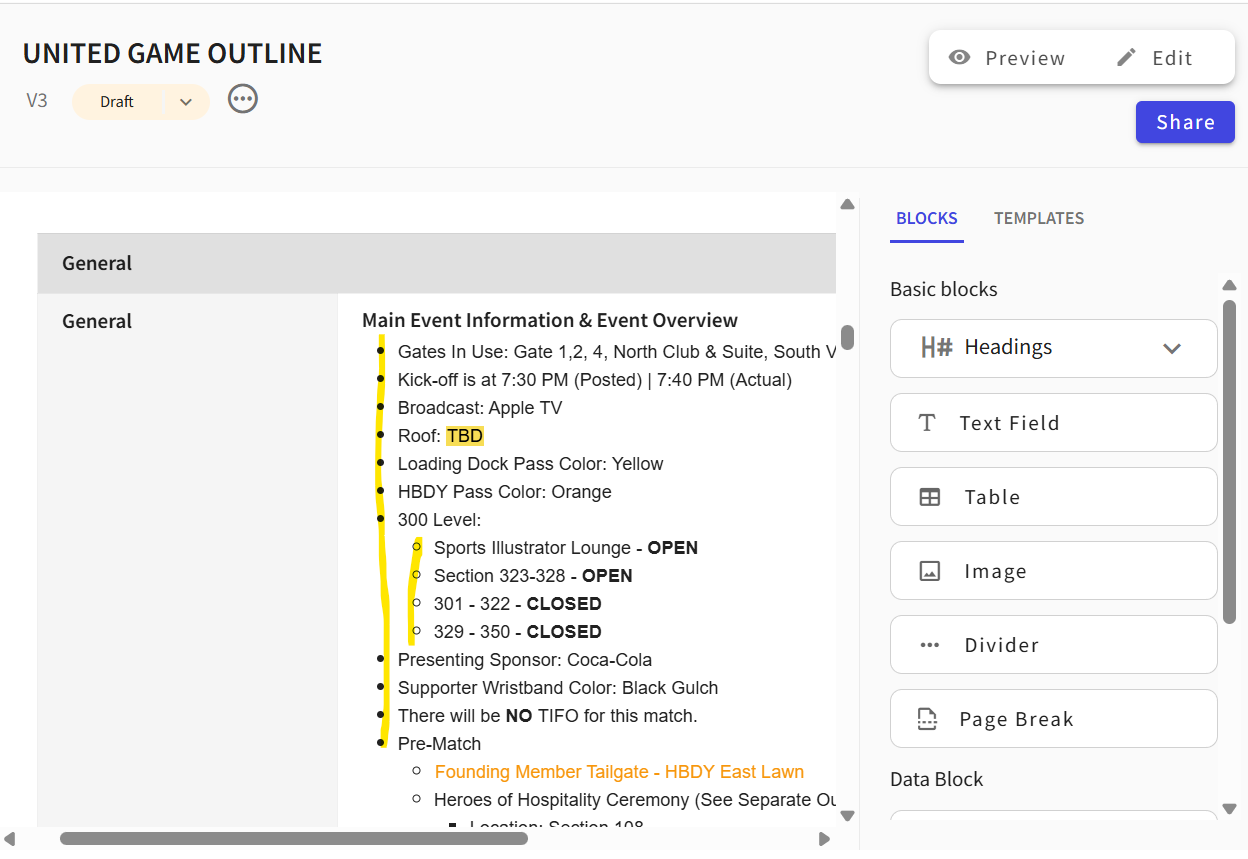
-
In Preview Mode the bullet points are not -
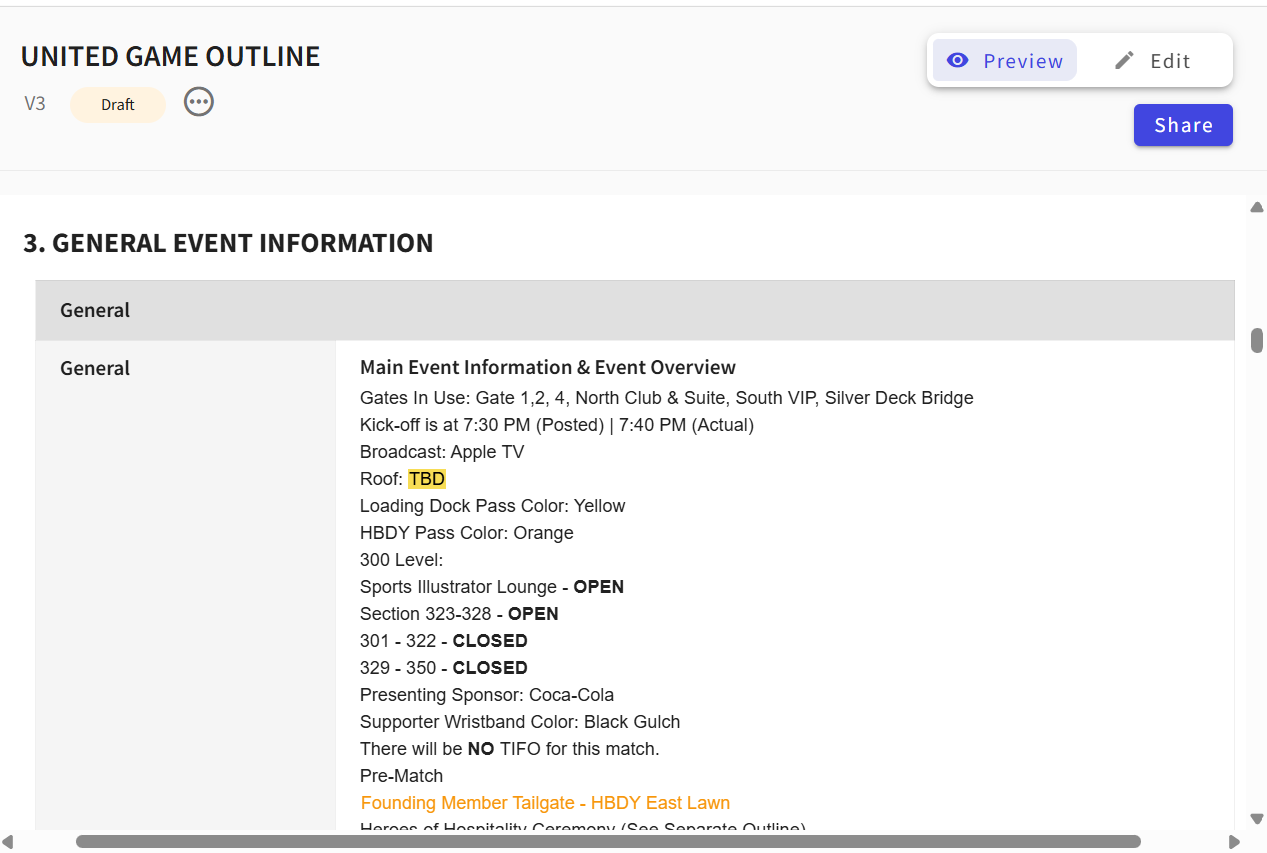
-
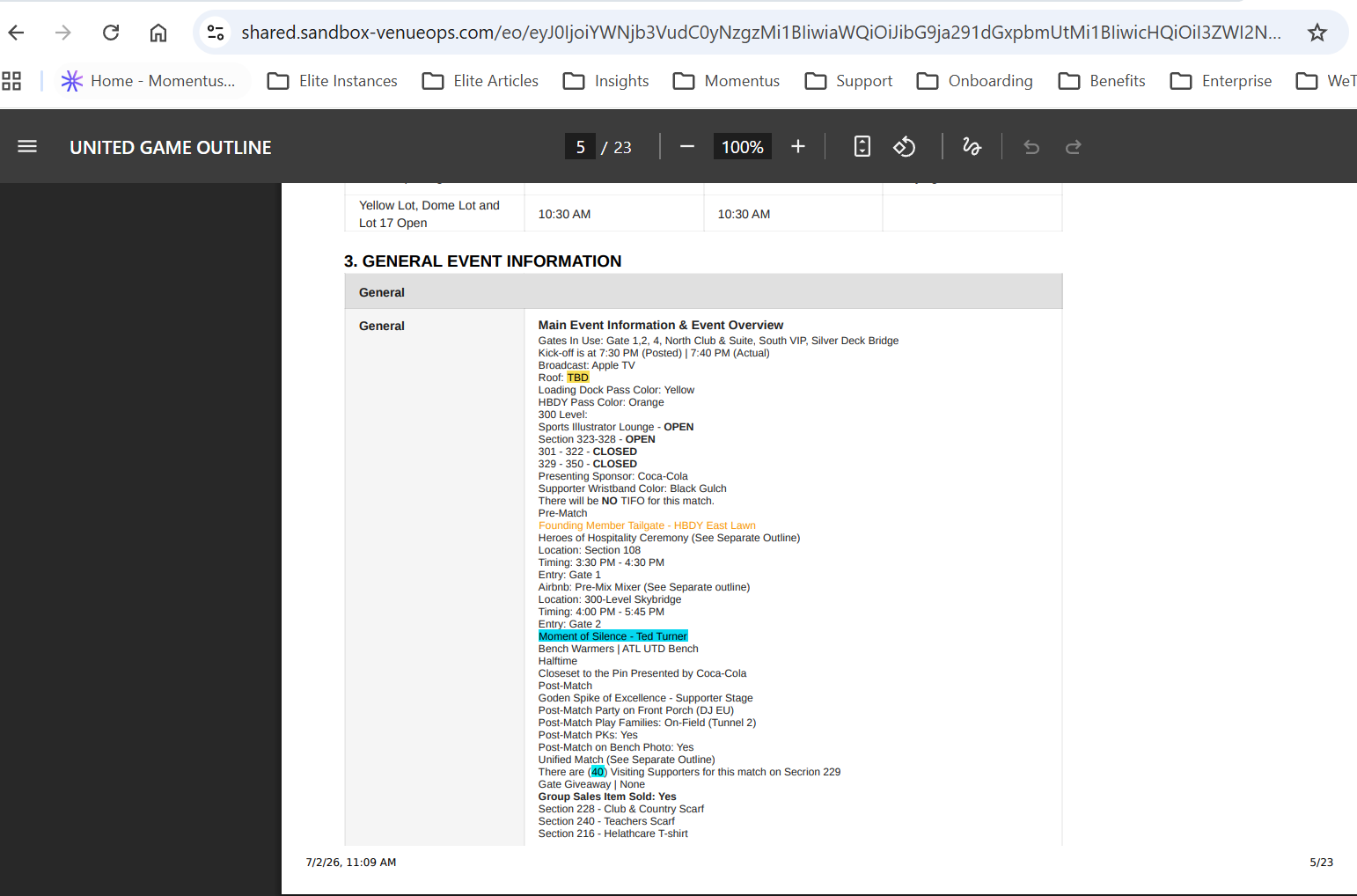
Shareable link also does not show bullet points -
-
Is the issue reproducible?
- Yes
-
If reproducible, where?
- Demo
- Demo/Staging/Pitstop Account - Y - Premier - Paige, account-10060-A
- Demo/Staging/Pitstop Event ID - event-709-A
-
Steps to reproduce the issue
- Find/create an event. Add instructions with bullet points into an Event-Wide Function. Make sure functions are Ready and event is Confirmed. Go to Ops Hub and create an event outline.
-
Pull in the Event-Wide Functions and add the instructions to your event outline. In edit mode, I can see the bullet points.
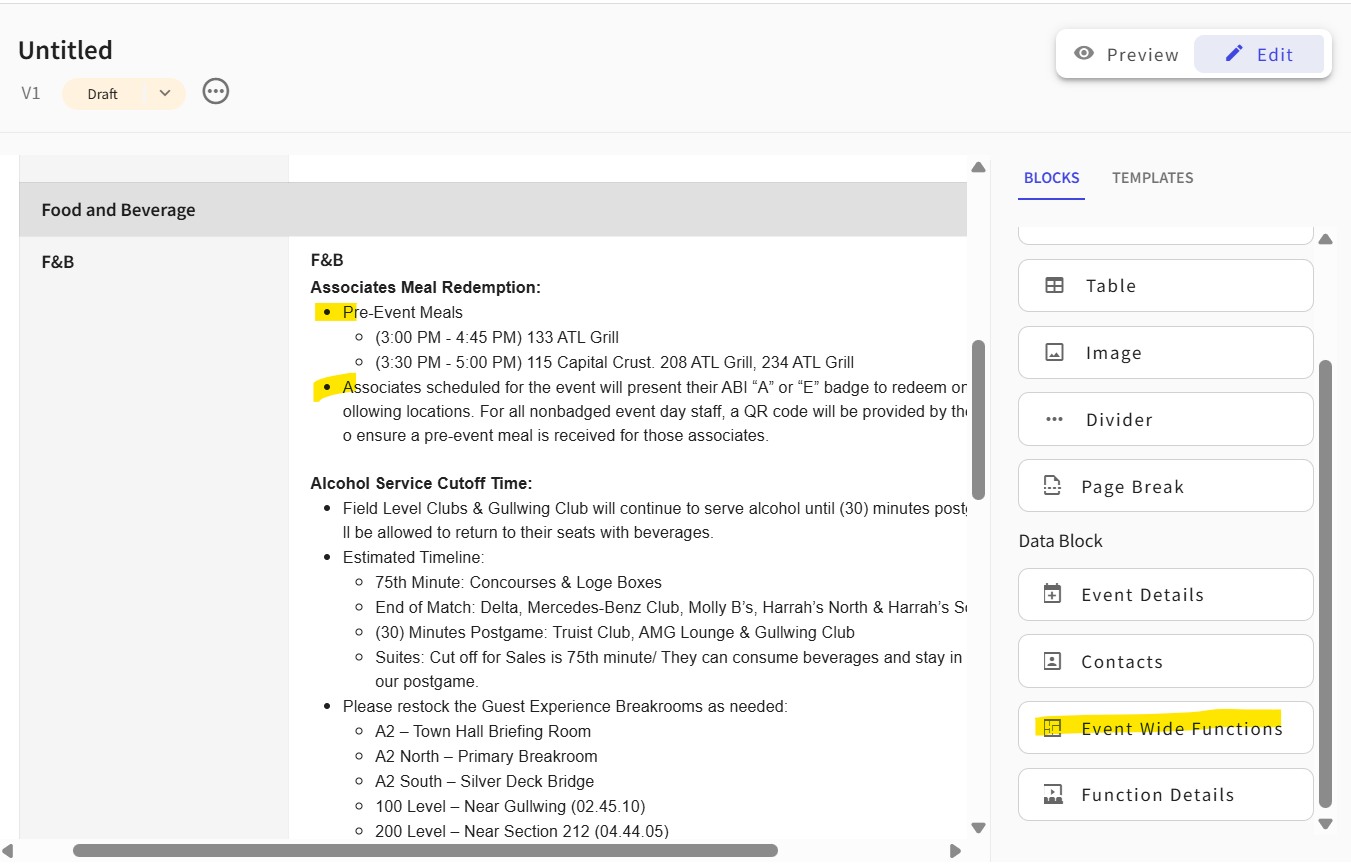
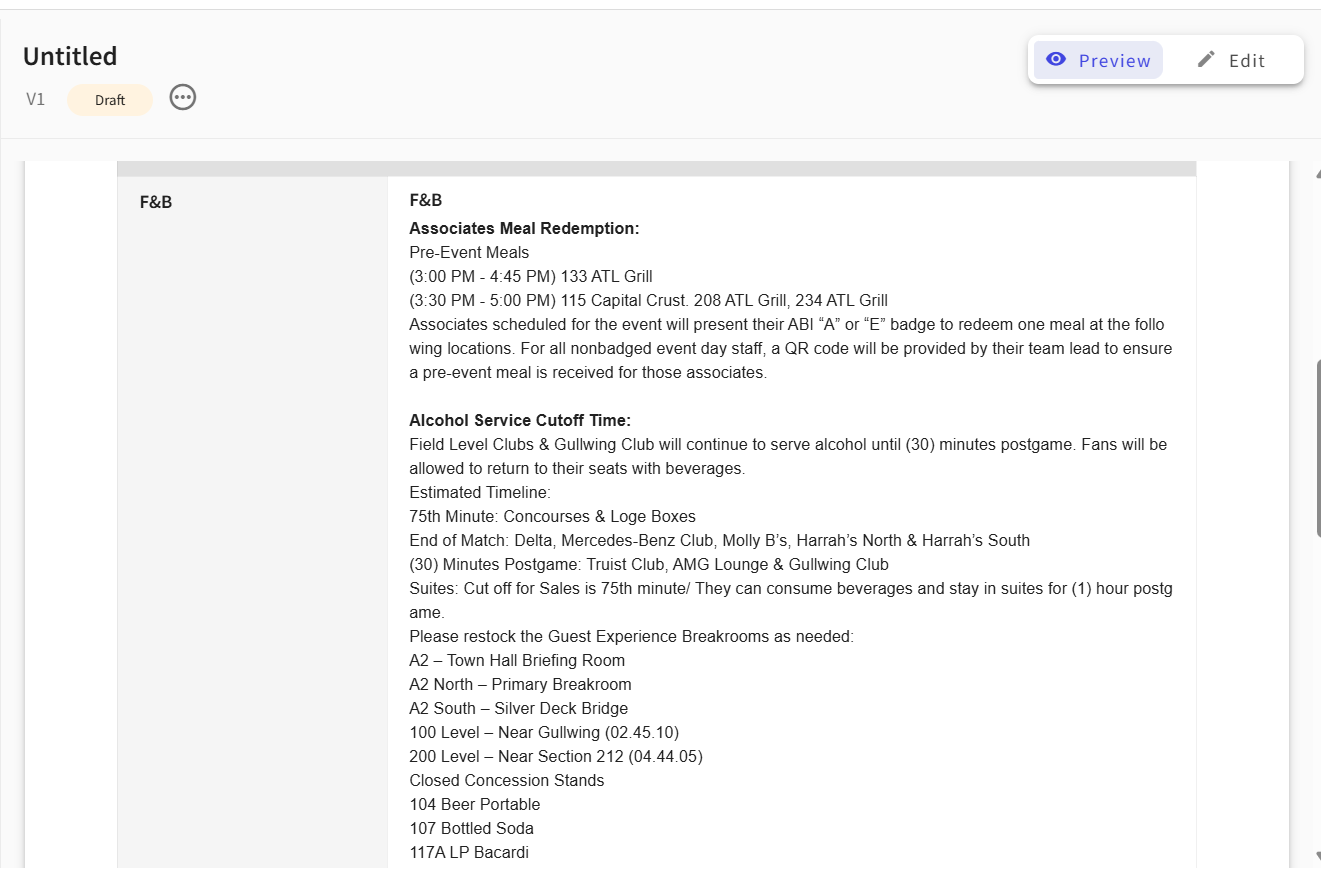
- When I change to Preview mode, the bullet points disappear.
-
Expected behavior
- I expect the event outline to retain the rich text edits made on the instructions.
-
Attachments available?
- Screenshots or videos: Included
-
Official comment

Hey Paige Philipps ! Yep, I would expect this to work as well for all - Preview, but also with download, print, and the url/shareable link. Please go ahead and raise a bug. Thanks!
-
Elizabeth Fox Thanks! I have created ticket #394240 for this issue. https://ungerboeck.zendesk.com/agent/tickets/394240
Please sign in to leave a comment.
Comments
2 comments
Date Votes