Expected Behavior for Integration Settings Sync when Copying Prod to Test or Upgrading
Answered
Zendesk Ticket: 388500
Account: Palais des congrès de Montréal
Region: US
Articles used in your research: About Momentus Connect
General:
Business impact if not resolved: Wasted time setting up Outlook Integrations settings if they are wiped out with each upgrade.
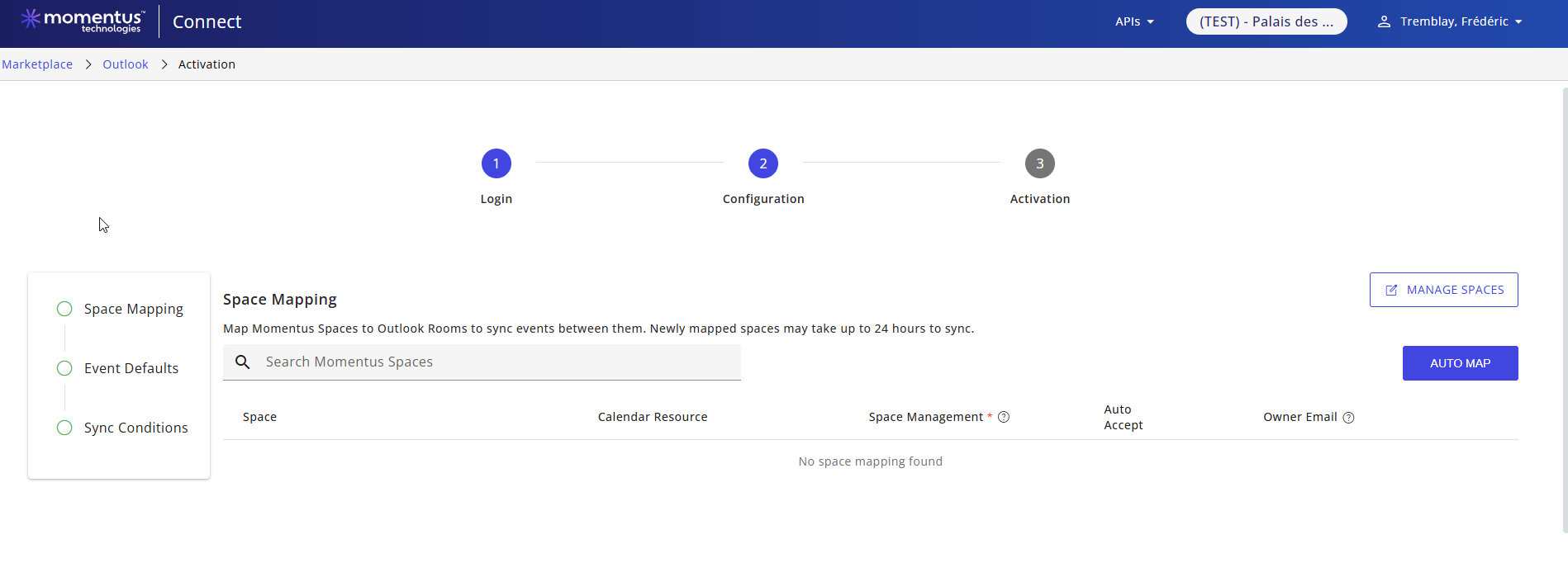
Short Summary of issue (issue description): Customer recently set up Outlook Integration settings in Test, then completed a Copy Prod to Test which wiped out all their settings (since none had been completed in Prod). Is this expected behavior? Once these are set up in Prod, when a Copy Prod to Test is completed, will the Test site show what settings were in Prod?
Macro Vertical: Convention Centers
Debug Environment:
Customer DB Location: Hosted
Database: PCM_Test_2123016657
Server: Bacchus.USI-VAVPC.com,1697
Version: 26.12026051301
V30 Link: https://pcm.ungerboeck.net/TEST
New UI or Classic UI: New
What does the client want to accomplish: Not having to recreate integration settings each time an upgrade or CP2T is completed.
Tagging Cathy Herrick - please advise
Attachments:
Attachments or screenshots:
-

Victor Nogales Junior - I'm unable to answer this one. I'm not sure if we expect OutLook integrations in Test to break every time there is a copy Prod to Test or if they would maintain as long as the setup had been done in Prod.
-

Hello Heather Lightsey ,
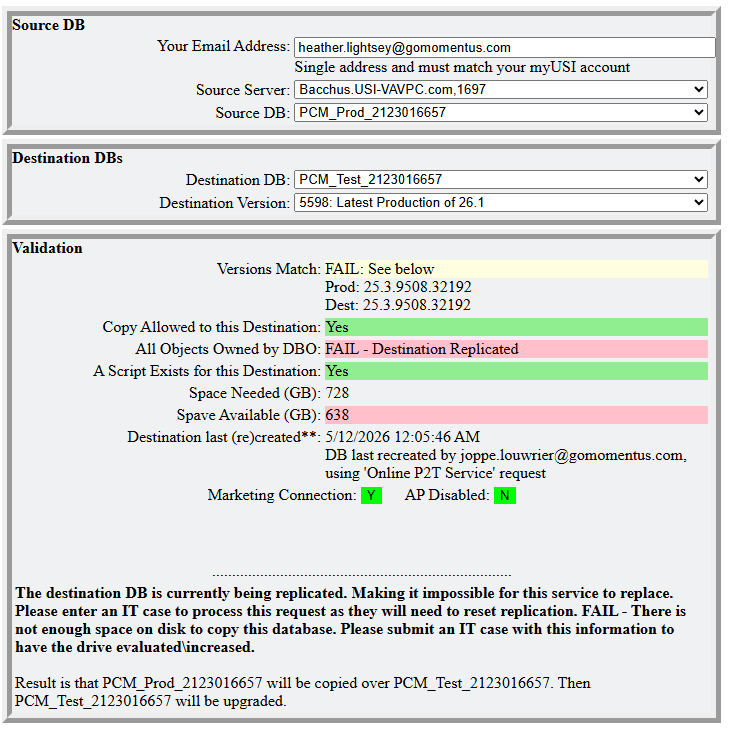
Could you tell us when the copy was executed? I'm asking because DevOps has implemented and deployed a fix to avoid this problem, and I would like to make sure it's working as expected.
Thanks, Victor.
-
Victor Nogales Junior looks like it was on 5/12/26.
-
Hi Heather Lightsey , thanks for that. I’ll need help from the engineers. Since tomorrow is a national holiday in India I can only discuss this with them on Friday. I’ll keep you posted.
-
Hello Heather Lightsey ,
After investigating this problem we iden
(i) When a database copy is made from production to test it only occurs at the enterprise level. This shouldn’t affect Outlook settings which are stored in Momentus Connect not the enterprise. Your customer can’t find the previous Outlook settings likely because Outlook was first configured at the same time Momentus Analytics was being tested by them. Consequently, PCM’s test environment was pointing to AMER MoCo as this was the only environment available at the time. Now PCM's test environment points to the correct location, i.e. CA MoCo Sandbox, which explains why they couldn’t find the previous settings. This shouldn’t happen again in the future.(ii) Although Outlook settings aren’t impacted after a database copy from production to test, the previous settings assumed a specific space mapping. If the mapped spaces aren’t preserved after the copy some mappings will be lost. For bookings, previous bookings mappings are lost because the link between Outlook and Enterprise booking settings happens via an internal Enterprise ID which changes from environment to environment. In summary, after a database copy assuming the spaces are kept as they were PCM will be able to create new bookings. However, note that all previous synced bookings are no longer mapped between the two systems which can cause conflicts when you try to make changes to those previously synced bookings.
I hope that helps to clarify your questions.
Victor.
Please sign in to leave a comment.
Comments
5 comments
Date Votes