Open Amount Not Appearing on Payment Portal

Posted to Documentus:
Zendesk Ticket: 380422
Account: Seattle Center
Region: US
Articles used in your research: Web Payment, Payment Plans, Add a Payment to a Payment Plan
General:
Business impact if not resolved: Client cannot pay balance owed via the portal
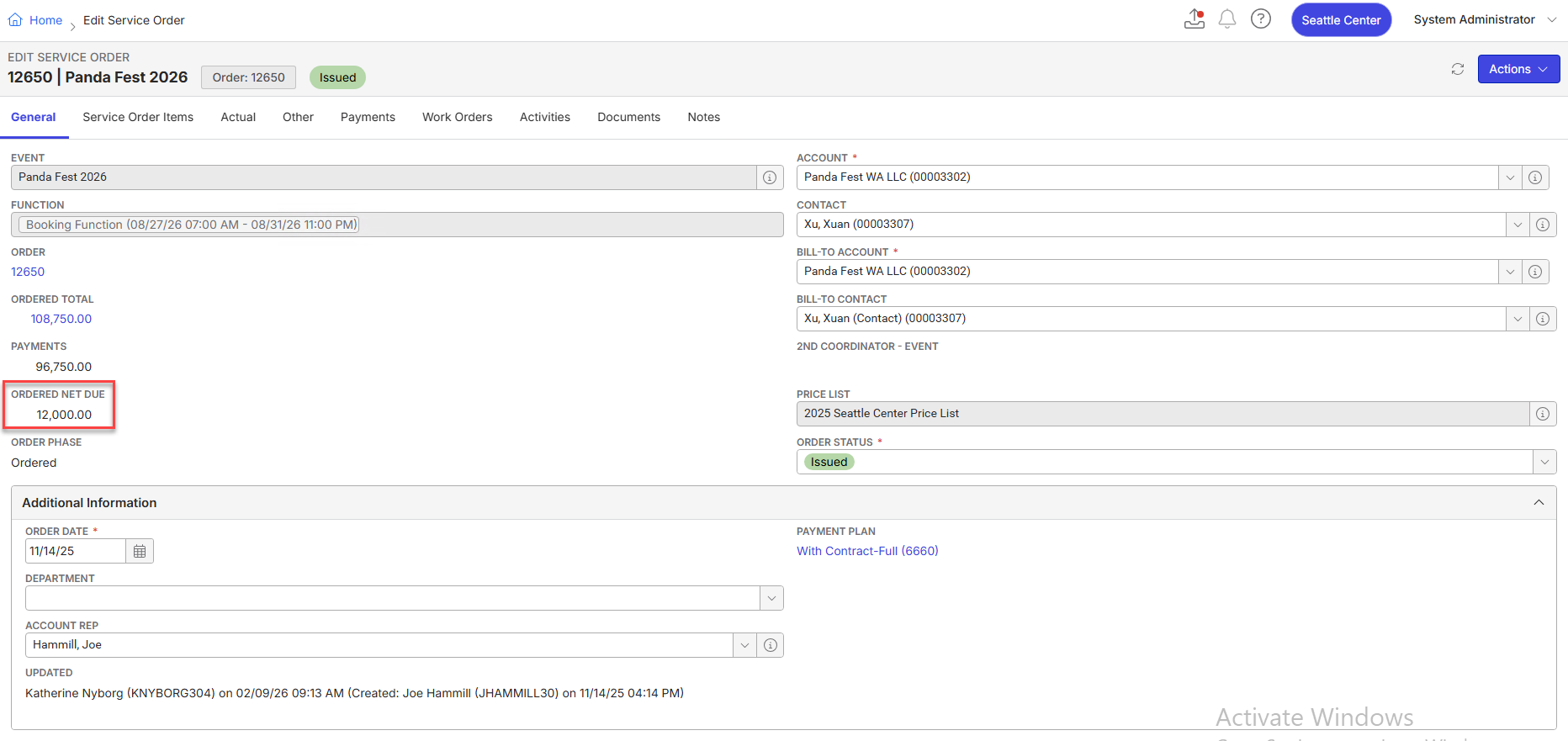
Short Summary of issue (issue description): A customer has an open amount on a payment plan, but the amount is not reflected in the payment portal. When logging in, the portal shows no open orders, thus zero net due (even though backoffice shows a balance of $12,000 due). Client looked up information in their merchant portal (through Authorize.Net) and apparently there was a charge that was declined (I cannot find any record of this declined payment in backoffice and neither could the customer). I'm wondering if the payment was charged, the payment plan step was marked as Paid, then when the charge was declined, the PP step got "stuck" thinking it was Paid even though it was not?
Macro Vertical: Convention Centers
Debug Environment:
Customer DB Location: Hosted
Database: SeattleCenter_Prod_0963585799_USI
Server: Debug-US,1433
Version: 25.4.9501.34270 (20260105)
V30 Link: https://supportwebus.ungerboeck.com/SeattleCenter_Prod
User Login: usiadmin / ITRocks2014
Recreation Steps:
- Navigate to service order #12650
- Notice on the General tab that the Ordered Net Due is $12,000.00
- Click on the Payments tab
- Click on the arrow next to the Add Payment button and select Add Web Payment
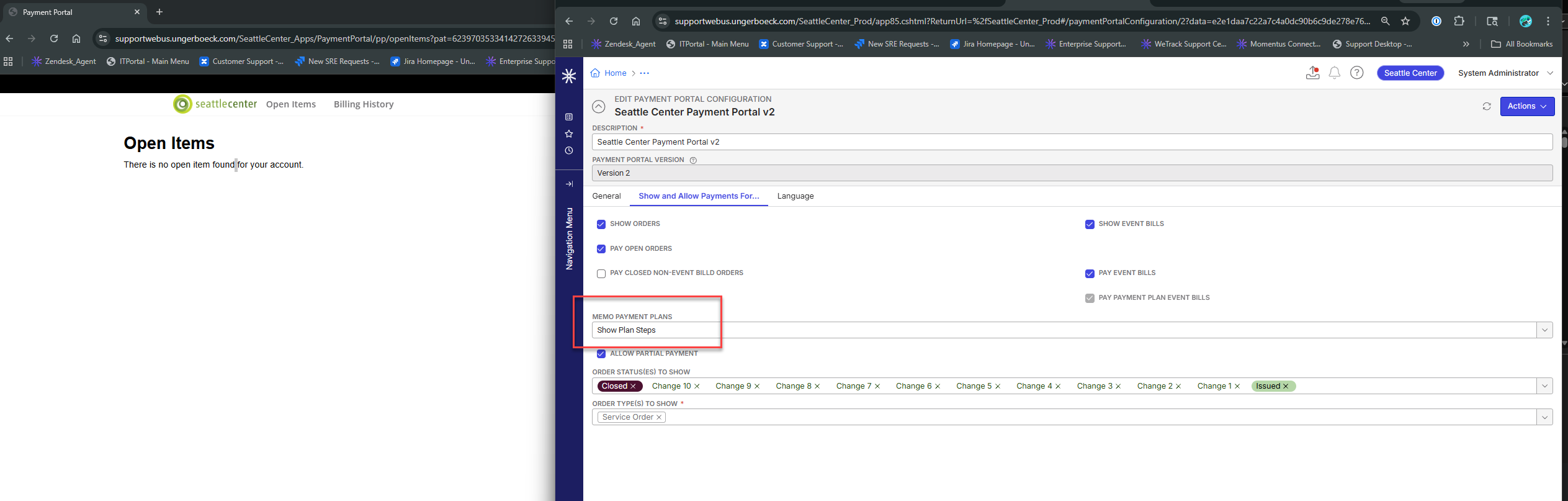
- Upon opening the portal, it says there are "no open items found for your account"
What Support Has Tried:
- Tried deleting the second payment plan step = no change in portal
- Tried adding a new payment plan step for the $12,000 = no change in portal
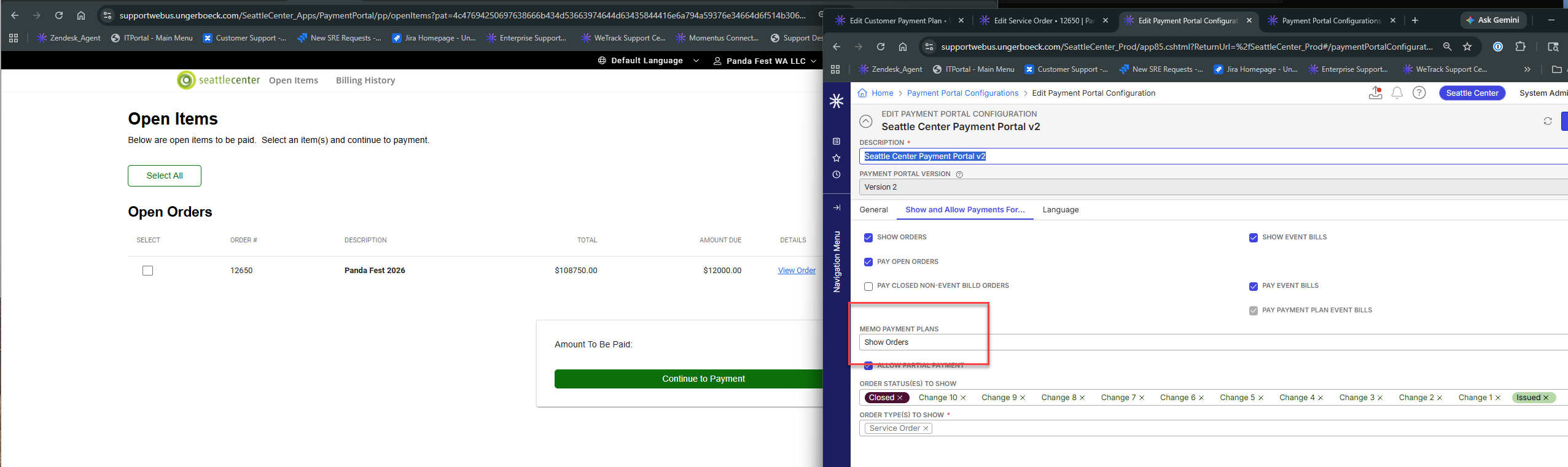
- Tried changing the Payment Portal Config to Show Orders instead of Show Payment Plan Steps = the order is appearing on the Portal. I advised the customer of this but she is concerned about the ramifications of making this change to the portal since this is currently only affecting one customer
Observed vs. Expected Results: Would expect to see a balance due on the payment portal
What does the client want to accomplish: Allowing customers to pay their balance
Tagging: Cathy Herrick please advise
Attachments:
Attachments or screenshots:

-
Official comment

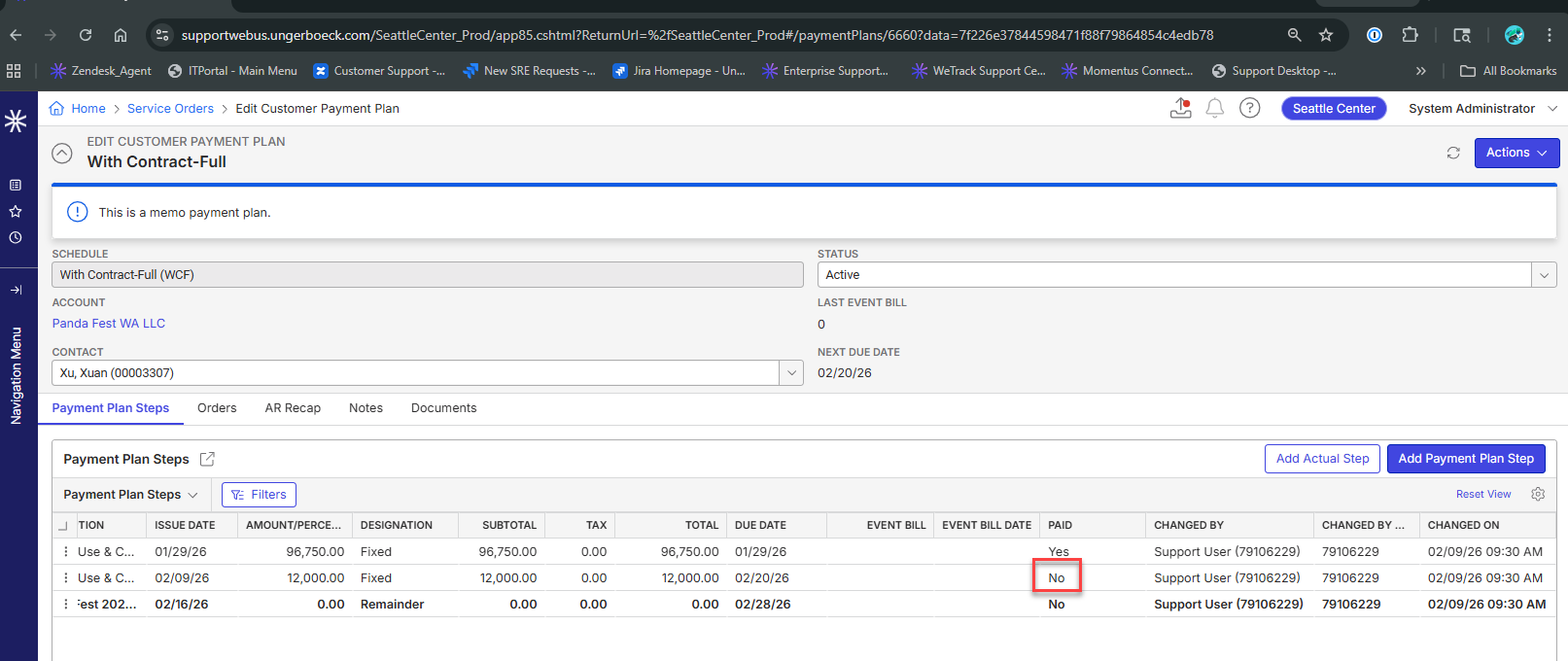
The memo payment plan step is not loading because the two payments for 50,000 and 46,750 are tied to payment plan step #2. You can see this if you put the Pay Number on the edit layout.
There are only three reasons a memo payment plan step won't load in the payment portal:
1.) Portal is not configured for memo payment plan steps
2.) Payment plan step is marked as paid
3.) The sum of payments tied to that payment plan step equals or exceeds the amount of the step
NOTE: Online payments cannot be made that exceed the total of the payment plan steps being paid. So #3 can only occur with backoffice payments OR backoffice changes to the payment plan itself.
In this case - the easiest thing to do to address this payment plan is to update the payment number on each payment to be payment 1.

-

Ryan Ungerboeck
When you mix in a memo payment plan with the payment portal I tend to get confused, so we need an expert.The payment plan shows the 12k step due as not paid, but it doesn't show on the portal. When we switch the portal to show orders then the due amt shows. However the customer is concerned about what the ramifications would be to that change, if their order is paid but not the payment plan.
-
Now…the question is:
How did we end up with two payments for different amounts that are unrelated to the first payment plan step and stamped with the second payment plan step.
My assumption is that a previously existing first and second steps were modified.
If we can confirm the current behavior, we can look into how we can warn / update data when these actions are performed against memo payment plan steps. The problem is…unlike invoiced payment plan steps, memo payment plan steps are pretty much wild west. You can change them at anytime, delete steps that have been paid, etc. And the only way to see what was paid against a payment plan step is based on the Pay Number field that is stamped on the payment.
We'll have to find a look into ways to better balance the ability to make modifications against memo payment plan steps that have been paid via the portal - while still maintaining the amount due per step based on how the plan was setup at the time of the online payments. And at the same time giving backoffice users the ability to operate and make adjustments based on generate changes and other methods of payment received outside of the portals.
Please sign in to leave a comment.
Comments
3 comments
Date Votes