Smart Import Functions previews display incorrect dates despite locale settings
Answered
Zendesk Ticket: 380381
Account: Momentus
Region: US
Articles used in your research: Import Functions Using Smart Import
General:
Business impact if not resolved: It impacts the demos we give to customers and prospects when demoing Smart Import Functions.
Short Summary of issue (issue description): Smart Import Functions previews display incorrect dates despite locale settings
Macro Vertical: Convention Centers
Debug Environment:
Customer DB Location: Hosted
Database: DemonstrationMaster_Prod_0417969296_USI
Server: Debug-US,1433
Version: 25.4.9517.35128 (20260121)
V30 Link: https://supportwebus.ungerboeck.com/DemonstrationMaster_Prod/
User Login: usiadmin/ITRocks2014
Recreation Steps:
- Navigate to the Functions tab of event ID 28999
- Click Import Functions
- Import the document attached to the Zendesk ticket
- Follow the various prompts until you reach the Preview window
- Notice on the preview window that the dates are off if the spreadsheet has the date format set to the UK style of "DD.MM.YY"
- This does not change even if you update the Locale settings to match the date format on the spreadsheet
Observed vs. Expected Results: The preview should ostensibly respect the Locale and the format of the dates in the import file
What does the client want to accomplish: Accurate information in demos to customers
Tagging: Cathy Herrick please advise
Attachments:
Attachments or screenshots:
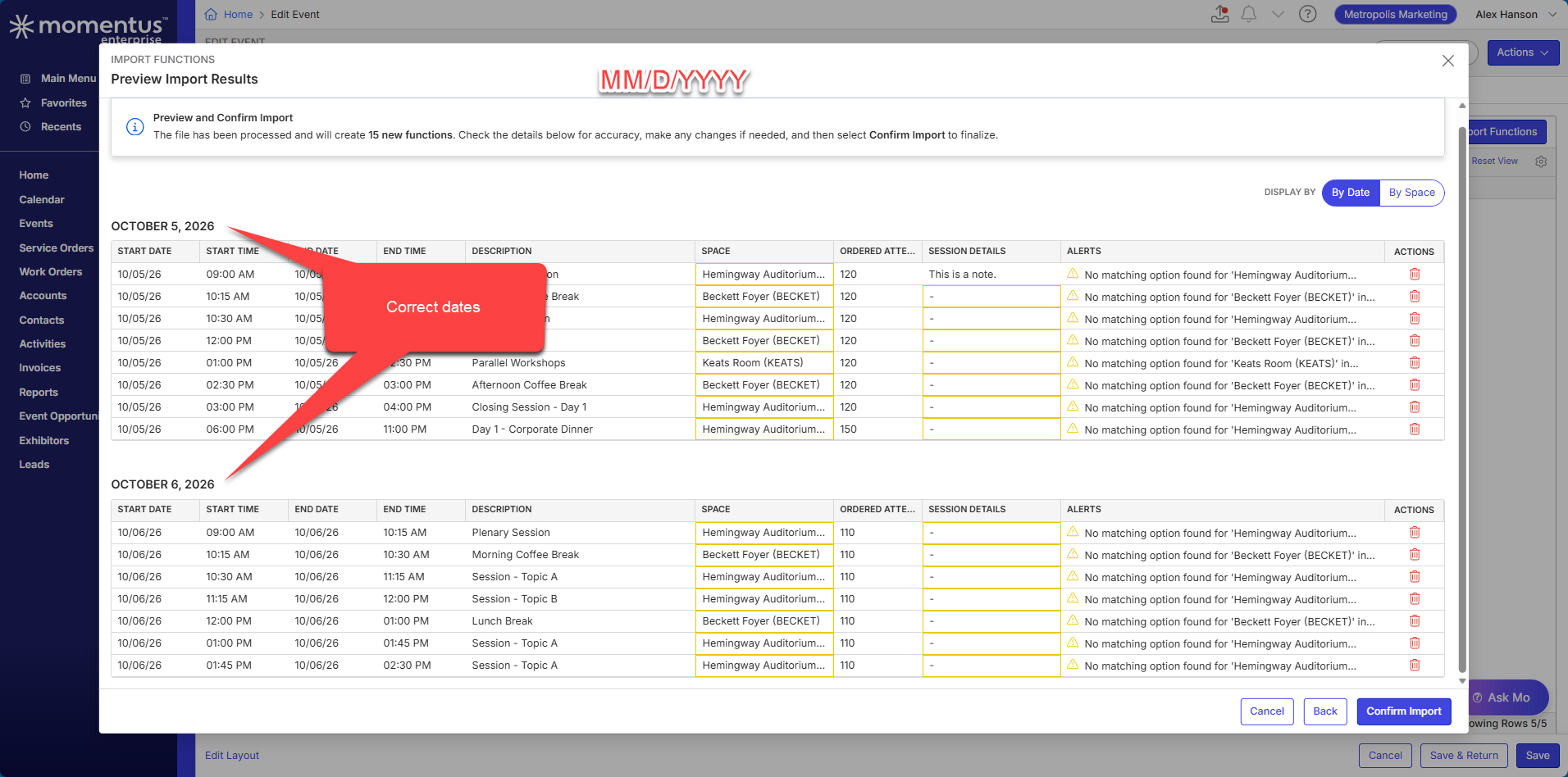
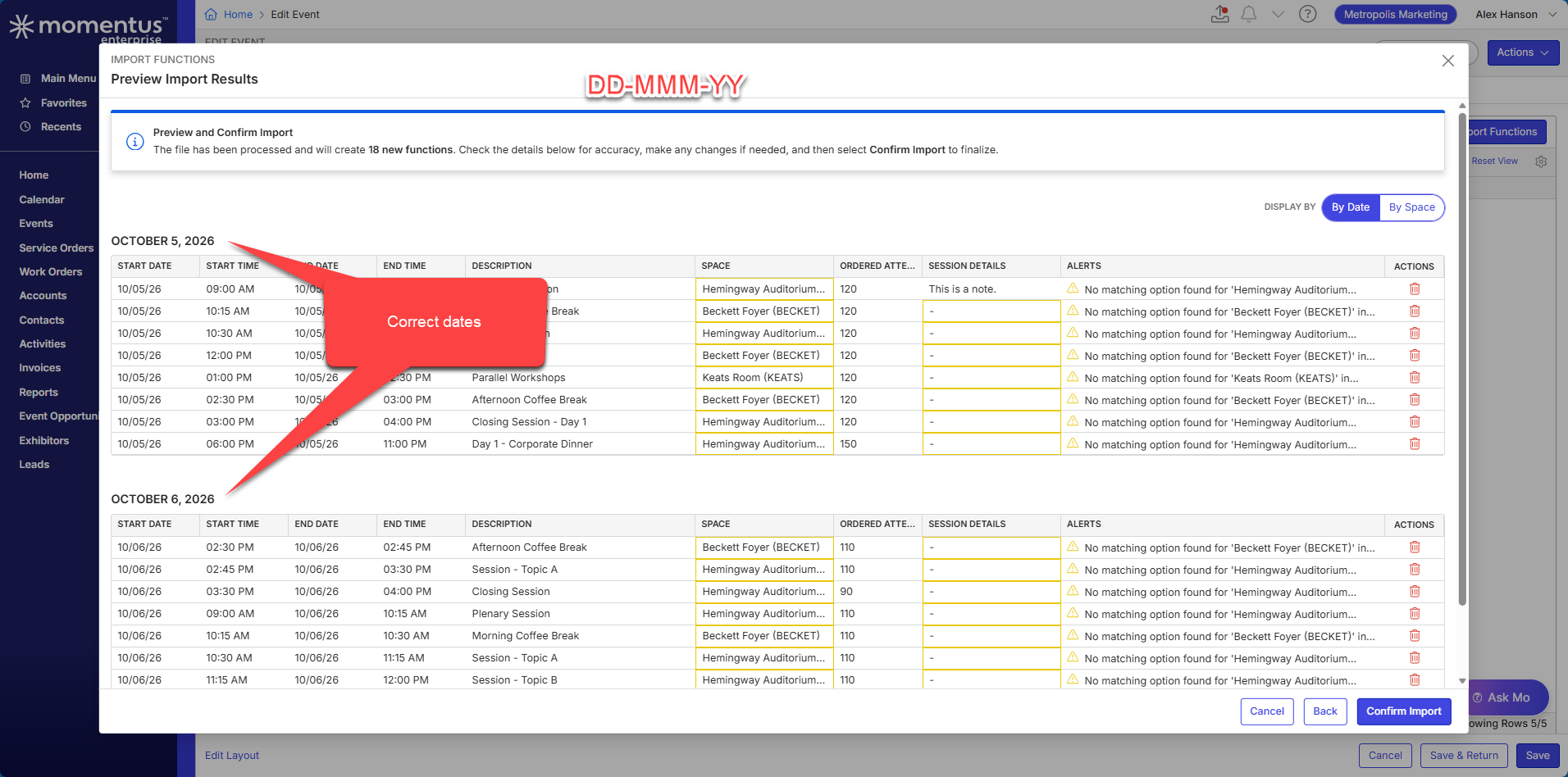
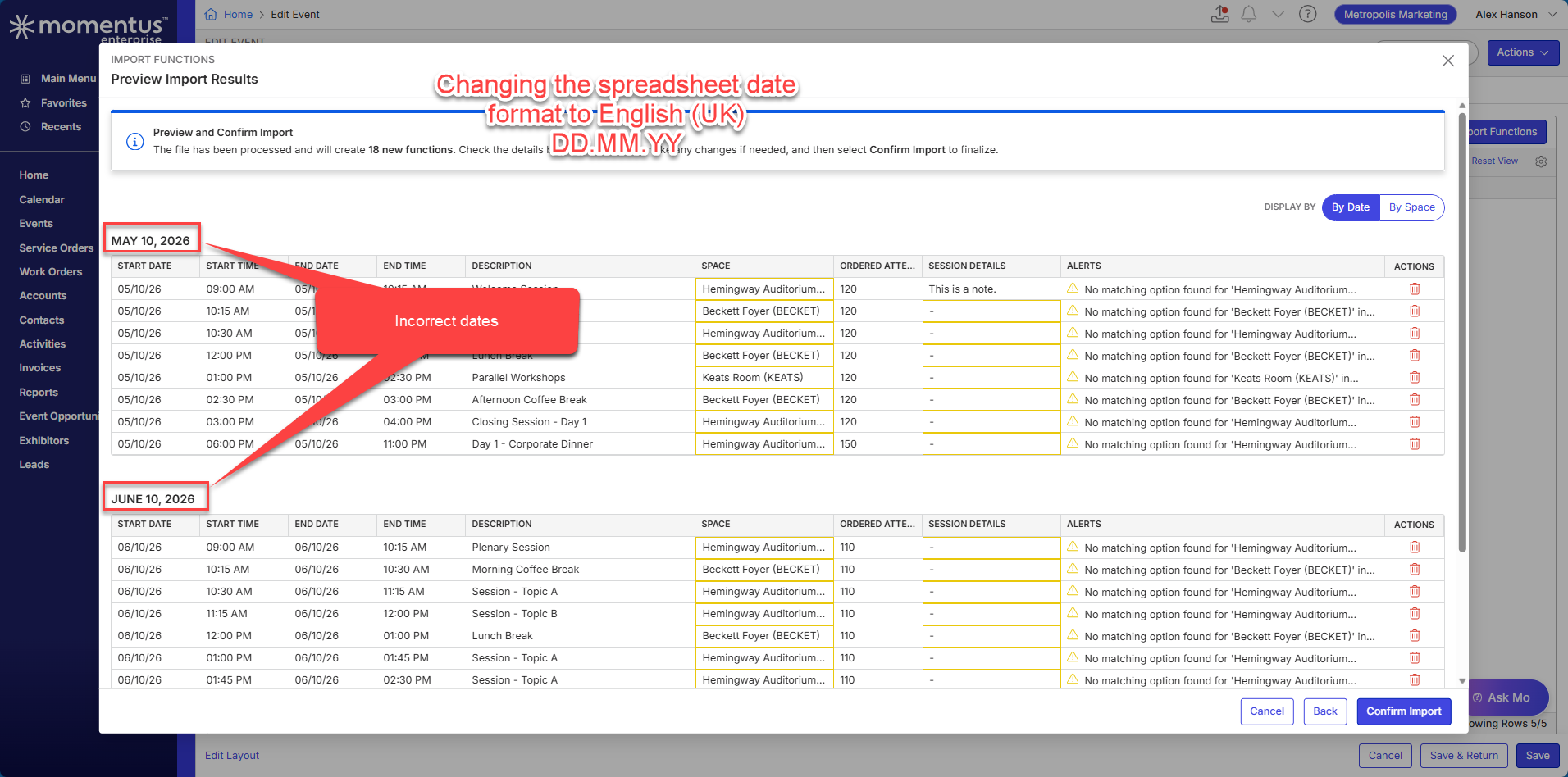
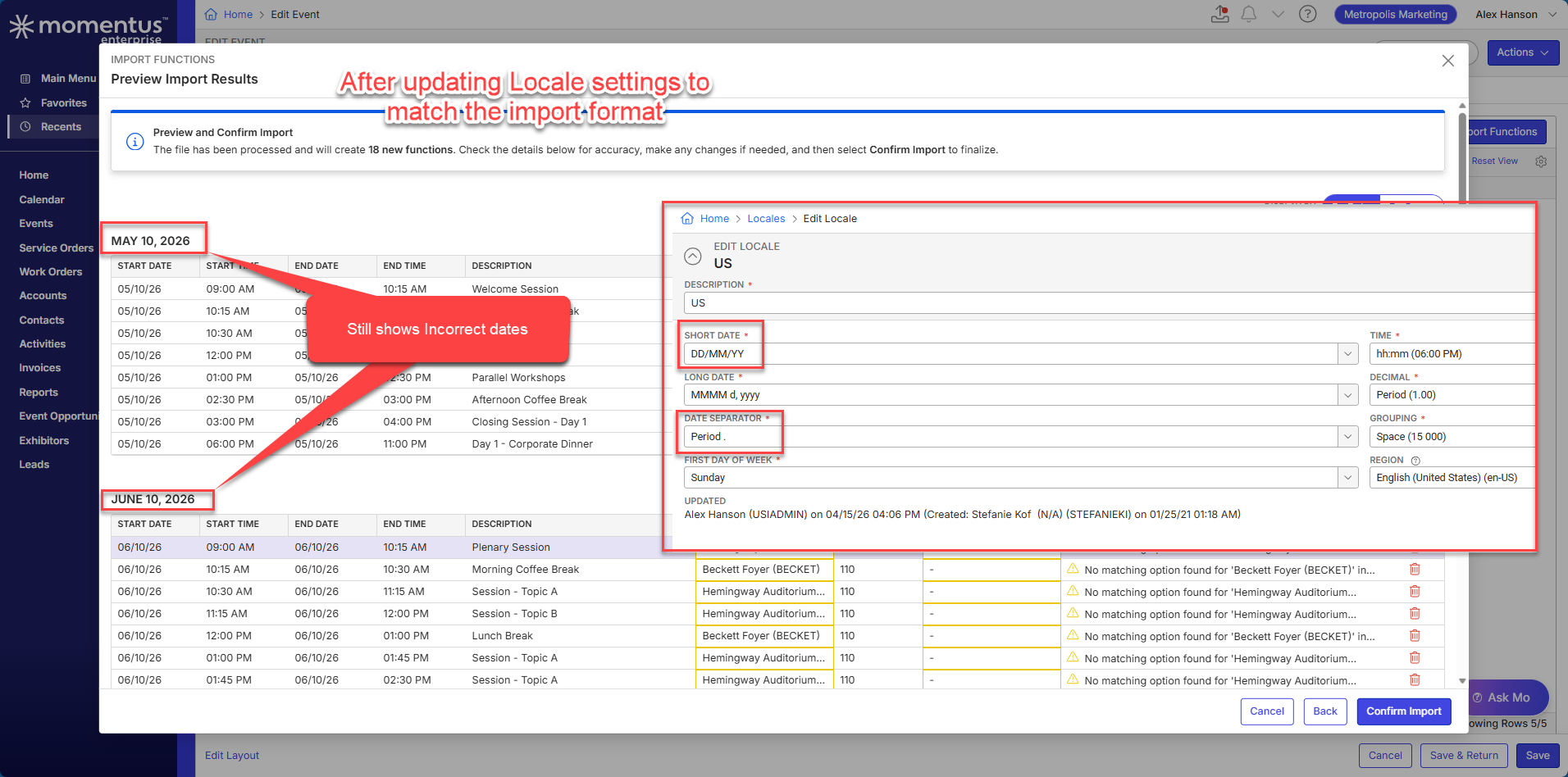
-

Heather, this is an enhancement.
We have an existing ticket open on this that I hope to address soon:
Please sign in to leave a comment.
Comments
1 comment
Date Votes