View Automatically Loads even though it is turned off on the Saved View
Refer to Product Ideas
Zendesk Ticket: https://ungerboeck.zendesk.com/agent/tickets/381679
Account: St. Louis Zoo
Region: US
Articles used in your research:
https://supportcenter.ungerboeck.com/hc/en-us/articles/214521157-Views
https://supportcenter.ungerboeck.com/hc/en-us/articles/35498503392535-Drawers
https://supportcenter.ungerboeck.com/hc/en-us/articles/31287510396311-New-UX-Page-Drawer-or-Modal
General
Business impact if not resolved: This issue is slowing down the client’s workflow. They are looking to improve performance in the Add Items process.
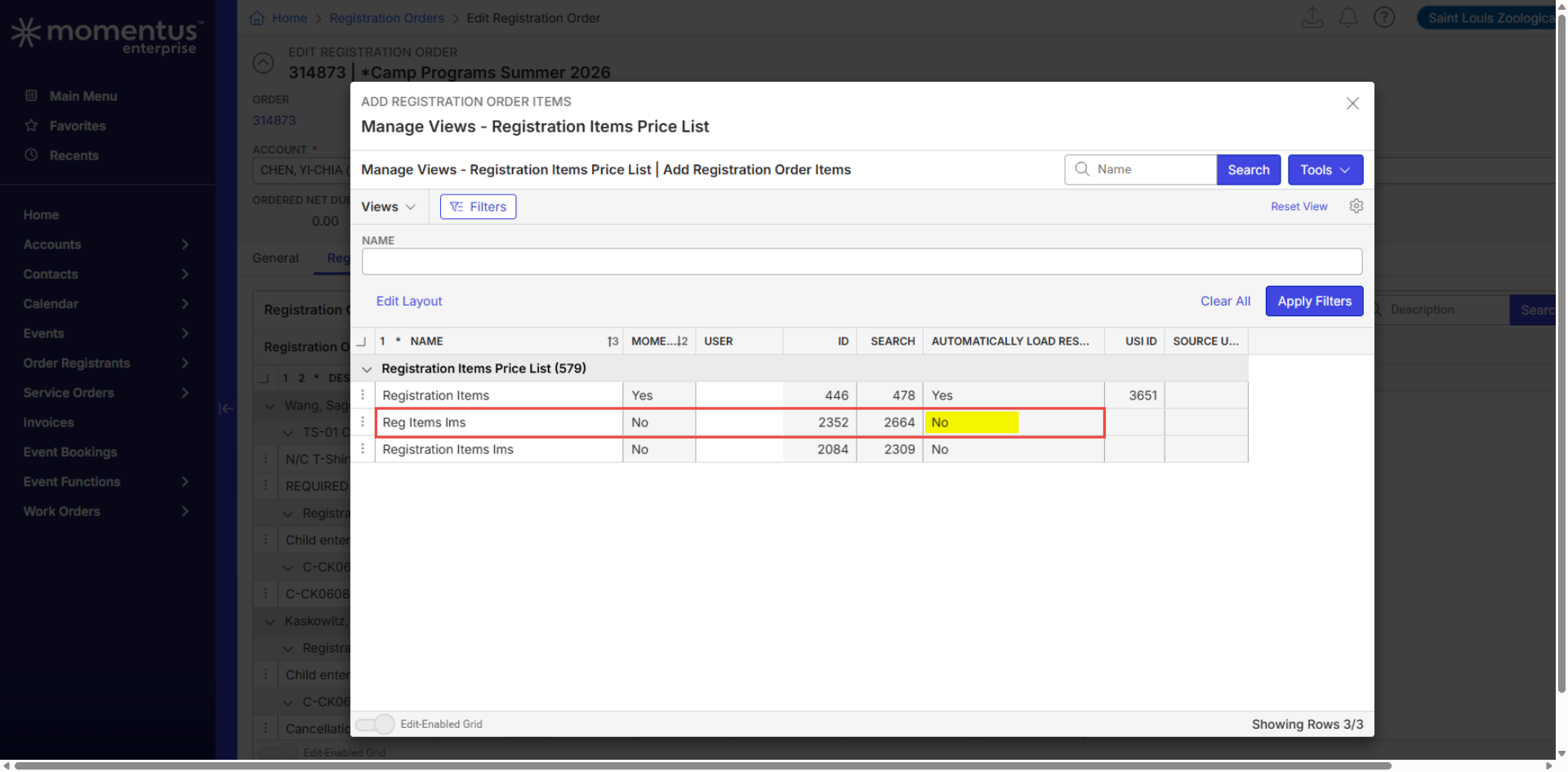
Short Summary of issue (issue description): The client reports that the Add Items workflow is slow because the drawer reloads all items every time a user attempts to add a new item. This occurs even though the view used in this section (“Reg Items Ims”) is configured with Automatically Load Results = No.
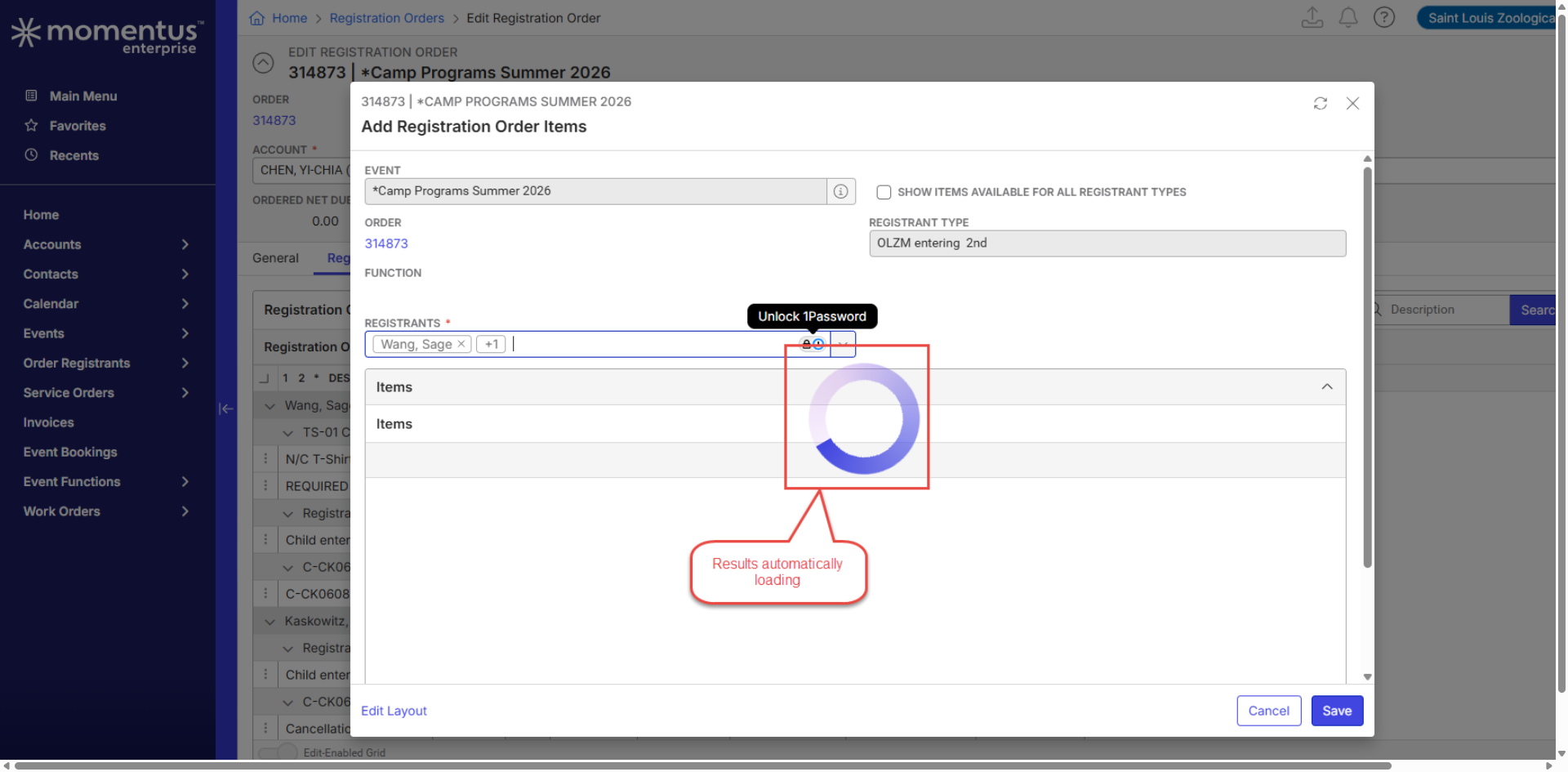
Despite this configuration, the grid still loads items automatically, and the drawer refreshes each time users click Add Items or when they select/de‑select a registrant in the dropdown.
Macro Vertical: Arts & Culture
What does the client want to do? Why do they want to do this? Improve performance and reduce loading delays in the Add Items workflow.
What you've already tried or suggested. Why does this not work? Setting search criteria to limit the number of items returned when loading, the system does not retain these filters when I try to save the view.
Debug Environment:
Customer DB Location: Hosted
Database: STLZoo_Prod_1688477062_USI
Server: Debug-US,1433
Version: 25.3.9522.32426 (20260126)
V30 Link: https://supportwebus.ungerboeck.com/STLZoo_Prod
User Login: usiadmin / ITRocks2014
Recreation Steps:
1. Log into: https://supportwebus.ungerboeck.com/STLZoo_Prod >> User Login: usiadmin / ITRocks2014
2. Click the Order Registrants dropdown in the navigation bar and select Registration Orders.
3. Search for registration order 314873 and open it for editing.
4. In the Edit Registration Order window, go to the Registration Order Items tab, and click Add Items.
5. In the Items section, click Filters and confirm that no filters are applied.
6. Observe that the drawer loads items automatically even though the view is set to Automatically Load Results = No.
7. Close the Add Items drawer, then click Add Items again and note the delay as items reload.
8. Select or de‑select a registrant in the Registrants dropdown and observe that the items reload every time.
Validation Notes:
• The Add Items drawer loads items automatically on every open.
• Changing the registrant selection forces another full reload.
• The behavior contradicts the view configuration, which should prevent automatic loading.
...
Observed vs. Expected Results:
Observed: The Add Items drawer automatically loads all items every time it is opened and whenever a registrant is selected or de‑selected in the Registrants dropdown.
Expected: When Automatically Load Results = No is set, the drawer should not automatically load items. Users expect the drawer search to start until they manually trigger a search or apply filters.
What does the client want to accomplish: Improve performance and reduce delays in the Add Items workflow.
Attachments:
Recording:
Client: https://share.birdie.so/i/d6PivBB0
Local testing: AddItemsWorkflow.mp4
Screenshots:


-

Edwin Hernandez I think this might be working as designed and an enhancement request. I tried the same thing with service order items and we load all items no matter if the view is set to load automatically or not. We must be ignoring that setting on the Add Items windows.
-

Added a note to the Views article, the bullet highlighted in Edwin's screenshot above.
Please sign in to leave a comment.
Comments
2 comments
Date Votes