Function Validations from Previous Event

Zendesk Ticket: 380529
Account: Iowa Events Center
Region: US
Articles used in your research: Function Validation
General:
Business impact if not resolved: Incorrect information
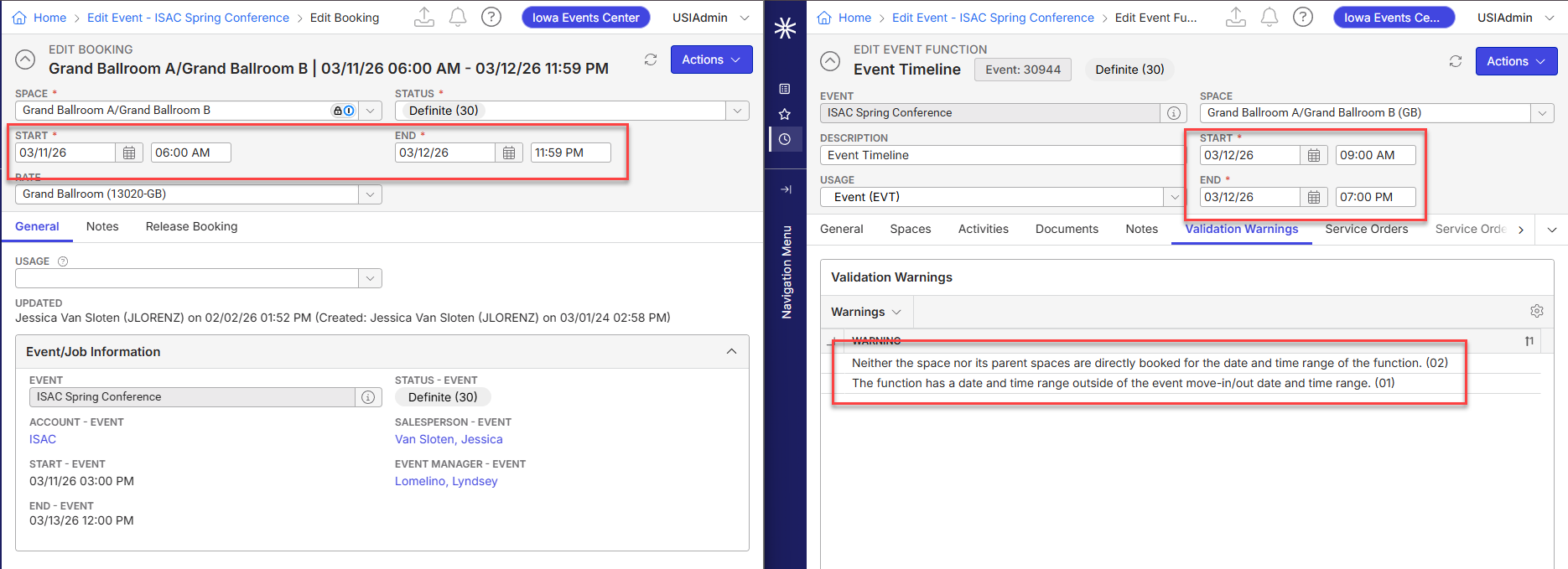
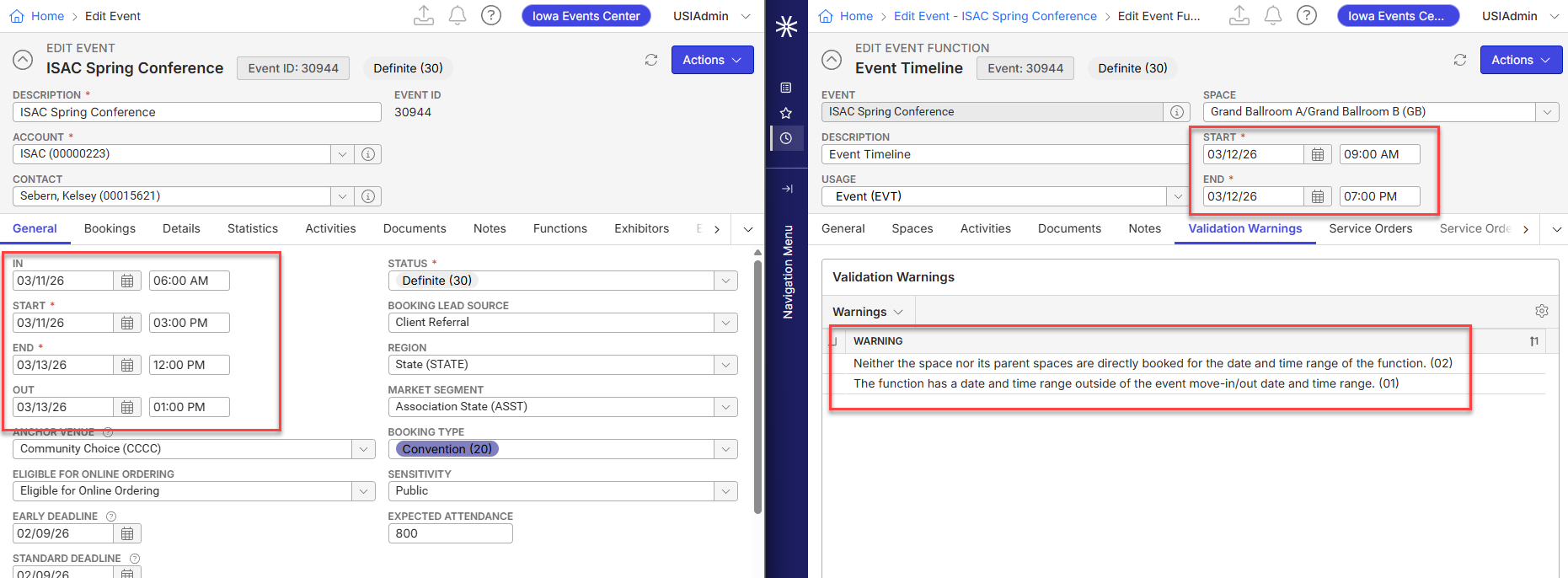
Short Summary of issue (issue description): Customer is experiencing function validations for an event that was scripted from a previous event with function validations. Is it expected that these pull forward when scripting?
Macro Vertical: Convention Centers
Debug Environment:
Customer DB Location: Hosted
Database: IowaEventsCenter_Prod_0691111638_USI
Server: Debug-US,1433
Version: 25.32025121501
V30 Link: https://supportwebus.ungerboeck.com/IowaEventsCenter_Prod
New UI or Classic UI: New
User Login: usiadmin / ITRocks2014
Recreation Steps:
- Main menu > search 30944 > Functions tab
- Delete all functions except for Booking Function from the top of the list and Exhibitor orders at the bottom of the list > apply changes
- Right click Booking Function > tools > Script from event > search 28163 > set start date to 1/4/16 and end 2/1/50 > apply filters
- Notice that this event (28163) has several functions with validation warnings
- Highlight all functions > select > Under "Date and Time Options" set date option to "Peg dates to" > set date to 3/11/26
- Save > functions load with the validation warnings.
What I have tested:
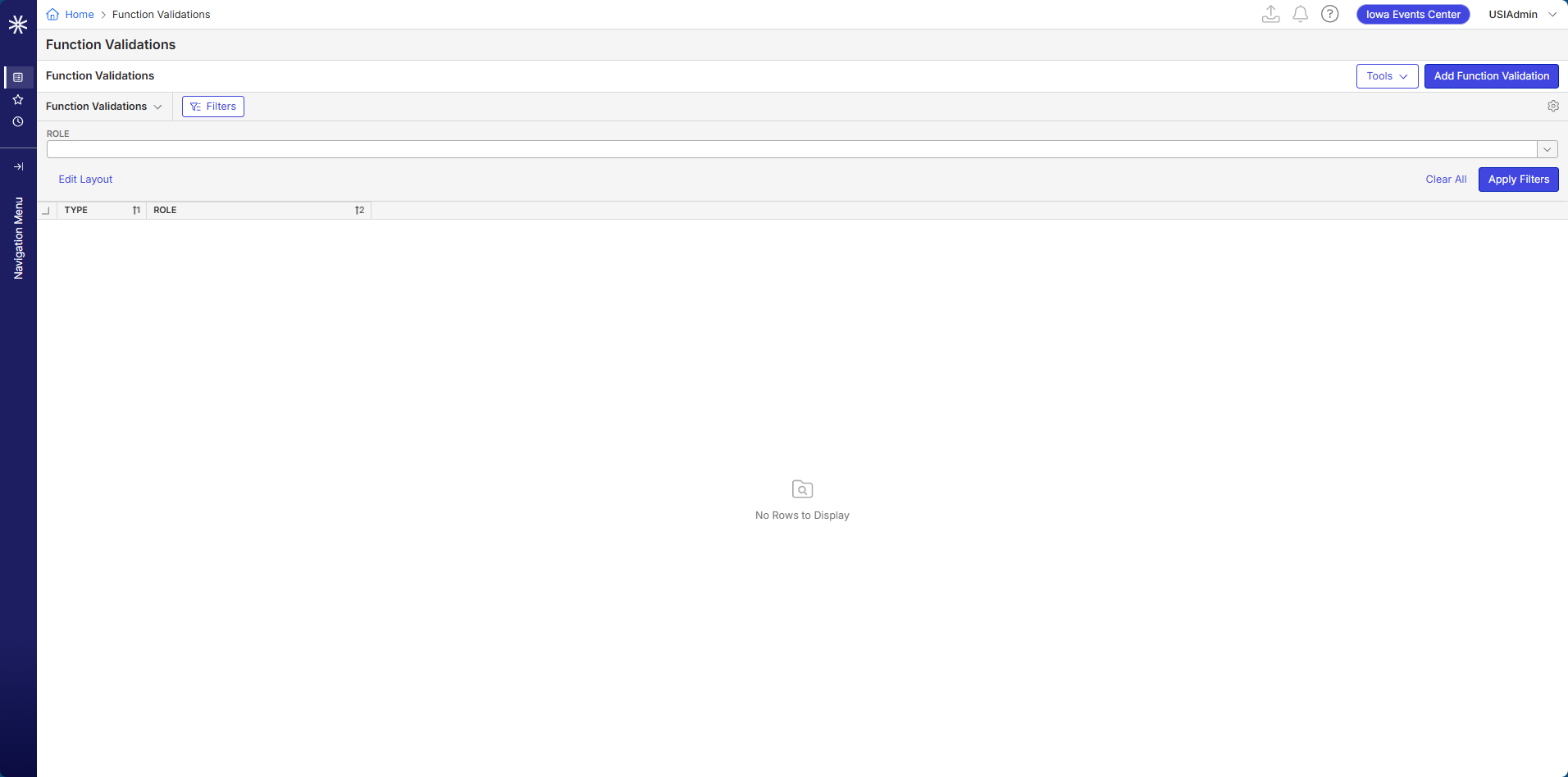
- Navigated to the Function Validations window - there are currently none listed that the system should be checking for
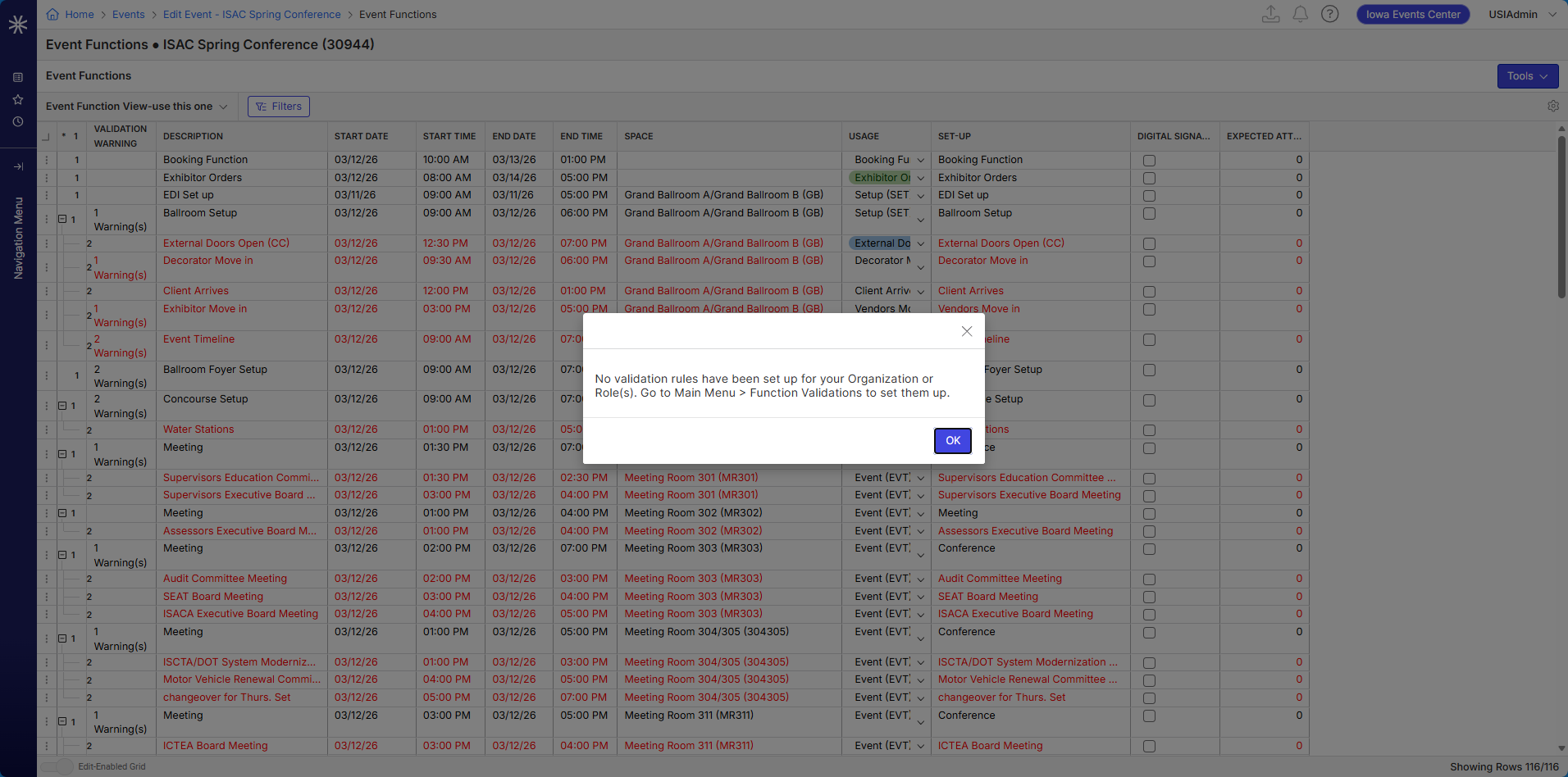
- From the edit event window for 30944, click Actions > View > Event Planning > Event Functions, then click Tools > Validate Functions. A warning comes up that no validation rules are set up for your Org. Once you click OK, the validation warnings still appear on the functions.
Main Question: Is there a way to remove validation warnings from a function?
Observed vs. Expected Results: Functions load with validation warnings when they should not
What does the client want to accomplish: Script from an old event but have accurate function validations
Tagging: Cathy Herrick , please advise
Attachments:
Attachments or screenshots:
-

Carissa Harrison - if you are no longer overseeing the Functions module, please feel free to tag who is.
This just seems like a bug to me, I can't find any reason why these validations should appear when we look at the function and it is not in the state that the validation is warning.
-
Carissa Harrison just checking in to see if you'd had a chance to review this post and had any advice on how to proceed.
-

Yes scripting an event with validation warnings will bring over the validation warnings.
Were there ever any validations on the original event that may have been removed? -
Carissa Harrison , yes, they used to have function validations in place that would have shown on the original event, but have since decided to stop using function validation and have deleted the validation settings from the system. To clarify, since the functions they scripted from have validation warnings, those will carry over to the new event even if they no longer fit or are active? Is there a way to remove these validations once the functions have been scripted to the new event? (I tried going to the Edit Event window > Actions > View > Event Functions then Tools > Validate Functions, but that did not remove the warnings.
-
There's no way to remove them today. You'd have to:
1: Re-enable validations
2: Turn them all off
3: Save any functions in question so that the warnings are cleared
4: Re-disable the validations
It would be an enhancement to ignore these validations if a function had one from before they got disabled and were copied or scripted from an event.
Another option is to use SQL to remove the validation errors.
Please sign in to leave a comment.
Comments
5 comments
Date Votes