Alternate Description fields do not update on price list items

Zendesk Ticket: https://ungerboeck.zendesk.com/agent/tickets/379006
Account: MERC - METRO - Portland Metropolitan Exp Rec Com
Region: US
Articles used in your research:
https://supportcenter.ungerboeck.com/hc/en-us/articles/204571438-Configure-Alternate-Descriptions
https://supportcenter.ungerboeck.com/hc/en-us/articles/204557848-Resources-Overview
General
Business impact if not resolved (from the client): This has caused confusion and extra work to run resource description fields when changes did not update price lists as expected. With multiple price lists, it is important to have tools that make it easy to keep all item descriptions synched and managed at the resource level.
Short Summary of issue (issue description): The customer reports that although the Description and all Alternate Description fields on price list items update correctly when the Resource Code Description is changed at the resource level, updates made directly to the resource’s alternate description fields do not carry over. Changes to these alternate description fields are not reflected in the corresponding alternate description fields on price list items. This is reproducible across the New and Classic UX. I would like to confirm if is expected that updating individually Alt Desc fields at the resource level should carry over at the price list item level. Thanks!
Macro Vertical: Other
Debug Environment:
Customer DB Location: Hosted
Database: QESample254
Server: 10.98.101.165\QE_ENVIRONMENT,1434
Version: 25.4.9546.34692 (2026021901)
V30 Link: https://qe.ungerboeck.com/25_4
User Login: edwinh/edwinh
Recreation Steps:
1. Log into: https://qe.ungerboeck.com/25_4 >> Login: edwinh/edwinh
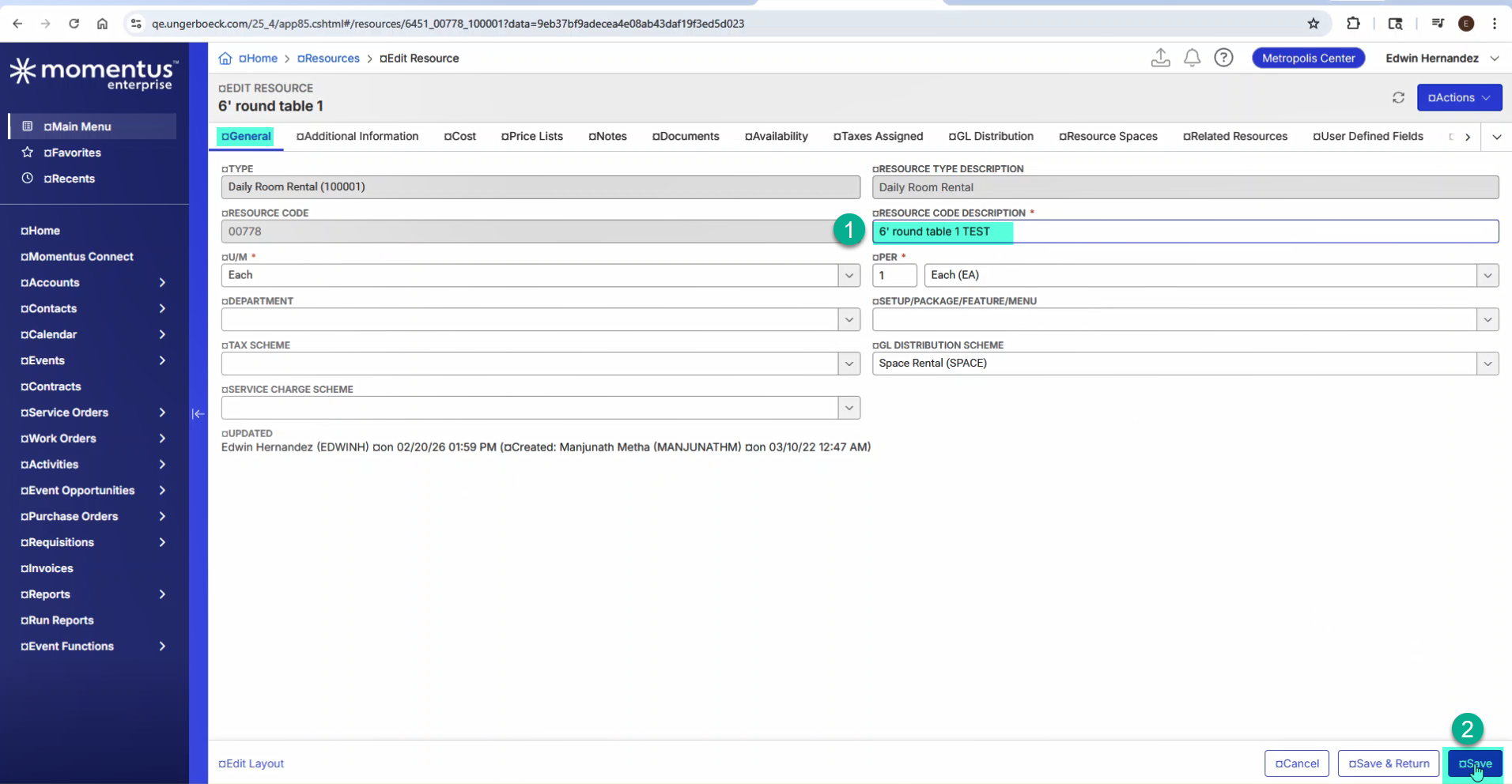
2. Navigate to Resources from the Main Menu > Select any resource and open it for editing. > On the General tab, update the Resource Code Description field and save
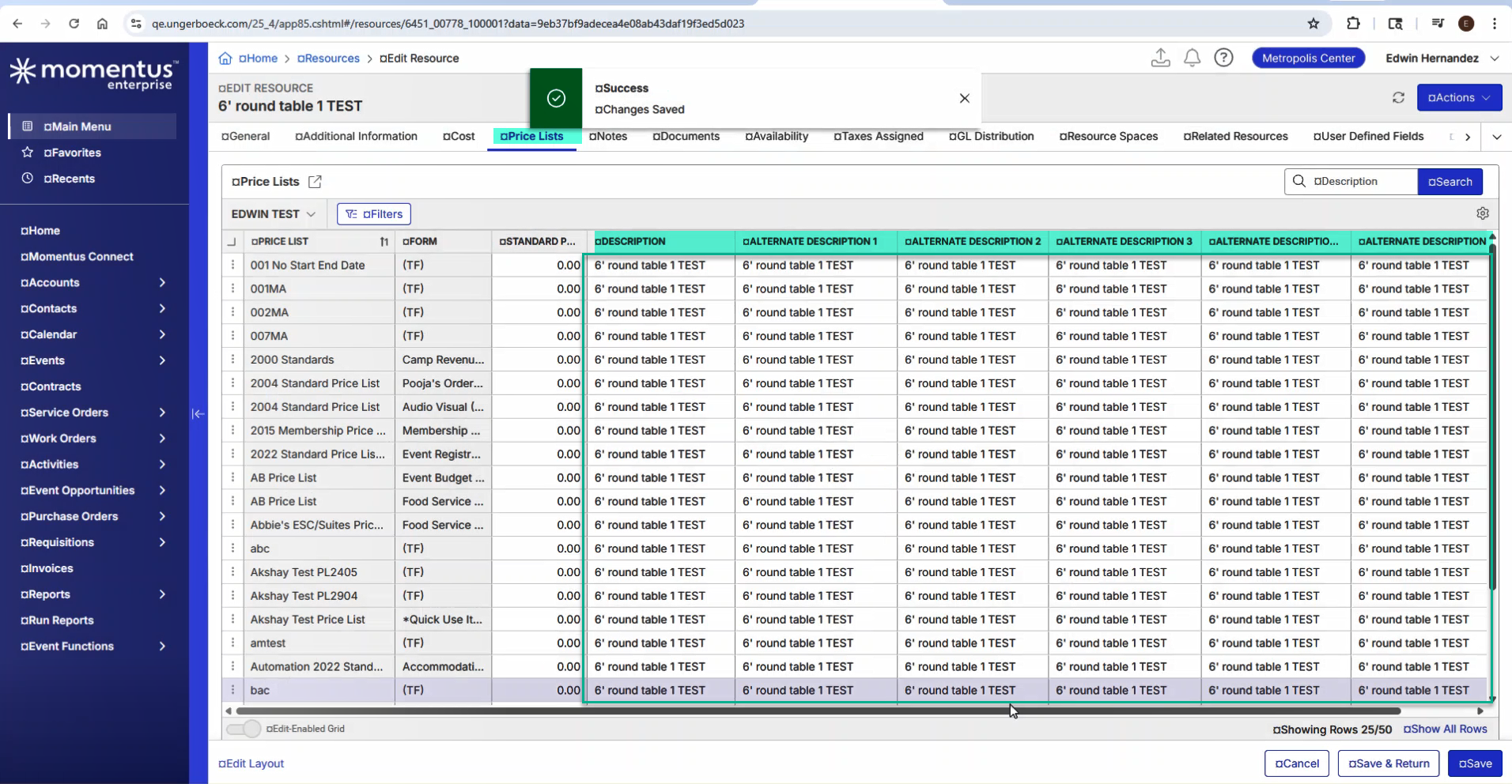
3. Go to the Price Lists tab > Show Columns and add the Description and Alternate Description 1–5 fields to the grid.
4. Confirm that the update to the Resource Code Description is correctly reflected across all corresponding fields on the price list item.
Validation:
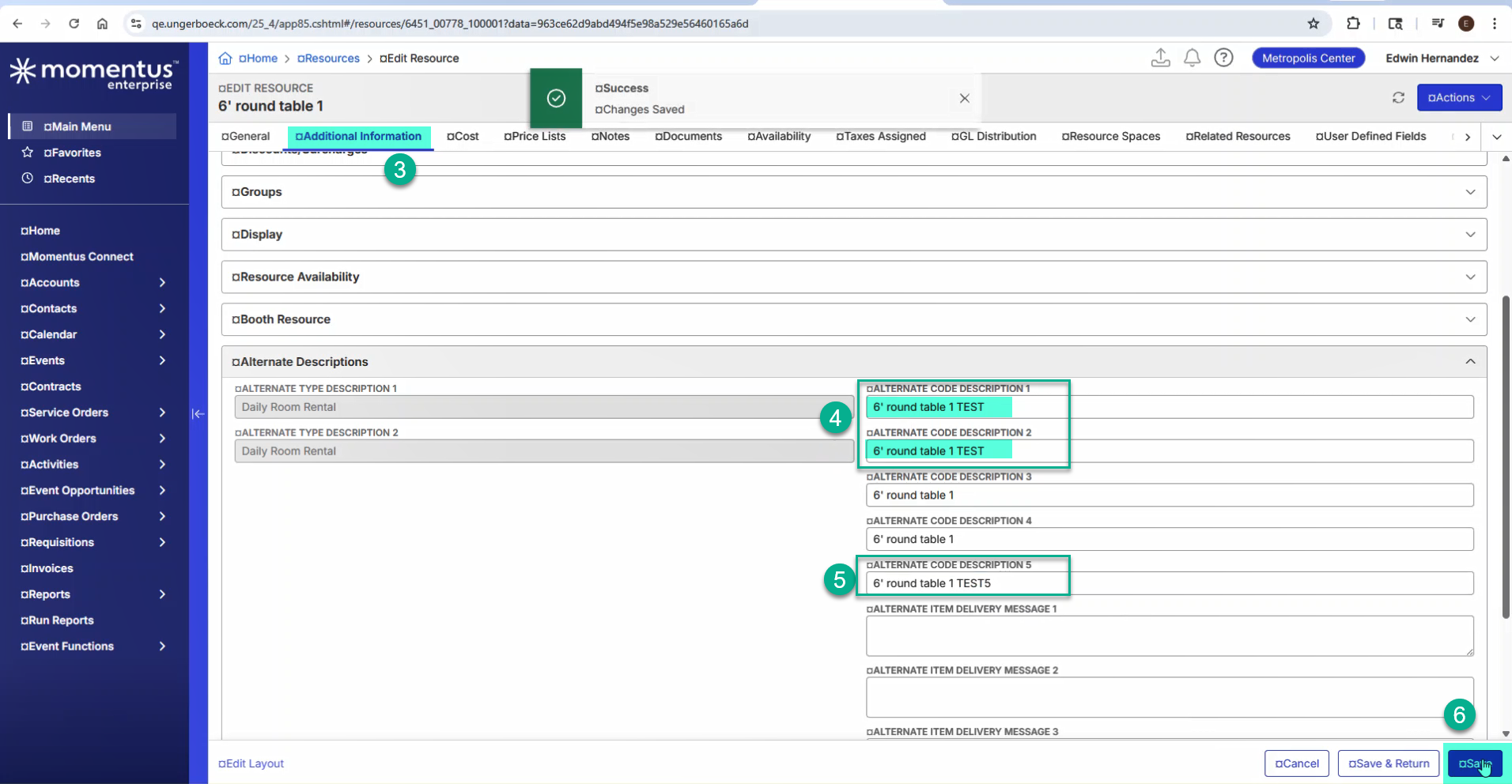
1. Navigate to the Additional Information tab > Scroll down to the Alternative Descriptions area.
2. Update any of the alternate description fields and save
3. Return to the Price Lists tab and verify that the changes made to the alternate description fields are not reflected in the corresponding alternate description fields on the price list items.
...
Observed vs. Expected Results:
Observed: Updates to alternate description fields at the resource level do not update the corresponding alternate description fields on price list items.
Expected: Updates to the alternate description fields at the resource level should update the corresponding alternate description fields on price list items.
What does the client want to accomplish: The client would like the alternate description fields on price list items to automatically synchronize with the alternate description fields updated at the resource level.
Attachments:
Attachments or screenshots:

Recording: ResourceAltDescField.mp4
-

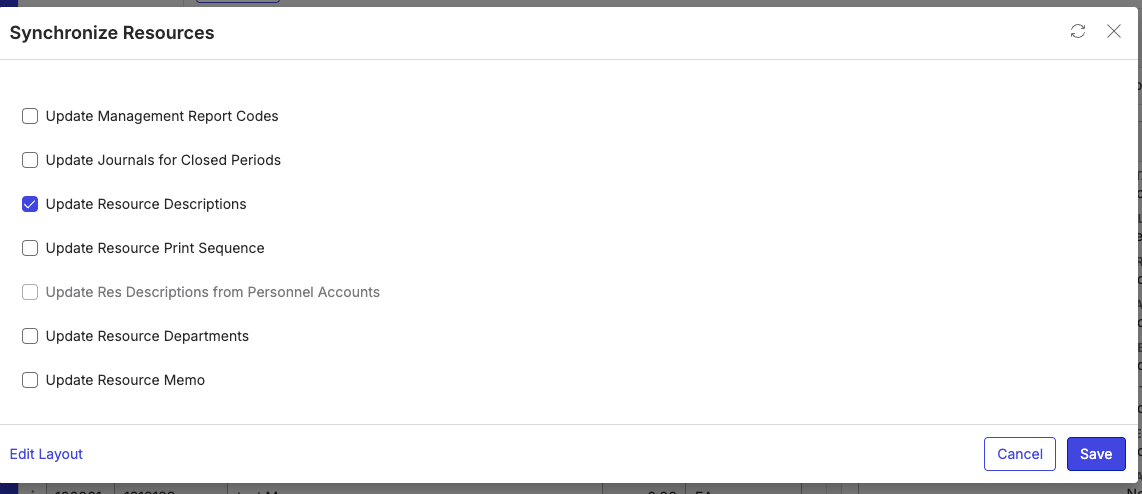
Edwin Hernandez Did you run the Synchronize Resource process? We don't automatically update these types of changes because that would require it to go and update all price lists and order items with the changes. You have to manually run the sync process to update descriptions (best done when users are out of the system).
-
Mike Schepker Thanks – I initially tested and confirmed that running the Synchronize Resource process updates the alternate description fields on price list items. However, the client clarified in their response that because updating the Resource Code Description automatically updates the Description + all the Alternate Description fields on price list items, they expect the same automatic behavior when updating each alternate description fields directly at the resource level—without needing to run the synchronization process. I am not sure if that is expected. Thank you!
Please sign in to leave a comment.
Comments
2 comments
Date Votes