Docusign - Select Recipient Template, Recipient Subject, Recipient Body
Answered
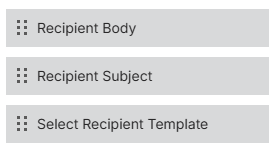
These three fields are available in the Edit Electronic Signature Profile page. They're not on default layouts but are available to add to the layout and they accept inputs. This begs the question, what do these do? anything? (i have an extremely curious customer admin who likes to add all fields to layouts…)
- Select Recipient Template,
- Recipient Subject,
- Recipient Body
Seth Halvaksz could you ask Engineering?
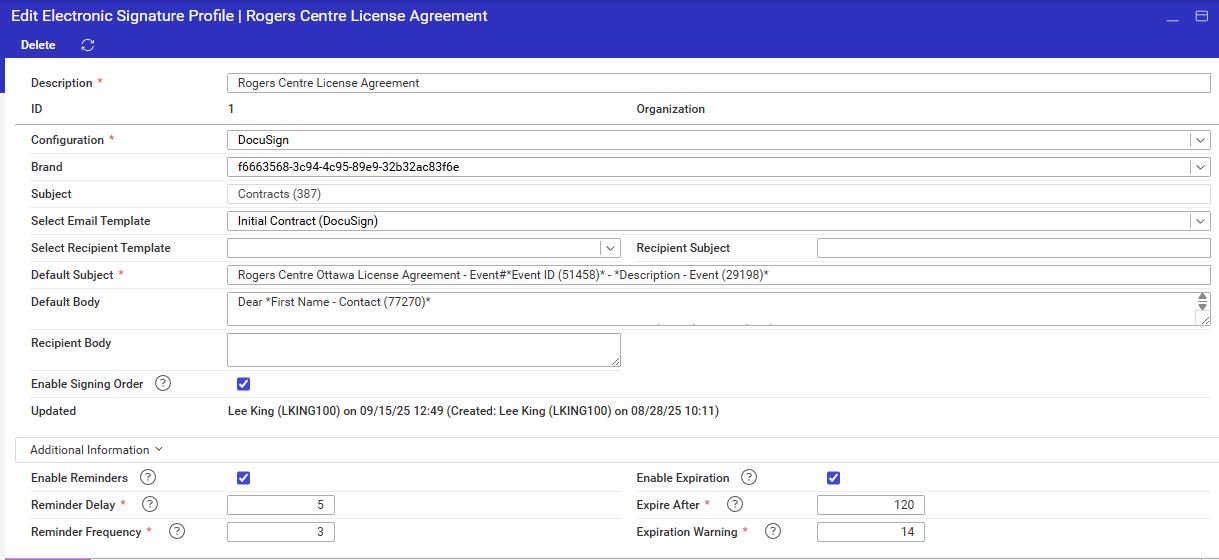
screenshot from 25.1 but i've confirmed they're still there in 25.4
-

Tony, here's the response from engineering on those fields:
Those fields are used in the email body to the individual recipient. Its not required. If its not filled in, it will use the envelope email body for all recipients.
If they choose a template, it will be disabled and resolved as the template. We have a tech debt somewhere to find out what html Docusign actually supports, they dont support everything nor do they list it out.
EX: I know they do not support tables. So they just strip out table info.
-
Seth Halvaksz thx. does engineering have a recommendation of WHEN or WHY we should or should not use these fields?
-
Response from engineering:
“If the user wants to send a template to the recipient, it will have the recipient accounts wildcard information. if its pulled from the envelope.”
-
Seth Halvaksz sorry, i'm being dense… these fields are on the Profile. The profile has multiple recipients configured… so, if these fields are used on EVERY recipient, how is this different from the DEFAULT template, DEFAULT subject, and DEFAULT body.
-
Recipient 1: Hey Jon, as the event manager, please sign off on this.
Recipient 2: Hey Julie, as the billing contact, please sign off on this.
Envelope: Hey everyone, the wedding for Julie (event id 123) has been approved by all parties.
The envelope message doesn't make sense.
Quick Comparison

Since it uses wildcards, there is access to UDFs as well. So they could have something like an inline instructions note for the specific account pulled into the template.
-
This is FANTASTIC!! As a principal, I had NO IDEA this was supported feature. We need to get the word out right away.
Justin Wittrock Hayley Burkhardt Samy Kheloufi Martin Wooding
-
Seth Halvaksz last question, can you ask Engineering to confirm the SUBJECT we should use for the Recipient Email Template? (Events? Accounts?)
@... The Configure Enterprise for Electronic Signature will need updating. Need a clickup form submission? https://supportcenter.ungerboeck.com/hc/en-us/articles/360010011653-Configure-Enterprise-for-Electronic-Signatures-with-Docusign#h_35971807791538424832593
-

Anthony Costantino No clickup form needed, I'll create a task from this post. I'm not sure I understand what's happening, but I'll message you with any clarifying questions.
-
To answer Tony's question:
“can you ask Engineering to confirm the SUBJECT we should use for the Recipient Email Template? (Events? Accounts?)”
This is the standard template process. It resolves off recipients account, if they selected an account. The subject to use would be accounts or the subject that you are sending in the documents. Events has the event id so you could use wildcards for the event. A service order template will prompt you for the order number when used from events but not from service orders. It is the standard template process just focused on the account. If you want to get strict with it, Electronic Signautre Recipient (1886) is the only relyable template subject accross areas because it only has 3 wildcards and the data source is that grid, first name, last name, email.
Please sign in to leave a comment.
Comments
9 comments
Date Votes