Reassign Inventory Item Resource

- Account name: Minnesota State Fair
- Region: US
- Client version (Enterprise): 25.4.2026020501
- Description of the issue
- What does the client want to do? Why do they want to do this?
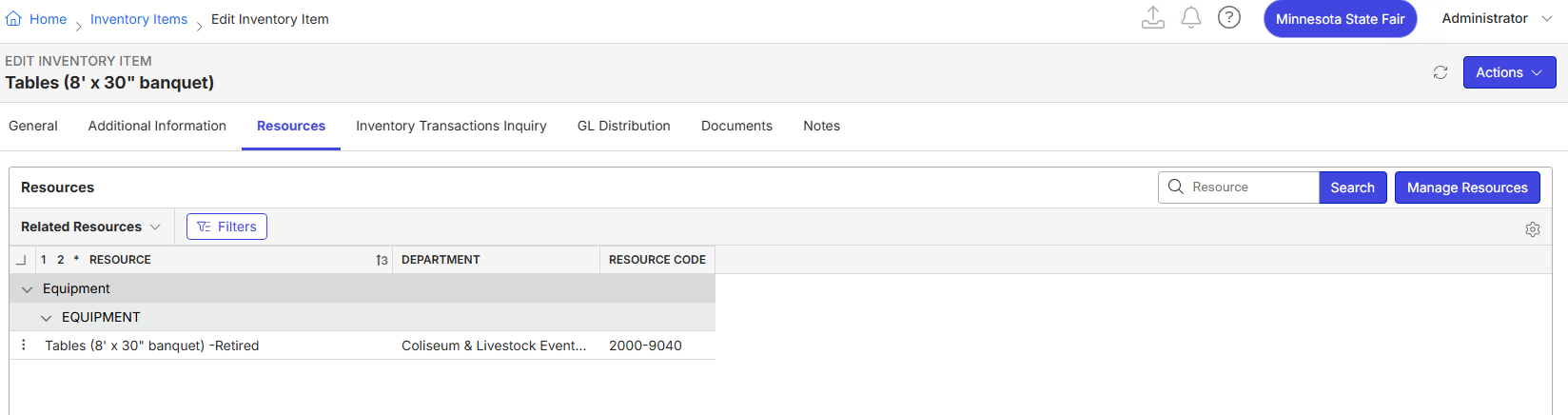
- The customer has the wrong resource assigned to an inventory item. When they initially setup, they had two resources for Tables (8' x 30" banquet), 2000-2001 and 2000-9040, which were also the same type but assigned to different departments. They eventually retired one (2000-9040) and replaced the original resource code and moved it to another resource type. However, it looks like the inventory item was tied to the resource they retired and not the one they are still using. Is it possible to reassign the inventory item to the appropriate, non-retired resource?
- What does the client want to do? Why do they want to do this?
- What you've already tried or suggested. Why does this not work?
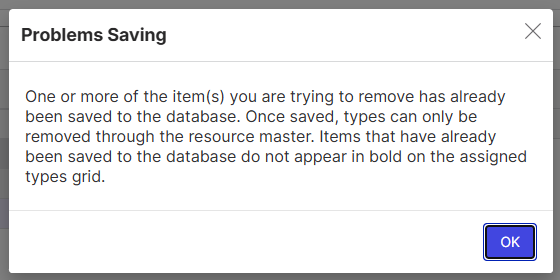
- Attempted to remove the resource type from the Manage Resources window on the inventory item. Rec’d a system message that says “One or more of the item(s) you are trying to remove has already been saved to the DB (Full message in screenshot below).”
- Attempted to replace the resource code for the retired resource to be a difference resource type, but then still rec’d the same system message when trying to Manage Resources on the inventory item.
- Business impact if not resolved:
- Customer’s users can order more of this resource than they have in inventory because inventory is not checking the appropriate resource
- Attach relevant files (such as screenshots)
- Links to articles where you've looked for solutions and also other steps you've taken to research the issue.
Cathy Herrick - please advise
-

Ryan Ungerboeck - I've not dealt with attempting to reassign the inventory item before.
Is it expected that this should be able to be done or is it blocked and they have to recreate the resource and inventory item again?
-

Inventory items are linked to resources based on Resource code - so when you try to remove the resource - it essentially is trying to delete the resource, which it cannot do because it has been ordered.
So we need to use options that involve making sure the go forward active resource ties to the active inventory item code:
1.) Replace Resource Code on the Go forward active resource to match the inventory item code
Because we don't have a merge resource or replace inventory item code - the best path on orders would have been to keep the resource that was tied to inventory active 2000-9040. Without any back end changes - the only alternative I am aware of to get resources to point to the inventory item is to use the replace resource code on 2000-2001 to be the inventory item code (2000-9040). Because there is no merge - you may have to create a new resource type to be able to do this.
2.) Retire resource code 2000-2001 and activate 2000-9040
The easiest way to proceed - use the resource that was already tied to the resource code and retire the other one.
3.) Create a new Inventory Item and retire the old one
This may be easiest with where they are at - would be to
1.) Create a new inventory item with inventory code 2000-2001
2.) Establish a balance of this new inventory item based on the current balance of 2000-9040 (receipt or simple data entry depending on their inventory configuration)
3.) Adjust off the current balance of inventory item 2000-9040
Please sign in to leave a comment.
Comments
2 comments
Date Votes