ESC Sign In Page - Exhibitor Categories Selection
Refer to Product Ideas
Hi Team,
Is there a way to have the ‘exhibitor categories’ shown/included on the ESC front sign in page alongside the booth number field?
My client (ExCeL London) have asked if it is possible to have the 'Exhibitor Category' field made available on the booth entry page of the webshop which can be found here https://excel-london.ungerboeck.com/PROD/app85.cshtml?aat=736b52656261337757533069754e64644132746559397a4a6a4d68454463527971684d6e396a72375a42343d (image below)
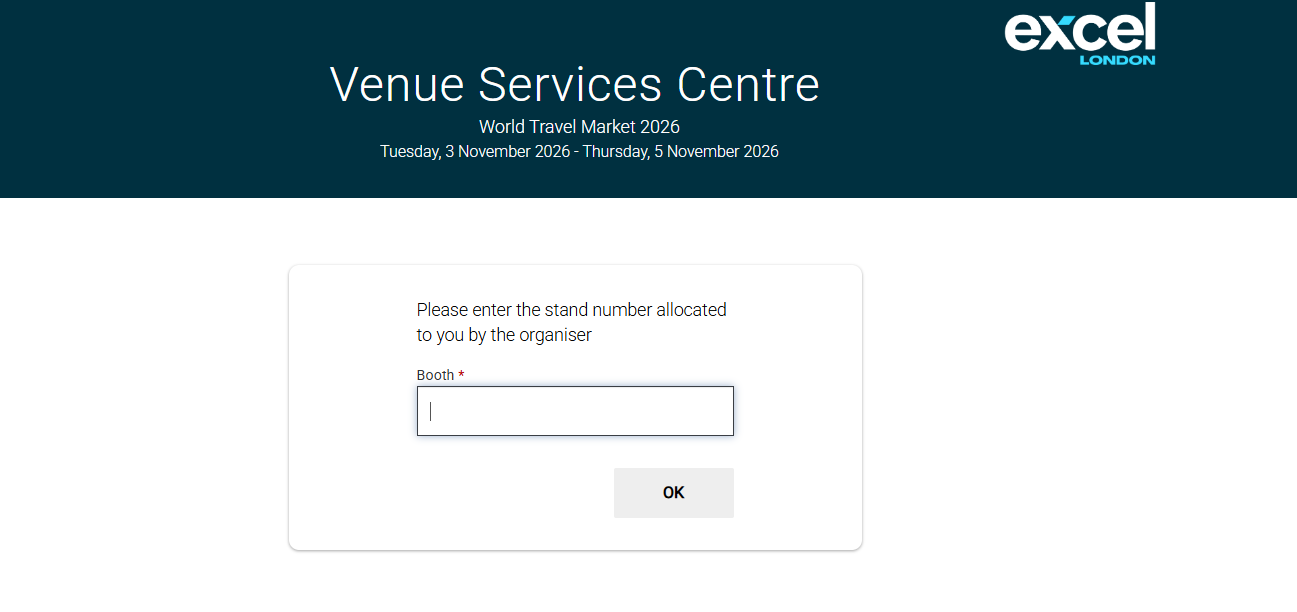
The exhibitor category can be set automatically upon sign-in, however we need the exhibitors to be able to enter whether they are a 'space only' or 'shell-scheme' exhibitor upon entry to the webshop.
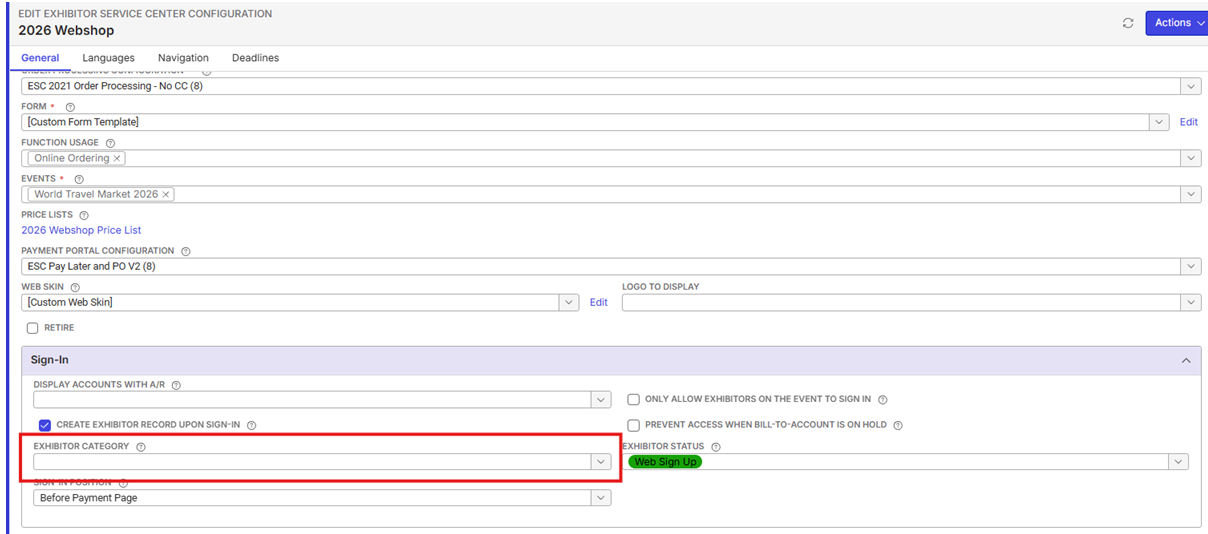
Without this field being added, the client is unable to launch a venue's webshop, and so they are having to do 3-4 hours per week data mapping for importing to Momentus through technical services project (currently ongoing).
Is it possible to include the exhibitor categories for exhibitor's to select or a specific workaround for this case? Your thoughts welcome! Thanks
-

Ella, could you confirm what support articles you reviewed to try and find the answer to this question. Could you post them here please - that way we'll ensure those articles are updated if there are gaps.
-
I've reviewed the following KB articles to see if it's possible to place ‘exhibitor categories’ field on the ESC sign in / front page of the website.
- Exhibitor Service Center Configuration – Momentus Support Center
- Sign In Configurations for Public-Facing Applications – Momentus Support Center
Neither of the above articles really pin points which fields can be added onto the ESC sign in page. Any advice / feedback if the above is possible would be much appreciated. Thanks! -
Thanks Ella.
Minka Verkaar Can you help with this question?
-

Hi Ella Fancett , this is not possible. This prompt is linked to the Booth Number and this window not adjustable or configurable.
Having the option to select the Exhibitor Categories like we have in EXP would be an enhancement request. (although I see this as a great win for more venues using the ESC without EXP)
-
Thanks Minka.
Ella Fancett could you submit an enhancement request and post the link here for reference?
Also, this seems like the same question was asked in this documentus post:
https://documentus.zendesk.com/hc/en-us/community/posts/36064182478871
-
Many thanks for your insight!
Pendo enhancement request submitted. Please link here: https://app.pendo.io/s/6229449325477888/listen/feedback/views/ZWNAnL_3nsJ6p5EtfWhAOeEO8vg/items?openItem=0MrQV1pZM4-AajON4Ku-nsqfPqs
-
I've updated ExCeL on this being an enhancement request. They noted this on their side and have also informed that they have been provided a workaround below:
" A workaround would be that they create 2 ESC configurations (one for each exhibitor category), and they would then create a web page which would request the exhibitor category first, and depending on which one has been selected they would redirect to ESC for Shell scheme exhibitors or ESC for I don't remember the other exhibitor category."They will review whether this workflow is possible internally and proceed if so until a proper solution is in place. This is a must have option for ExCeL as it saves hours of manual data mapping that they currently have to do as mentioned above.
Please sign in to leave a comment.
Comments
7 comments
Date Votes