Possible to enter booth number in the ESC sign up?
Refer to Product Ideas
Hi Team,
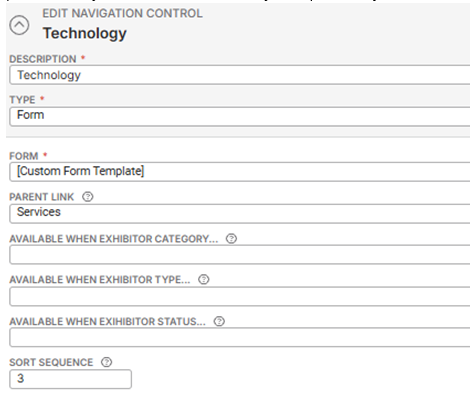
My client, ExCeL London, have asked whether it is possible for an exhibitor to enter their booth number in the ESC sign up page? Is there a best practice on this?
Scenario:
We have the ability to set Exhibitor Categories (Space Only / Shell Scheme), then use that field as a limiting factor when displaying items on the web shop. This is fine if we were sent the exhibitor list in advance and import it to Momentus, however in practise (at the BDC) it does not work like this. What we really need is for the user to have this field available when they enter their booth number in the ESC sign-up. This is how all the BDC exhibitors create their account, and at that point on their current e-commerce platform they also select whether they are Space Only / Shell scheme.
Thanks
-

Ella Fancett if it's ESC, could they use the “Allow Booth Input” field to allow exhibitors to enter booth numbers this way?

-
Hi Heather Lightsey that's really handy, thank you!
I checked again with the client and it's actually the exhibitor category they're after. Would you happen to know if this is possible?
We already collect the booth numbers as a required field - it's the exhibitor category that we can't find an option for the customer to self-enter.
The exhibitor category dictates which items the customer can order. From what we can see this can only be set once the exhibitor is already in the system
-
Could they add this field to the layout on the Form Template on the Account Management Config set on the ESC config? That would be the only way I could think to accomplish that but it would need to be tested to see if the exhibitor category would pull from the Category field on the account.
-
Thanks Heather Lightsey
Let me check and review with the client :) Thank you!
-
I had a look on the form template on the account management configuration set on the ESC however, it doesn't appear that a field for exhibitor category exists. Would you know if there's another way or know of any other ESC SMEs we could check we? Thank you!
-
Unfortunately, I don't know of another way to allow the exhibitor to self-enter this information. Sorry!
-
No worries, thanks Heather!
Seth Halvaksz could you confirm whether this is an enhancement request or if there's a way to include the exhibitor category on the account management configuration for ESC? ExCeL have asked for a call with product to discuss the above so just want to see what is possible. Thanks!
-

First i wanted to tag Samy Kheloufi Minka Verkaar to see if they have run into this as its a best practice question.
-

Hi Ella Fancett, I might have an suggestion, but I would like to test it. Give me a bit of time to test this example and I will reply here with the outcome.
-
Hi Minka Verkaar appreciate you having a look and to see if there's a workaround! Thank you
-
Hey Ella Fancett This field/option is not available at the Account Level, since the same Account can, in theory, participate in multiple exhibitions. If you were to record this information at the Account Level and the value differs per participation (for example in show A they have Shell Scheme, but in show B they have Space Only), it would cause issues in your customer journey. So I don't see this work at Account Level at all.
I had hoped that in ESC it would be possible for the system to automatically assign the Exhibitor Category at the moment you select a specific item (the same way it works in EXP). In that case, you could set up two dummy resources (one for Shell Scheme, one for Space Only) that users would be required to choose from (it would still be a manual action, of course), which would then put them in the correct flow. Unfortunately, that turns out not to be possible.
If Excel wants to submit an enhancement, I would suggest to collect this information on Booth Level and not on Account Level. Just an idea for Product to possibly explore further since I know that the customer journey on ESC is a big thing for a lot of big Convention Centres: If we can use the Booth Utilities the same way as the Exhibitor Category, you can personalize the journey in maybe an easy fix.
Business Case example:
> A booth will be set up in the Back Office with all the details
> In the Utilities section, we have a few tickboxes you can use to add specific details.
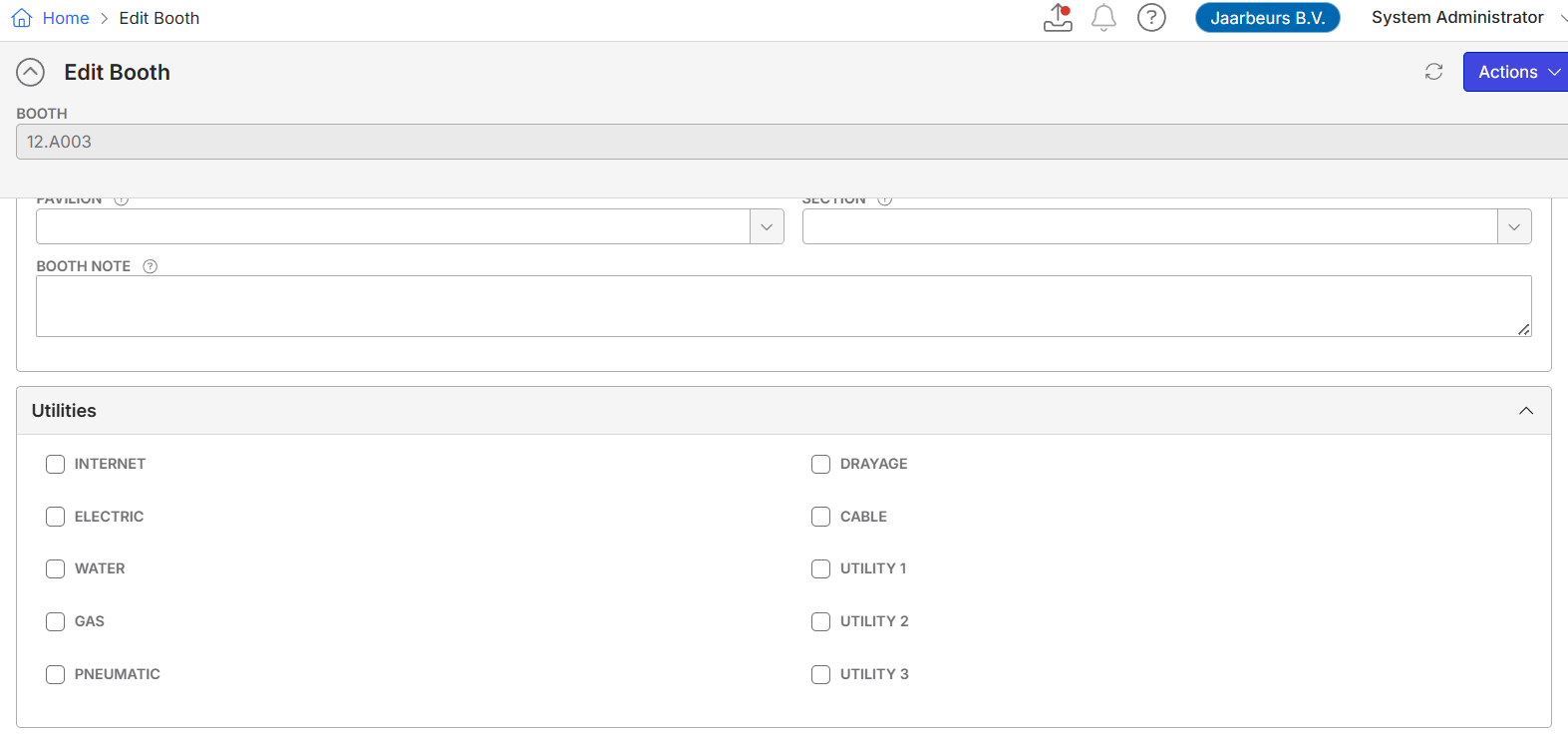
> Booth 123 will have a water connection available and is a Shell Scheme location (use Utility 1)
> The Enhanchement: now we would need to an option in ESC to make items only available for specific Utilities, the same way as the Exhibitor Categories are working:
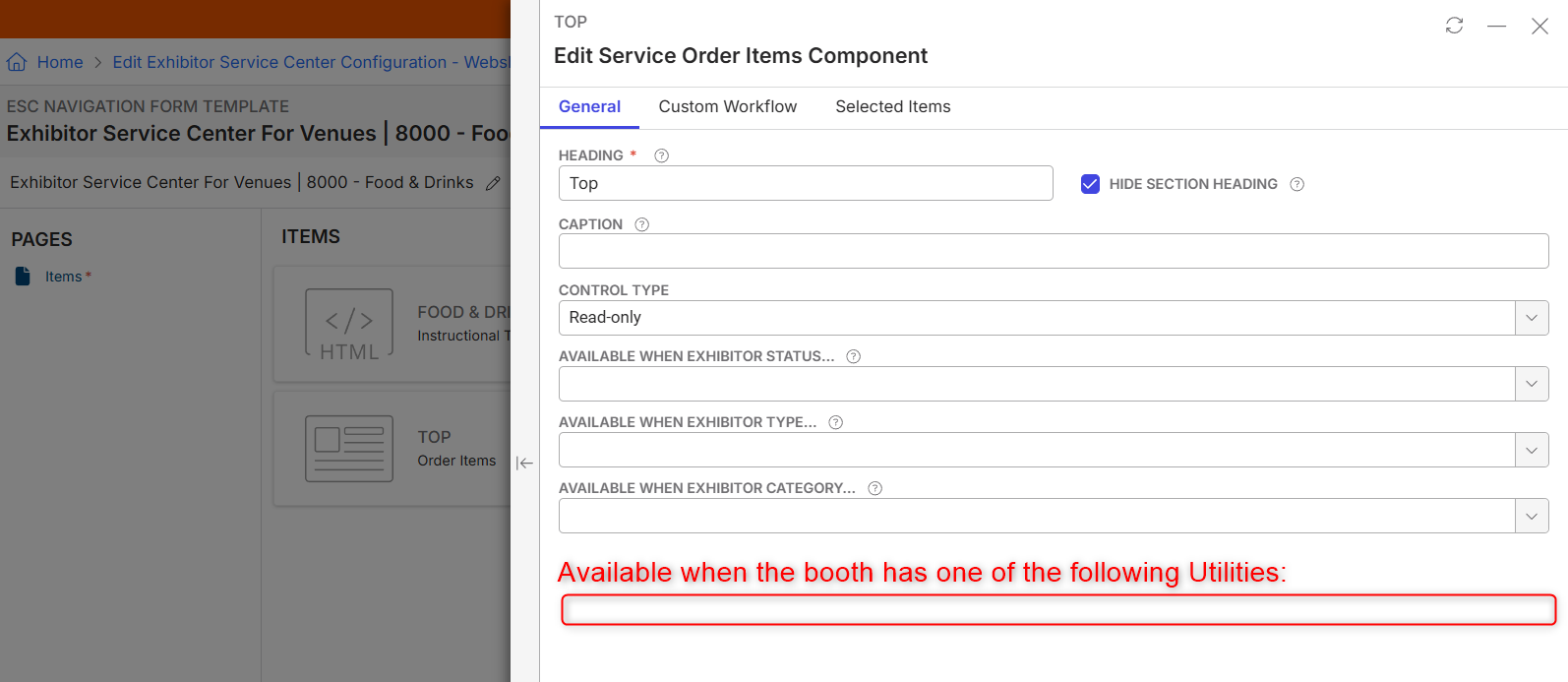
> With this option, you can make the Order Item Component visible only if it matches the Booth Utilities. This means that all items related to the Water Connection are shown only to exhibitors with a booth that has the corresponding utilities. The same logic would apply to Space Only and Shell Scheme stands.
With this option, you avoid showing items to an Exhibitor which are not even possible on the selected booth.
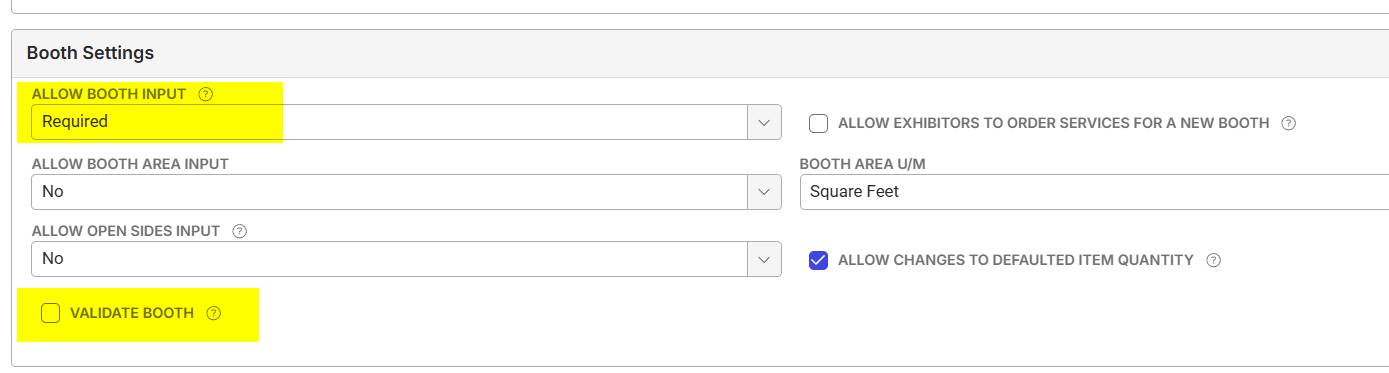
A prerequisite, however, is that the booth must be entered as a mandatory field, and the validation option must be enabled to verify that the entered number actually exists in the back office. Otherwise, this flow will not work. This can be set in the Exhibitor Service Centre Configurations:
I hope this is helpful to you!
-
Thanks Minka for reviewing.
Ella - could you create the enhancement request and post the link here for reference.
-
Minka Verkaar Thank you for deep diving into this query. Appreciate it!
Seth Halvaksz Pendo link here:
-
Minka Verkaar quick question, not sure if you might have had a look or know re this feedback:
We get fields for the exhibitor/booth level (eg. booth #) at entry to the webshop, so why can't exhibitor type be there too?
-
As far as I know, the Booth Number is the only option, there are no other fields available. This is because in this stage the Exhibitor hasn't been created yet and the webshop doesn't do anything with information on Exhibitor Level yet.
The Booth Information can be added as free text, without any checks, OR with a check. If the option with a check/validation is chosen, the system will search this information in the Booths which are stored at Function Level. But also, in this point, the system is not doing anything with Exhibitor Information.
Please sign in to leave a comment.
Comments
15 comments
Date Votes