User Roles - Unable to Book Space
Refer to Support
🐛Possible Bug
-
Environment Observed
- Where was the issue observed? NA
- Account Name - The Citadel Theatre
- Account ID - account-6324-A
-
Is this a converted account?
- No
- Date Converted (if known)
-
Issue Scope
- How widespread is the issue? Multiple customers
- Event Name Unable to book events with Book Internal Only permission
- Event ID Unable to book events,
-
Was the issue reported by the client?
- Yes
- Client Contact Name Ben Osgood
- Client Contact Email bosgood@citadeltheatre.com
-
What’s the problem?
- Users with specific role permission unable to add booking to calendar
-
Is the issue reproducible?
- Yes
-
If reproducible, where?
- Demo
- Demo - Y - Premier - Luke, account-9679-A
- Demo Event ID - n/a, issue is not being able to book an event
-
Steps to reproduce the issue
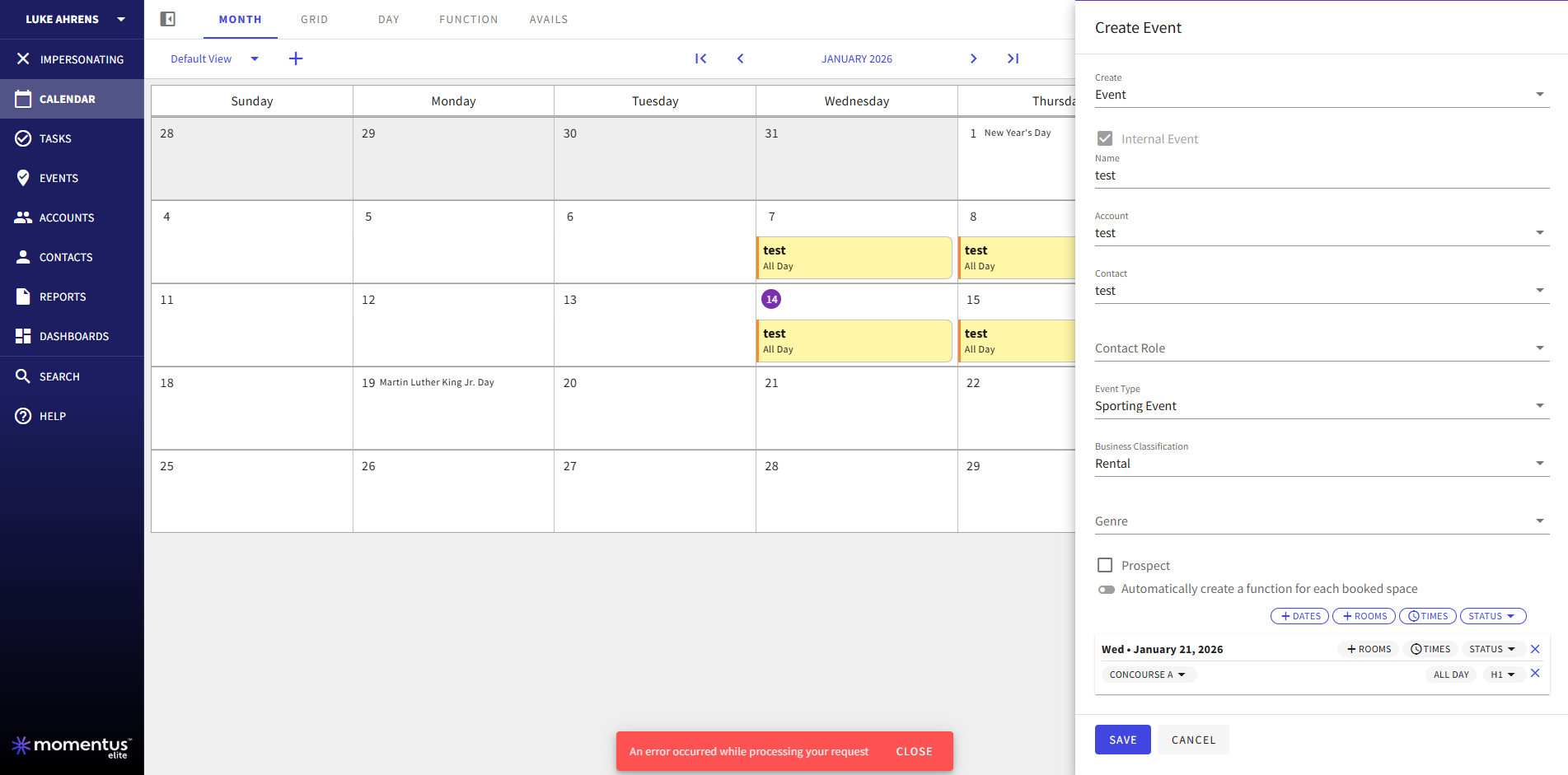
- Sign in as Luke Aherns who has the ‘Citadel Admin - TEST - Copy’ role assigned
- Select any date on the calendar to create an Event (just use test for the name, Account, and Contact)
- Note that Internal Event is checked and greyed out by defauls on the event slider
- Select any event type, business classification, and sapce
- Go to save the event, and receive the red snack bar error
-
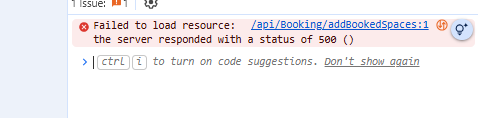
error in console log reads:
-
Expected behavior
- To be able to create an internal event
-
Troubleshooting steps already taken
- Removed the ‘Book Internal Only’ Venue Specific Permission from the Role and was then able to save an event record.
- When I readd the ‘Book Internal Only’ permission to the role, I receive the 500 error again
- Issue appears tied to that permission
-
Workaround identified?
- No
-
Attachments available?
-
Screenshots or videos:
-
- Zendesk ticket link (for Support use)
-
Official comment

Kristi Miles Luke Mintert I believe all of these issues are tied to the same setting of Internal Only booking and we should need one bug raised.
Summary:
- Book Internal Only role setting appears to be a common component to the issues
- When Book Internal is TRUE on a user's role, then that user is unable to book anything, despite their Highest Booking Capability.
- They are instead getting a 500 Error and a snackbar error when these settings are applied:
- Highest booking capability: Confirmed
- Book Internal Only: TRUE
- Highest booking capability: Prospect
- Book internal only: TRUE
- When Internal Only is deselected / FALSE, then the booking works
- Book Internal Only role setting appears to be a common component to the issues
-
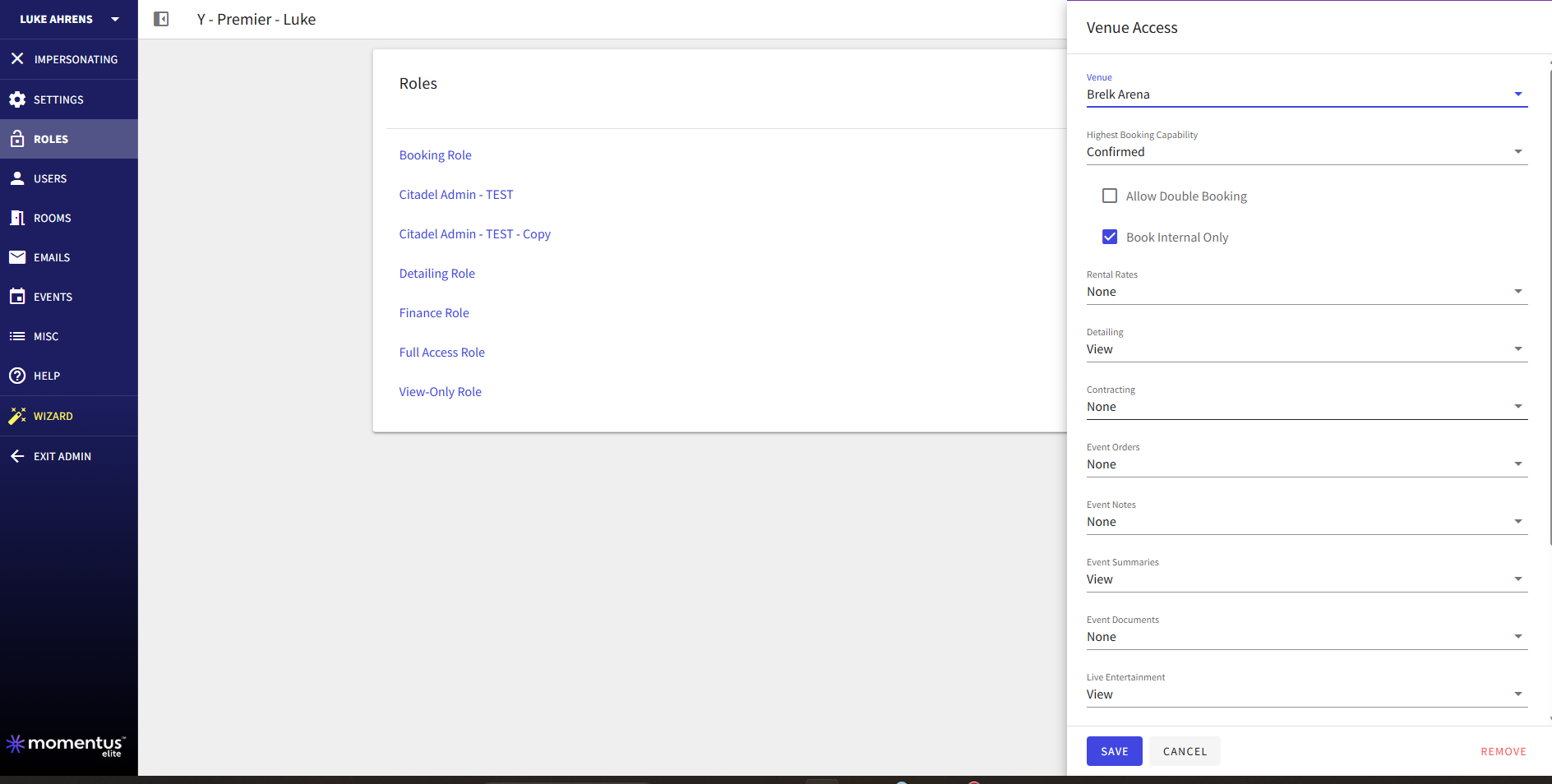
Including screenshot of the Roles Venue-Specific Access
-
Confirmed with Luke: Booking as Internal Event, H1 Status, and encounters the snackbar error.
I was able to book a prospect with the same user and role.
-
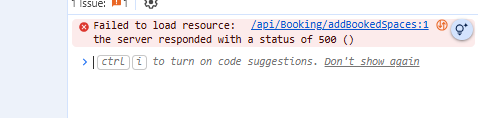
Additional screenshot of console log when error is occuring

-
Luke Mintert , please go ahead and raise a bug for this. Thanks!
-

Elizabeth Fox Could this issue be tied to the same problem? https://documentus.zendesk.com/hc/en-us/community/posts/37679049509399-Error-when-editing-Invoice?page=1#community_comment_37680444105367
-
Alex Weygandt , could be similar, but we need to test the permissions and replicate it to know for sure.
-
Elizabeth Fox Yeah I am copying that to demo right now. Just waiting for it to finish.
-

Luke Mintert will you link the Jira here as a close to the loop please?
Please sign in to leave a comment.
Comments
10 comments
Date Votes