Bold text not printing on reports
Answered
Description of the issue: Bold text not printing on reports
Zendesk Ticket Number: 373539
Account name: Merchant Taylors' Company
Region: EMEA
Reproduction steps:
1. Go to Event 39-65-65-1429 and access the Detailing tab.
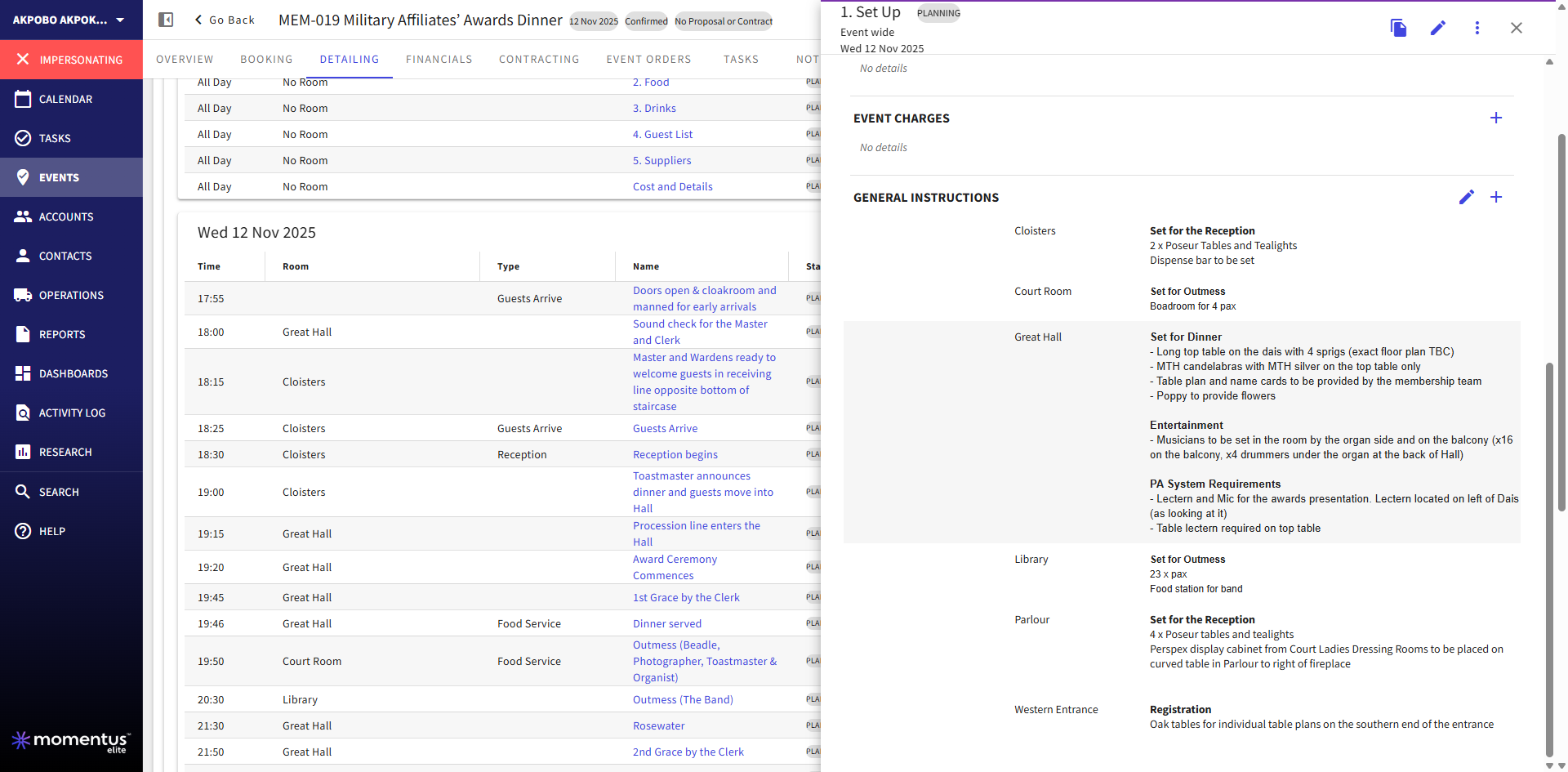
2. Select the Function “Setup” and scroll to the “General Instructions” section. Notice that the text is formatted with titles in bold:
3. Go to the Event Orders tab and click to open the PDF file.
4. Scroll down to the “Department Requirements” section and notice that the bolded titles aren't printed:
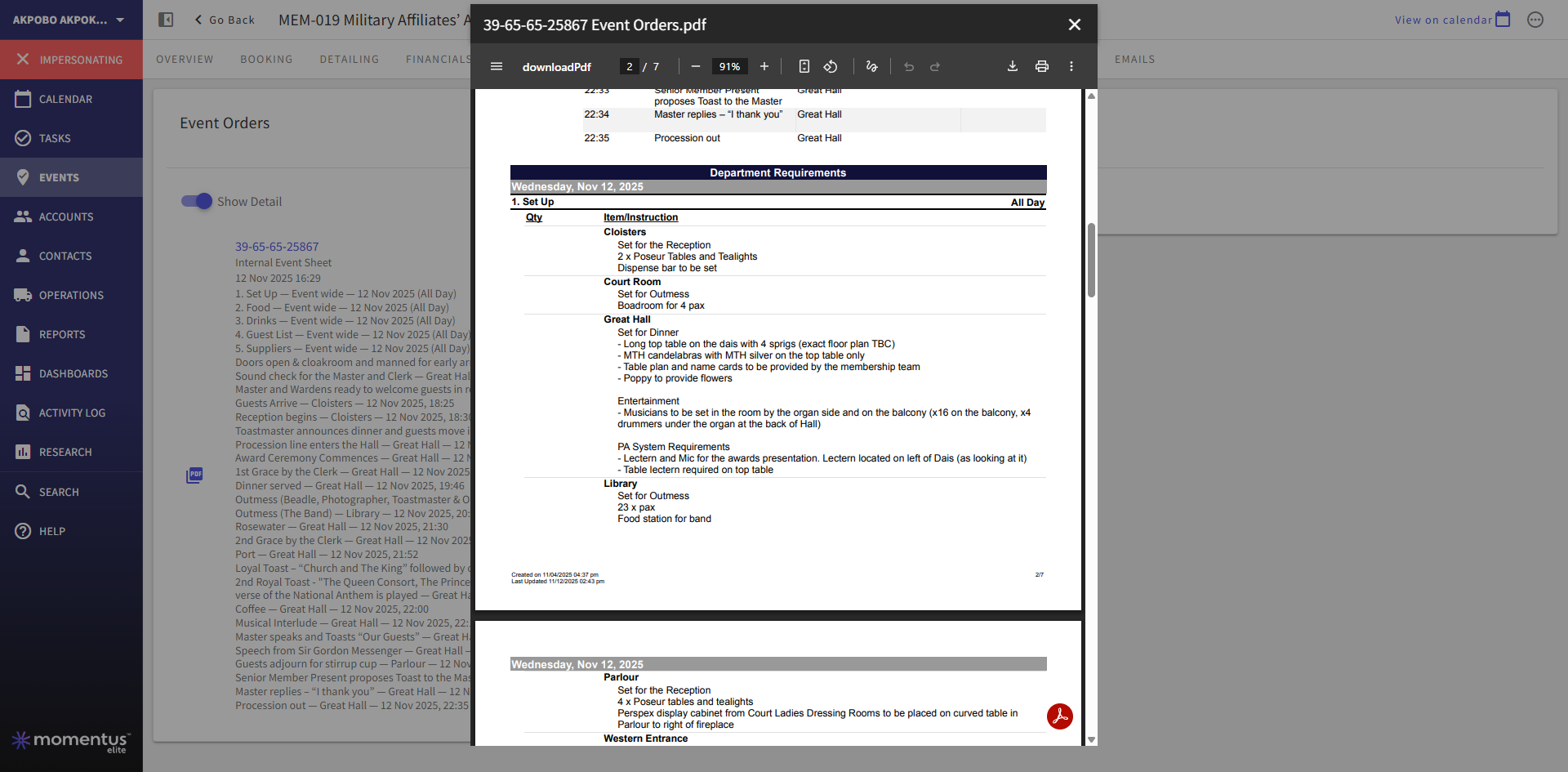
Observed Results vs Expected Results: Seeing the bolded text on both the function and reports
What is the job the client is trying to accomplish: The client is aware that this is a new feature. We would like to understand if this is something that can be adjusted on the report design or if it is a bug or just something that cannot be achieved at all?
Business impact if not resolved: This makes it harder for the different teams to spot their assigned tasks
-

Has the report been updated since the release? Both reports and document templates must be updated in order to display the rich text formatting.
-
Hi Linda,
I am honestly not sure, but I will then pass it to Tier 2. Thanks! :D
-
You are welcome!
-

Did we confirm this was due to the templates needing to be updated to support rich text?
-
Hi @..., yes, but I think this one was a mix of the report needing update with a bug that has been flagged later on. I can see in the ticket that the Tier 2 specialist has informed the client that it will be fixed in the January release.
Please sign in to leave a comment.
Comments
5 comments
Date Votes