🐛 Possible Bug - Email Recipient Field
Answered
- Environment Observed Where was the issue observed? NA
- Account Name Wheeler Opera House
- Account ID account-4275-A
-
Is this a converted account?
- No
-
Issue Scope
- How widespread is the issue? All users
- Event Name Roaring Fork Sessions: Lindsay Lou and Friends
- Event ID 4275-65-65-2305
-
Was the issue reported by the client?
- Yes
- Client Contact Name Maddy Overton
- Client Contact Email maddy.overton@services.cityofaspen.com
-
What’s the problem?
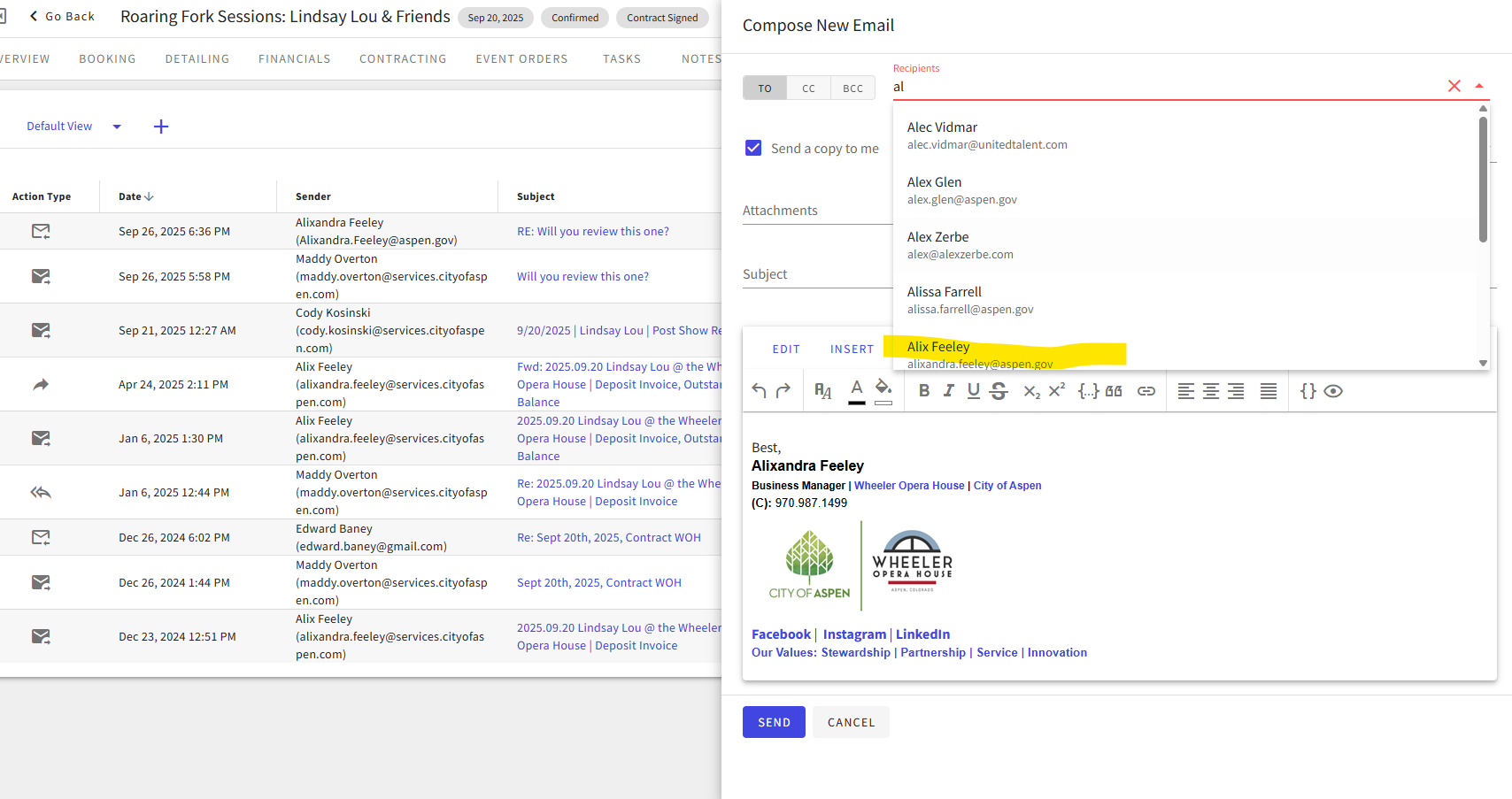
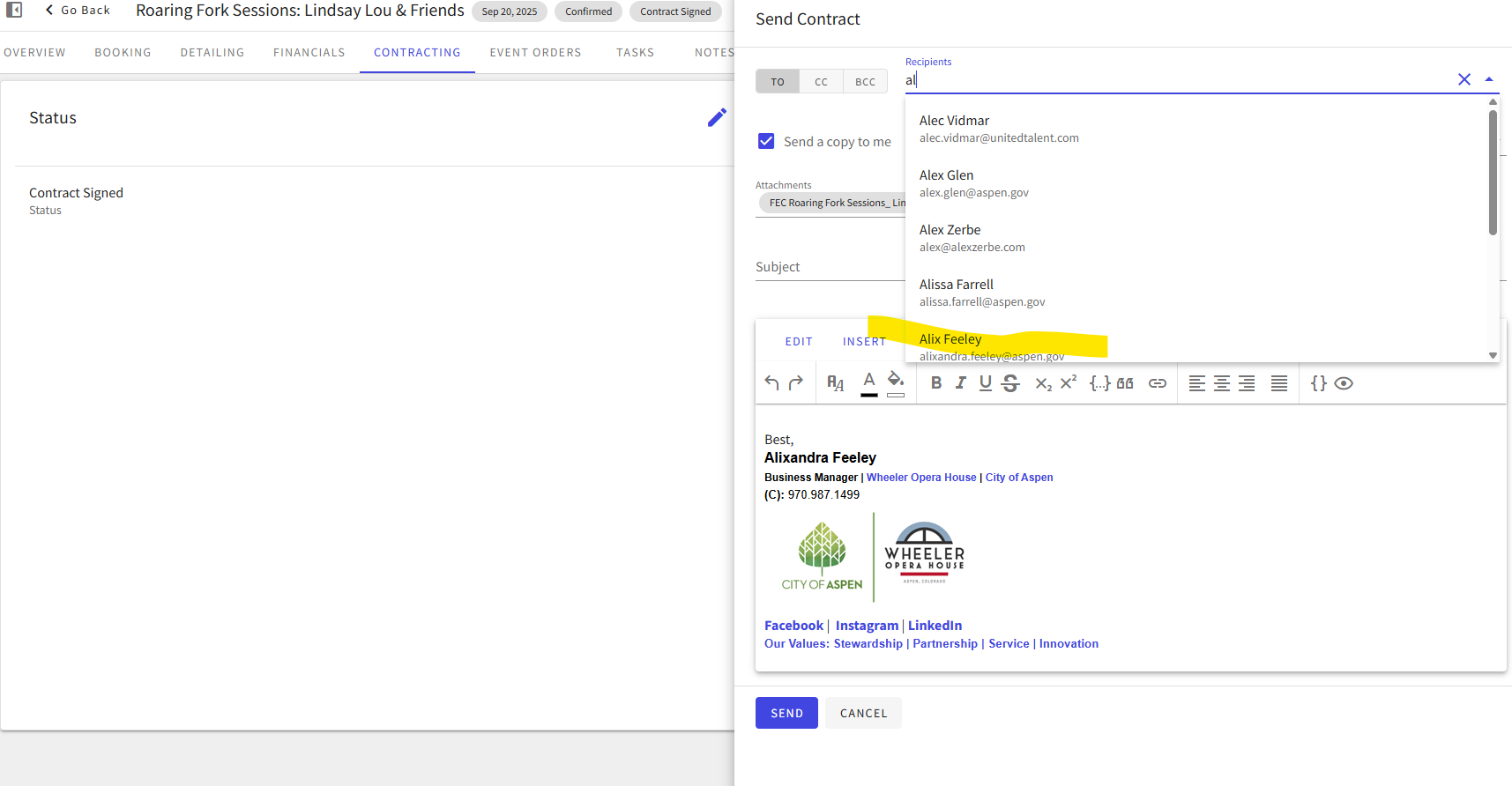
- From the Emails tab and Contracts tab, the recipient email pulls any contacts as expected. (example Alix Feeley)
- From the Invoices email option, the email does not pull in Alix Feeley into the list.
-
Is the issue reproducible?
- Yes
-
If reproducible, where?
- Demo
- Demo/Staging/Pitstop Account account-815-A
- Demo/Staging/Pitstop Event ID 815-65-65-3362
-
Steps to reproduce the issue
- Go to the Weekly Market event
- From the Emails tab, you can send an email to Amber Lough and the name pulls in from the drop down.
- Go to the Contracts tab. You can send an email to Amber Lough and the name pulls in from the drop down.
- Go to the Invoices tab. If you start typing Amber Lough, the contact name does not exist
-
Expected behavior
- I understand that for the emails tab, we are not connecting to any specific contact so it makes sense that you can pull from your entire contact list.
- If this is expected behavior as the invoice is already linked to a specific person, that would make me think we would see the same behavior on the contracts tab-which we don't, leading me to think this is actually a bug.
- Clients may want to add others to their CC or BCC so being able to select from this list is important
-
Troubleshooting steps already taken
- Watched Maddy's experience in Boise
- I mirrored this same behavior in her account impersonating her
- I mirrored the same behavior in my demo
-
Workaround identified?
- She has to copy the email from another location and add it in manually
-
Attachments available?
- Screenshots or videos: Included
- Zendesk ticket link (for Support use)
-

-

Hi Amber! Chiming in on expected behavior (not saying it should be this way):
- When creating a contract, you are limited to selecting contacts on the event. (see Create a Contract)
- There is no limitation when sending a contract. (Send a Contract to Clients doesn't state this explicitly, but there are directions for adding ad hoc emails, so it's implied)
- When both creating and sending an invoice, you are limited to contacts who are part of accounts which are on the event; the contact itself does not need to be added to the event. If you add yourself to the event account, you'll be able to be selected. If I remember the discussions correctly, this is because we wanted more guardrails around things involving AR. (see Create an Invoice, Send an Invoice)
-

I had the same question as Amber Lough so thanks so much for clarifying, @Linda Moyer! This feels like a strangely specific guardrail that ends up creating inconsistencies in the overall email functionality and adds confusion. In my experience, I haven’t seen a venue need this type of restriction for contracts or invoices since those can already be governed by roles. While I understand this falls under an enhancement request, it does seem a bit odd to limit guardrails to only one part of the emailing feature.
-
All I can do is assure you that it was thoughtfully considered at the time, and that feedback for improvement is always welcome. 🙂
Please sign in to leave a comment.
Comments
3 comments
Date Votes