"Complete" Checkbox on Work Order Items vanished in Prod
Refer to Support
Description of the issue: "Complete" Checkbox on Work Order Items vanished in Prod
Account name: Classic Center
Region: Americas
Client version: 25.22025080401 in Prod
Steps to reproduce:
Login to local site: https://supportwebus.ungerboeck.com/ClassicCenter_Prod/app85.cshtml?ReturnUrl=%2fClassicCenter_Prod#/workOrderItems?data=f684d6529b96c947b599e0a99c5cc4946784 (usiadmin / ITRocks2014)
From the Sidebar, go to Work Order Items.
Load the “Security Work Orders” View.
Right click on the grid header > Show Columns.
Search for “Complete” > Note that the Complete field is not present to be added or already on the grid.
Compare to any of the QE sites (24.4, 25.1, 25.2) > On Work Order Items, the Complete field/checkbox is available.
Observed results: Complete field is missing.
Expected results: Complete field should be present.
Other information:
Customer reported this issue a week or so after upgrading to 25.2.
First, the Complete field changed to a “Yes/No" field, then completely vanished.
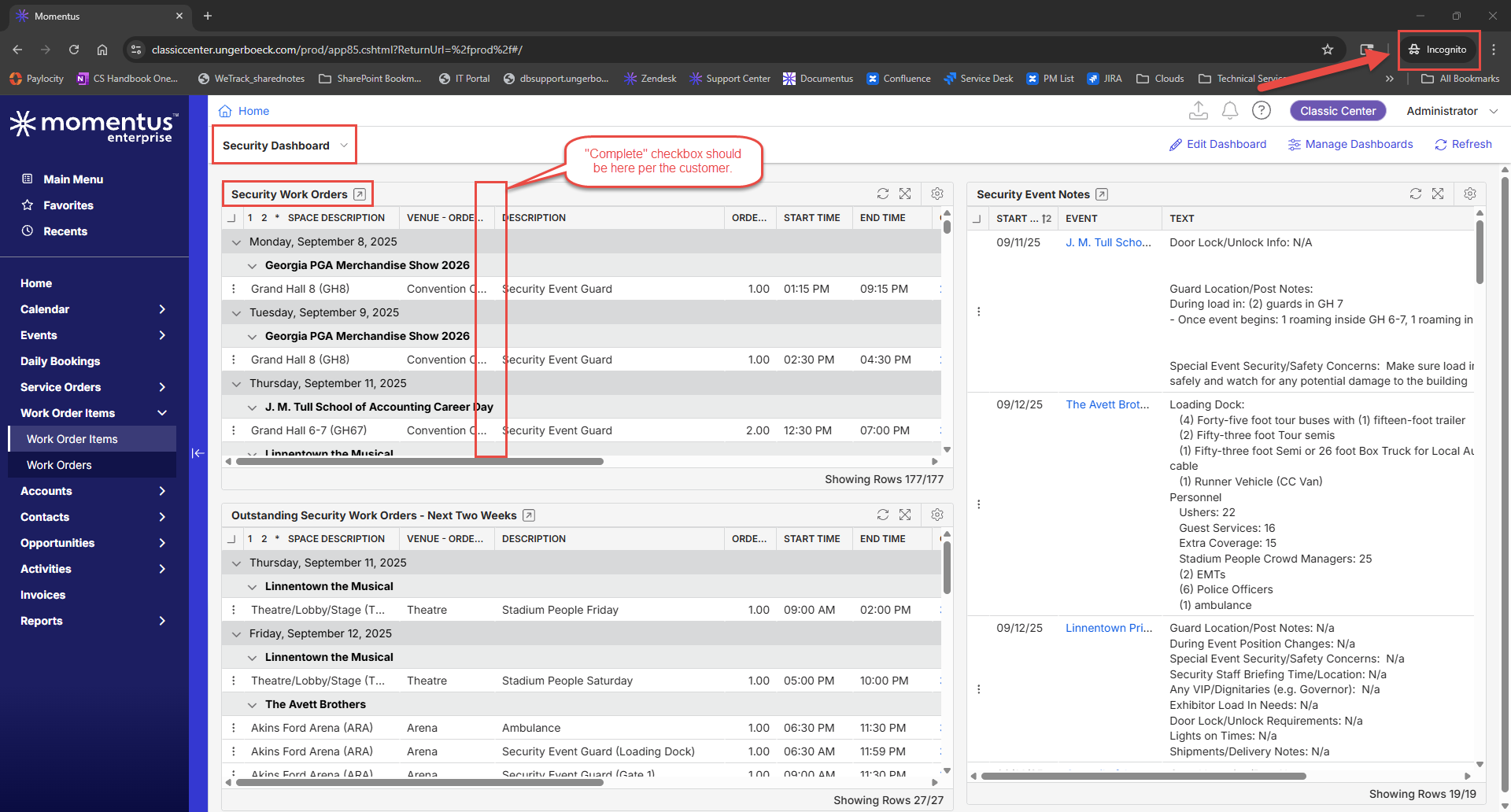
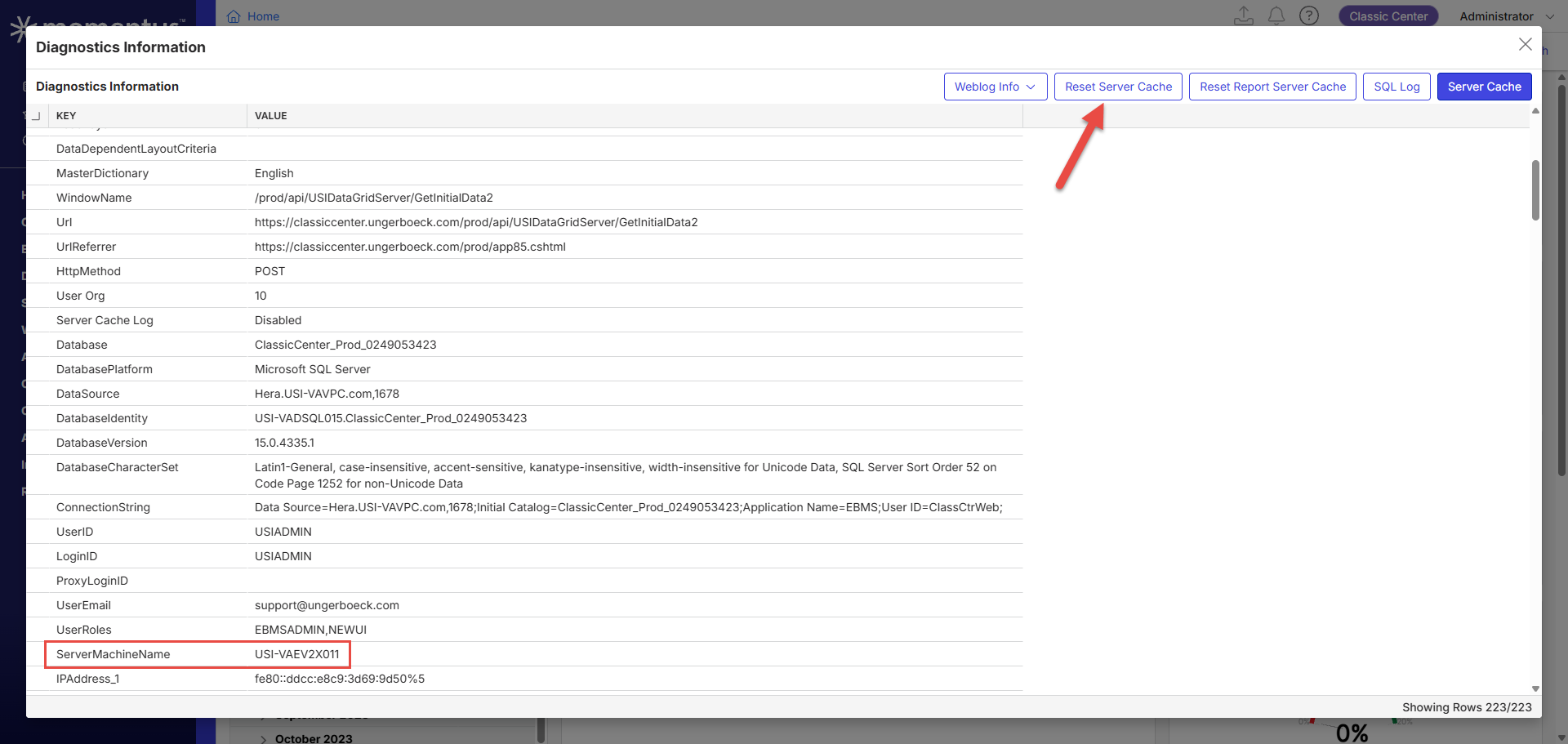
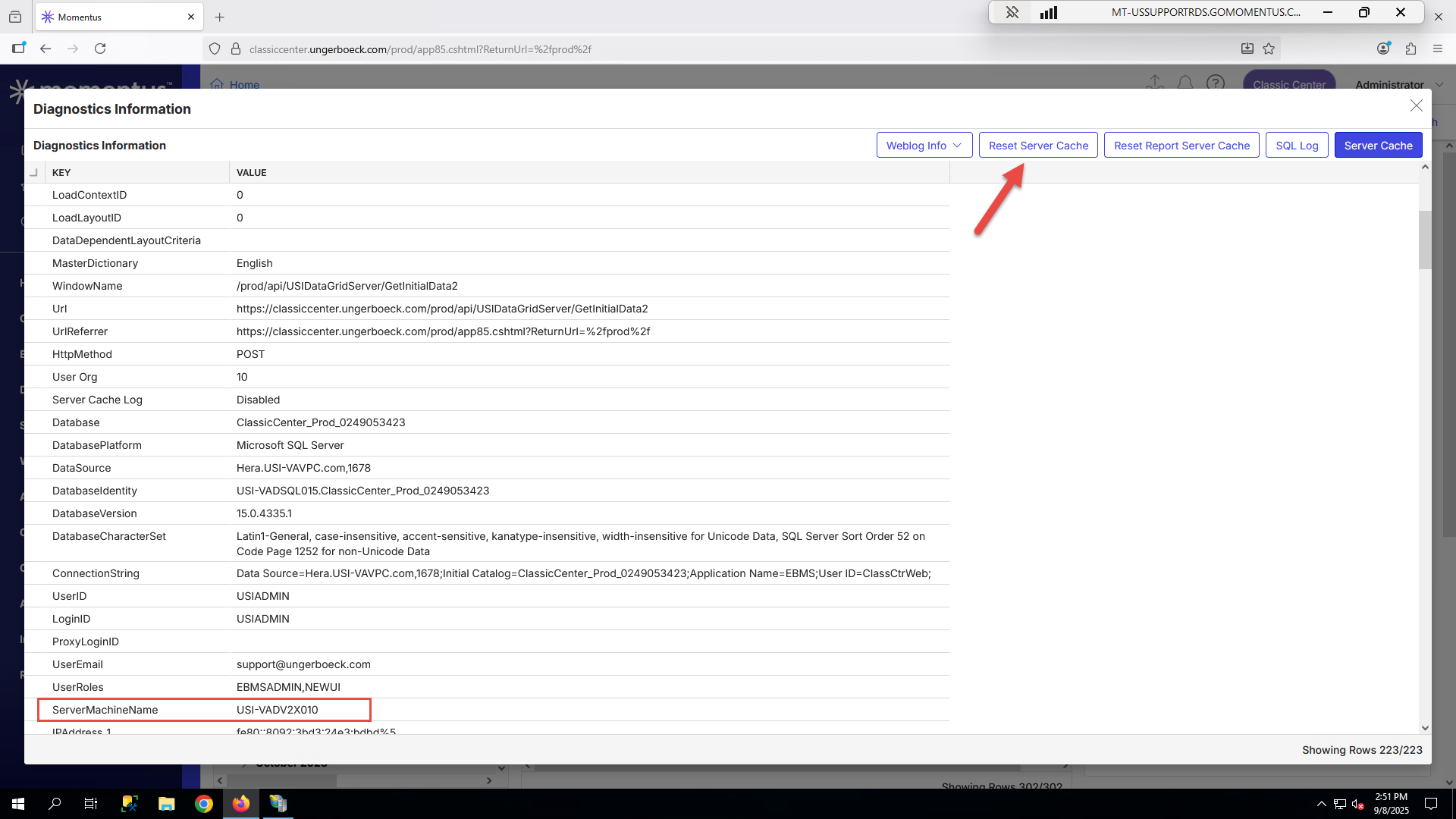
I thought this could be related to caching, so I tired clearing Server Cache on both load-bearing servers and used an incognito browser, but the field was still gone.
I checked other customer's Prods (who are on the same release) but the Complete field was present in their sites.
Can a standard field be deleted somehow?
What is the job the client is trying to accomplish: Customer has express users whose job it is to complete Work Order Items by checking the “Complete” checkbox. Express users cannot edit/change WO Items otherwise, so without this checkbox, they cannot do their job.
Business impact if not resolved: From the customer, "This box is essential for our express users to be able to complete work order items and verify the services have been fulfilled. We do not know why this check box disappeared. Other methods for completing the work orders require "edit" capability which is not available to express users. Yes "completing" work orders is essential for change tracking and verification of work order status".
Articles Referenced:
Checked for other Zendesk tickets or Jira cases > None found
Link to Zendesk ticket: 366449
Screenshots:
Screenshot showing the field present in another customer's Prod who is on the same release as Classic Center. The Complete field is still present.
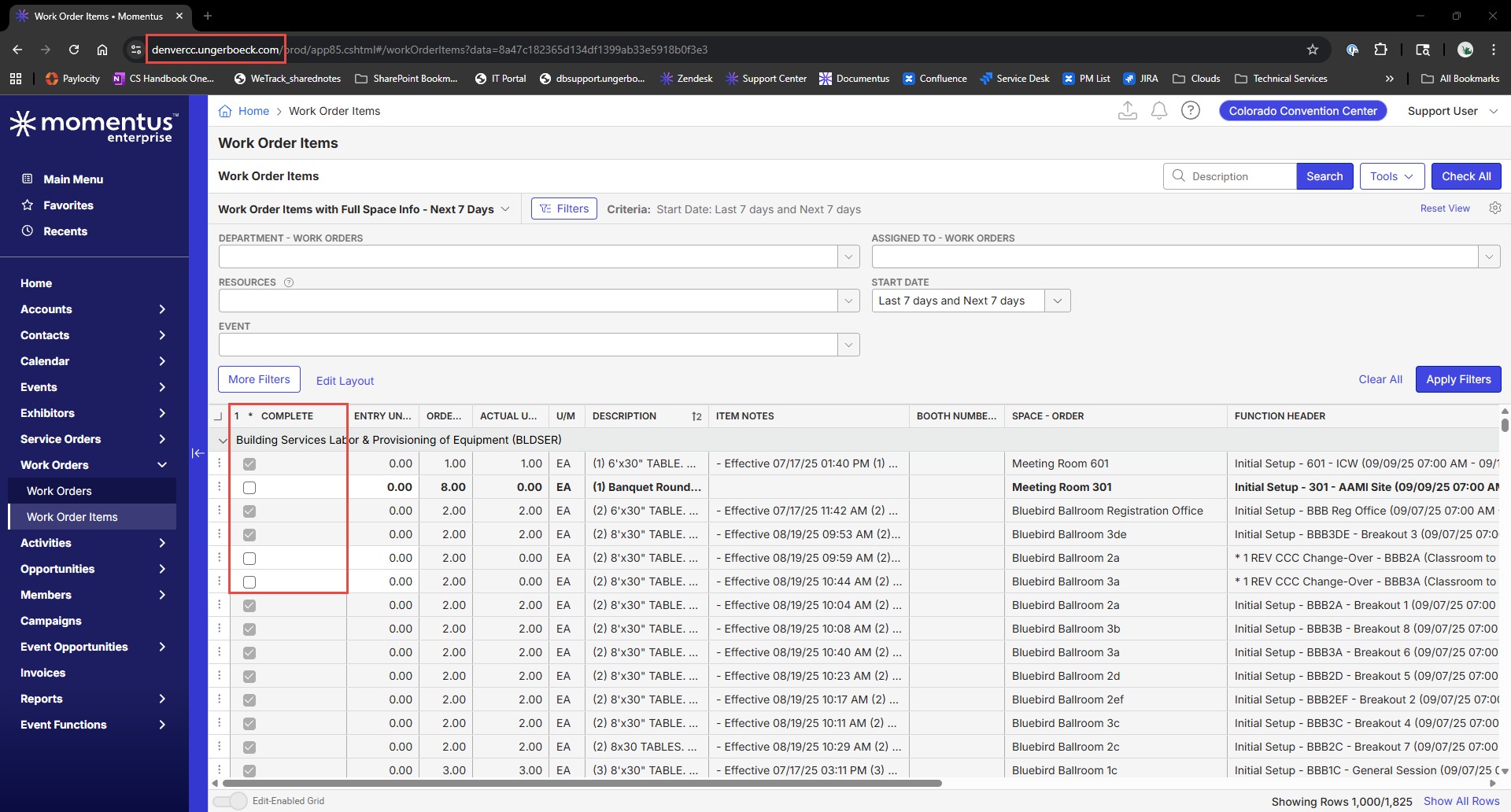
Screenshot showing their are no Field Restrictions for the WO Items grid

Next 5 screenshots are showing that clearing server cache and using an incognito browser did not restore the Complete field.


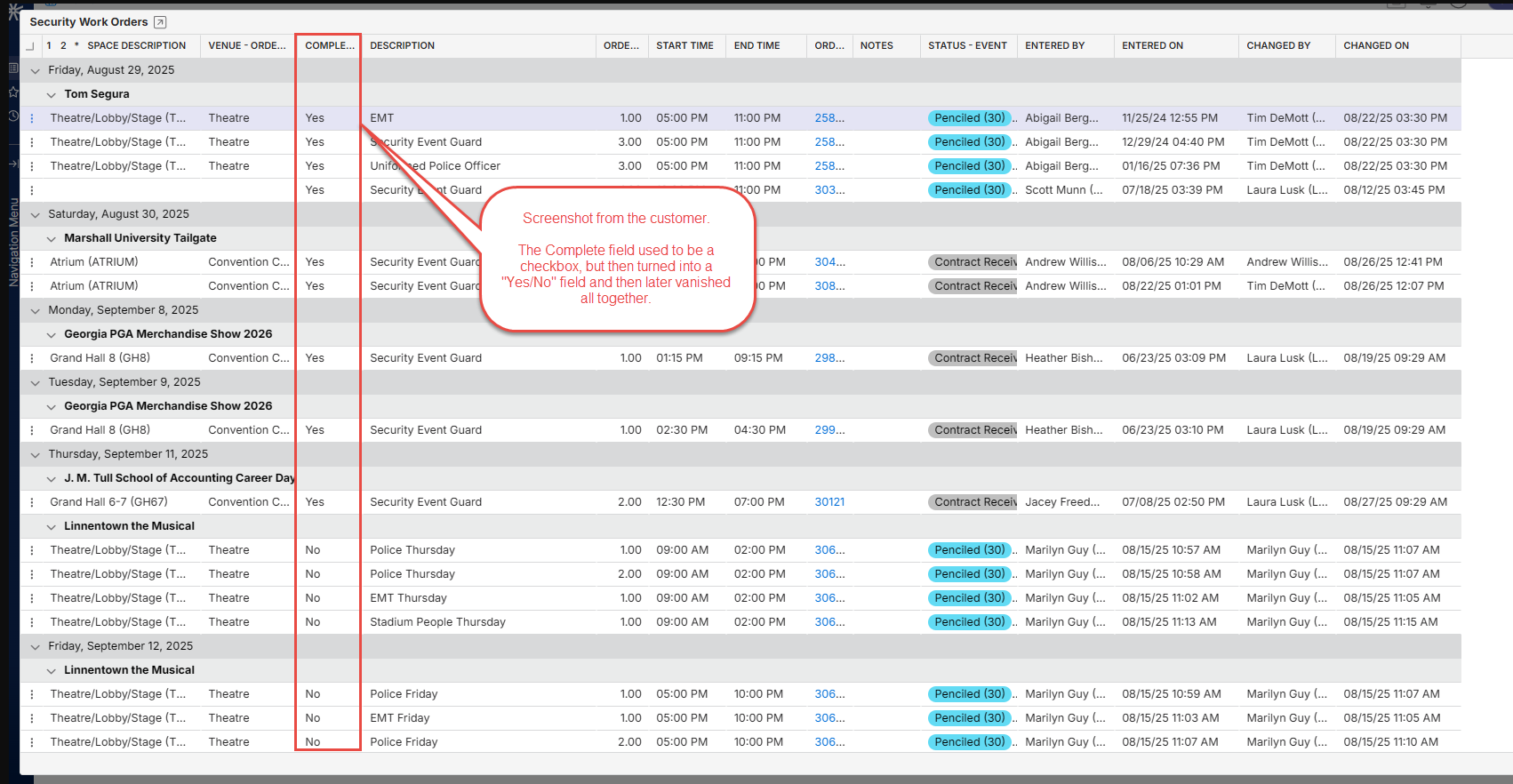
Tags: Cathy Herrick
-

Carissa Harrison - I'm not sure if this is a data issue or a code issue, but I can't find any reason why this field has disappeared.
Complete is present in QE 25.2 and it is a standard computed field but it does not show for Classic Center.
I checked field restrictions and Complete has nothing restricted, I thought perhaps the element was denied but it was not and even when i specifically granted it I still could not see the Complete field on WO items.
I also double checked the Dictionary to ensure the phrase hadn't been changed and it had not.
Were there any changes made to licensing behind having this checkbox available?
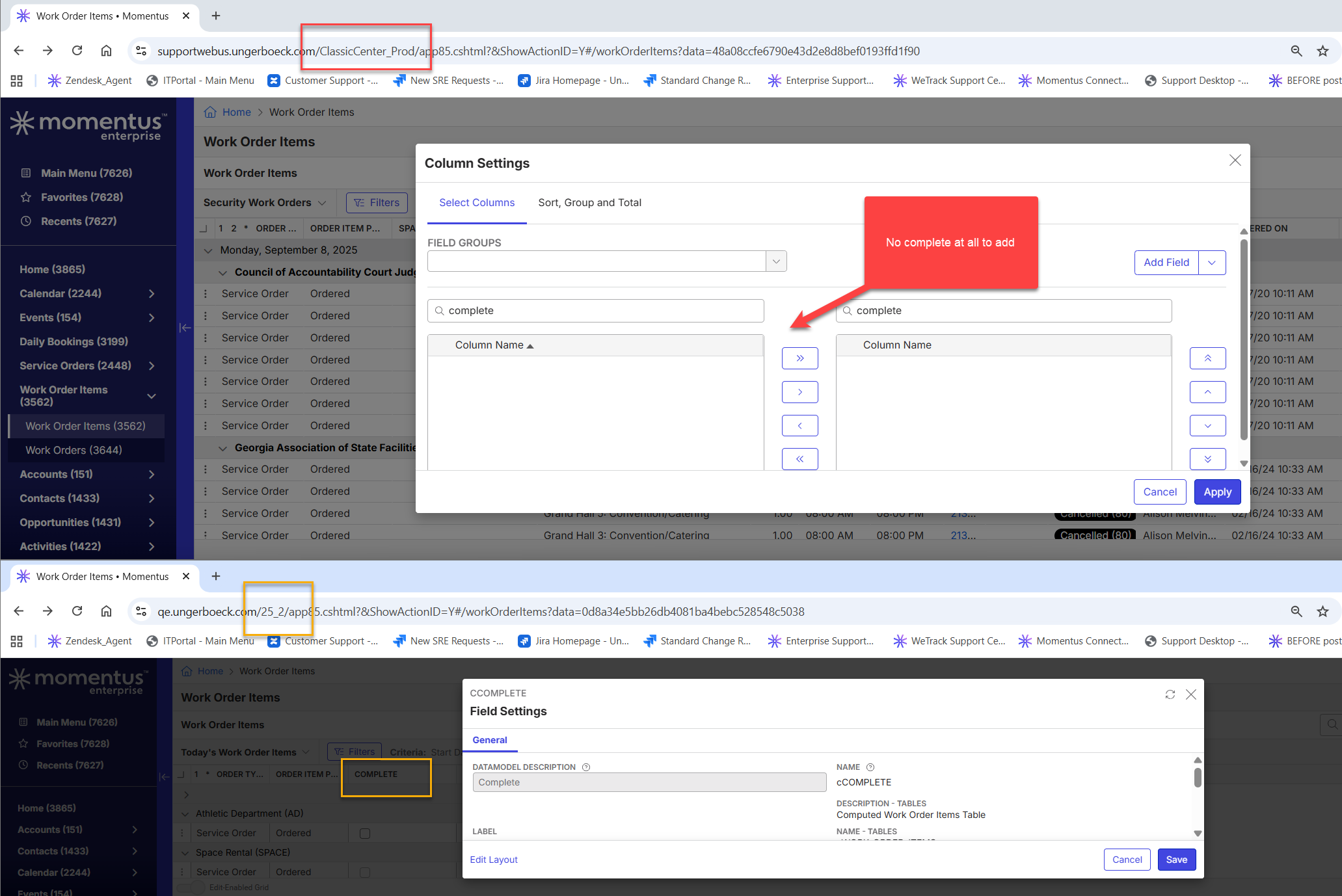
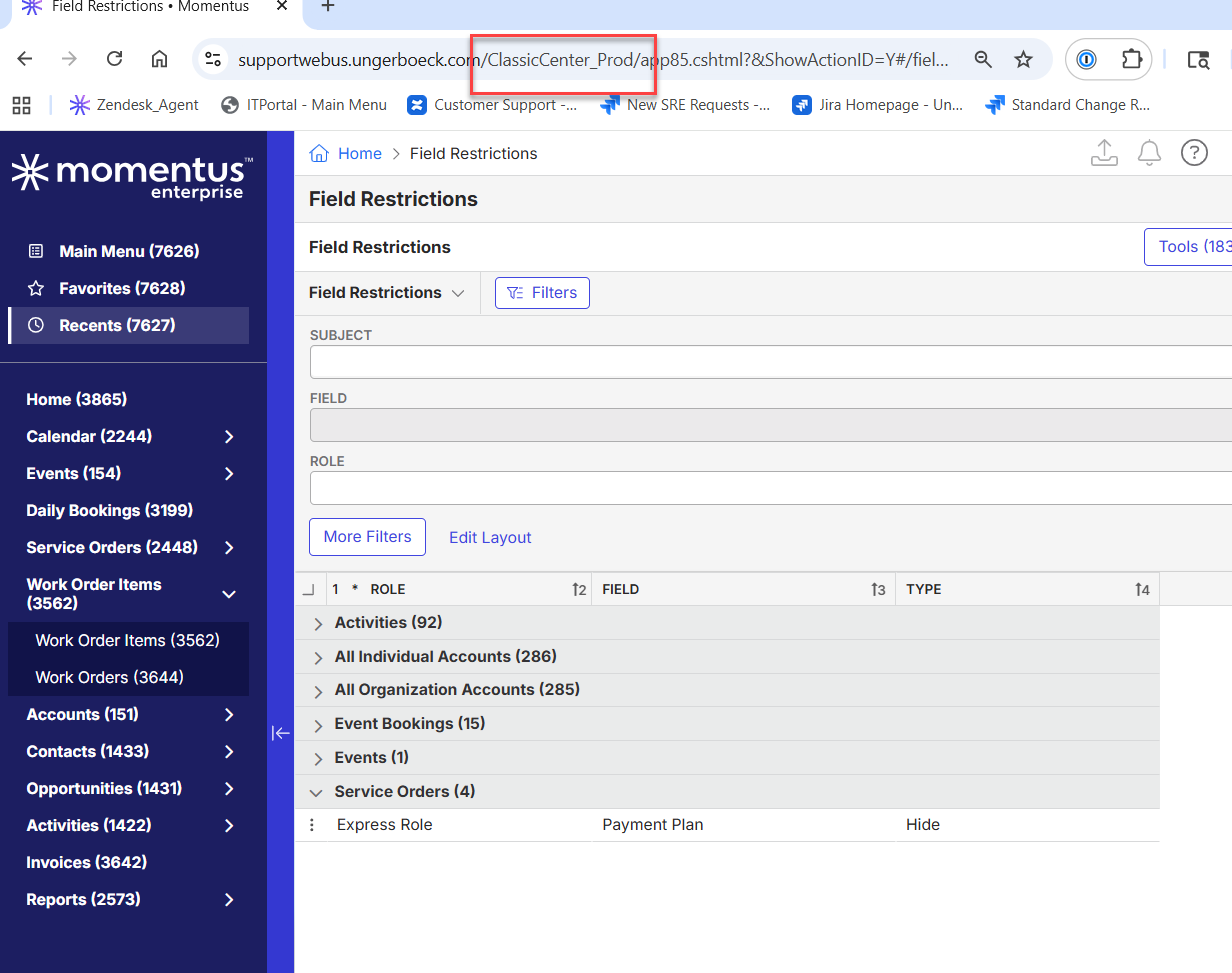
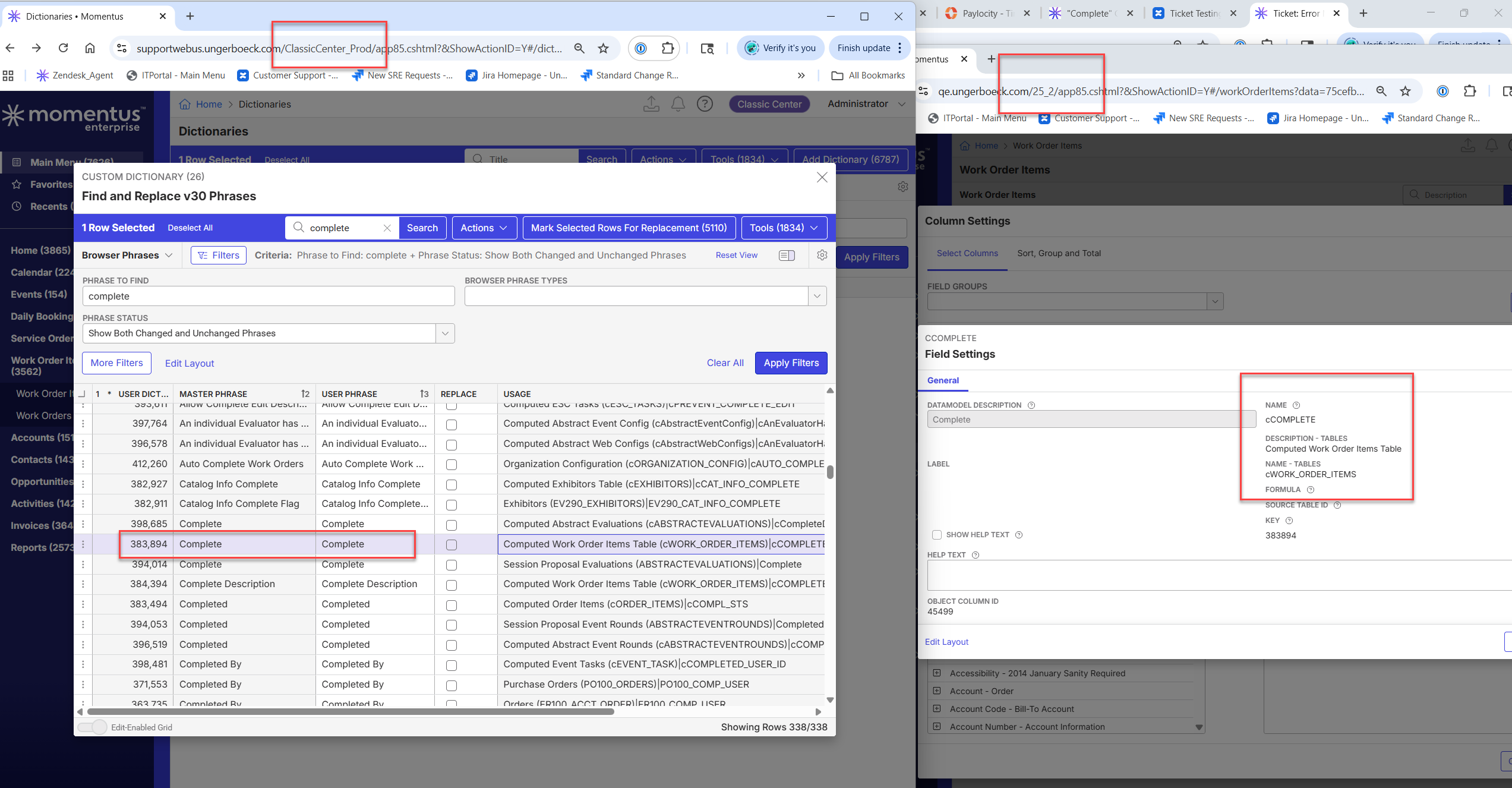
-

This looks to have been caused by access privilege restrictions. They had a list of users added to the below implicit privileges.

I added the EBMS administrator role to each of these privileges and the “Complete” field reappeared and is functional.
-

Cathy Herrick did @... 's suggestion work?
I put together a Confluence page that explains the difference between implicit and explicit permissions:
https://ungerboeck.atlassian.net/wiki/spaces/PMO/pages/1667366946/Access+PrivilegesHere’s a quick example relevant to WO privileges:
- WO privileges are implicit. Since they were initially unassigned, everyone had access by default.
- Once privileges were changed and specific users were assigned, access became restricted to only those assignments which is why they disappeared for everyone else.
Definition:
- Implicit Privileges → If no assignments exist, all users have access by default.
- Once a user/role is assigned, only those assignments retain access.
-
Jillian Stangret This isnt the same issue as initial post, correct? They can still see the field but the presentation of the field has changed?
If so, this sounds like a bug. Please create a ticket. -

Carissa Harrison I'm having two clients at the moment with a varient of this.
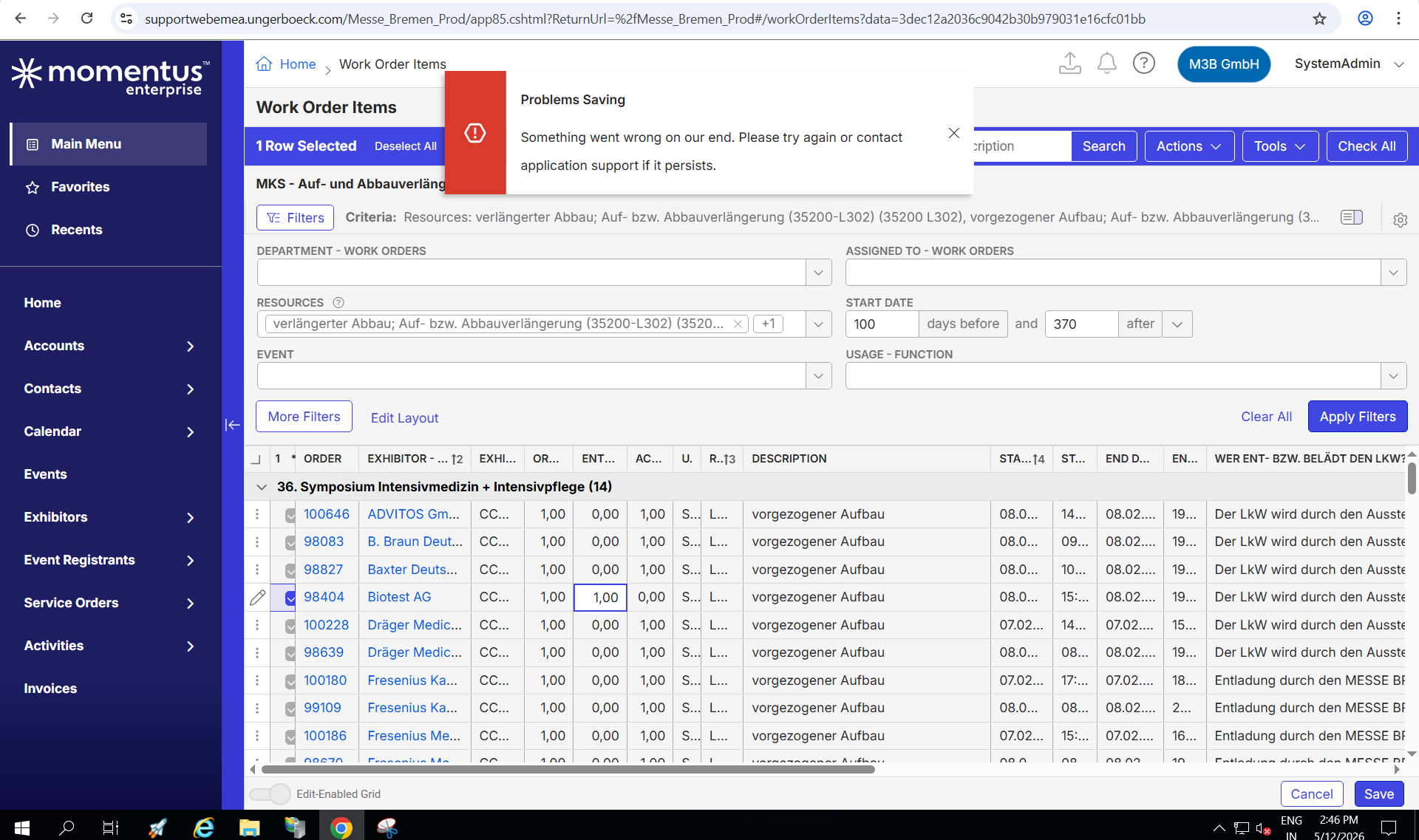
For one the Checkbox will be there and selectable but once you hit save there will be a “Something went wrong” Error. For this case this only happens to their personal views. For the momentus views it will still work.
For the other the Checkboxes disappeared and will show Yes/No instead as also initially reported in this thread.
Is there an ongoing Jira for it and if so could you link it. If not please let me know if I should create one. -

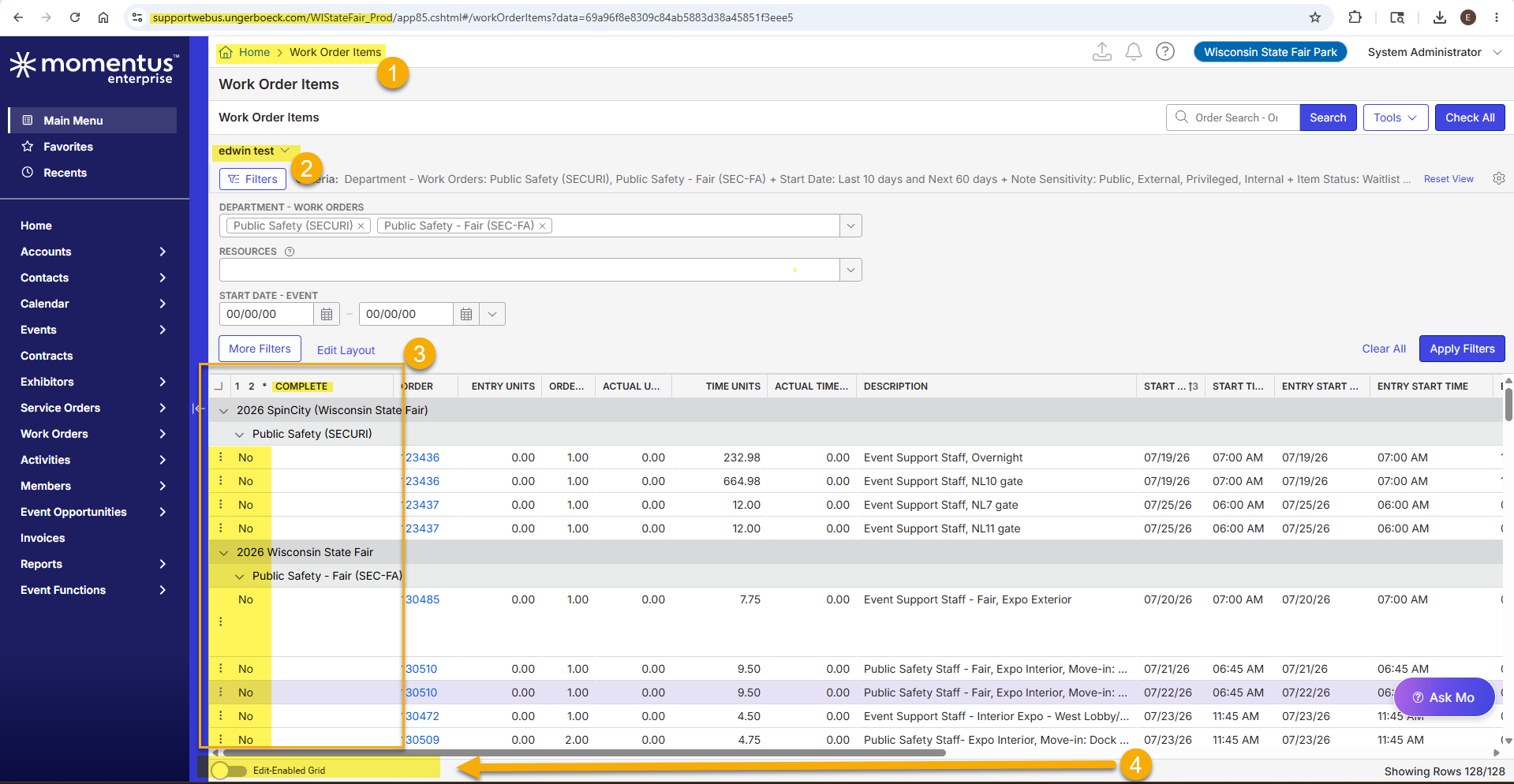
Hi Carissa Harrison - I have a quick question regarding this threat. I am working on: https://ungerboeck.zendesk.com/agent/tickets/388223. I tested it, and I see that when I toggle the Edit-Enable Grid feature at the bottom of the page, the complete column change to a checkbox format. Do you know if there is a way to set this feature to be ON as default?. it looks like it reverts itself to disable when change the view or if I log out the local site. Thanks in advance for your help!

-

Wisconsin State Fair Park is also hoping for the default to enabled. Thanks for raising the question, Edwin Hernandez !
-
Edwin Hernandez The application remembers the page state as long as you are logged in. If you are changing a view and it resets that indicates the view has it disabled by default.
-
Dominik Obelöer I do not see any other tickets opened regarding checkboxes.
-
Edit-Enable Grid works just fine for one of my cases. Thanks Edwin Hernandez
The other issue with getting an error when attempting to close multiple WO Items stays though. Additionally AI also confuses me about the Topic as this was it's response:
“This is expected behavior. The Edit Multiple Order Items modal is a general bulk-edit tool and does not include the Completed/Complete status because completing items requires additional validation (for example verifying actual units delivered). Instead, Momentus Enterprise provides a separate “Complete” action that checks those rules before marking items complete.”
So why is there the Complete Column (?is this Column the separate “Complete” action?) if setting it to complete is not a possibility in bulk. One client gets a red error “something went wrong” and the other gets to the Dialogue Window but cannot select the Complete Status there.
If the Complete Column is the separate action I will likely need to issue a Jira as this is running into an error.
Carissa Harrison Pieter Fourie Mike Schepker Nicole Loh Satya Ram Nukala
-
Can I issue a Jira for this Seth Halvaksz Carissa Harrison ?
We are currently having three clients complaining about this:
#389736 (Stockholmsmässan AB)
#385088 (Messe Bremen)
#386028 (Svenska Mässan)
It feels like there were changes made to it which now have changed the workflow and confuses clients. See my comment above. As of that a feedback would be much appreciated. Thanks! -

Tagging Vernica Lodha to review this and comment
-
Dominik Obelöer create a jira and attach it to this post.
Please sign in to leave a comment.
Comments
14 comments
Date Votes