Unable to Change Memo Payment Plan Due Date
Refer to Product Ideas
Zendesk Ticket: 351226
Account: TCU Place
Region: US
Articles used in your research: Add, Edit or Remove Payment Plan Steps, Consolidate Payment Plan Steps, Customer Terms and Payment Plans
General:
Business impact if not resolved: Incorrect due date on payment plan step
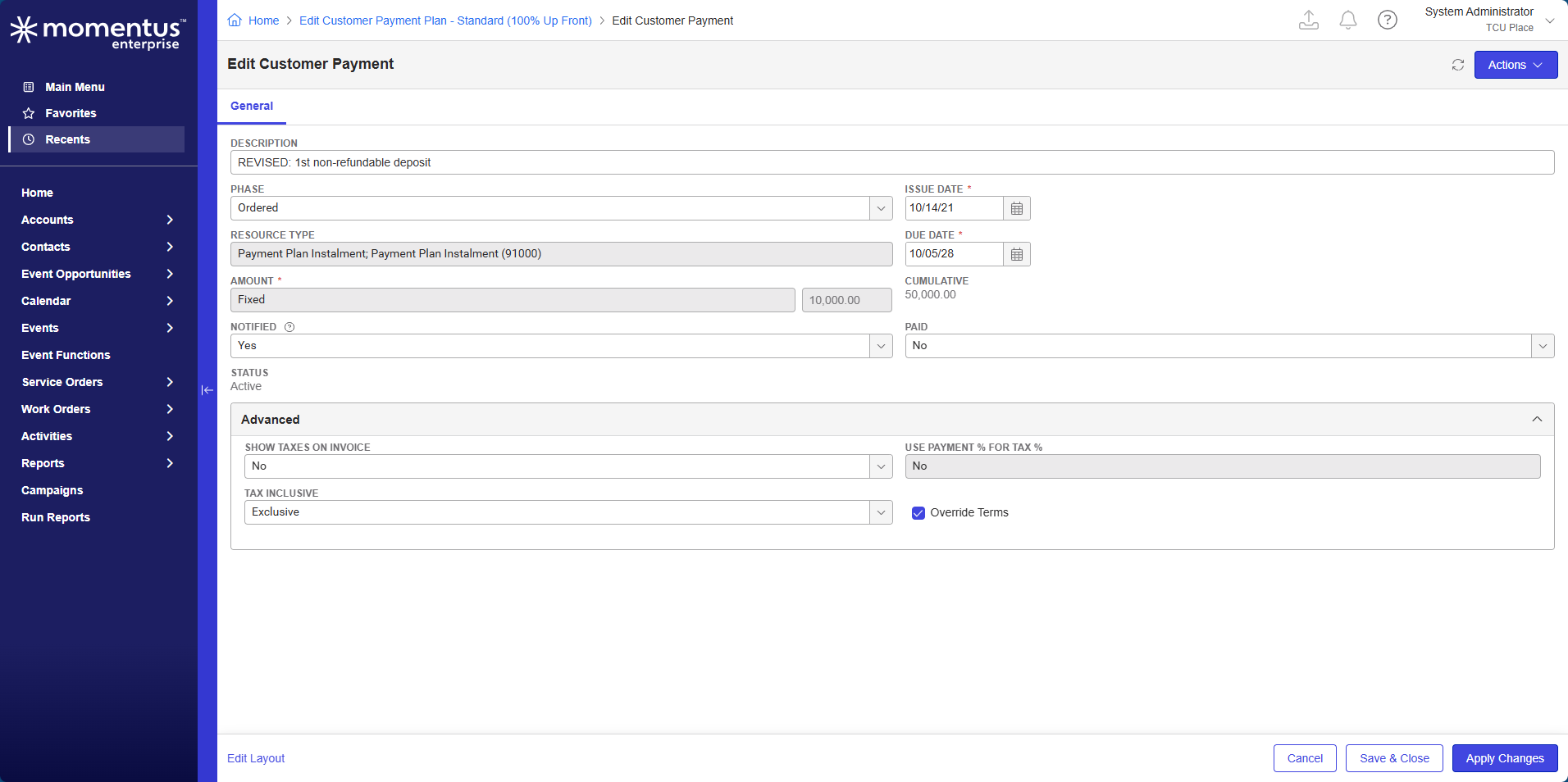
Short Summary of issue (issue description): Can't change due date in memo payment plan steps to a date in the past
Macro Vertical: Convention Centers
Debug Environment:
Customer DB Location: Hosted
Database: TCUPlace_Prod_0694438823_USI
Server: Debug-Canada,1433
Version: 24.4
V30 Link: https://supportwebus.ungerboeck.com/TCUPlace_Prod/app85.cshtml?
User Login: usiadmin / ITRocks2014
Recreation Steps:
1. Navigate to event ID 5094
2. Edit the existing payment plan
3. Edit the REVISED 1st non-refundable deposit step
4. Change the due date from 10/5/28 to a date in the past (8/12/25 for example) then click Save
5. The system says the changes were saved but the Due Date reverts back to the original date listed
6. I was able to successfully change the due date to a date in the future but not in the past.
Observed vs. Expected Results: Would expect to be able to change the due date
What does the client want to accomplish: Change the due date on the payment plan step
Attachments:
Attachments or screenshots:
This screen recording shows it best: 351226.mp4
-
Official comment

We've had a couple of requests recently to remove this restriction.
It is a very minor change and I can be ok with doing so as this is the 3rd or 4th request. We likely would simply remove the validation if we agree - perhaps with a toast message that the payment plan was updated to a due date in the past date.
Recommendation is to send back a Jira ticket as an enhancement to allow this -

CC @...
-
Ryan Ungerboeck Heather Lightsey
I would prefer enhancements are handled as a Pendo enhancement request.
Heather - once you create the Pendo enhancement, please add the link to this post.
CC @...
-
Ryan Ungerboeck my apologies as I misunderstood the original customer request. They are not trying to change a due date to a date in the past, but they are trying to change it to a date earlier than the original due date. For instance, the automated due date is 10/05/2028 and they are trying to change it to 08/05/2025. Does this still fall into the same category and would need an enhancement request, or should this be allowed?
-
I'm not real sure why this would be an issue. I would expect that you can change the due date on a step to a date on or later than today as long as that date is not AFTER the due date of a later step or BEFORE the due date of a prior step.
Please sign in to leave a comment.
Comments
5 comments
Date Votes