External Links on Account Portal - 'Server Error 401 - Unauthorized'
Refer to Product Ideas
- Account name: Microsoft Corporation (Vendor Compass Group USA)
- Region: US
- Client version (Enterprise): 24.3_2024120901
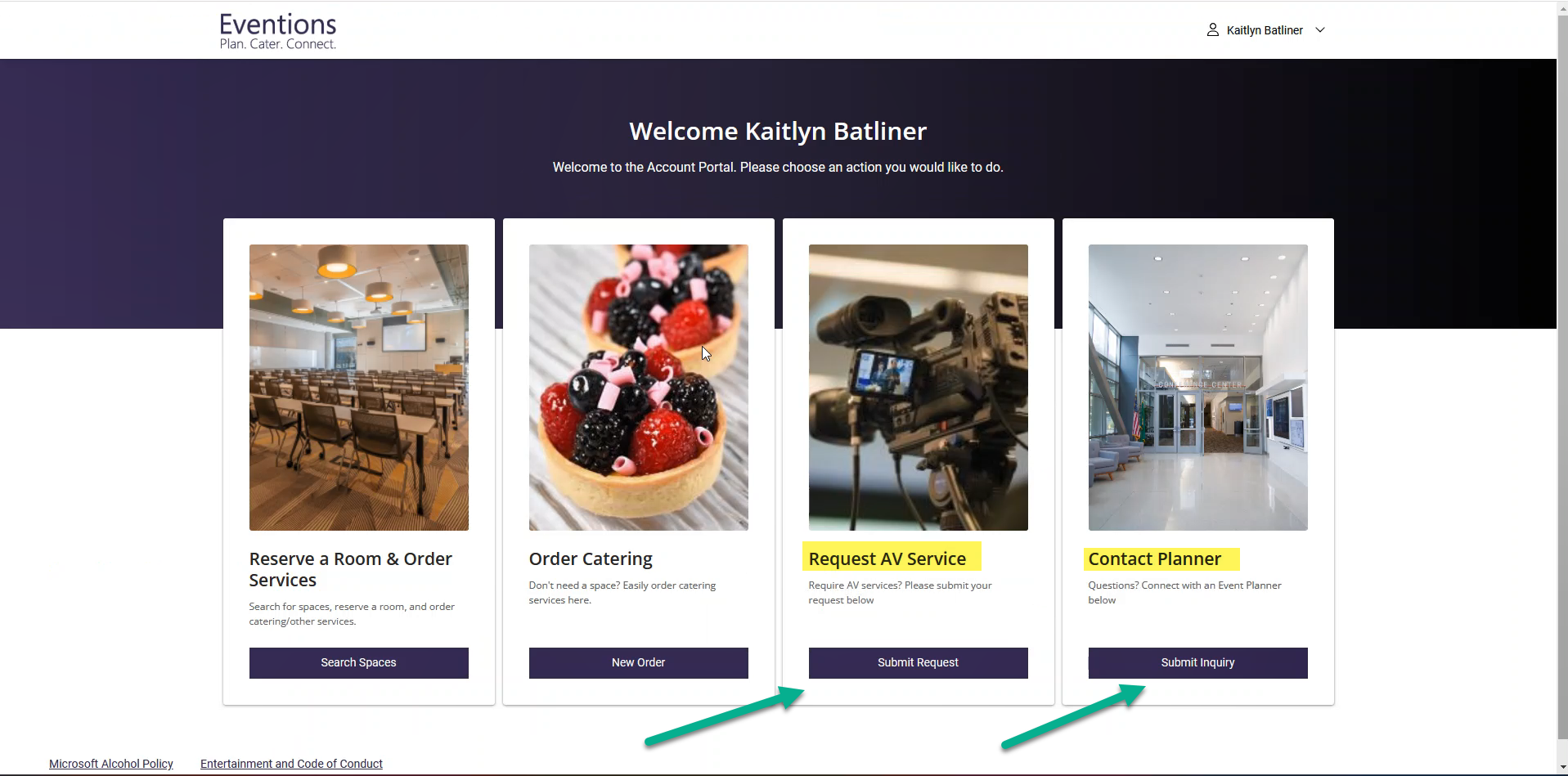
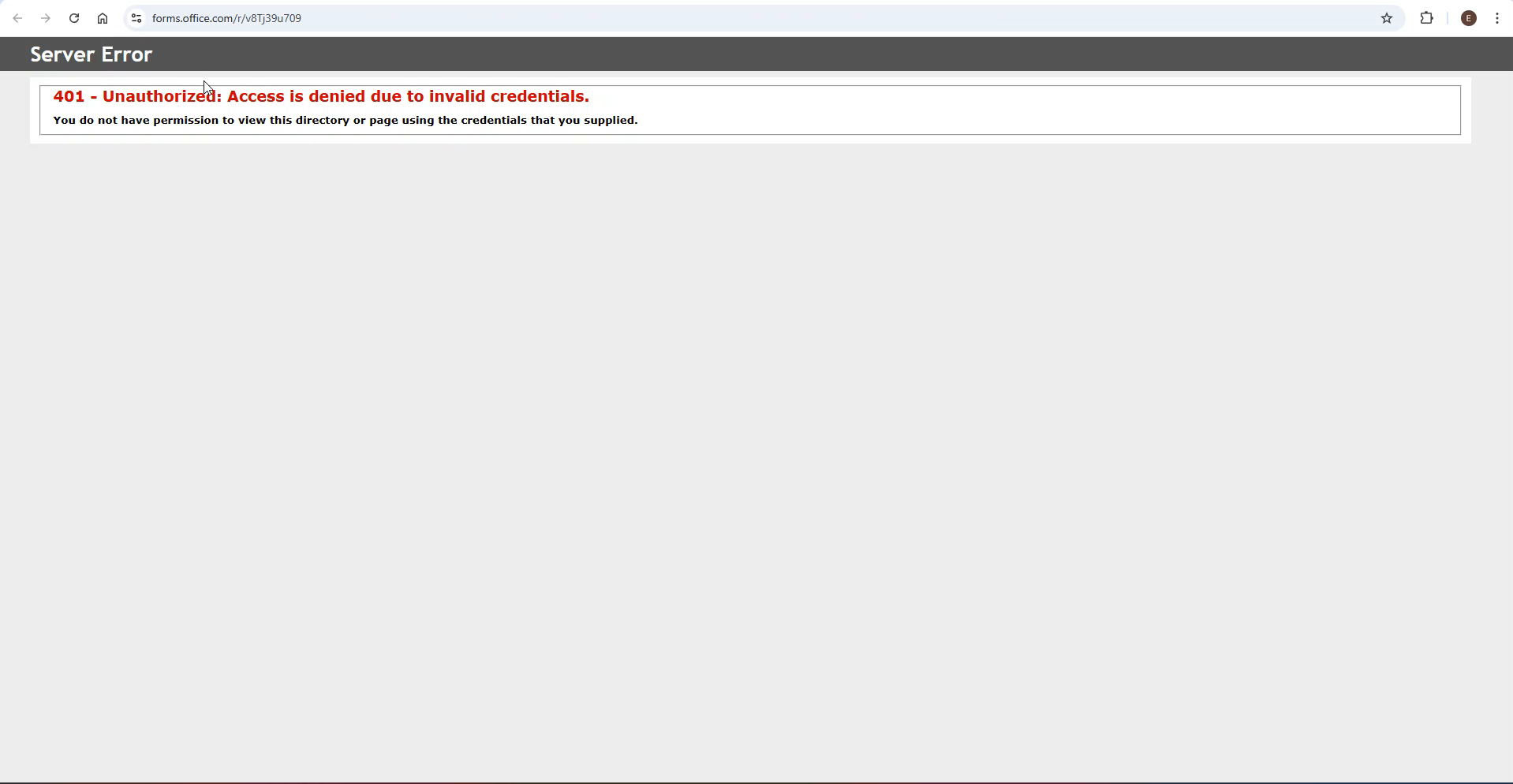
- Description of the issue: This client has links posted on the Account Portal (Account Management Configurations) to office forms. These links have been configured as an External Gadget. When I click the link I am redirected to the page and receive an expected "You don't have permission to view" message. However, the issue arises when I click the link clicking the link from the Account Portal, I receive a "Server Error: 401 - Unauthorized: Access is denied due to invalid credentials." I would like to confirm if there is anything missing in the configuration that might be causing this error.
-
Request AV Service: https://forms.office.com/r/v8Tj39u709
Contact Planner: https://forms.office.com/r/q84bbYcnQy
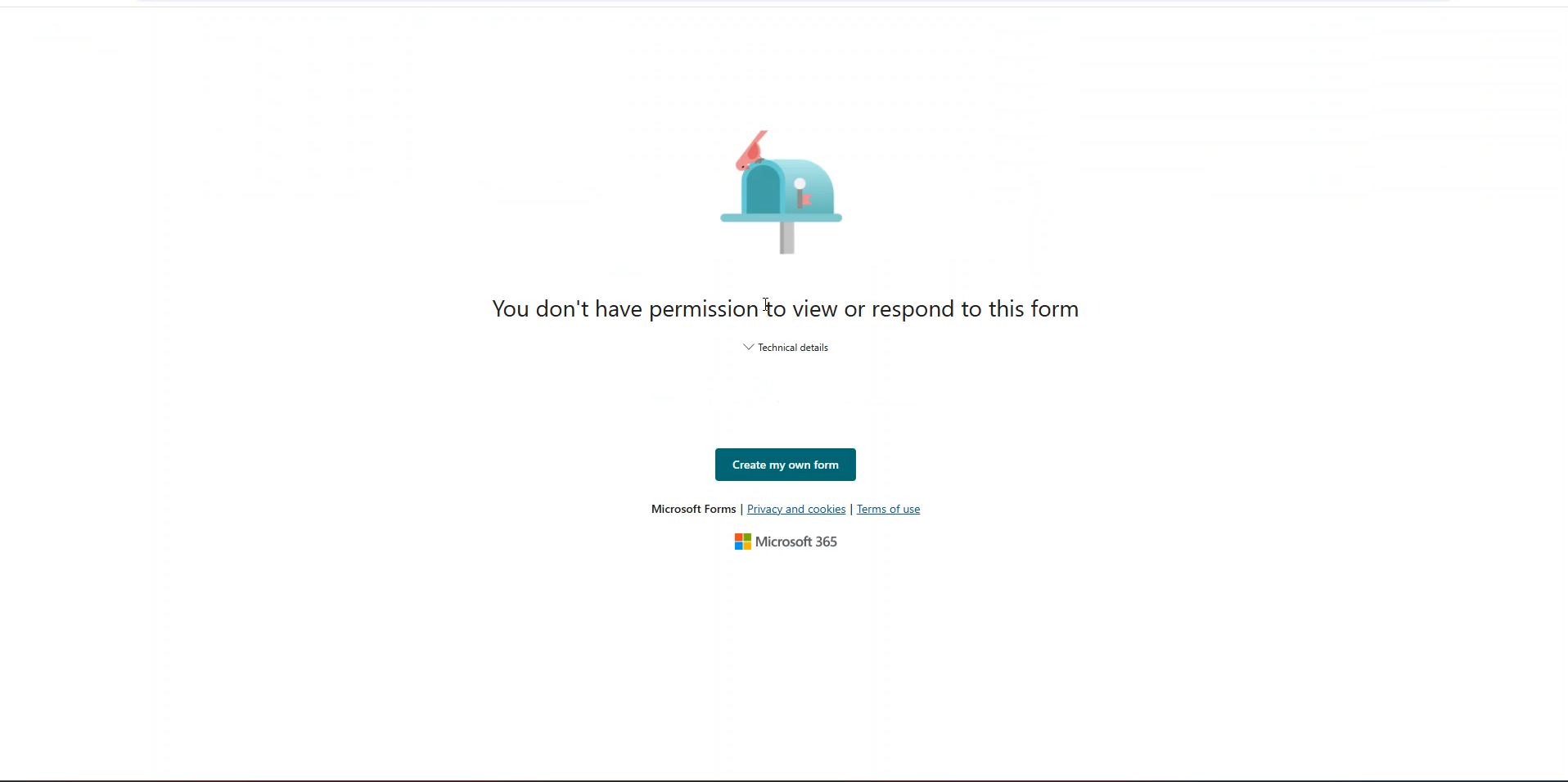
Hitting the link from the Account Portal:
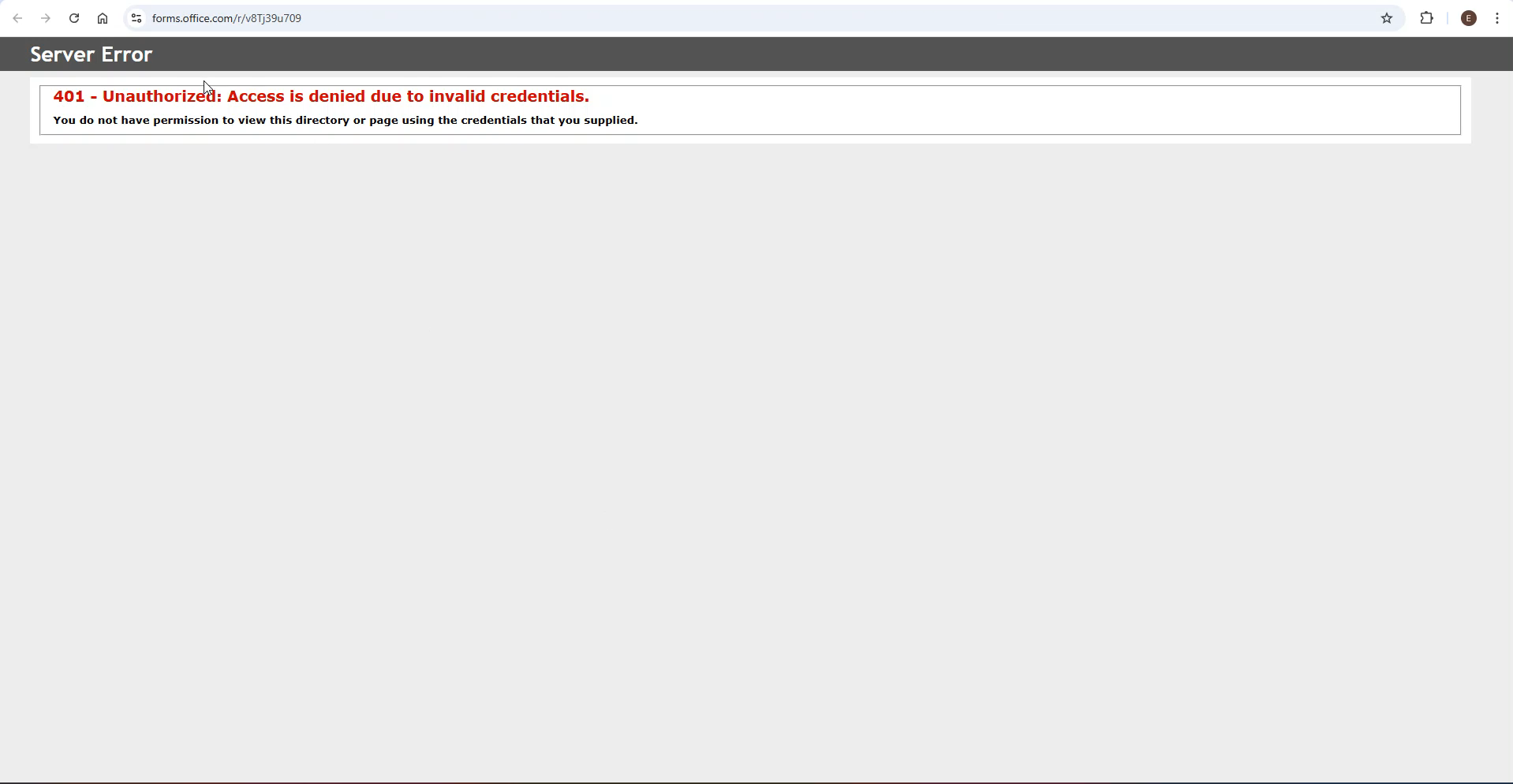
-
What does the client want to do? The client can access the forms when clicking the link directly. However, when clicking the link from the Account Portal, they encounter a server error: "401 - Unauthorized: Access is denied due to invalid credentials."
- What you've already tried or suggested: There is an Organization Parameter (AA XAT) that may need to be configure to get the external link to work. I tried setting the value to Y but I keep getting the server error.
- Business impact if not resolved: This is preventing users to access the Office forms
- Attach relevant files (such as screenshots):
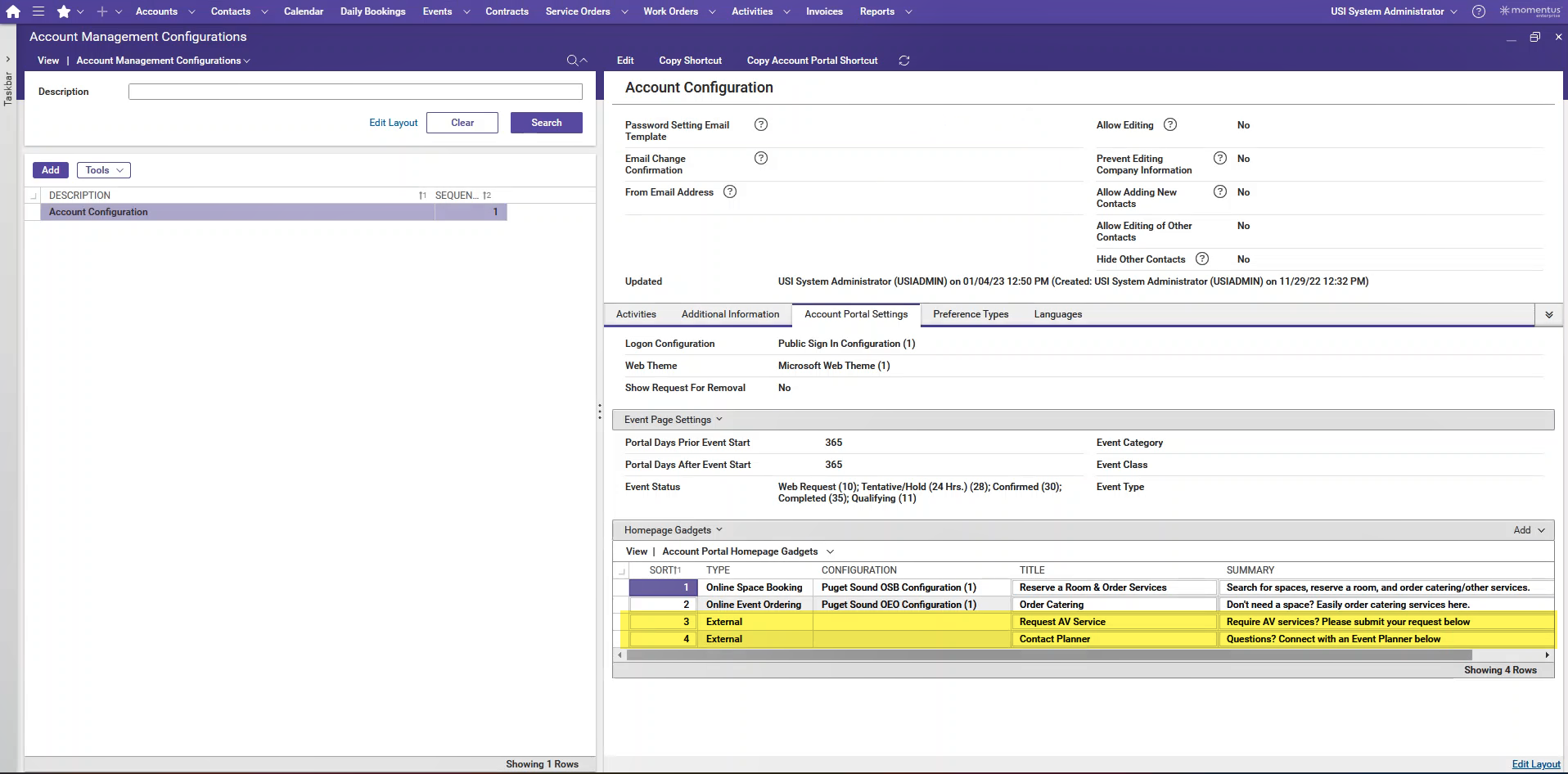
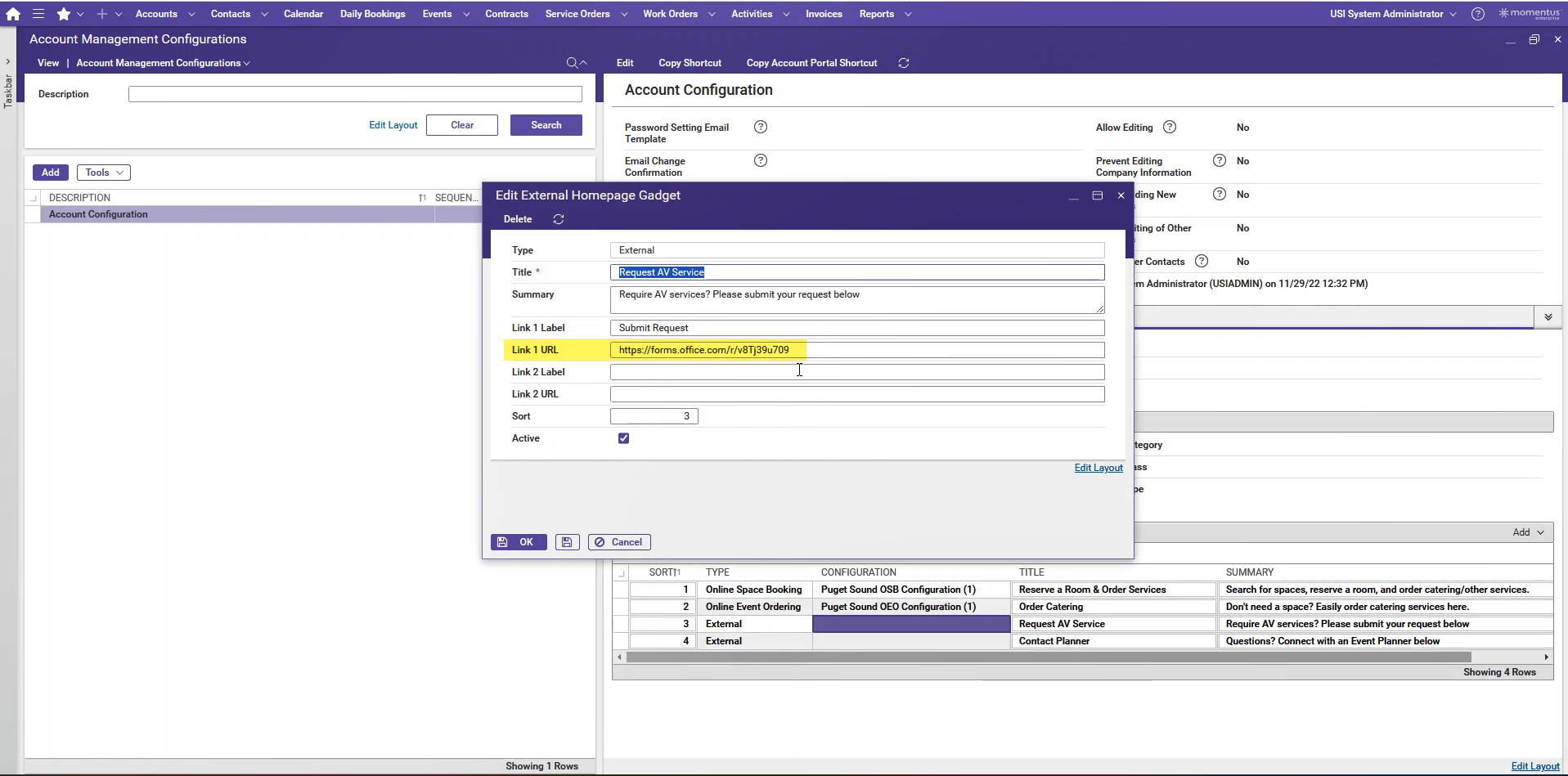
- Links to articles where you've looked for solutions and also other steps you've taken to research the issue.
- https://supportcenter.ungerboeck.com/hc/en-us/articles/15926172405015-Configure-the-Account-Portal
- https://supportcenter.ungerboeck.com/hc/en-us/articles/360006096774-Account-Management-Configurations

Related to Zendesk Tickets: 340500, 341084.
V30 Local Site: https://supportwebus.ungerboeck.com/CompassGroup_ProdApps/V30/app85.cshtml?ReturnUrl=%2fCompassGroup_ProdApps%2fV30 >> usiadmin/ITRocks2014
Account Portal Link: https://supportwebus.ungerboeck.com/CompassGroup_ProdApps/Apps/AccountPortal/signin?aat=4d34546f3633634f46456a352b7a4450345a6b5631766b4f6b357465677563496e706a6d4f69573730476b3d >> test1@gomomentus.com/123456
-
Official comment

Here is what i could find out. This is working as designed.
We use POST for these redirect URLs because GET requests exposes url and parameters, so that AAT is not exposed.
Microsoft forms does not support POST requests, therefore it is rejecting these requests.
One workaround here is for the customer to use bitly (or any URL Shortener) or an Azure Function (HTTP Trigger for redirection), in order to convert it into a HTTP Get request to MS Forms. Here is an example of the Azure function: https://turbo360.com/blog/azure-functions-http-triggers
Longer term, we could consider updating the Org Param so that if its set to N, we do not append the AAT (that has the user's contact and account info) to the URL and open the URL with a GET request instead of POST (like when the Org Param is set to Y).
-
I'm looking into this one
-
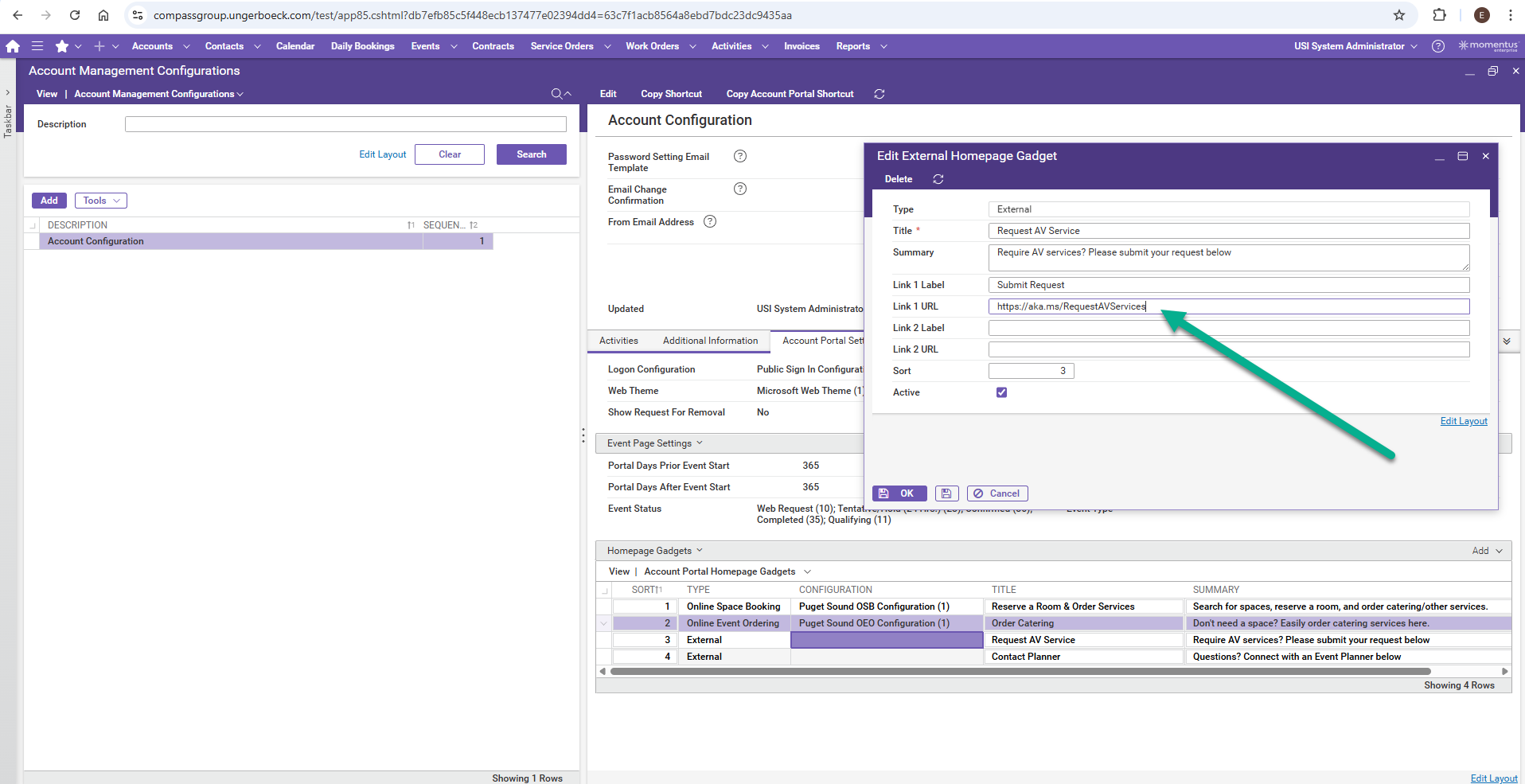
Hi Seth Halvaksz, I hope you're doing well. I shared the information with the client, but unfortunately, the issue still persists on their end. They are using a Microsoft internal URL shortener and continue to encounter the error. They provided the following link (https://aka.ms/RequestAVServices), and I updated it in their Test environment, but the issue remains.
They also noticed something unusual with the original link set in Production. When they encounter the error, if they select the URL and click enter, the page loads as expected. They’ve asked us to review this behavior and see if it’s something we can resolve on our end. Please review the following recording from the meeting: https://gomomentus-my.sharepoint.com/:v:/p/edwin_hernandez/EfDSS23rAdBPr-rct6Ovi2ABrJ_o_Us51OMD45QRN5kOzw?e=EnK3Km
I did a local test using Bitly with one of the links and it seems to work on their Test, but Microsoft has specific requirements regarding which URL shorteners they can use. They would prefer to continue using their internal URL shortener. Thanks in advance for your help!
-
Edwin Hernandez i will ask internally about using the MS internal URL shortener.
They won't be able to use their internal URL shortener for the reasons i stated above.
-
Edwin Hernandez i wanted to make you aware the URL https://aka.ms/RequestAVServices resolves to a URL that has a period at the end.
-
Seth Halvaksz - I think I may have mistyped the period when I pasted the URL here in the post. However, the URL in their Test site does not have a period and it seems that it is still not working. Thank you!
-
Edwin Hernandez confirmed this will need an enhancement – if the gadget type is “External” then we'll open the URL as is as a href. I'll open the enhancement, however I don't know how long this will take. I'll find out.
-
Seth Halvaksz – Thank you so much for looking into this issue. I’ll share the information provided in the Zendesk ticket with the client and let them know we’re submitting an enhancement request. Would you please list Kim Gidden (v-kiglid@microsoft.com) from Compass Group as the main contact on the enhancement? Thank you!
Please sign in to leave a comment.
Comments
8 comments
Date Votes