Purchase Order Item Filtering

Description of the Issue:
The client reported a not so flawless behaviour in the filtering for Purchase Order Items.
In the Layout you have three selected date fields:
- Event Start Date - Event
- End Date - Event
- Out Date - Event
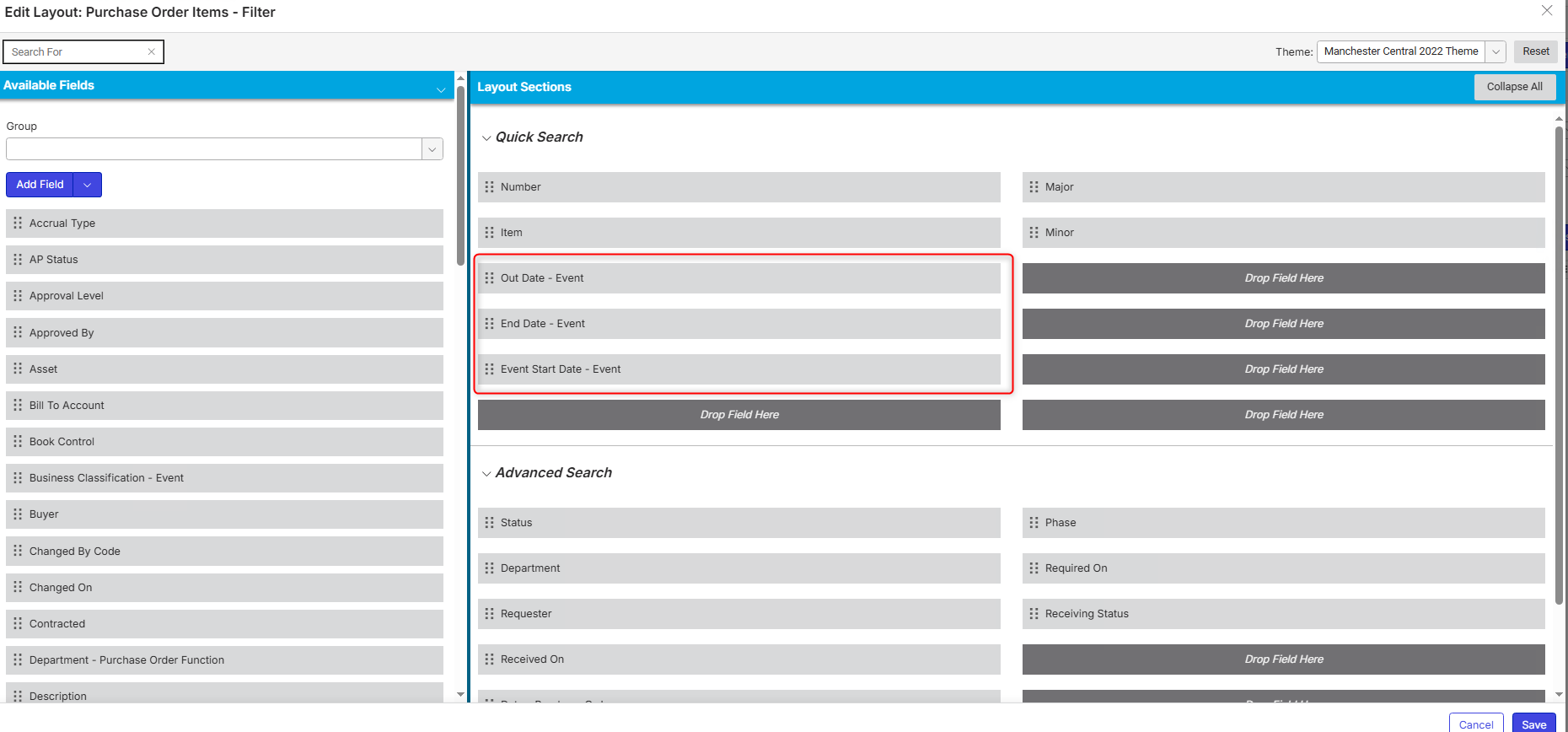
Altough all three are selected only “Event Start Date - Event” will show in the filter options:
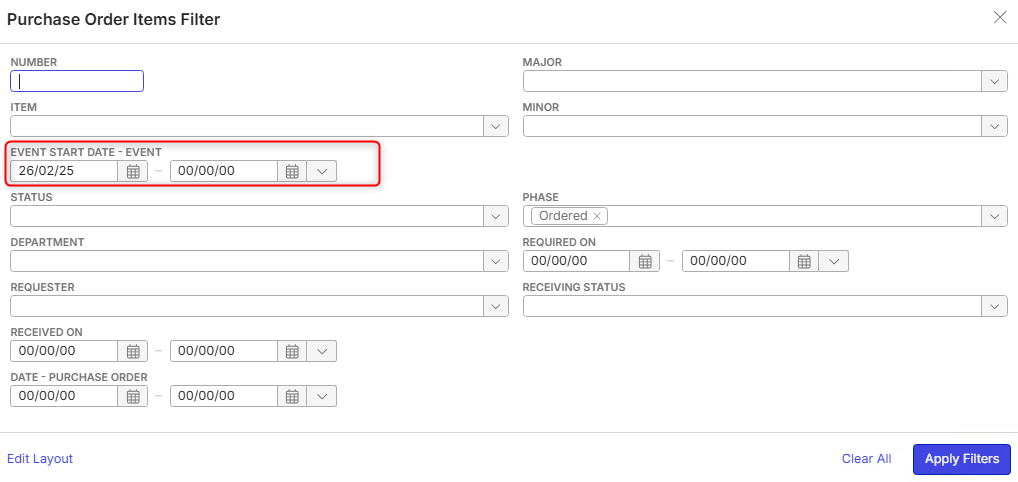
By only searching with this field the client is running into issues regarding the presented results because the system will show results with earlier dates where then especially to two fields which are not able to be showing in the filter will show dates outside the filtered timeframe.
For example in the screenshot above the selected Event Start Date is 26.02.25 but results would show for previous years as well.
The main question would be how to best filter here because selecting specific timeframes based on the “Event Start Date - Event” Field do not deliver the needed results as those are somewhat affected by the other fields data which we cannot test further because those two fields just won't show - or why are Dates entered in “Event Start Date - Event” not being respected/considered fully.
FYI: This is a very old case which has already a Jira → https://ungerboeck.atlassian.net/browse/ME-5447
…though the Jira seems to not be on point in order to show the full picture here.
I hope this post clarifies it a bit better so we can get this finally sorted.
Client:
ManchesterCentral_PROD_0498878510
Version:
26.22026071301
zendesk:
#347885
Please sign in to leave a comment.
Comments
1 comment
Date Votes