Changing Invoice Name on Email

Zendesk Ticket: 393850
Account: Spokane Public Facilities District (SPFD)
Region: US
Articles used in your research: Report Naming Schemes, previous Zendesk tickets #181465, 135592, 140441
General:
Business impact if not resolved: Causes further workarounds to ensure proper invoicing.
Short Summary of issue (issue description): When attaching an invoice to an email and updating the attachment name on the email, the attachment reverts back to the default name instead of what it was changed to. This behavior was recreated in QE 26.2. The previous Zendesk tickets listed above make this sound like it was a possibility at some point.
Macro Vertical: Convention Centers
Debug Environment:
Customer DB Location: Hosted
Database: Spokane_Prod_0566327454_USI
Server: Debug-US,1433
Version: 26.2.20260706
V30 Link: https://supportwebus.ungerboeck.com/Spokane_Prod/app85.cshtml?ReturnUrl=%2fSpokane_Prod
User Login: usiadmin / ITRocks2014
Recreation Steps:
- Navigate to the Service Orders window
- Find an open service order with an amount due, such as order #221221
- Right-click on the order > Tools > Quick Invoice
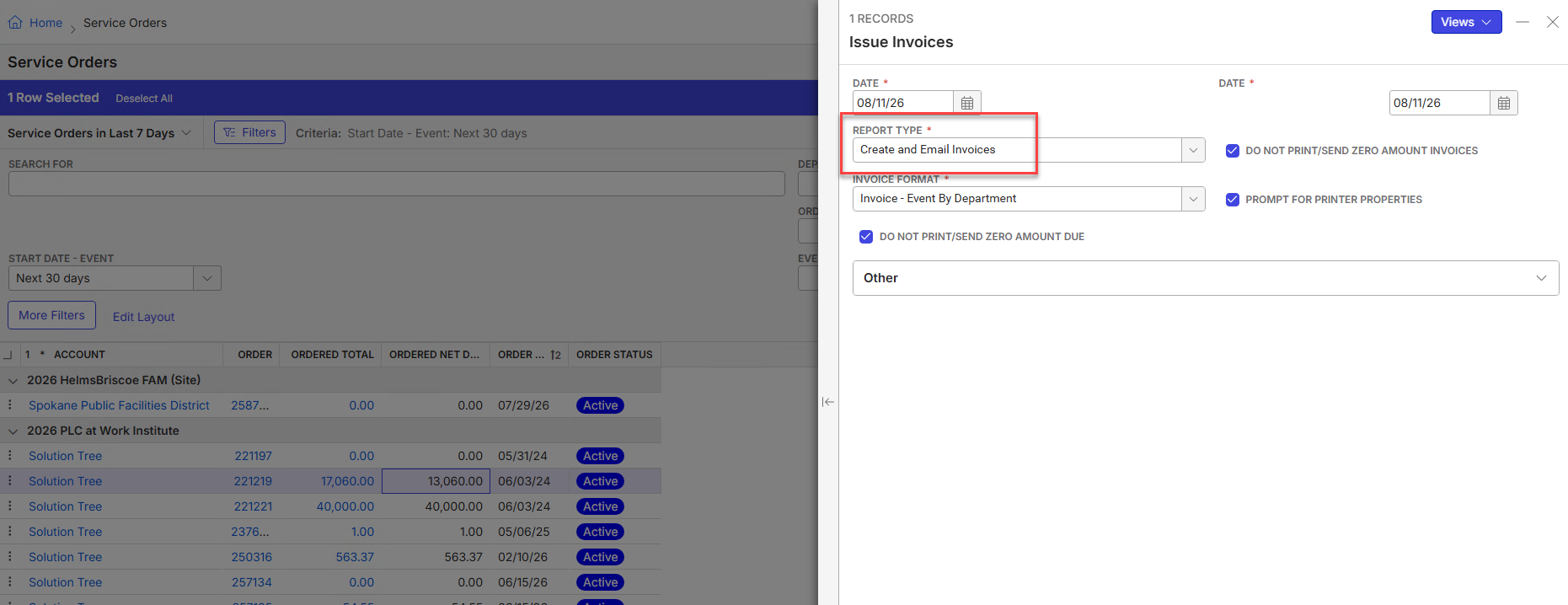
- Change the report type to "Create and Email Invoices" then click Run Report
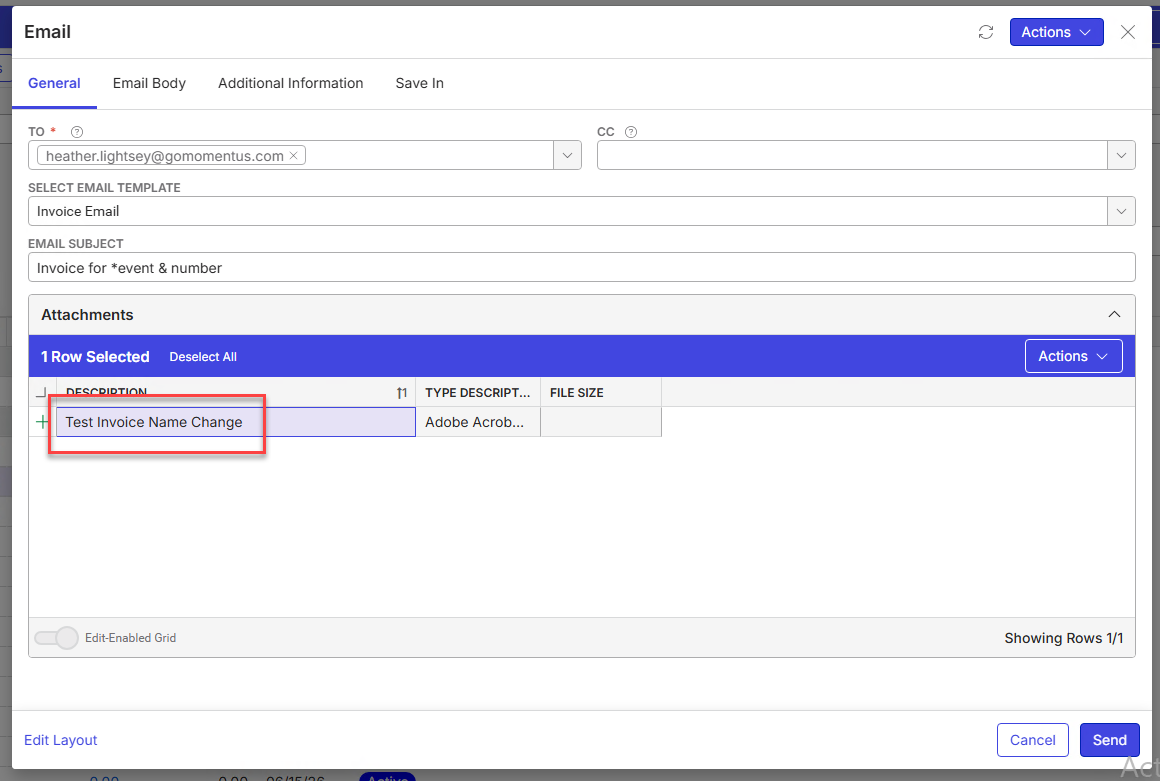
- On the email window, enter the sender's email address
- Select the "Invoice Email" template
- Expand the Attachments section then change the name of the attachment to "Test Invoice Name Change"
- Click Send
- Notice when the email comes through or when viewing the email attachment in Enterprise, the attachment still has the default name instead of what we changed it to
Observed vs. Expected Results: Would expect the attachment to retain the naming given on the email window since it does appear to be an option (otherwise, I wouldn't think the description would be editable). This was recreated in QE 26.2
What does the client want to accomplish: Send invoices to customers with a certain naming convention
Tagging: Cathy Herrick please advise
Attachments:
Attachments or screenshots:

-
Mike Schepker Jonathan Schmidt - tagging both of you in case you have any advice for this case
-

I think this might be technically correct. I don't think the report is actually generated until you send the email, so it can't rename a file that doesn't exist yet. If you go through the process and get to the Send Email window (but do not send) do you see the report being generated in the Report Audit Log? My guess is you won't see it appear there until after you click Send on the email window.
Please sign in to leave a comment.
Comments
2 comments
Date Votes