ESC Booth Number

Customer is trying to figure out where the booth number information from the ESC lives in the back office.
They updated the class to Exhibition, but we’re not sure if the booth information from ESCs created before that change is stored somewhere for reference. Looking for guidance on where this information lands and whether there’s a way to access it for exhibitors that were created before the class was set to Exhibition.
-
I don't think so, those fields are showing up blank

-

Can you share a screenshot that shows the booth number for this exhibitor in ESC (so we see which booth number you're referring to)
-
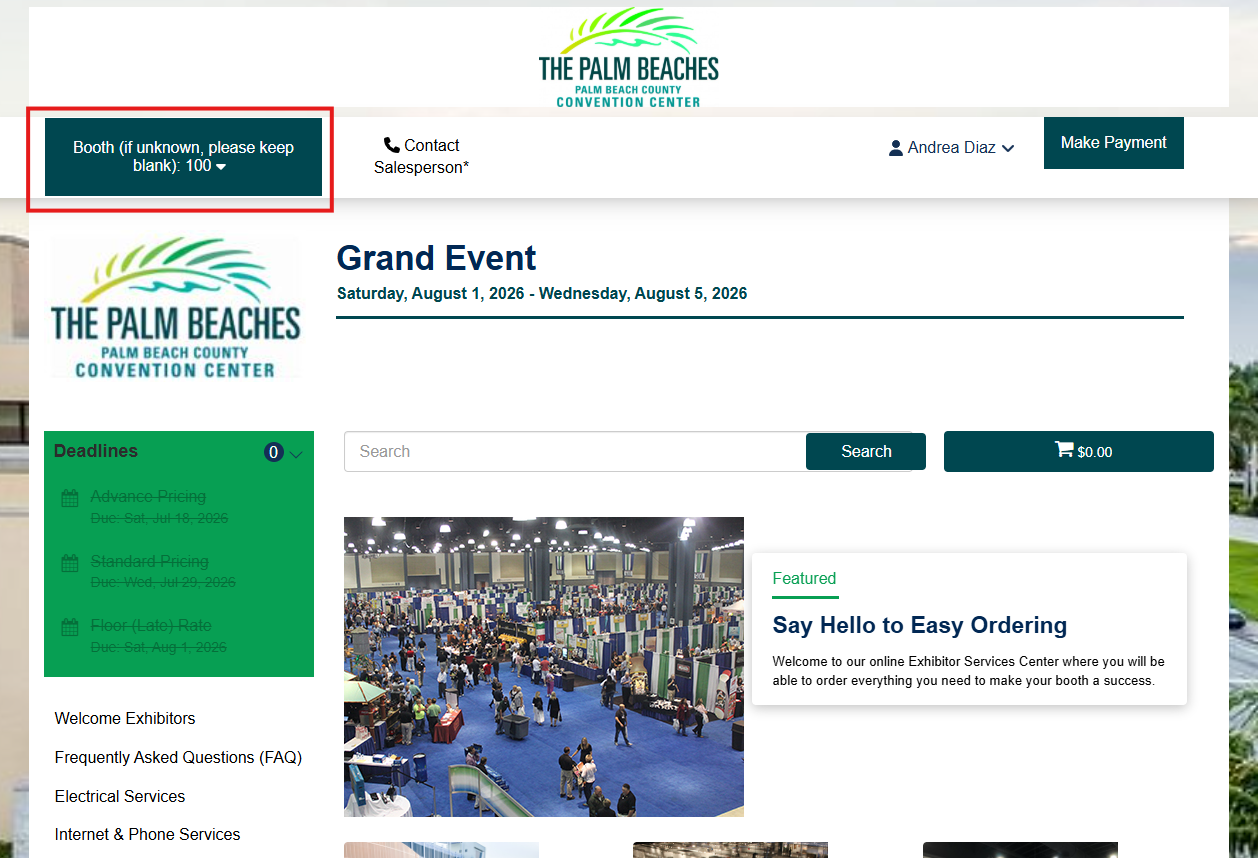
I can't see the information for this particular exhibitor. I logged in with a test account and I assume it would be here in the top left corner?

-
Can you find an example that has the booth number? We'll need that to answer your question.
I was also told that you should be able to look on the order.
-
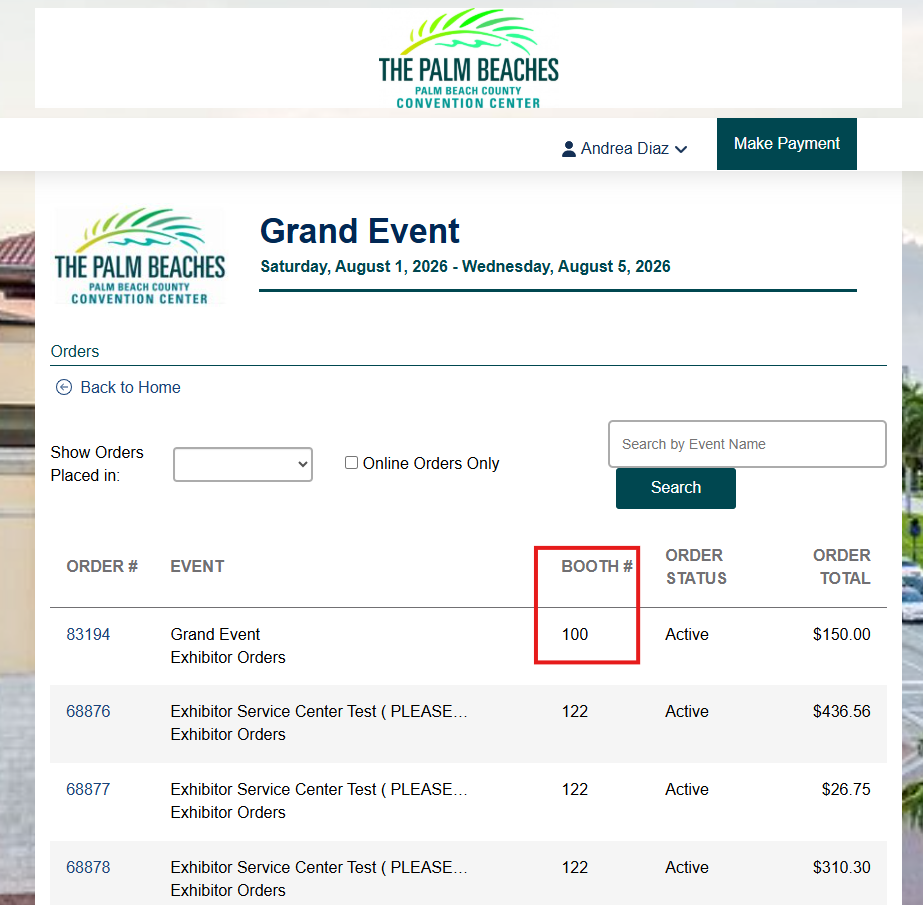
See screenshots below of two places I see the booth # (test environment):
-
here's the response from engineering:
“I'm guessing the exhibitor's or whoever is logging into ESC is just typing in the booth number based on what those screenshots show. I would say they need to check the Exhibitor Booth Number field on the order”
Tagging Minka Verkaar if she can help
-

The screenshot you are sharing is from the Exhibitor itself. This field, called “Booth Assignment” is used to place Exhibitors on a Floorplan. You can only find values here, if the booths are uploaded in the corresponding Function. (either by importing the Floorplan or manually input). The Booth Assignment is always a manual action.
In your case, as far as I can see, you are looking for the Exhibitor Booth Number at Service Order Level, since the Order has been placed in ESC. If the order is succesfully placed, you can check the Order and the field called “Exhibitor Booth Number”.
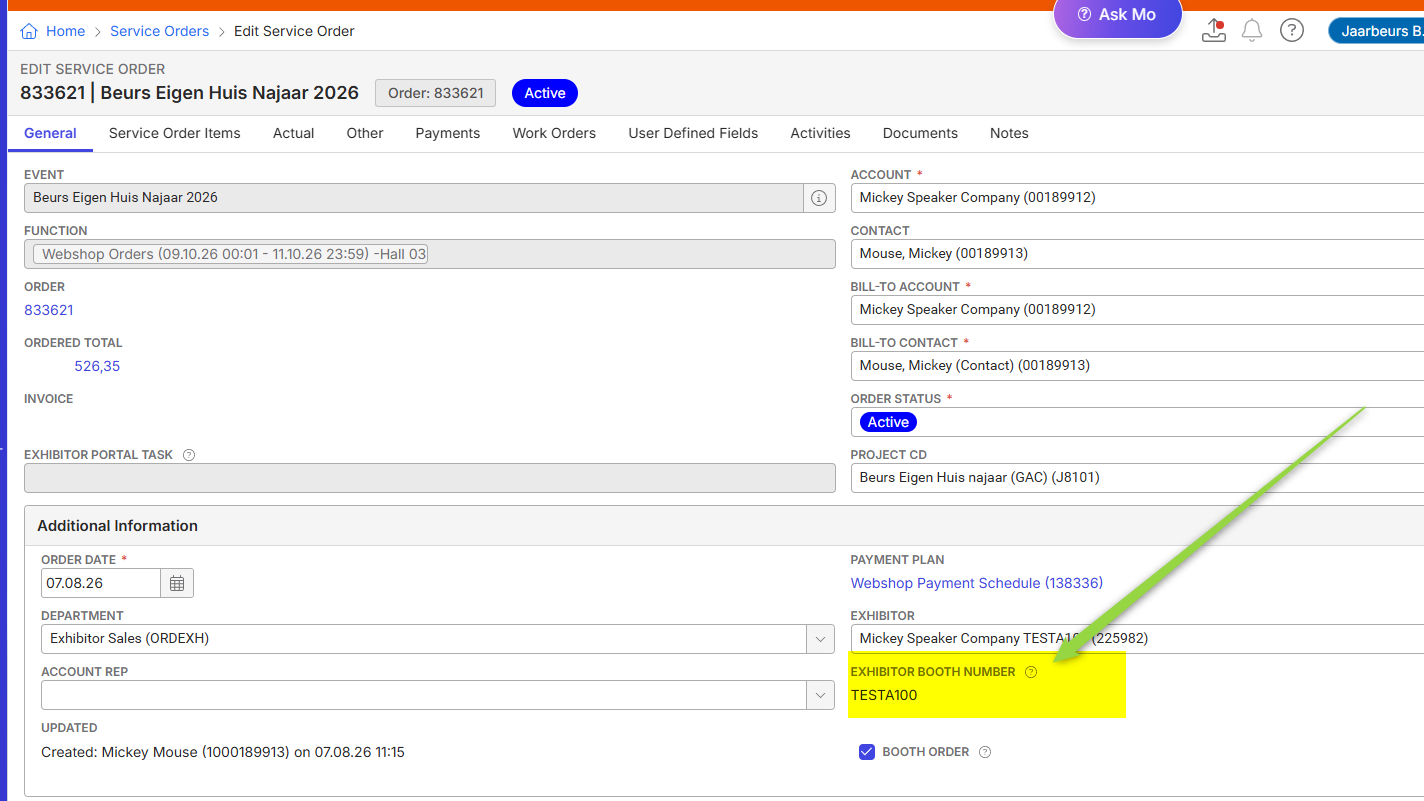
Is this what you are looking for?
Please sign in to leave a comment.
Comments
8 comments
Date Votes