Function Scripting / Wrong Date for Order Items

Description of the Issue:
When using “script from event” for a function, the order item will end up with a wrong date.
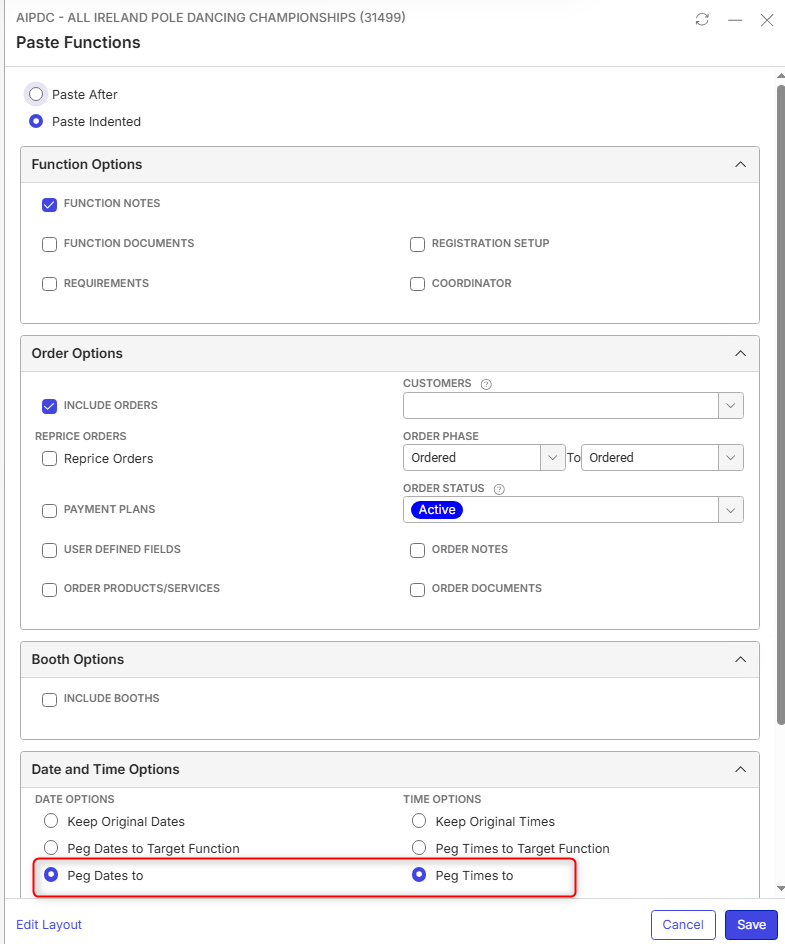
I created the function via “script from event” with only the default settings in “paste functions”. The only thing I entered was the peg dates/times. This was set to the 15th of August as this is also the event date.
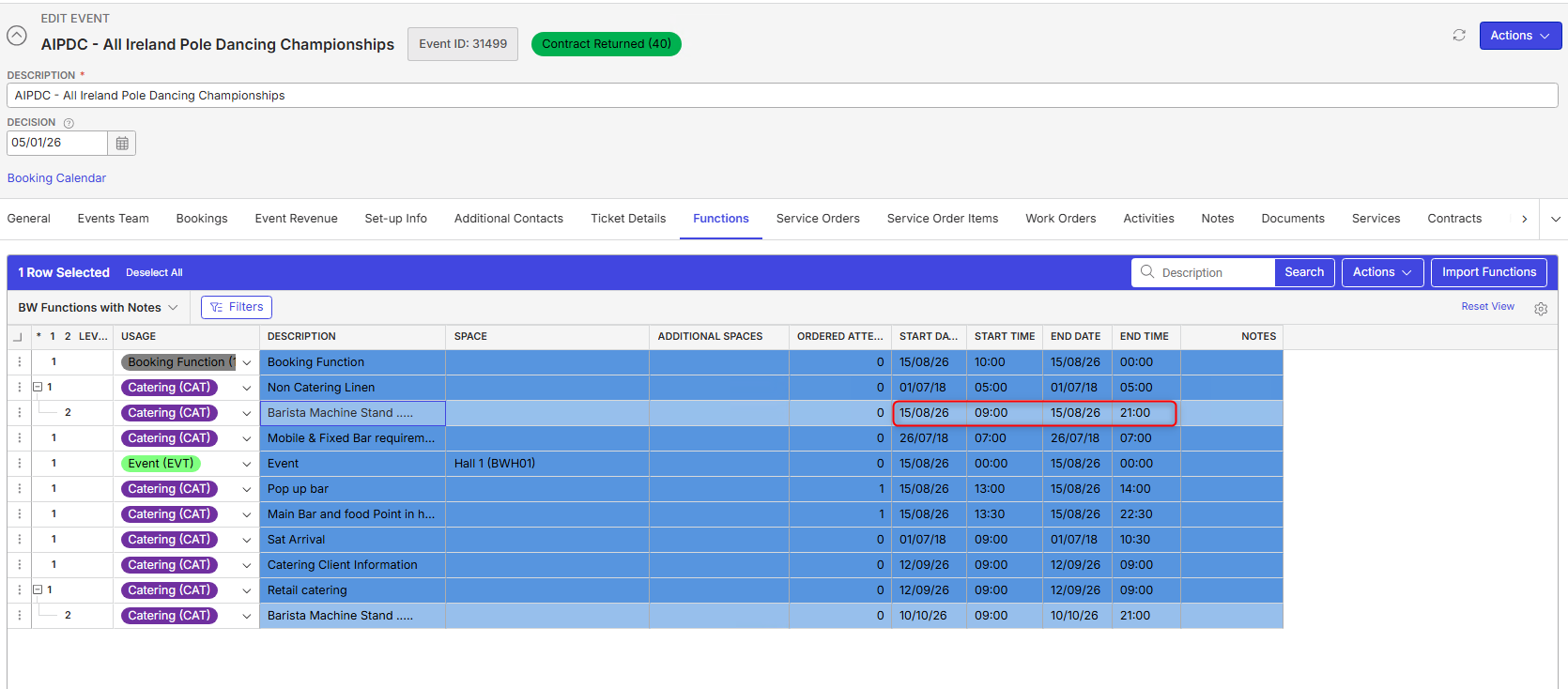
Once the function is created the date will also show correctly:
When looking into the order item you can see that this is set to the 18th of October 2025 (even a different year).

Looking at the order itself I cannot find any reason why this date for the item was taken:

So either there was some wrong doing in creating this function via scripting or other than that if seems like a bug. Generally the system creates these odd dates for the items. Tried with multiple functions.
Client:
Belfast_PROD_0069447796
Version:
26.22026072001
https://supportwebemea.ungerboeck.com/Belfast_PROD/app85.cshtml?ReturnUrl=%2fBelfast_PROD#/serviceOrders/51943
zendesk:
#394963
-

Are you able to provide the event where the functions scripting is copied from? Can you check the order for the event you are scripting from? I suspect that the script from event has dates that are not quite aligned or perhaps it was overwritten on that event.
-
The Event this is from is:

There, in the Function the Date differs:

…and for the Item as well:
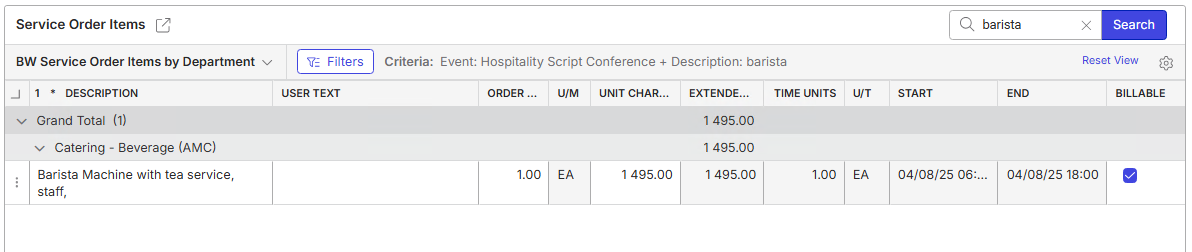
Based on this Data it does not make any sense for me why it ends up with a Date for 18th of October 2025 in the Items in the Event where it was copied to.
-
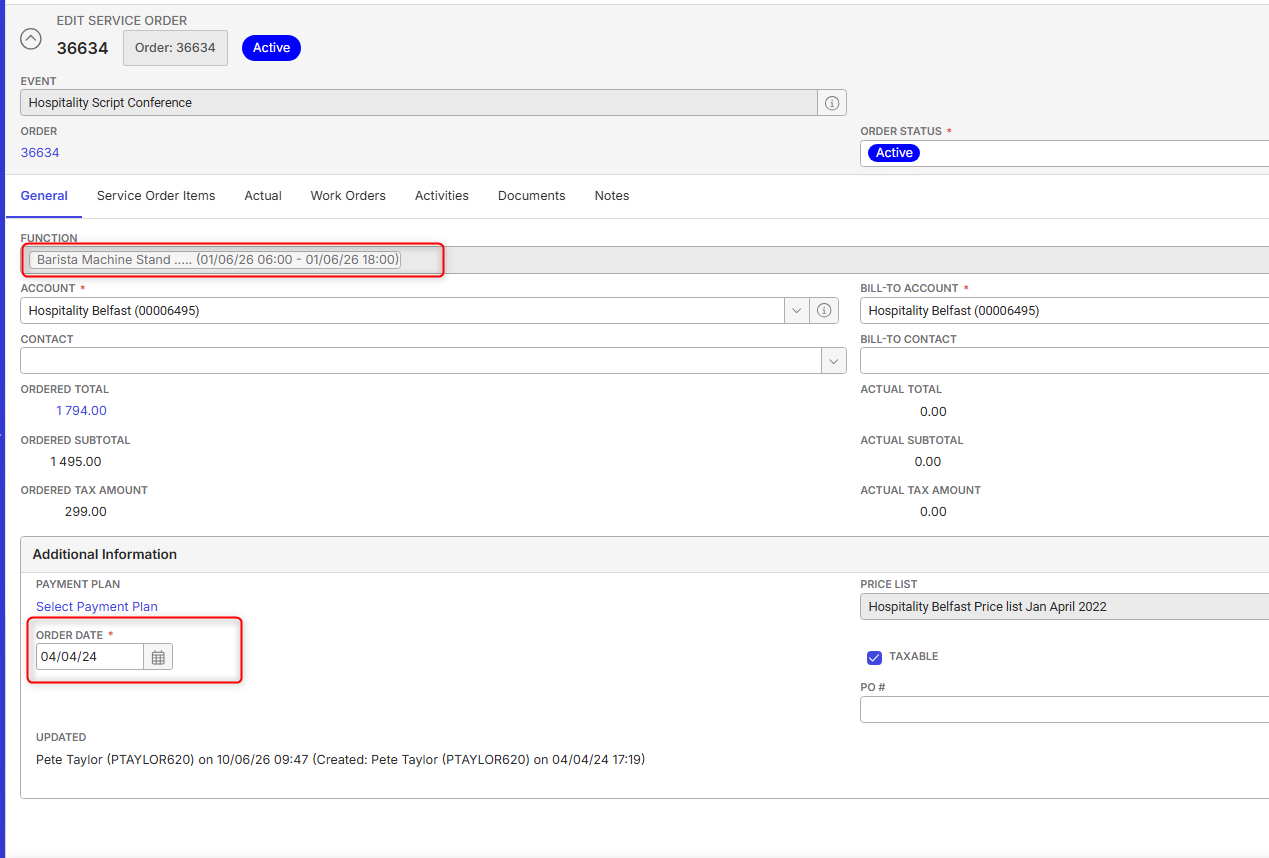
Here the order itself with even more different dates. It is a mess.
-
-
Nicole Loh would you have any feedback to it?
Please sign in to leave a comment.
Comments
6 comments
Date Votes