Restrict GL Distribution Schemes for any user
Answered
- Description of the issue: Restrict GL Distribution Schemes for any user
- Account name: Adelaide Showground
- Region: APAC
- Client version: 26.2
-
Steps to reproduce:
- Login > Roles > Edit User ‘Karen’ > Remove all other roles except ‘Finance Management role’
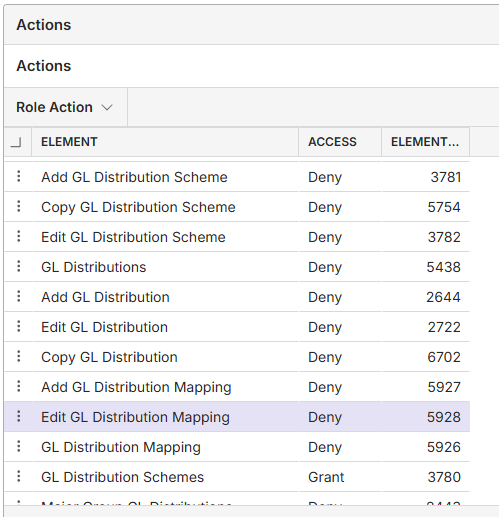
- Edit role > Access > Add ‘Deny’ action for ‘Edit GL Distribution Scheme’
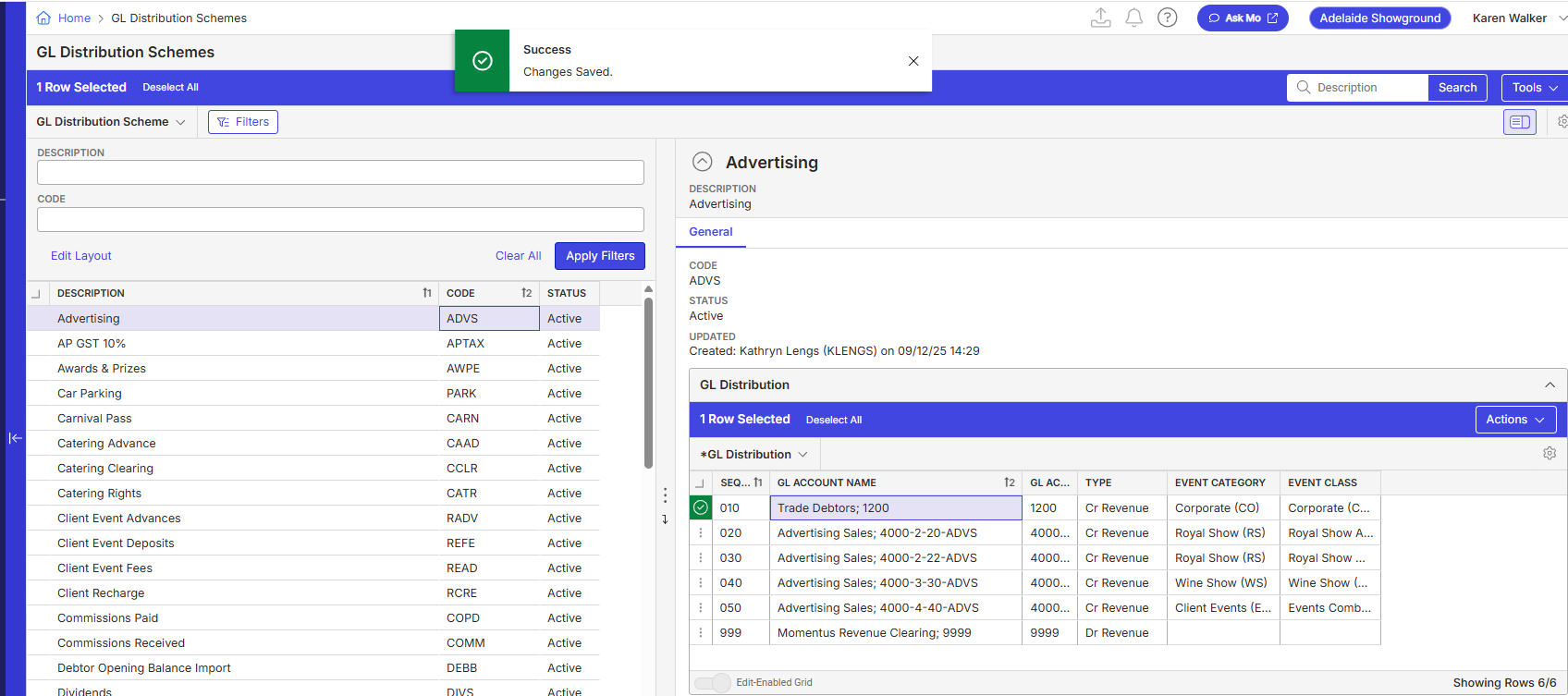
- Go to Main menu > GL Distribution Schemes > Edit cannot be done
- But ‘ GL Distribution’ tab can be edited. User can insert rows and make changes.
- This seems to be a bug. Please advise.
- Observed results vs Expected results:
- What is the job the client is trying to accomplish:
- Business impact if not resolved: Normal
- Links to articles where you've looked for solutions and also other steps you've taken to research the issue:
- Link to Zendesk ticket:
- Local v30 URL: https://supportwebap.ungerboeck.com/AdelaideShowground_Prod_0421538357_USI_V30/app85.cshtml?
- KWALKER/123456
- usiadmin / ITRocks2014
-

-
Official comment

I'm not sure how many areas this applies to - whereby the deny on the Edit action does not prevent editing on the reading pane.
My first thought is to click the PM easy button and just disable the editing of the reading pane grid for all instances if we don't think anyone would complain about having to double click a scheme in order to edit it.
My second question though would be - why does someone have access to GL Distribution Schemes if you don't want them editing it? The distribution rules would still be viewable on the resource I would think even if this were denied - but perhaps not. -

Anitha Khairnar reminder to tag tier 3 Satya Ram Nukala Nicole Loh
-
Please advice if this is a bug ?
-
Satya Ram Nukala or Nicole Loh can you please review ?
Ryan Ungerboeck is out until next week
-

Can you check the role to see if there is also GL distribution denial in the Section and Columns/Fields in the access exceptions tab? The tab is not an action, but it is more a sections. If they would like to restrict it, highly recommend that the GL distribution section is also denied.
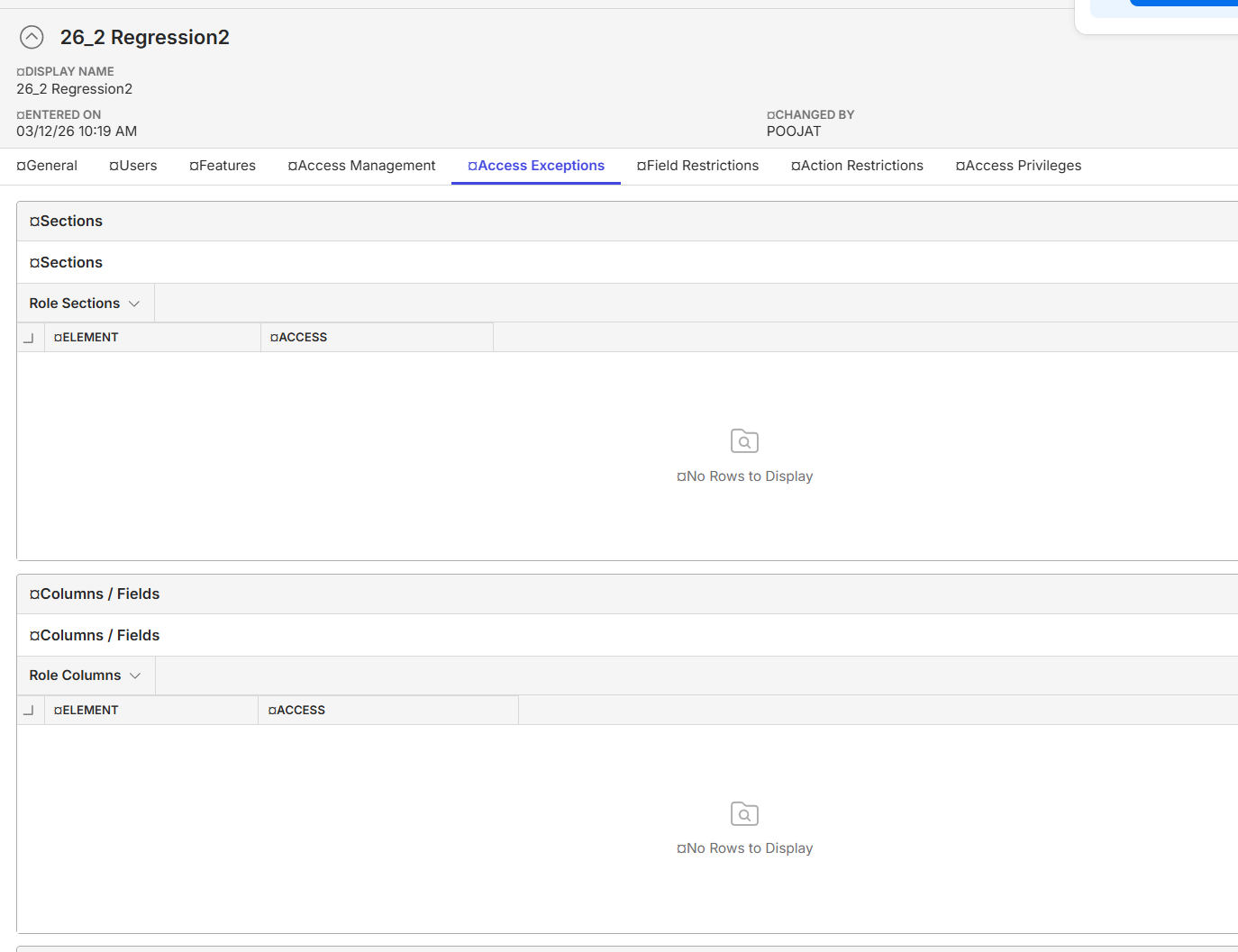
-
‘GL Distribution’ being part of ‘GL Distribution Scheme’ window is editable where as restriction has been added at the window level.
So do we need to put restriction on GL distribution window in addition in this case?
-
If you want to restrict GL distribution at all levels, I would do it at window, actions, sections as well as columns / fields to restrict it all. As an example, if you only restrict GL dist at window level, the user can still see GL dist field on resources or PO or vouchers etc. Denying it at other levels should ensure that they do not see it at all.
-
Ryan Ungerboeck Customer wants their finance team to just view the GL distribution section and restrict them from edit.
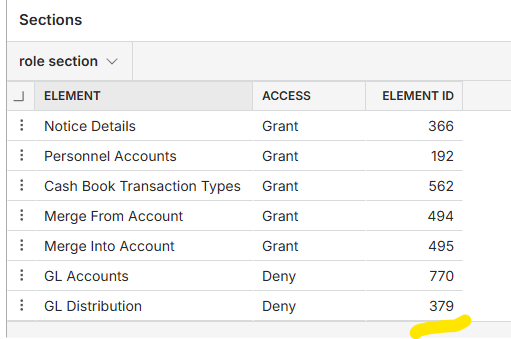
Tested below scenarios;> If we add deny on ‘Section’ for GL distribution will totally take away the ‘GL distribution section’. There is no specific edit/view option under this section. Element ID 379 enables or completely disables the section in the view.
> Added all available deny actions under ‘Actions’ and columns, but still user can edit.
Believe there is no such config, to restrict only this section of the GL scheme window. This seems to be a bug where one window when is restricted all the sections/areas of the window should be restricted from editing and saving. Also irrespective of add/edit restriction being added the user/role can still edit the GL distribution.
There was a similar old case for reference.- https://ungerboeck.zendesk.com/agent/tickets/66466 can be a enhancement as well. Kindy review and let us know
https://supportwebap.ungerboeck.com/AdelaideShowground_Prod_0421538357_USI_V30/app85.cshtml
usiadmin/ITRocks2014
KWALKER/123456
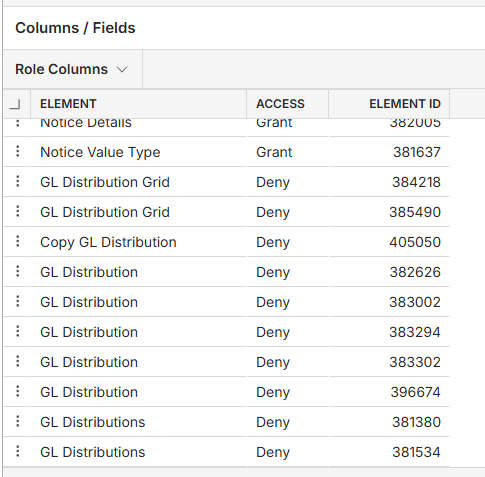
-
I would have thought if someone wanted to view GL distribution that they would usually do it on Resources (which displays the GL distribution for the GL distribution scheme related to the resource) as opposed to the master GL distribution schemes page.
Otherwise - you'll have to send the ticket back for us to review, but my opinion is it makes little sense to see the GL distribution schemes from the GL distribution schemes page rather than the Resources. We'd have to check how reading panes and action restrictions work if resources page isn't doing the trick.
Please sign in to leave a comment.
Comments
9 comments
Date Votes