🐛 Possible Bug - Search bug with Exhibitors

-
Environment Observed
- Where was the issue observed? NA
- Account Name WCD - Baird Center, Miller High Life Theatre, UWM-Panther Arena
- Account ID account-1521-A
-
Is this a converted account?
- No
- Date Converted (if known)
-
Issue Scope
- How widespread is the issue? All users
- Event Name N/A
- Event ID N/A
-
Was the issue reported by the client?
- Yes
- Client Contact Name (if yes) Courtney Covey
- Client Contact Email (if yes) ccovey@wcd.org
-
What’s the problem?
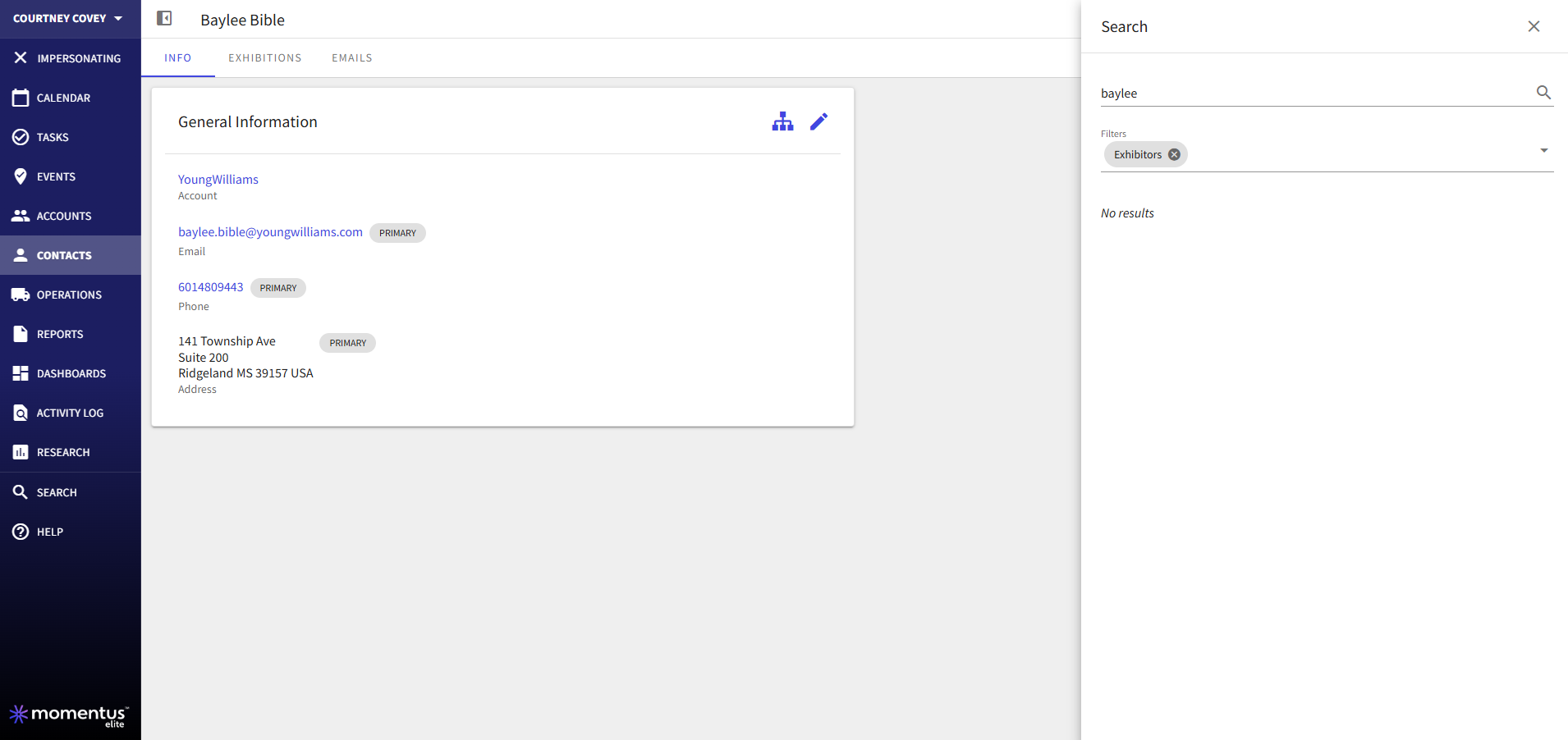
- When searching for an Exhibitor you still have to include either the account or the contact fields otherwise, the system will not return any results.
-
Is the issue reproducible?
- Yes
-
If reproducible, where?
- Pitstop
- Pitstop Account account-1521-A
- Pitstop Event ID N/A
-
Steps to reproduce the issue
- Sign in to Pitstop as Courtney
- Go to the Search bar
- Remove all of the filters and then select only the Exhibitor
- Search for baylee
- Note that the contact does not appear
- Add the Contact option to the filter and Baylee Bible with Young Williams will appear.
-
Expected behavior
- The customer is curious if this is expected or not.
-
Troubleshooting steps already taken
- Tested on Pitstop and I was able to reproduce this. Not sure if this is expected or not.
-
Workaround identified?
- No
-
Attachments available?
- Screenshots or videos: Included
- Zendesk ticket link (for Support use)
-

Hi Team Elizabeth Fox Alex Weygandt Just checking if there have been any updates on this that might not have gotten posted. I meet with the WCD team tomorrow and would like to provide an update. Thanks!
-

Hey Amber Lough , I'm not quite sure what the issue is here? It's not clear to me what is expected, or if they are saying this behavior changed recently.
-
Hello Elizabeth Fox They didn't note that it seems to have recently changed, rather they hadn't ever noticed it before. When they pull the search and set the filters for Exhibitors they expected to see some data, however that filters seems to not pull in anything unless they also have Accounts and Contacts turned on. They are questioning what is the intention of the Exhibitors filter if it returns zero results. And if the Exhibitors filter is turned on in conjunction with Accounts/Contacts, it seems to pull all contacts, not just exhibitors.
-
Okay, the steps listed just say “go to the search bar” but don't define where in the app they are searching. If this is in Contacts and they apply the Exhibitors filter there, then I would expect it to filter down to only contacts that are marked as Exhibitors account type.

-
Hey there Elizabeth Fox It's the global search. 100% speedlab is an Exhibitor Account. But they don't see it here
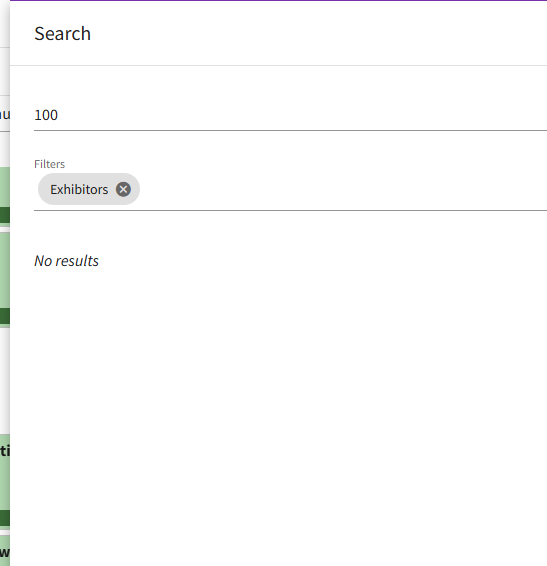
Unless I add the Account and Contact Filters
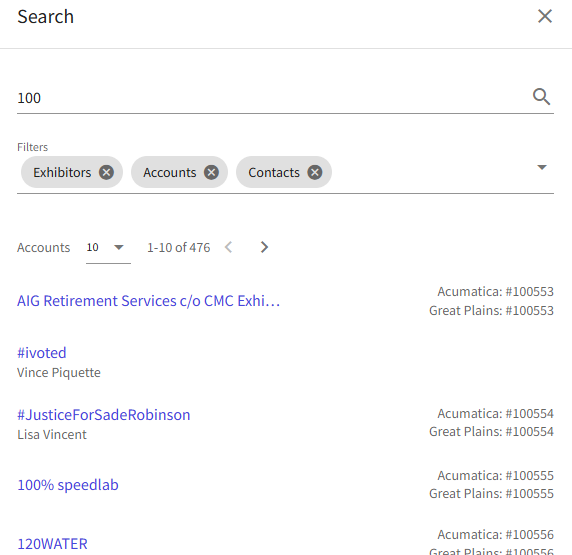
#ivoted is not an exhibitor, and it shows above, too.
-
Hmm it's interesting because of having the Accounts, Contacts, and Exhibitors filters, but an Account would be either Client or Exhibitor or both types. So it's a bit odd. When I try to search it just as an account, then it doesn't return the result either - I had to have both Account and Exhibitor. Which makes sense and doesn't at the same time, I guess.
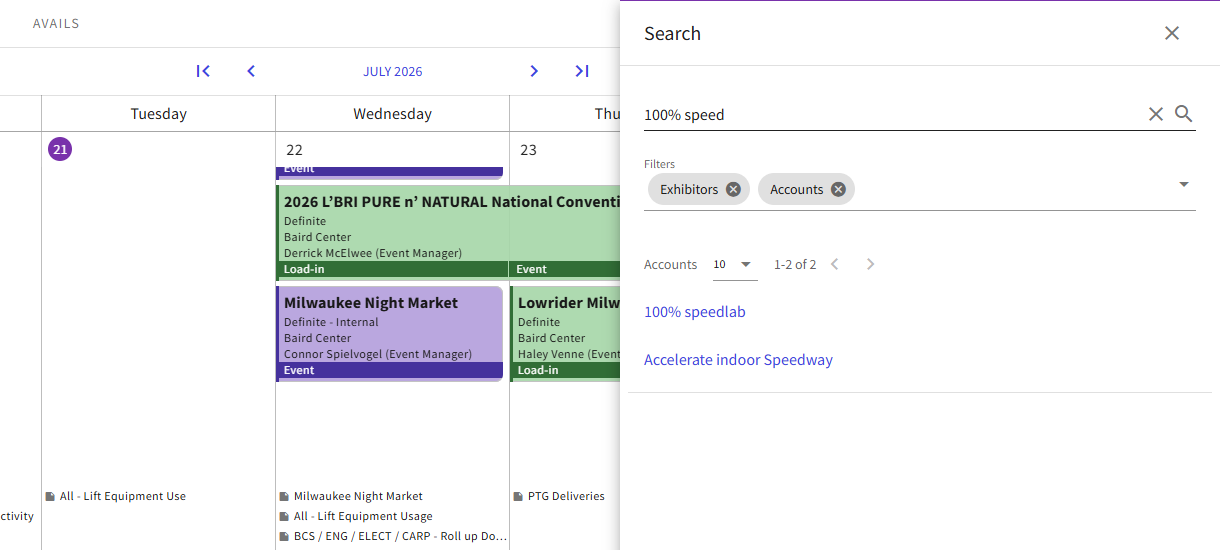
I think if they'd like this to work differently, we could maybe look at enhancing it. It seems like it's going off of must meet all criteria vs meets some criteria when it comes to filters.
-
Thanks Elizabeth Fox I can submit this as an enhancement request on their behalf. Alex Weygandt Are you good to follow up on their ticket? Thanks!
-
Amber Lough Sorry, getting back into this one. Sure, I can follow up and let them know!
Please sign in to leave a comment.
Comments
8 comments
Date Votes