Base Cost Field vs Base Price Field
Answered
Hi team,
I have question how the fields Base Cost and Base Price are designed when it comes to Tier Pricing.
In the screenshot below coming from the Price List, I have a Base Cost and Base Price based on a single item. This works as expected.
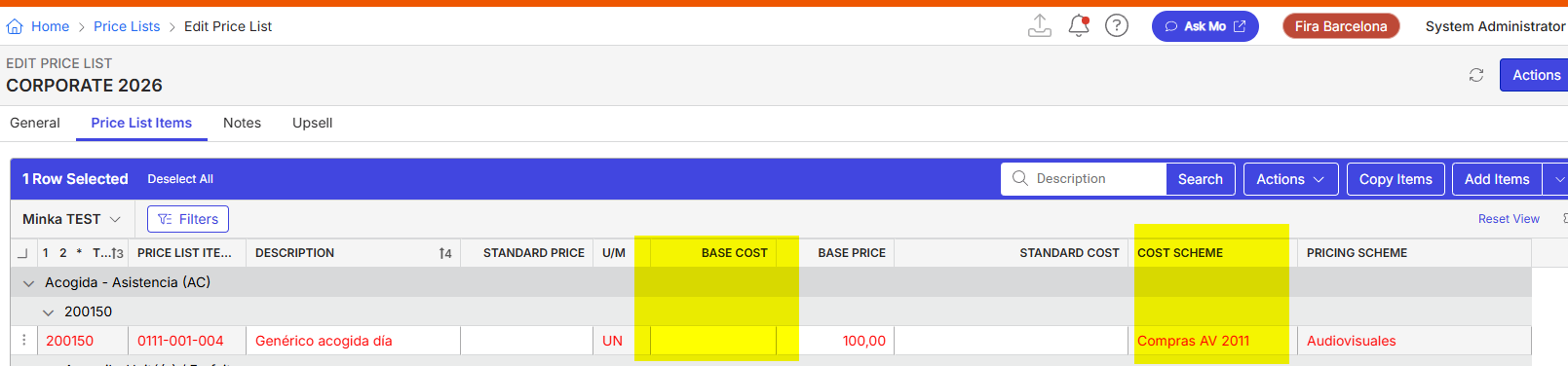
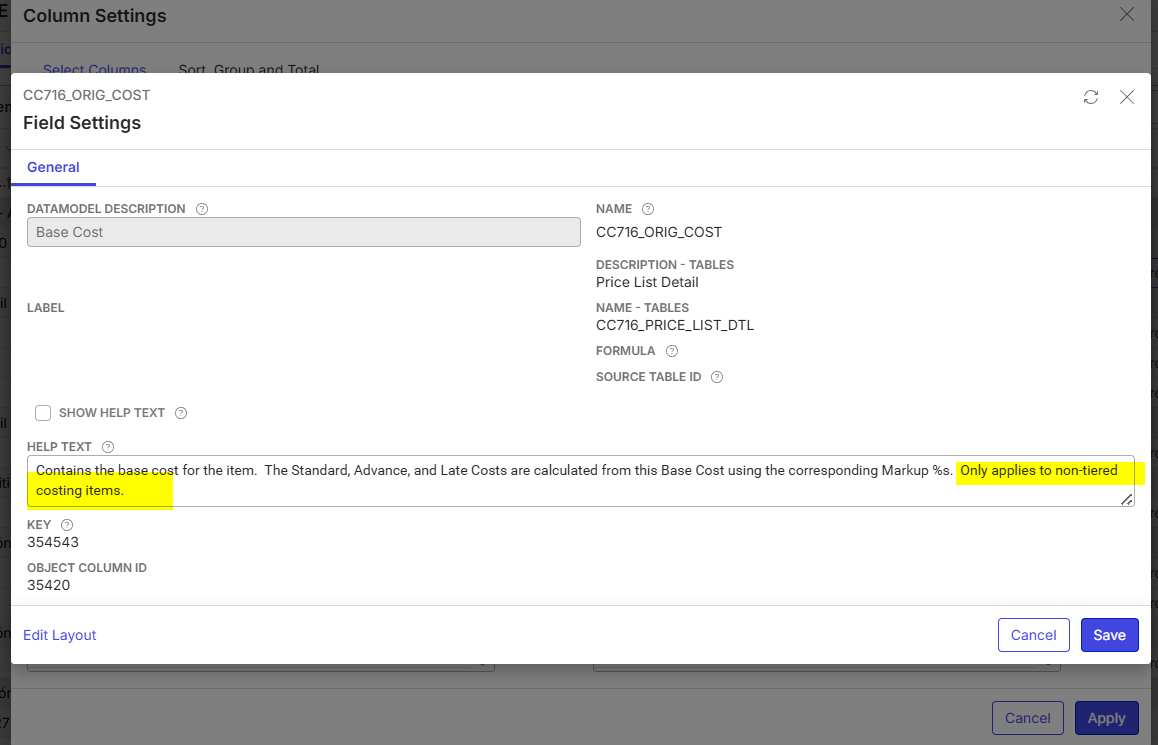
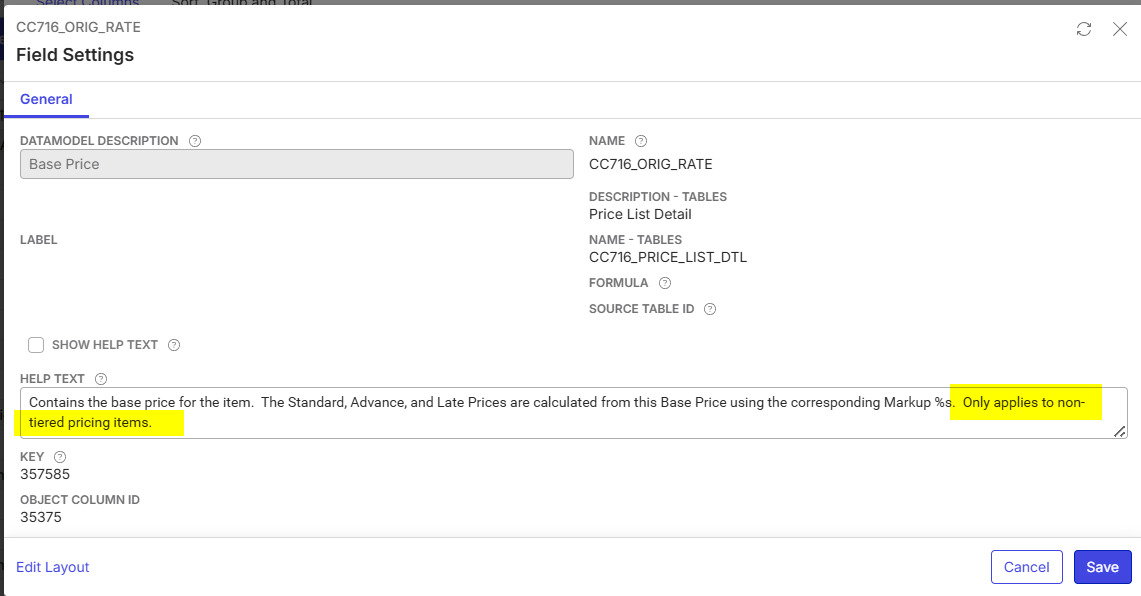
Now, when I add a Tier Pricing Scheme in the Price List Item for the costs, the field becomes empty. Which makes sense, since the system doesn't know the Base Cost because it can be depending on different rules. Also the Help Text of the field is explaining this behaviour:
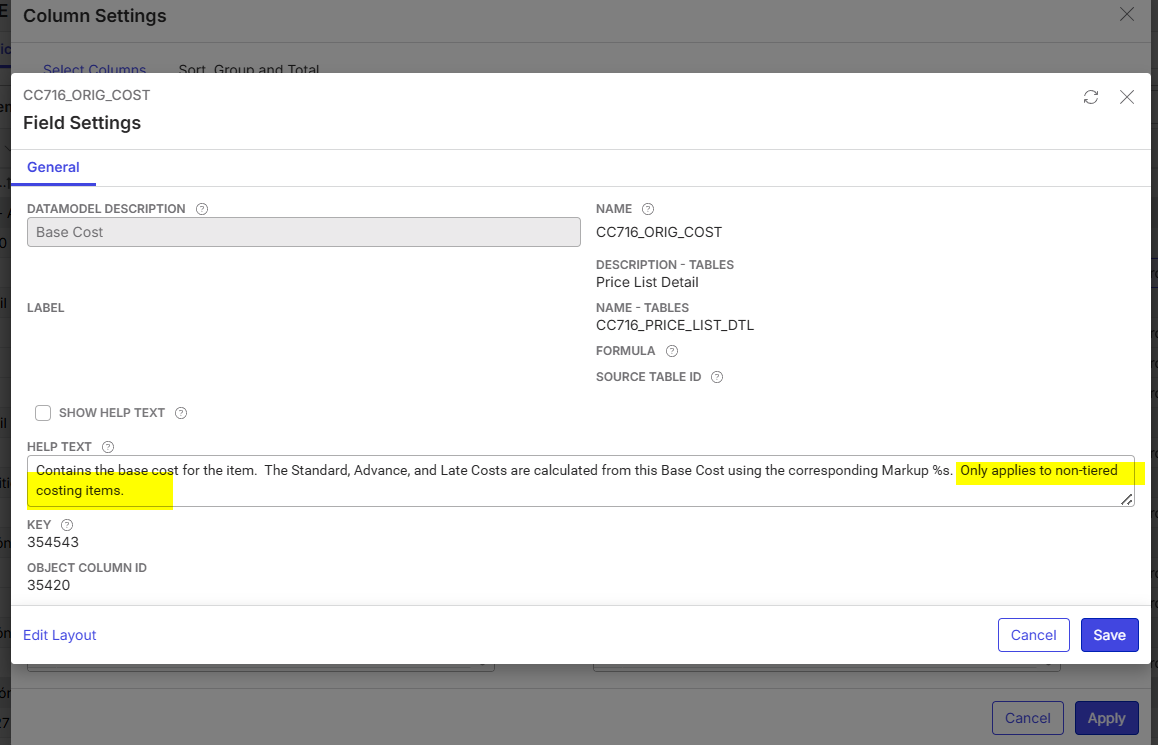
If we do exactly the same for the Base Price, the amount remains in the field, while the Help Text shows the same as in the Bast Cost Field.
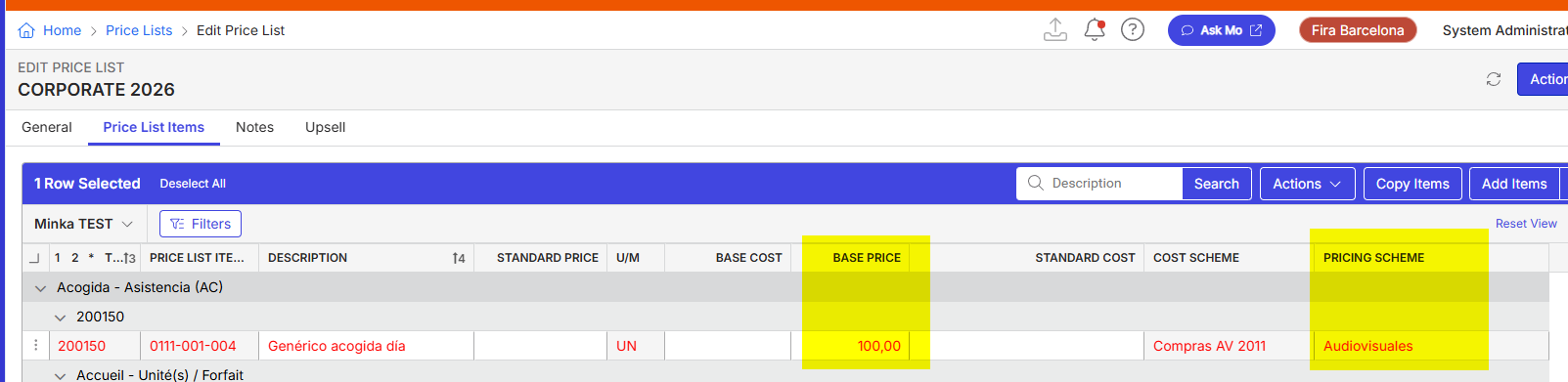
How is this designed? I would have expected the same behaviour for both fields.
Or is this is a bug in one field or a gap for the other?
Thanks
Minka
PS. This has been tested on 26.2.9655.31889 (20260608).
Josiane Mikhael this is related to ticket https://ungerboeck.zendesk.com/agent/tickets/389124
-

Tagging Anthony Costantino to weigh in
-

Seth Halvaksz Afraid IDK. Pass it over to Engineering?
-
Re-stating the question, to make sure i understand what is being asked..
I understand the question is
Should the Base Price and Base Cost field both set to 0 when a Pricing Scheme is added to the Price List Item. This is how the help text is interpreted when it says: “Only applies to non-tiered pricing items”.
What is Observed:
Only the Base Cost field is set to 0. Base Price retains its original value.
-
That is correct. My observation is that there is a difference in behavior between Base Price and Base Cost, while the help text suggests that these should behave the same way.
-
Minka Verkaar here's the update on this. Please let me know if this answers. It sounds like we need to update the help text for “Base Price". I'll get that updated.
- When a pricing scheme is added to a Price List Item, the system is designed to set the Base Cost field to 0 while retaining the original value in the Base Price field.
- The rationale is that the Base Price is used as the reference for calculating tiered or scheme-based pricing. It remains visible and is used for price calculations, even when a scheme is applied. The Base Cost, however, is not relevant for scheme-based pricing and is therefore reset to 0 to avoid confusion or incorrect cost calculations.
Why Base Price Is Relevant for Tiered/Scheme-Based Pricing:
- The system uses the Base Price as the anchor value for calculating tiered or scheme-based pricing. When a pricing scheme is applied, the tiered prices are typically defined as a percentage or markup relative to the Base Price. This allows the system to dynamically calculate the unit charge for each tier or scheme level based on the Base Price, ensuring consistent and accurate pricing across different scenarios.
- For example, tiered pricing templates use the Base Price as the reference, and each tier is a percent discount or surcharge of the Base Price. When an order is placed, the system looks at the template and uses the percentages to calculate the tiered price instead of the fields in the Price List tables.
Why Base Cost Is Not Used in Tiered/Scheme-Based Pricing:
- he Base Cost is not used for tiered or scheme-based pricing calculations. Its primary purpose is to represent the cost of supply for the item, which is relevant for cost tracking and markup calculations, but not for determining the selling price in tiered or scheme-based scenarios.
- When a pricing scheme is applied, the Base Cost is set to 0 to prevent it from being used in price calculations, as only the Base Price is relevant for determining the tiered or scheme-based price. This is a deliberate design choice to avoid confusion and ensure that only the Base Price is used as the reference for pricing calculations.
Summary:
- Base Price: Used as the reference for calculating tiered/scheme-based pricing; all tiers/levels are calculated as a percentage or markup of this value.
- Base Cost: Not used in tiered/scheme-based pricing; set to 0 to prevent its use in price calculations.
-
Thank you Seth Halvaksz this helped a lot! Updating the Help Text on the Field(s) and maybe the Support Article on Pricing Schemes https://supportcenter.ungerboeck.com/hc/en-us/articles/360050455773-Pricing-Schemes would definitely help!
-
Thanks Minka Verkaar I'll ask Monika Dudani if she can review this article and update it based on above info.
-

Hi Minka Verkaar - The article is now updated and published. Thanks!
-
Hi Seth Halvaksz vaksz I have one addition to this case that I still do not fully understand. While the Base Cost field appears to be empty at first glance, the value is still visible when you edit the Price List Item (screenshot 1) or even double-click on the Base Cost field in the Price List itself (screenshot 2). Also, the system does recognise the value, as in the example below my costs are 16 and you can see that the view has sorted this correctly in order (between 15.22 and 17.10). So the system is not setting this value to zero (as the customer would like), but is only hiding it in this particular view. And this was the original ticket about.
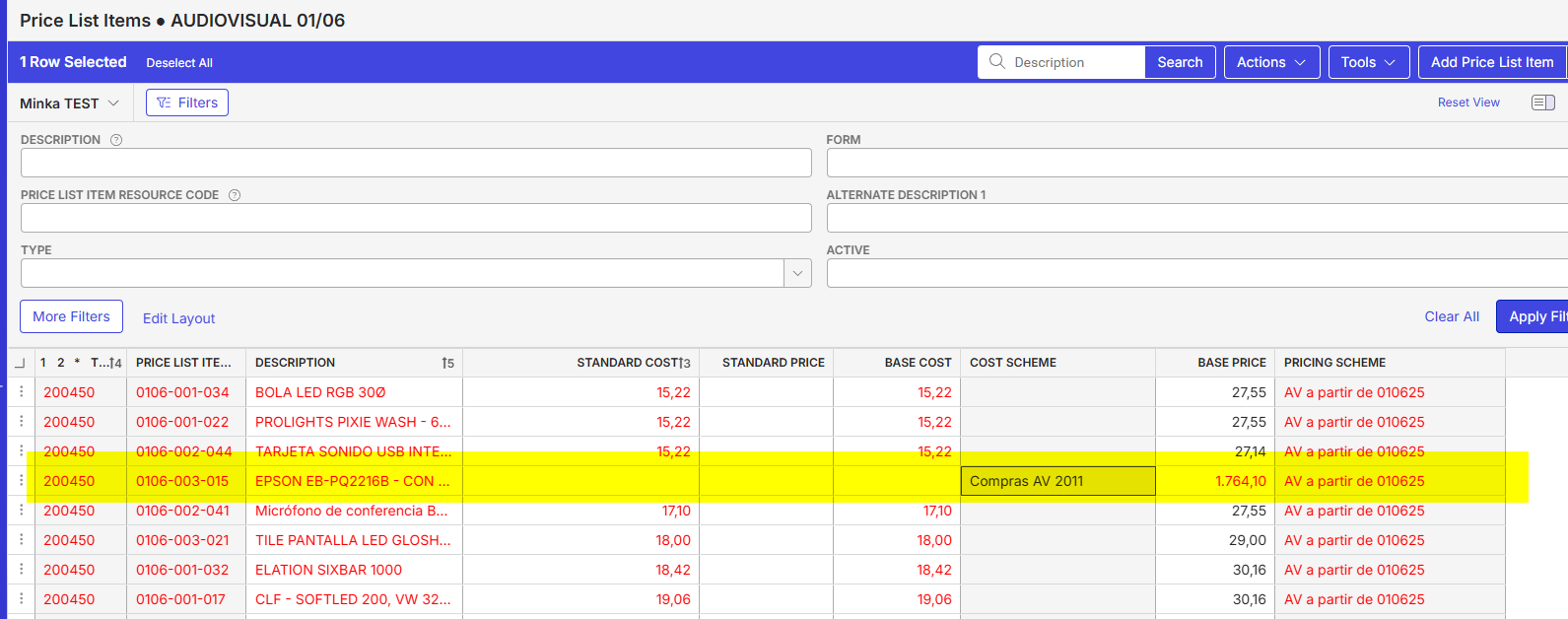
Screenshot 1:
Edit Price List Item > Tab Costs
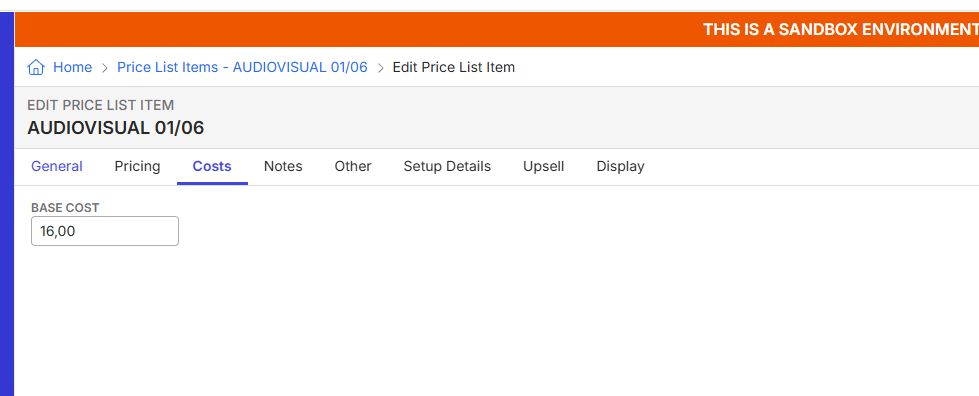
Screenshot 2:
Double click in the Base Cost Field:
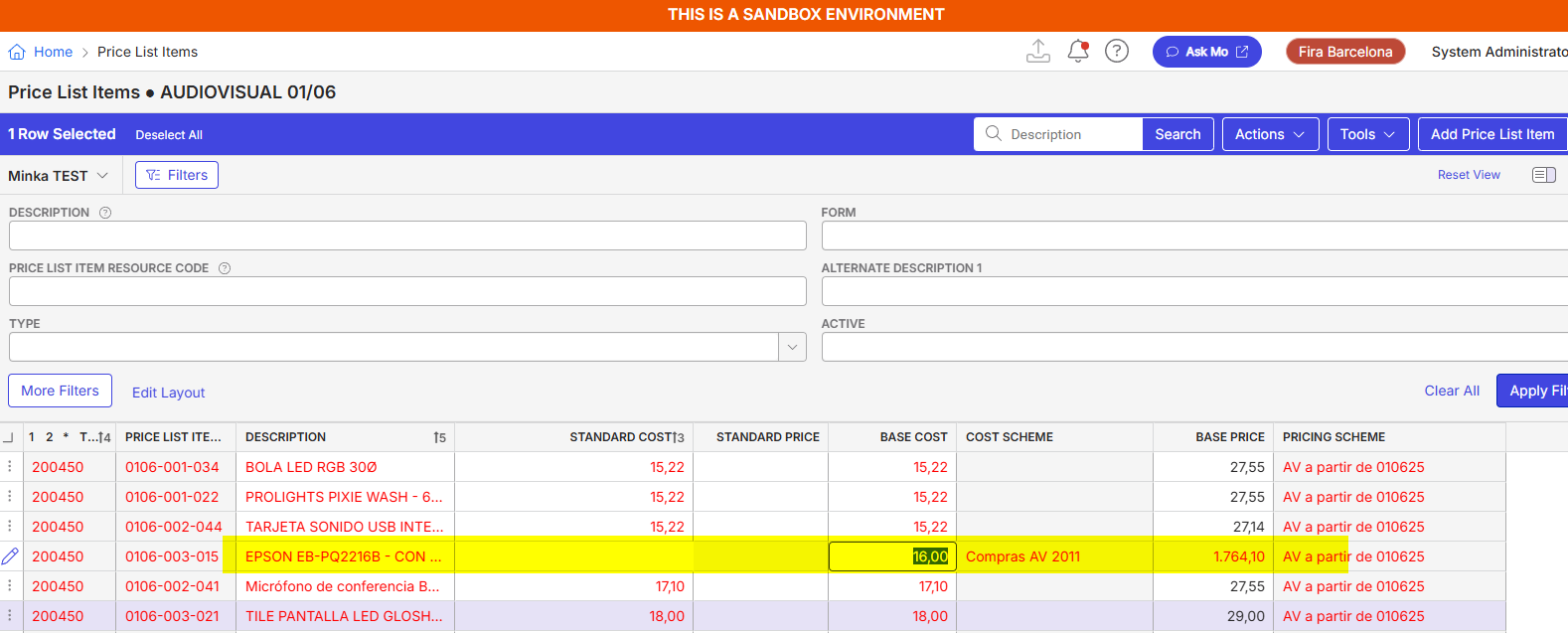
This looks more like a bug to me.
-
Minka Verkaar are you using a pricing scheme? I checked and got these updated statements:
When a pricing scheme is applied:
The system clears the value in the Base Cost field, resetting it to 0.00. Only the Base Price is used for tiered or scheme-based price calculations. This is an intentional design to ensure clarity and prevent the Base Cost from influencing scheme-based pricing. If you need to keep the Base Cost for reporting purposes, record it before applying the schemeWhen no pricing scheme is applied:
The Base Cost may be hidden in certain views due to field visibility or security settings, but the value remains in the database and is used by the system for sorting and calculations. The field is not set to zero; it is simply not displayed unless the user has the appropriate access privilege -
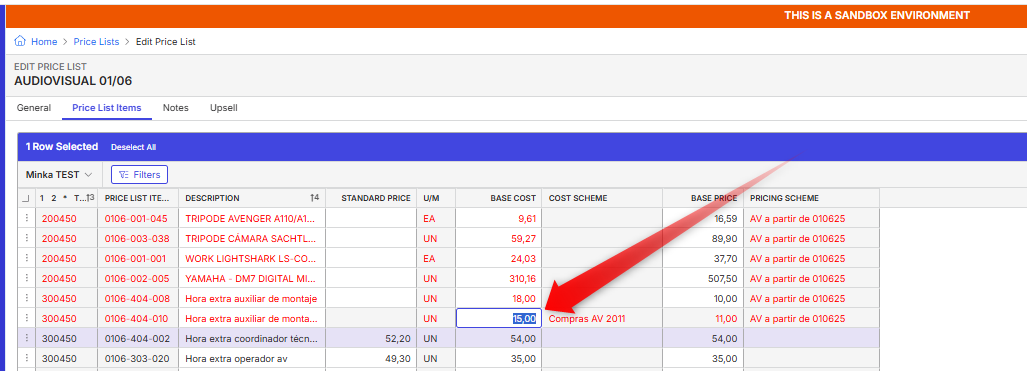
Yes, I have a Pricing Scheme and a Cost Scheme. But my point is that the system is not clearing the value — it is still there. It is simply not visible in the Price List View, but it still shows in the Edit Price List Item. And the ability to show the value only by double-clicking is not used anywhere else in the system.
-
What is most important is that Base Cost is not used for tiered price calculations.
-
I have read the earlier statement, but this is not how the system is behaving. Just to be clear, we talk about two different tiered-schemes here:
Cost Scheme Calculations
Price Scheme Calculations > this works as expected. With just a Pricing Scheme linked (no Cost Scheme attached), both the Base Cost Field and the Base Price Field are visible in the list, as you can see in the highlighted area below:
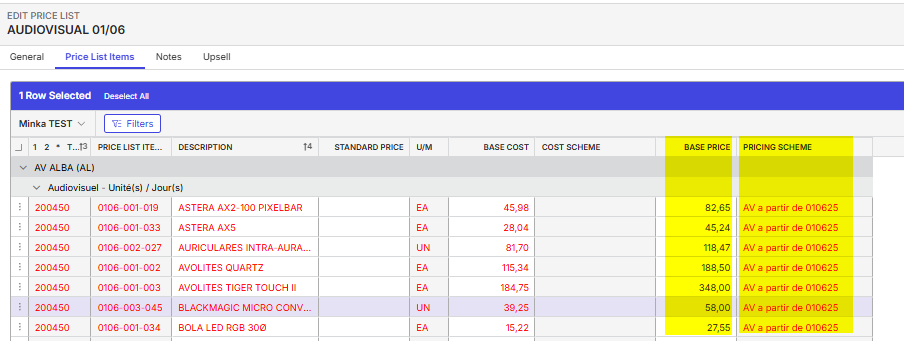
The challenge we have sits with the Cost Scheme only. It is not clear to me why, according to your explanation, the system is resetting the Base Cost field to 0.00 — which is clearly not happening — neither in the Edit Price List Item Base Cost field, nor when double-clicking. I also do not need the value for any further calculations; I simply want to see it in the Price List, which I suspect should be possible given that clicking on the field does in fact reveal the value.
Please sign in to leave a comment.
Comments
13 comments
Date Votes