Communications Window Missing Navigation Buttons

Zendesk Ticket: https://ungerboeck.zendesk.com/agent/tickets/389050
Account: Northern Illinois University
Region: US
Articles used in your research:
https://supportcenter.ungerboeck.com/hc/en-us/articles/204848098-Search-Add-and-Manage-Accounts-and-Contacts#h_01JC69RKHG0AMW1E50PBX3NTVF
General
Business impact if not resolved: This creates navigation inconsistencies, and is not user-friendly.
Short Summary of issue (issue description): When accessing the Communications link from a contact record, the 'Communications ● Contact' window does not display the standard Cancel or Save & Return buttons at the bottom of the page.
Macro Vertical: Education
Debug Environment:
Customer DB Location: Hosted
Database: NIU_Prod_1135428825_USI
Server: Debug-US,1433
Version: 26.1.9652.33907 (20260605)
V30 Link: https://supportwebus.ungerboeck.com/NIU_Prod
User Login: usiadmin/ITRocks2014
Tested in QE_26.1 DB: https://qe.ungerboeck.com/26_1 >> edwinh/edwinh
Recreation Steps:
1. Log into: https://qe.ungerboeck.com/26_1 >> User Login: edwinh/edwinh
2. Navigate to Accounts - All from the Main Menu > Locate contact account with code 00049129 and open the account for editing.
3. In the Details tab, click the Communications link.
4. Observe that the Communications ● Cambridge, William window does not display Cancel or Save & Return buttons at the bottom of the page.
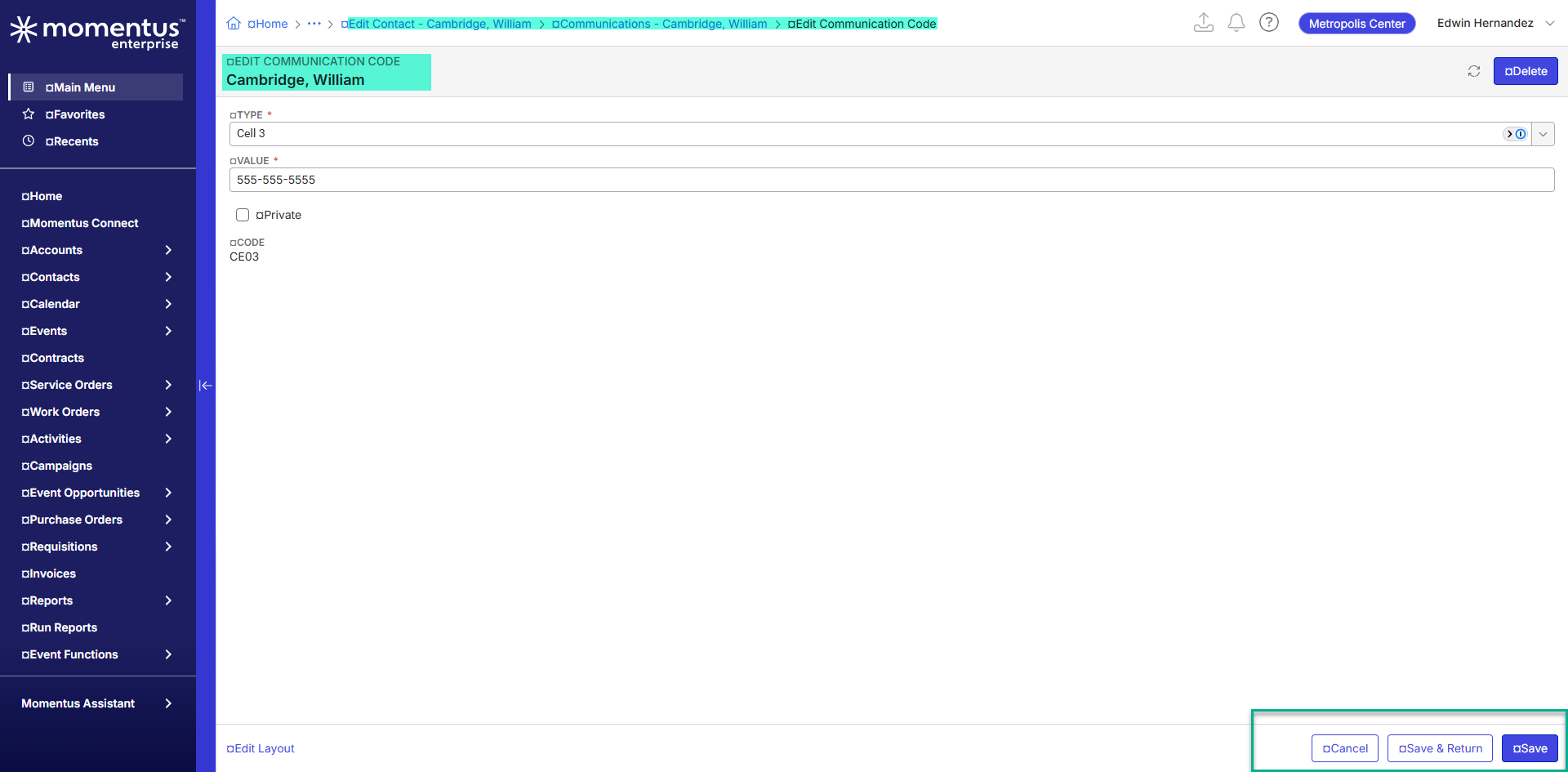
5. Add or edit a communication record > Observe that the Edit Communication Code window correctly displays the expected action buttons.
7. Click Save and Return. Observe that after returning to the Communications ● Cambridge, William window, there is no clear option to return to the Edit Contact window other than using the breadcrumb navigation at the top of the page.
8. This workaround is not intuitive and may cause confusion for end users navigating between communication and contact records.
...
Observed vs. Expected Results:
Observed: The 'Communications ● Contact' window does not have standard navigation buttons such as Cancel, Save, or Save & Return. Users must rely on breadcrumb navigation to return to the previous Edit Contact screen.
Expected: The Communications ● Contact window should provide a clear and intuitive navigation method (such as Cancel, Save, or Save & Return) that allows users to return directly to the previous Edit Contact window without relying on breadcrumb navigation.
What does the client want to accomplish: The client would like the Communications workflow within Account Contacts to follow consistent application navigation standards and provide users with a more intuitive method for returning to the parent contact record.
Attachments:
Attachments or screenshots:
Recording of the issue is here: snippet_2373731770095528036_11-10.mp4
Recording testing steps: EditCommunicatiosLink.mp4


-

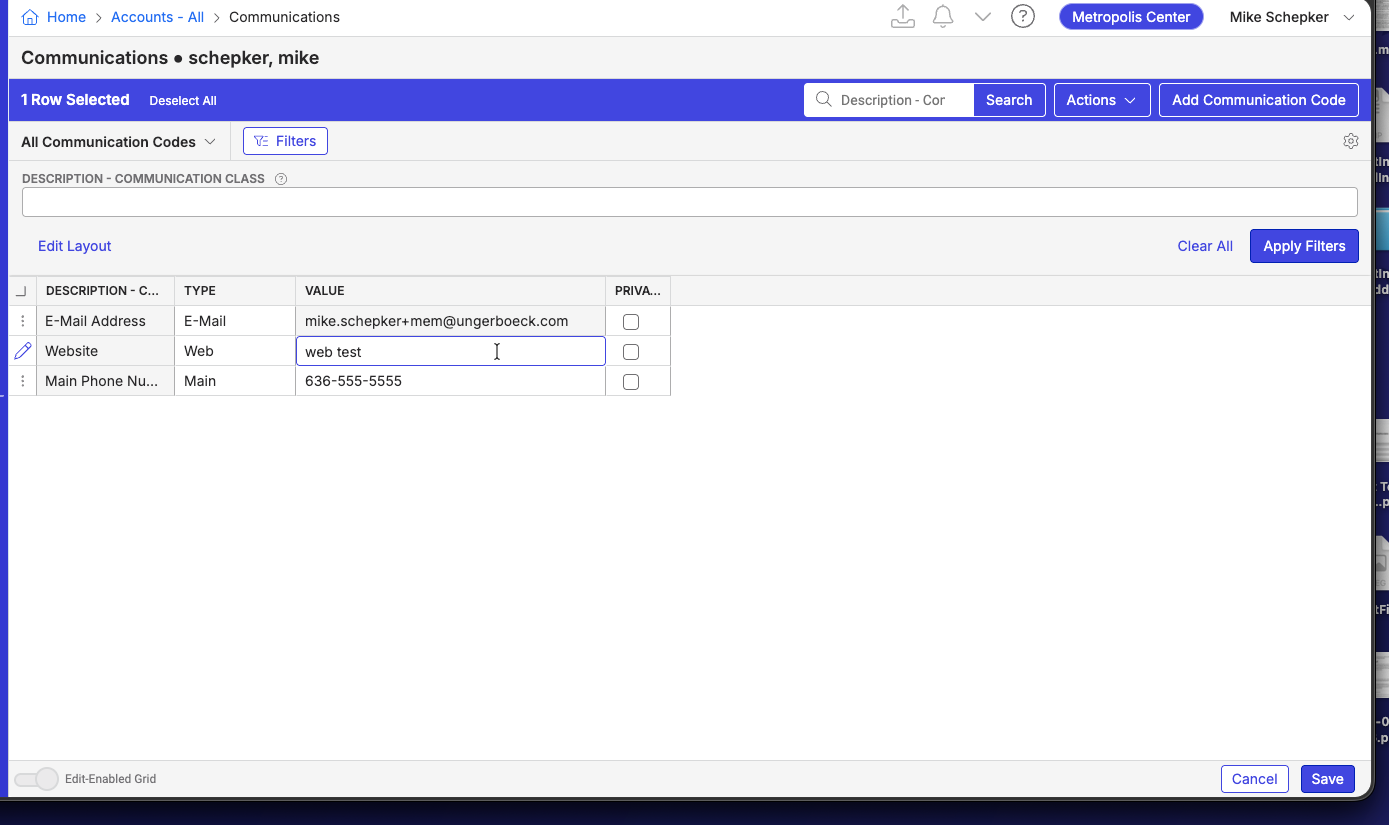
I think this might be working as expected. When you open up the Communications grid, you're not in an edit mode yet. It's just a list page, so there'd be nothing to Save or Save and Return to. When you begin editing a row, the Save and Cancel buttons appear.
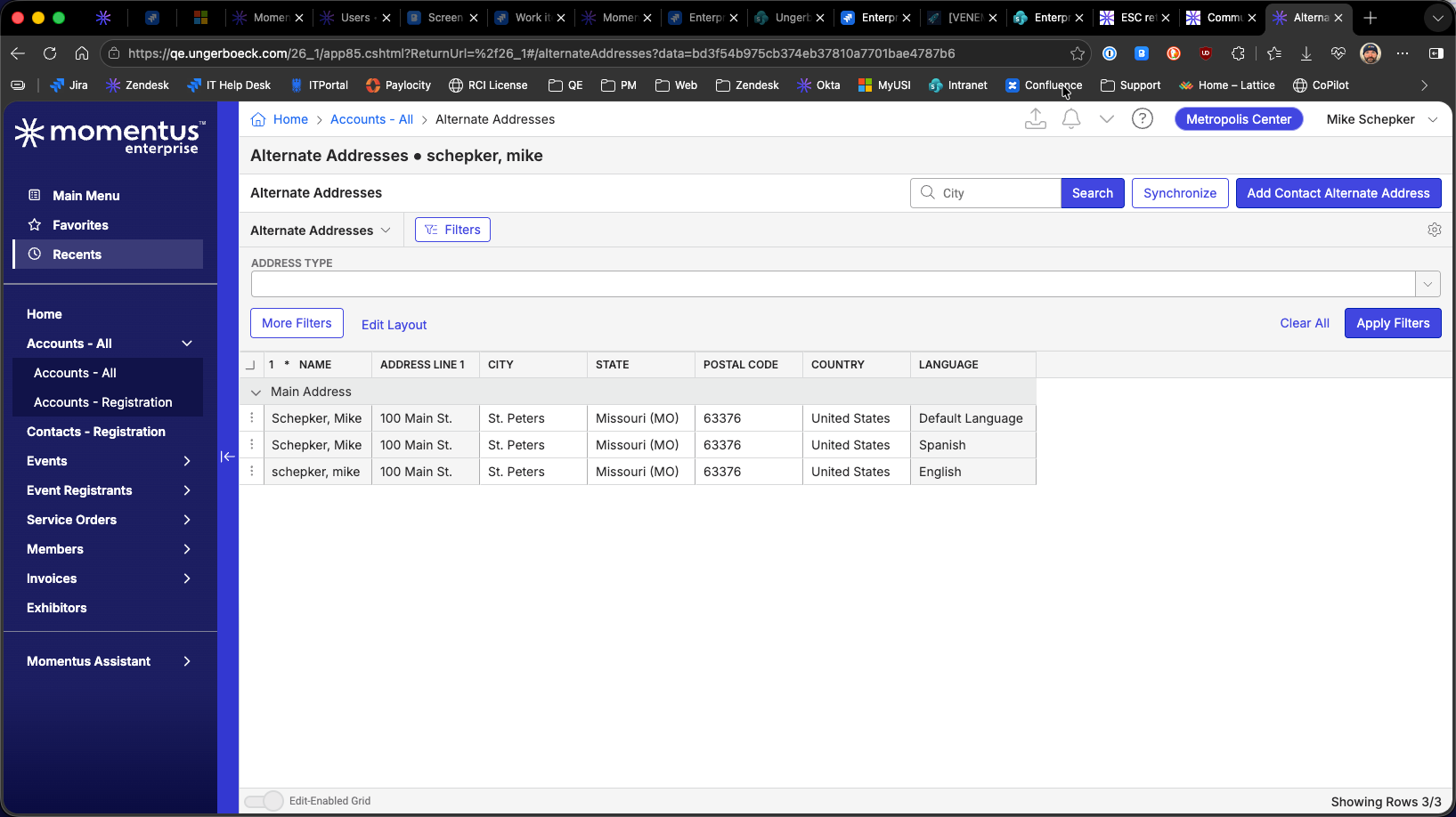
The behavior is the same on the Addresses page.
Maybe there needs to be a new action for windows like these that is just a return button (but they could also just hit Back in their browser or use the breadcrumbs to go back), but I think that'd be an enhancement.
-
Mike Schepker - Thank you for reviewing this case! I will recommend that the client submit an enhancement request through Pendo so the product team can evaluate the feature for future consideration. Thank you!
Please sign in to leave a comment.
Comments
2 comments
Date Votes