Space Field in Function Notes

Description of the Issue:
In the Function under General you'll have the Space Field.

When you then go to the Notes, you can add three Fields for Spaces. Especially "CC025_SPACE" but those Fields will remain empty.

Why are those fields differing and would there be a workaround to display the space in the Notes Section. Where would CC025_SPACES need to be populated to show information.
Client:
EuropaPark_Prod_0644683521
Version:
26.12026052502
zendesk:
#388380
-

I believe the note would need to be tied to the actual space in order for the space column to populate.
-
But wouldnt it then be a Space Note and not a Function Note anymore?
-
Yes, exactly. That's what I'm saying. We don't just populate columns like that. For instance, if you add a note to an order, we don't populate the function field despite orders being tied to functions. That's just not how it works. We fill out the column based on the subject of where the note was added.
-
Does this still stand if this being the context?
This is what a typical dashboard looks like for them. On the left side, they display the Event functions, and on the right side, the notes.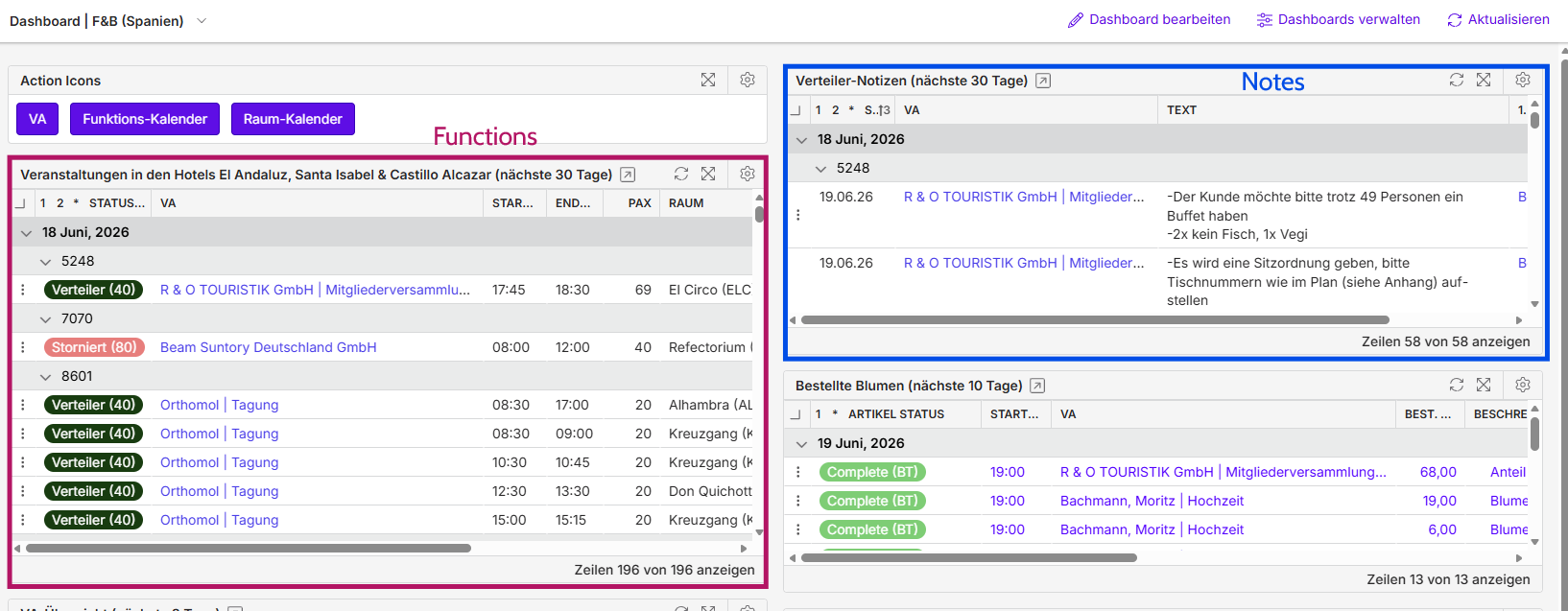
They’ve separated the notes from the Event functions because, although they can display all notes for Event functions, they can’t filter them by department to show only what’s relevant.
On the right side, in the notes section, they can filter by department and display only the relevant information, but there’s no link or reference to the function (such as the room where it’s taking place).
Ideally, they’d like to display everything together in the Event functions, but in a filtered version. They looked into it again yesterday with Dorian, and unfortunately, you can’t create note fields that filter by department—only by class.
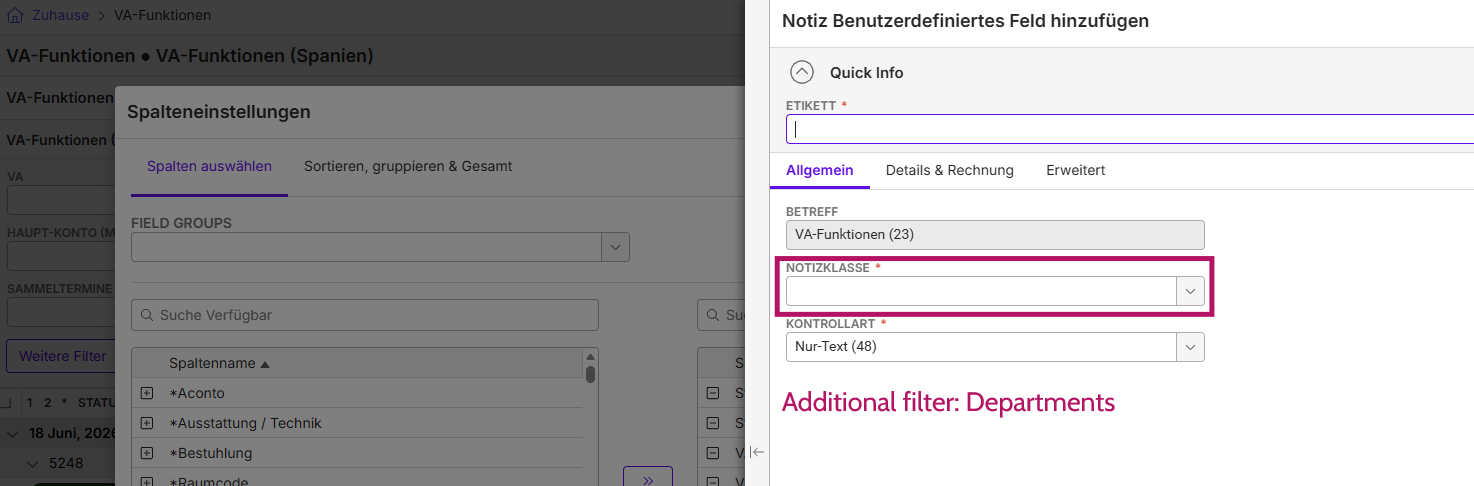
-
I really don't understand what you're asking here, but no matter how they use the dashboards it doesn't change the way the system behaves.
-

The original issue would be considered an enhancement. Alternatively, are they open to creating a custom report? That way they can pull in most things that they want and when running report, they can pick and choose the department that they need.
Please sign in to leave a comment.
Comments
7 comments
Date Votes