Ops Hub Event Outline Function Details default sorting by name instead of time?

This isn't necessarily a bug but more of a question around “is this working as designed” -
When you add a Function Details box to the Ops Hub event outline, it defaults to sorting by name alphabetically. Would it make more sense to sort by time (by default) for the Function Details?
Or, is it designed to sort by Name for a different use case that I'm just not thinking of right now?
-
Official comment

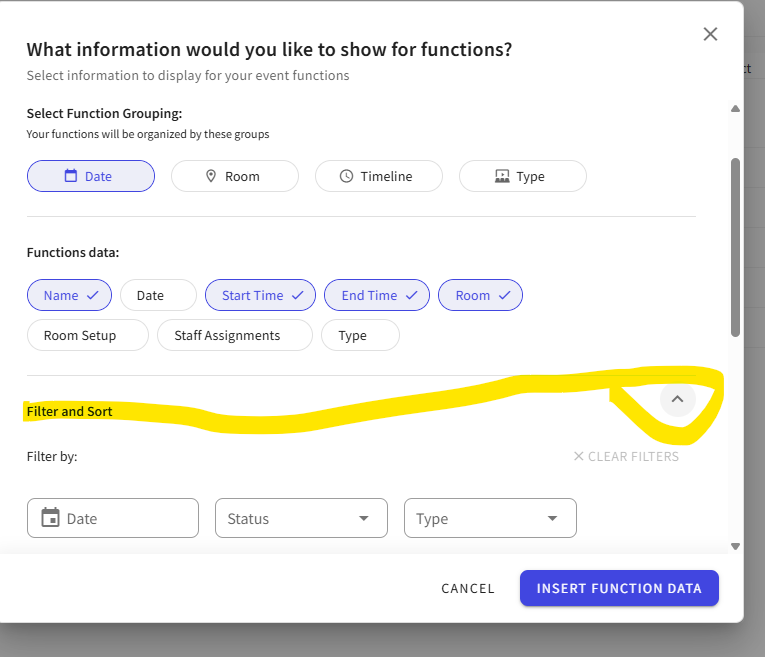
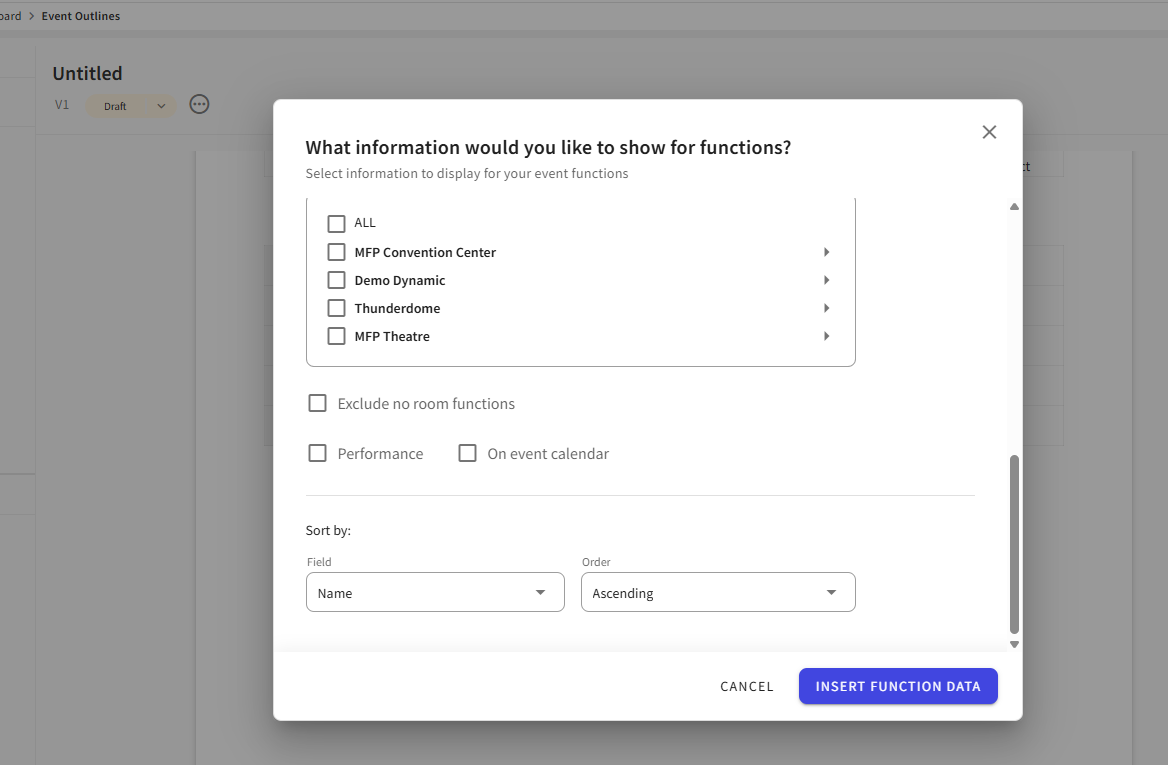
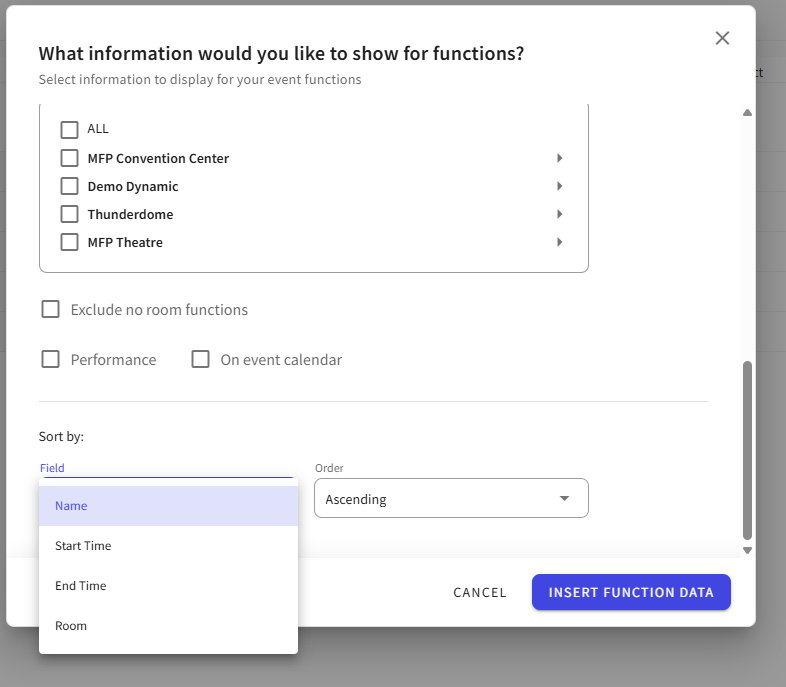
Hey Michael Becker ! When you insert the data block (or you can click that Data button for configuration), there is an option at the bottom for Filter & Sort - expand that and you'll see where the user can control this (see below). As for if working as designed, yes it is as designed. You could submit an enhancement request to update the sorting default for this block - if enough customers wanted it to default to start time instead, we could make the change.
-
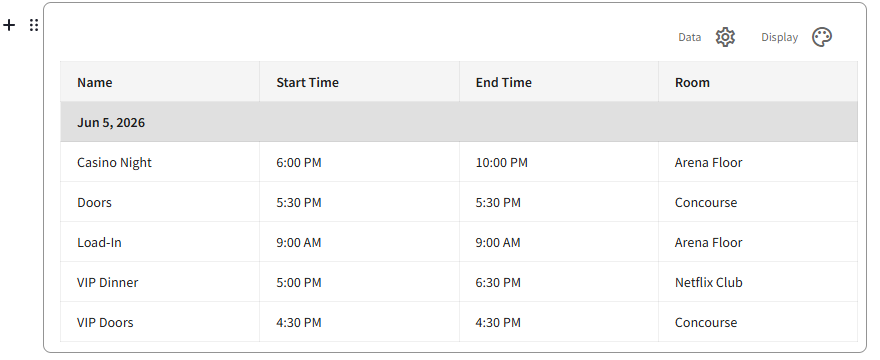
This came up on my webinar today when I was demoing the event outline. Below is how it defaulted when I added the block so I had to quickly sort it by time.
-
Hi Elizabeth Fox ! That is correct, but I was wondering why it doesn't default to start time instead of name? This would save a few extra clicks since the functions are usually time-based anyways.
I can submit the enhancement request for that default sorting. I imagine customers will favor that when you are speaking about a function timeline.
-
I don't remember any strong reasoning for that decision back when it was built. I think it just follows suit with the other blocks.
-
Michael Becker , my memory jogged last night and I remembered - I think the main reason that decision was made was because you have to show the data to sort by it and we let it sort by name because that field is in the default included details.
Please sign in to leave a comment.
Comments
5 comments
Date Votes