Venues Customer Cannot See Standard Reports

Zendesk Ticket: 385143
Account: Great Plains Technology Center
Region: US
Articles used in your research: Standard Reports
General:
Business impact if not resolved: Unable to run standard reports on space utilization
Short Summary of issue (issue description): Standard Reports do not appear from the Main Menu for Venues customer.
Macro Vertical: Convention Centers
Debug Environment:
Customer DB Location: Hosted
Database: GreatPlains_Prod_0548910983_USI
Server: Debug-US,1433
Version: 25.4_2026012104
V30 Link: https://supportwebus.ungerboeck.com/GreatPlains_Prod/app85.cshtml
User Login: usiadmin / ITRocks2014
Recreation Steps:
- Log in to Local Site as Tracy (TMCCLELLAN / Test1234)
- Search for Space Utilization (or any of the standard reports) from the Main Menu > Report does not appear
- Repeat as Usiadmin > Report does appear in Main Menu
- There is no access exception, etc. that should be preventing this user from seeing the standard reports.
Observed vs. Expected Results: Space Utilization report is classified as a Standard Report (Per this KB article: Standard Reports), so I'm expecting this to show from the Main Menu when searched for - is this because they are a Venues customer?
Tagging: Cathy Herrick please advise
Attachments:
Attachments or screenshots:
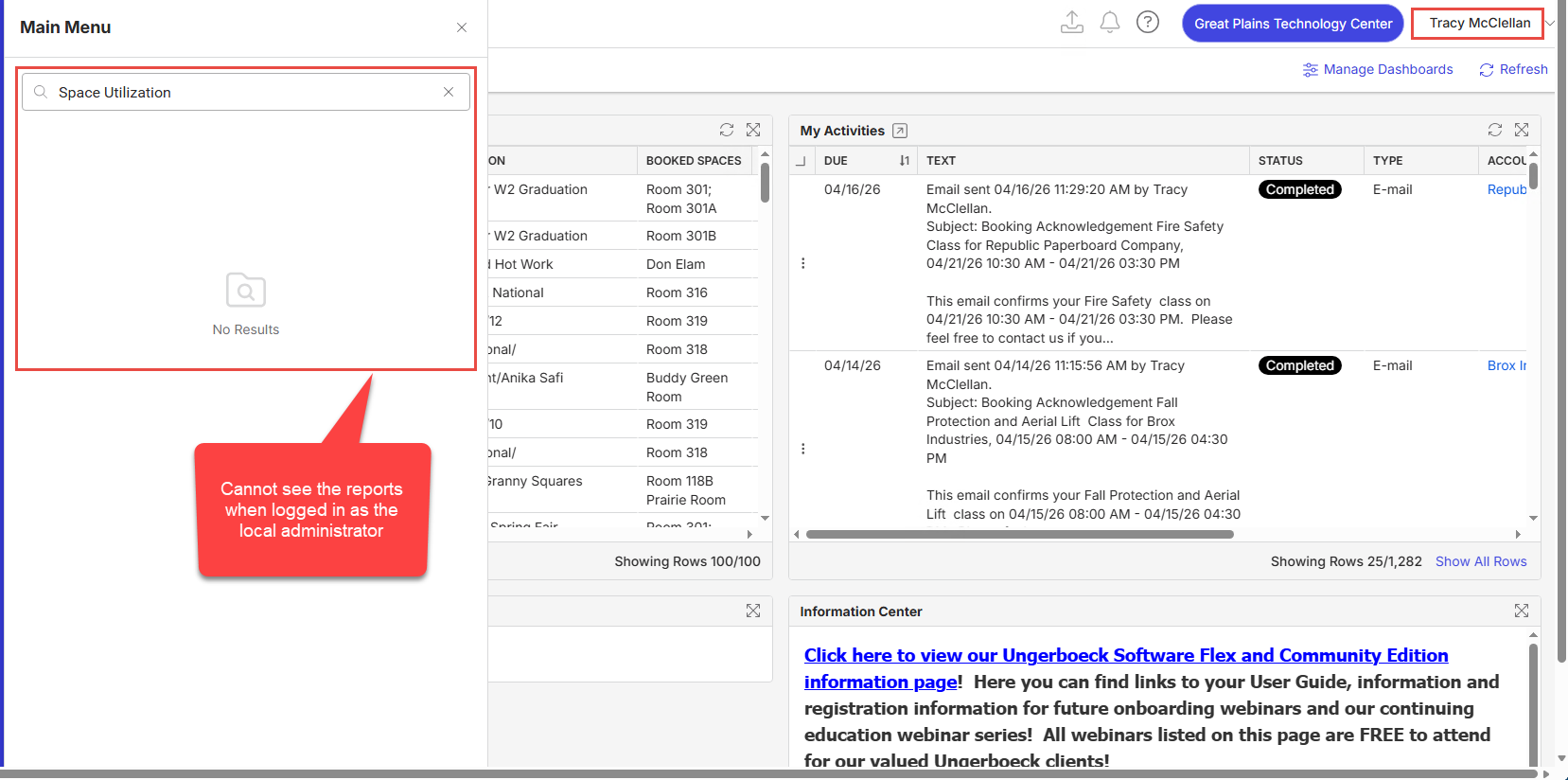
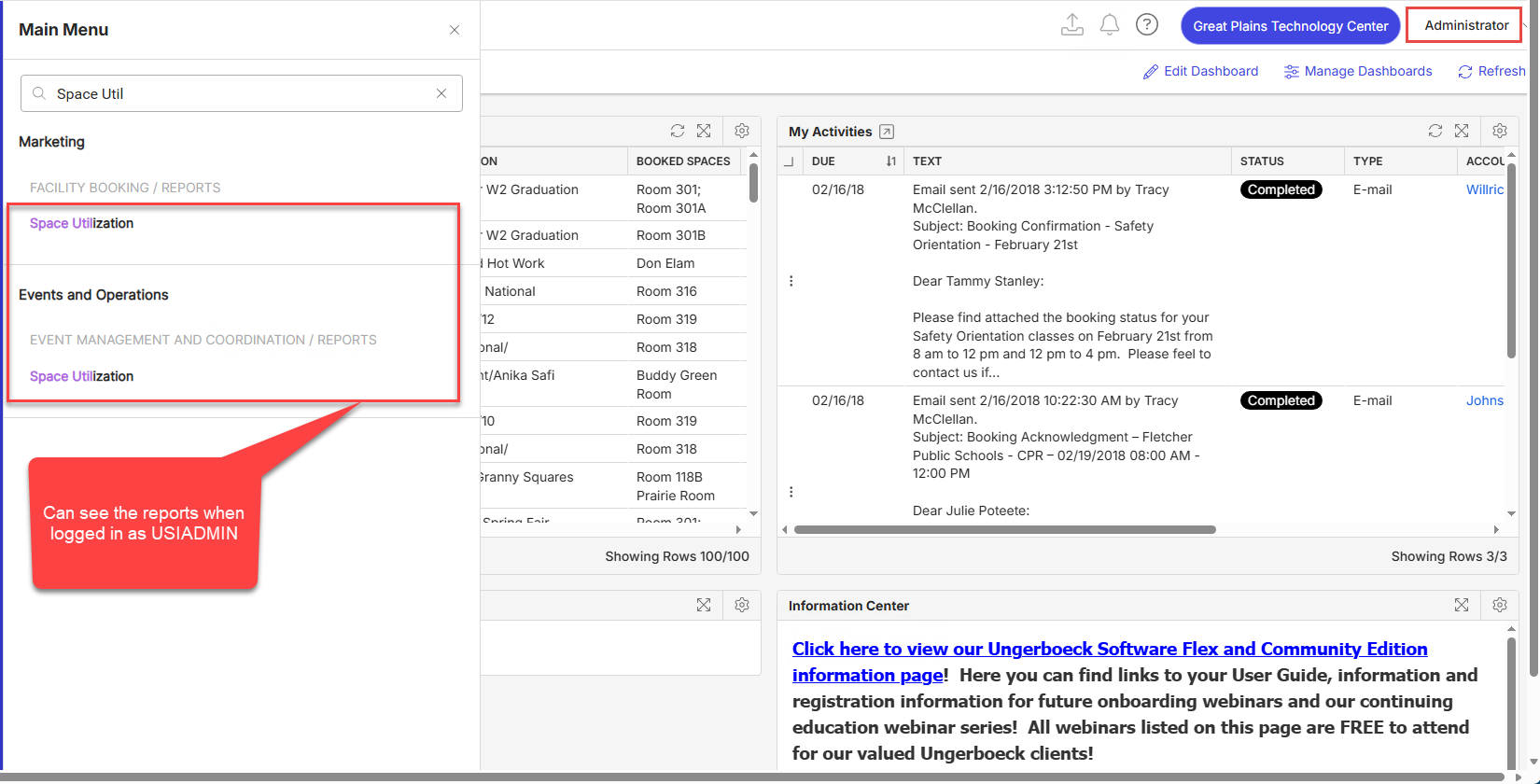
-

Seth Halvaksz - who would be the PM over either access management or the Space Utilization report?
I tested out giving the affected user both Admin level access and then giving them the EBMS admin role and they still could not see the Space Utilization report. Is the report itself just not available for Venues customers?
-

Tagging Richard Marmura on this post. He is PM for reporting and analytics.
-

Seth Halvaksz Cathy Herrick Heather Lightsey
When I login as an admin on their production site, I see all reports. (See attached images).
I am unable to login with the TMCCLELLAN account.


-
Hi Richard Marmura , the credentials provided for TMCCLELLAN are for the local site, not their production or test sites. Can you try to login again? I just tried on my end using the local site and was able to login as that user.
URL: https://supportwebus.ungerboeck.com/GreatPlains_Prod/app85.cshtml
Login Credentials: TMCCLELLAN / Test1234

-
Richard Marmura Hello, just checking in on my message above. Were you able to login as the affected user using the credentials I provided? We are trying to find out whether it is expected that a Venues customer cannot see standard reports.
-
Heather Lightsey - I was able to get in. Can confirm that I do not see them either in this test environment. Likely a bug or something tied to their entitlements? I'm not sure.
Please sign in to leave a comment.
Comments
6 comments
Date Votes