Exhibitor Booth Number fields versus Service Order Booth Number fields

A while back I had gotten a knowledge base update request for clarity about booth number fields. I created this article. Then this post happened and I found out there are also booth fields on service orders: Change the field in Change Tracking from field Booth Number to Exhibitor Booth Number. I would like to make sure I've got all the info I can in the booth number article and I don't want to distract more in the original post.
Exhibitor fields (with text from the article):
- Retired-Booth-Do Not Use (EV290_ACT_BOOTH): This field cannot be edited and should not be used, as it was retired in an old version of the software. If this field is visible in your layout, we recommend that you remove it.
- Booth Assignment (cBOOTH): This is the working field that you use to manage the booth number assignment either on the Edit Exhibitor page or the Edit Service Order page (we recommend using the Edit Exhibitor page).
- Exhibitor Booth Number (cEXH_BOOTH): This is a read-only field to be used for all booth number reporting (rather than field 2 Booth Assignment).
Service Order fields:
- Booth Number (do not use) - cBOOTH_NBR
- Booth Assignment - cBOOTH
- Exhibitor Booth Number - cEXHIBITOR_BOOTH_NBR
Questions, numbered for easier answering:
- cBOOTH looks like it is the same field in both places. Does this mean that no matter where they assign the booth, it will appear on both the exhibitor and the service order?
- The Exhibitor Booth Number fields have different IDs. cEXH_BOOTH on the exhibitor is read only, from my testing is populated when the booth is assigned in cBOOTH. How is cEXHIBITOR_BOOTH_NBR populated?
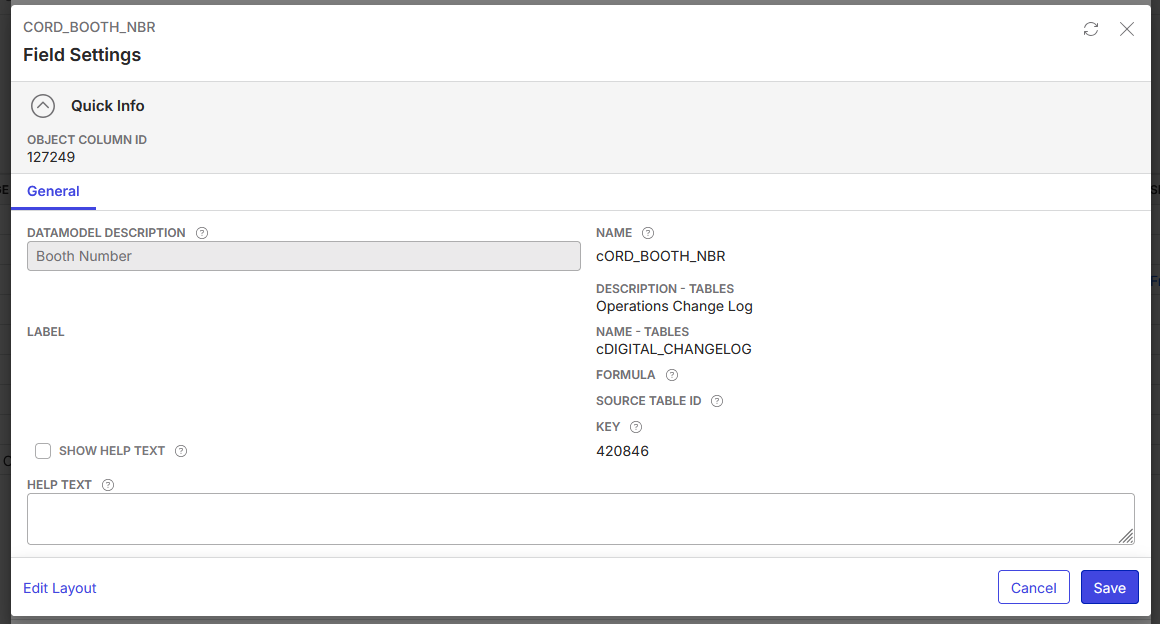
- In the article, cORD_BOOTH_NBR was referenced. This is a column that can be added to the Change Tracking page, but I can't find that field anywhere else: I looked on service orders, work orders, in the data model (which hasn't been updated since 30.97). How is this field populated?
-
Minka Verkaar Are you able to assist at all?
Please sign in to leave a comment.
Comments
1 comment
Date Votes