Error copying an event
Answered
🐛 Possible Bug - Error Copying an Event
-
Environment Observed
- Where was the issue observed? NA
- Account Name: SoFi Stadium and Hollywood Park
- Account ID: account-1380-A
-
Is this a converted account?
- No
- Date Converted (if known)
-
Issue Scope
- How widespread is the issue? Not sure. It seems to be permissions-related.
- Event Name Stadium Tours (No Field) 4/29
- Event ID event-136747-A
-
Was the issue reported by the client?
- Yes
- Client Contact Name (if yes) Josh Brown
- Client Contact Email (if yes) jbrown@legends.net
-
What’s the problem?
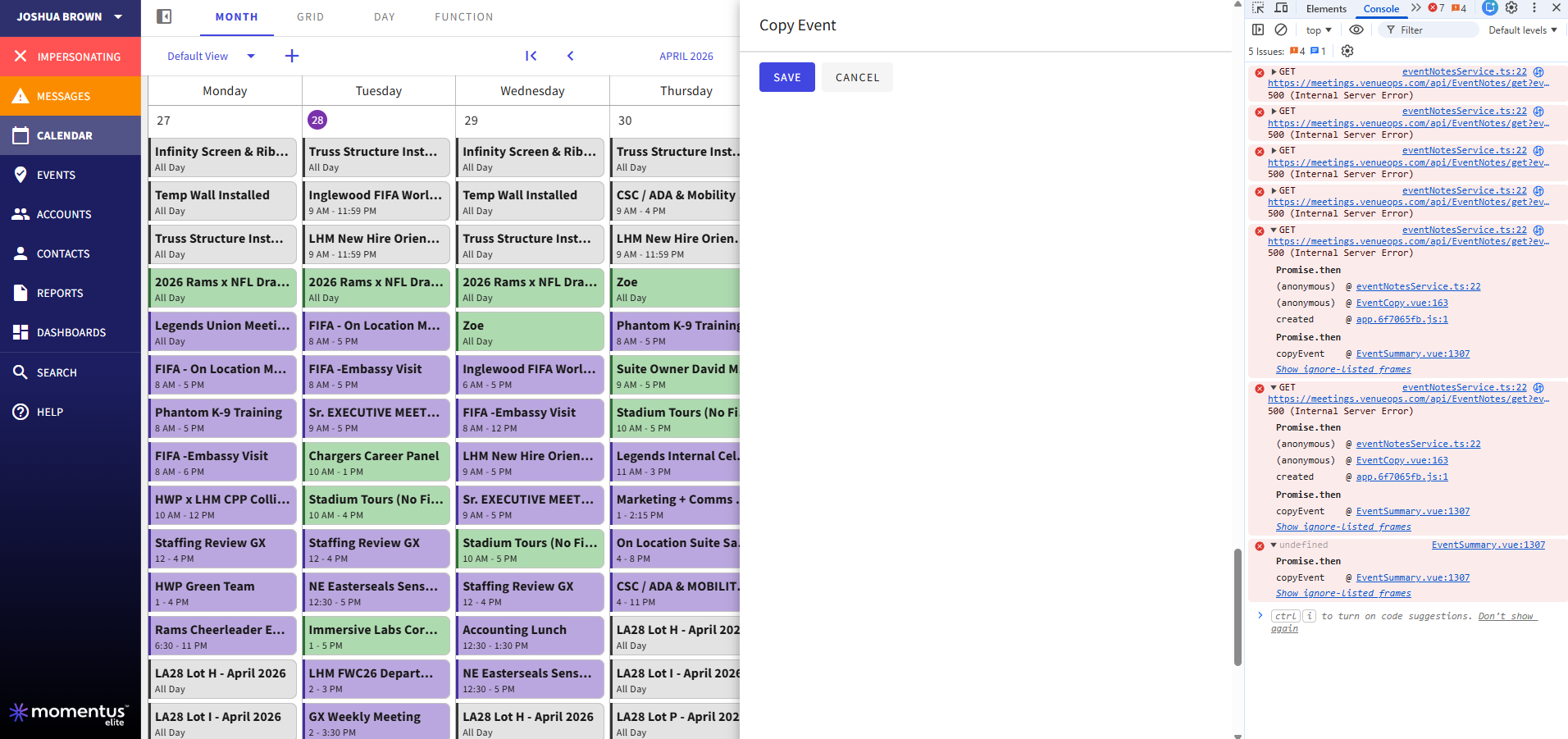
- When trying to copy an event the user is getting an error generated. When using F12, there are multiple 500 errors being created.
-
Is the issue reproducible?
- Yes
-
If reproducible, where?
- Pitstop
- Demo/Staging/Pitstop Account SoFi Stadium and Hollywood Park account-1380-A
- Demo/Staging/Pitstop Event ID event-136747-A
-
Steps to reproduce the issue
- Sign in and click on the event from the calendar to get to the slder
- Click the ellipsis button
- Select Copy Event and the error is generated
-
Expected behavior
- The page to select what date and what content should be in the new event should appear.
-
Troubleshooting steps already taken
- On the Pitstop version of the account I set up a new Role called *Booker - Programming - Test and I assigned it to Alex Gigliotti user-7175-A. This user is now able to copy events as I have assigned pretty much every permission. The issue is that multiple 500 errors are generated (screenshot) so I cannot really tell what combination of permissions are causing this issue.
-
Workaround identified?
- No
-
Attachments available?
- Screenshots or videos: Included
- Zendesk ticket link (for Support use)
-
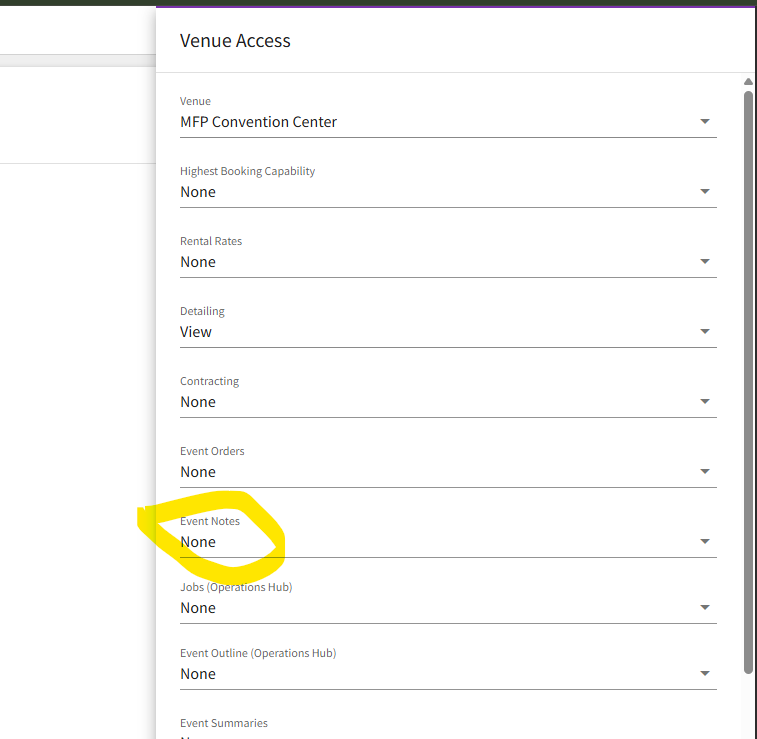
Ok found the issue. The problem is that the user needs to be able to at least View the Notes tab. Should I put in a bug for this Elizabeth Fox ?
-

Alex Weygandt , so the user has permissions for events and detailing, but just lacks Event Notes (None, View, or Edit - which level)?
-
Correct. As long as they have at least View then that solves the errors.
-
Okay, got it. Go ahead and raise a bug, just make sure that detail is included please. Thanks!
-
You got it!
Please sign in to leave a comment.
Comments
5 comments
Date Votes