Adding exhibitors from the floorplan

The KIF team is accustomed to working directly within the EFP to add and place new exhibitors.
Current process (version 25.3):
Users open the floorplan, select “Place Exhibitor,” and from there access the advanced search. Within that window, they can create a new exhibitor and immediately place it on the floorplan.
Change in newer versions:
In the updated version, the option to add a new exhibitor is no longer available within the advanced search window. As a result, users must open a separate window (Exhibitors) to create a new exhibitor before returning to the floorplan to place it.
Based on the Knowledge Base article, it appears that the recommended best practice is now to create exhibitors outside of the EFP rather than directly within it.
Questions:
- Was this change intentional in versions 25.4 and 26.1?
- What is the recommended best practice to minimize the number of windows and clicks required for this workflow?
Thank you!
-

Tagging Tragen Herrick
Mariam, to answer your question, there were changes in EFP in 25.2 to move it to the new UX design.
-

Mariam Abid See the 26.1 release notes - Advanced search is back: https://supportcenter.ungerboeck.com/hc/en-us/articles/39084036415767-Release-Notes-What-s-New-in-2026-1#h_01KMRF6E7KJXB6YHBJ9ARZS9R4
-
Linda, i think Mariam as asking about adding a new exhibitor from Advanced Search. It sounds like that used to be there but was removed.
-
@... Hi Linda, thanks for that.
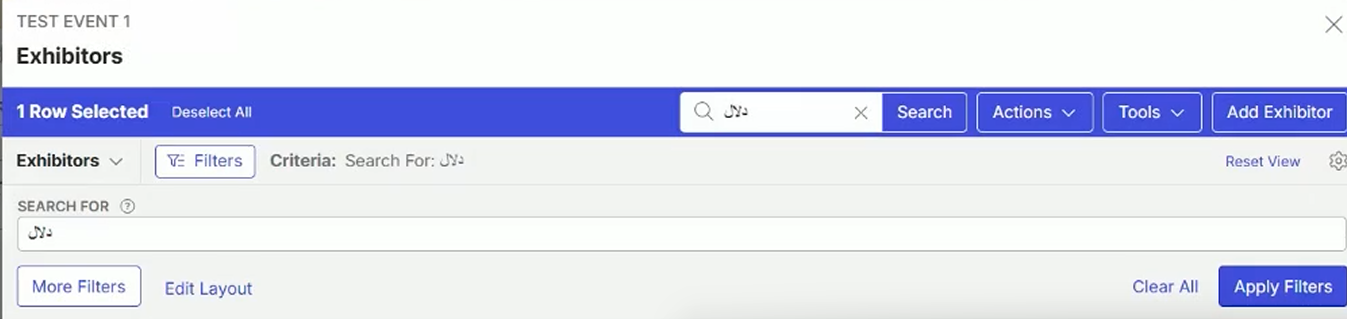
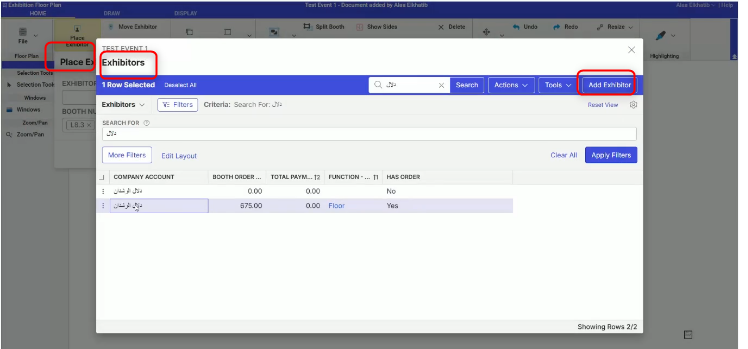
What the customer is looking for is the “add exhibitor” button ( on the top right corner) on the advanced search window which no longer available.
-
-

Nothing was removed as a part of this change. The only change was the addition of advanced search.
-
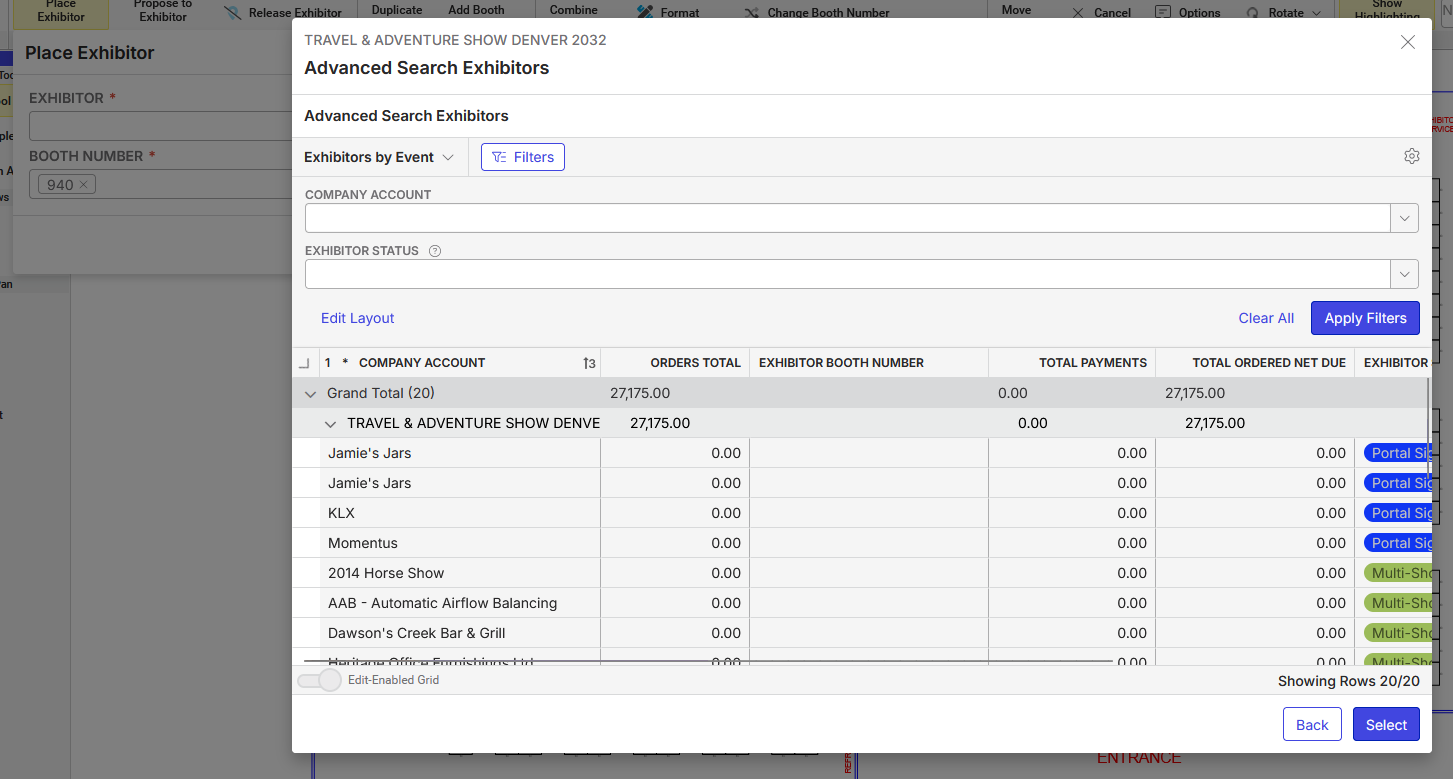
Yup, y'all are right, there's no “Add Exhibitor” in the newest version. I re-read Mariam's message and was in QE double checking. Tragen Herrick there is functionality missing that was there in previous versions, if you compare Mariam's screenshot and mine.
-
Shannon Wiley if you could help here. I believe if they select an exhibiter and click select, it should place the exhibitor.
-
Tragen Herrick Correct, except the customer most of the time needs to add a new exhibitor record directly from the floorplan. Therefore, if there is no existing record, they won't be able to place it. They will have to first create the exhibitor on a another tab, refresh the floorplan to be able to place the new exhibitor.
-

There is no missing functionality. The updates to add Advanced Search to the Exhibitors dropdown also fixed an issue that was unique to EFP where it previously could not open pages in new tabs at all. This was an issue that needed to be fixed, primarily for reports. Mariam's screenshot is from before “Advanced Search” was added and the “All” action was the only action in the footer. Selecting it would open in a modal but this was incorrect behavior for NewUI and led to a lot of confusion from other customers thinking it was an advanced search window when it wasn't. So with the addition of the Advanced Search link that does correctly display in a modal, the “All” footer action now correctly opens in a new tab as well as other actions that were previously also unable to open in a new tab.
I believe the original EFP updates for NewUI were designed with the idea that the customer would be coming from backoffice. there are many ways to get to EFP from backoffice including directly from exhibitors (with and without booth orders) and in that instance it will automatically open EFP, open the Place Exhibitor popup and prefill that exhibitor in the Exhibitor field. They can then select any booth(s) on the floor plan and click Place.
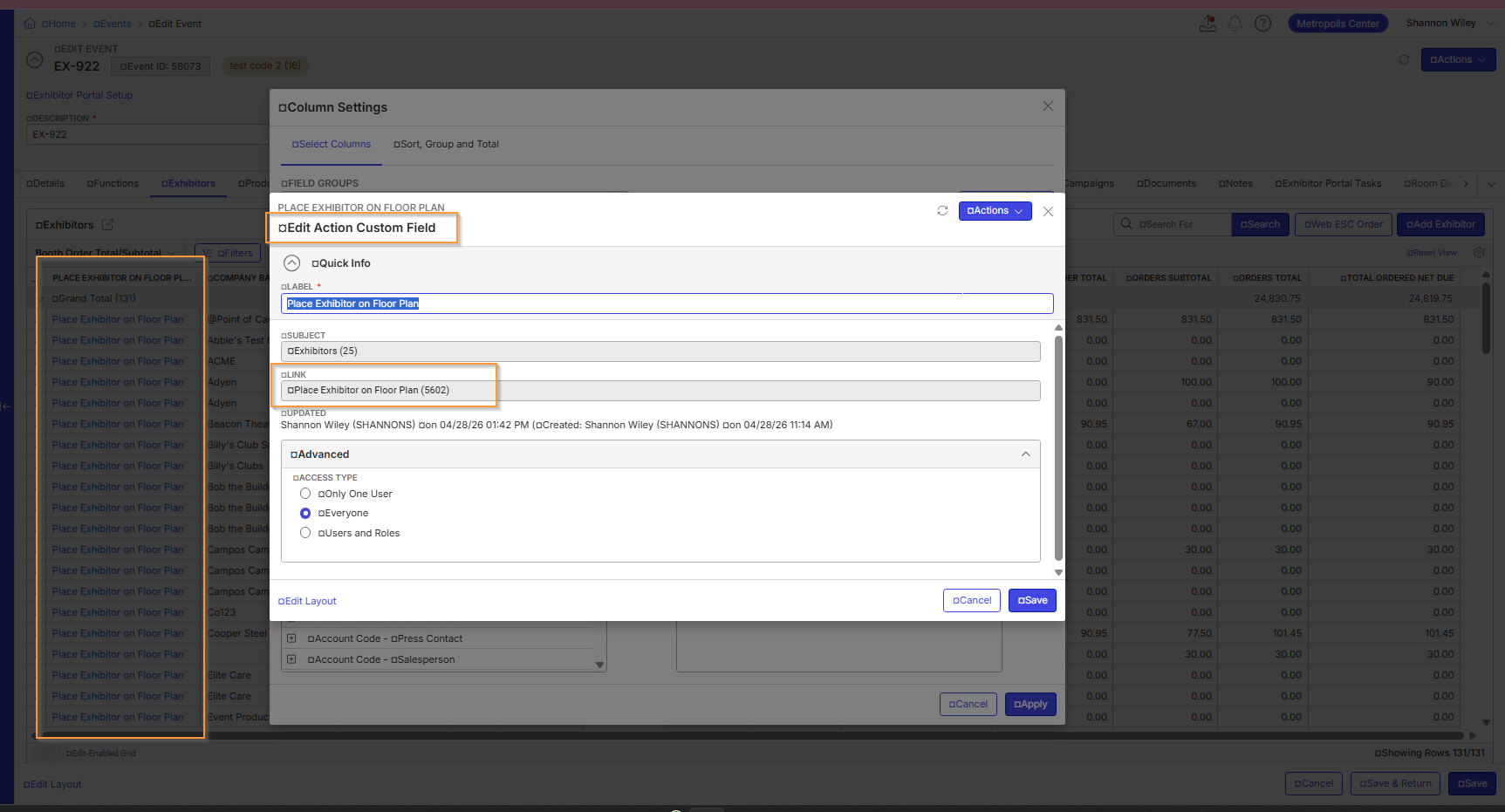
There is an Action for the exhibitor that is called “Place Exhibitor on Floor Plan” - this will allow the user to open the floor plan even if the exhibitor does not have an order. It can also be created as a custom field/column to allow the user to easily open EFP with that exhibitor pre-populated in the Place Exhibitor popup. So that is one option.
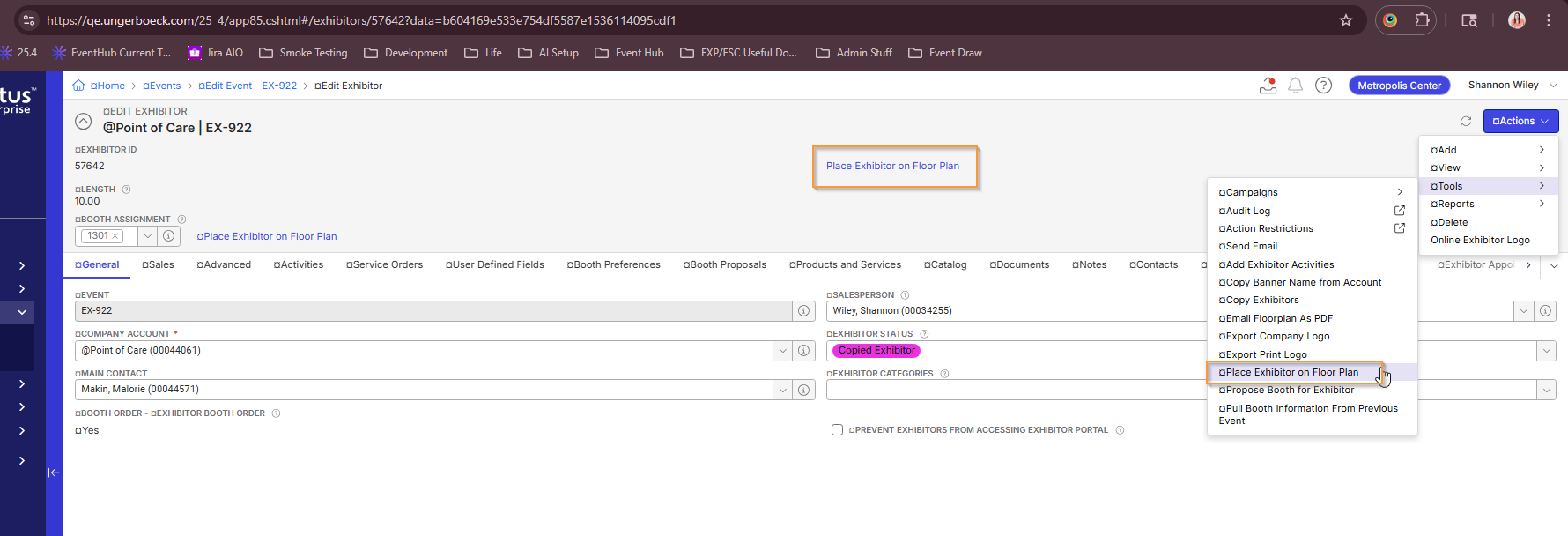
A second workaround option is that the customer can use the Propose Exhibitor window to remain in EFP and add a new exhibitor and then cancel out of the Propose Exhibitor workflow and reopen the Place Exhibitor popup to then place that new exhibitor. It does not really save on clicks but does allow the user to remain in EFP.

And the last workaround is to open the “All” link in a new tab as they currently are, add the exhibitor there, and then return to EFP and reopen the Place Exhibitor popup in EFP to select the new exhibitor.
I do keep mentioning reopening the Place Exhibitor popup because the Exhibitor dropdown only reloads with adds/edits/deletes upon reopen of the popup.
I spoke with Tragen about readding the “Add” footer action on the Exhibitor dropdown on the Place Exhibitor popup and ensuring the list updates with that new value successfully (which we believe would be the biggest challenge). We will investigate that as a future option but there is no set date for release at this time. So one of the workarounds mentioned above would be the answer for now.
-
I have created a ticket to include the add exhibitor functionality to the place exhibitor workflow to help with the issue as well. I am hoping to get to it in the next few sprints
https://ungerboeck.atlassian.net/browse/VENEM-8153 -
Shannon Wiley Perfect, thank you for the clarification!
Tragen Herrick Awesome, thank you!
Please sign in to leave a comment.
Comments
13 comments
Date Votes