Outlook Calendar Integration: Sync Configuration Defaults
Answered
I am working on configuring the Outlook Calendar Integration for SLQ and for their requirements, they only wish for one way sync - from Outlook to Momentus when bookings are made via the Outlook Calendar.
Going through Momentus Connect configuration, I am at the last stage to set up sync configurations and noticed that the Momentus to Outlook fields are mandatory.
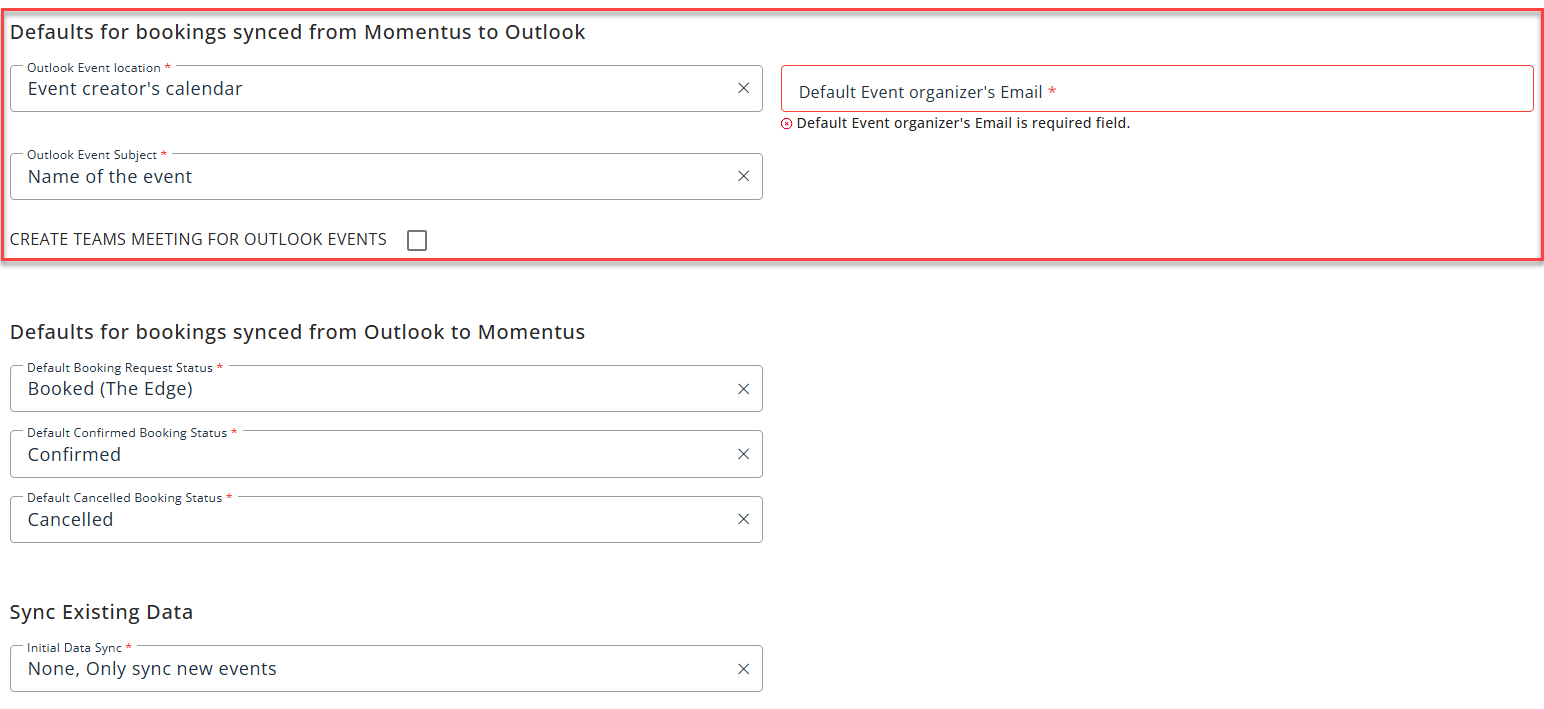
My question is that should these be if not used, or doe they need to be set up just in case in future they will be used?
-

Tagging tier 3 Mike Schepker Pieter Fourie Satya Ram Nukala Nicole Loh
-

Support doesn't do onboarding of the Outlook config, so I'm not sure on this. Chanh Huynh have you checked the articles to see if it's mentioned in any of the documentation? https://connectsupportcenter.ungerboeck.com/hc/en-us/sections/33406201419799-Outlook-Calendar-Integration
-

I've moved this over to the Outlook Calendar Integration forum, so the right people get a notification. Just in case, tagging Victor Nogales Junior.
-

Chanh Huynh based on the documentation (Outlook Calendar Integration Configuration for Momentus Elite) it looks like they have to be set up but you can select Outlook Managed in a different section
-
Thanks everyone for your assistance. I will proceed with populating those fields.
-

Hello Chanh Huynh , some extra comments below:
1. Is that should these be if not used, or doe they need to be set up just in case in future they will be used?
The "Defaults for bookings synced from Momentus to Outlook" fields (Outlook Event Location, Default Event Organizer's Email, and Outlook Event Subject) are currently mandatory at the configuration level in Momentus Connect, regardless of whether SLQ intends to use that sync direction. The current integration design does not offer a "disable this direction" toggle at the Sync Conditions screen, so you must populate these fields to complete and save the configuration. You should treat them as placeholder values for now, even if SLQ only intends to use Outlook to Momentus sync.2. Will I be able to achieve my use case of only syncing bookings from Outlook to Enterprise?
The integration is fundamentally bi-directional by architecture, so you cannot fully disable the Momentus to Outlook direction at a system level. However, there are two practical possible workarounds to achieve the behaviour SLQ wants:
- Set all mapped spaces to "Outlook Managed" and carefully manage how bookings are created in Enterprise. In practice, don't create a booking in Momentus against one of those mapped spaces, that booking will still trigger a sync to Outlook.
-
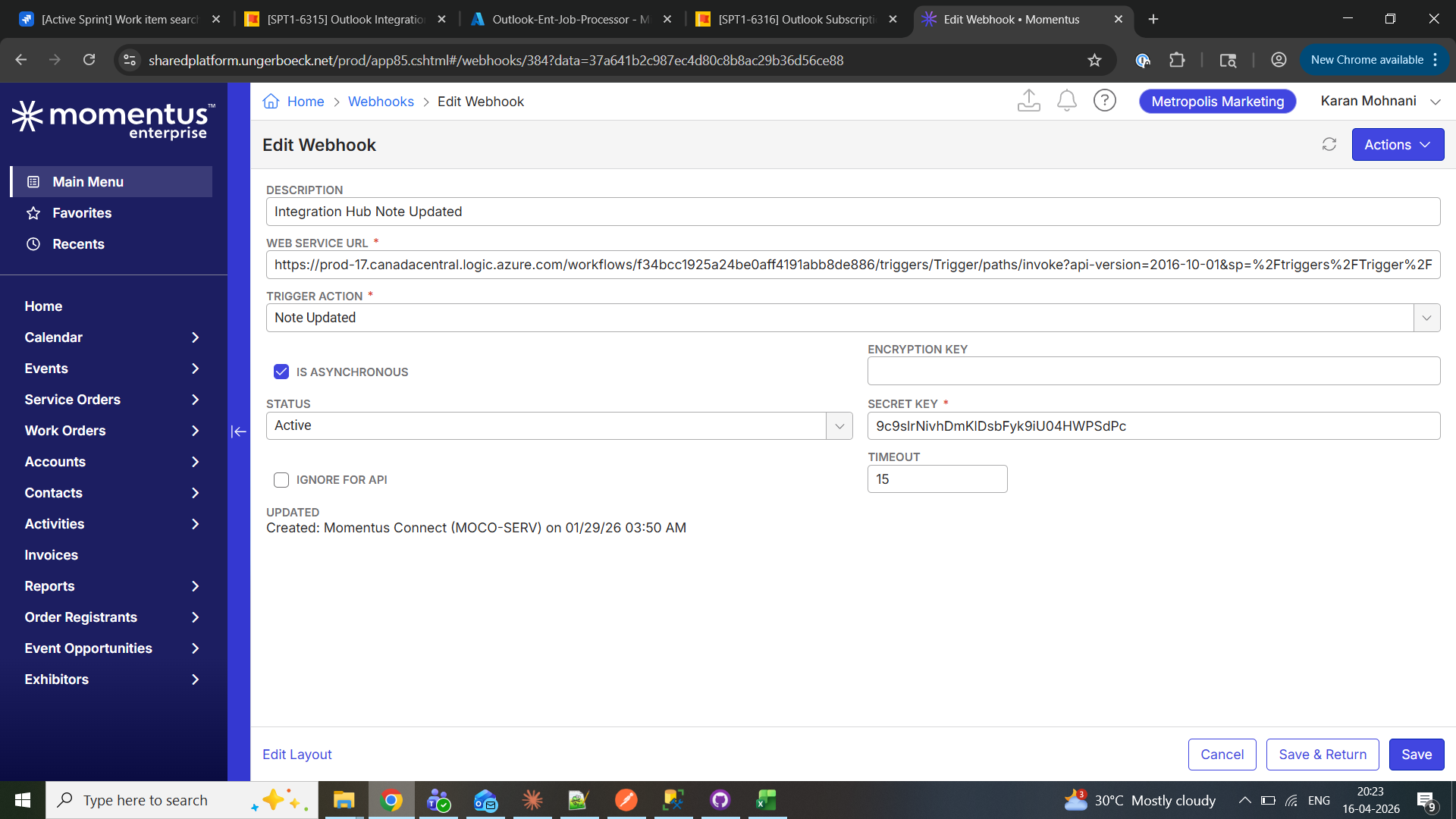
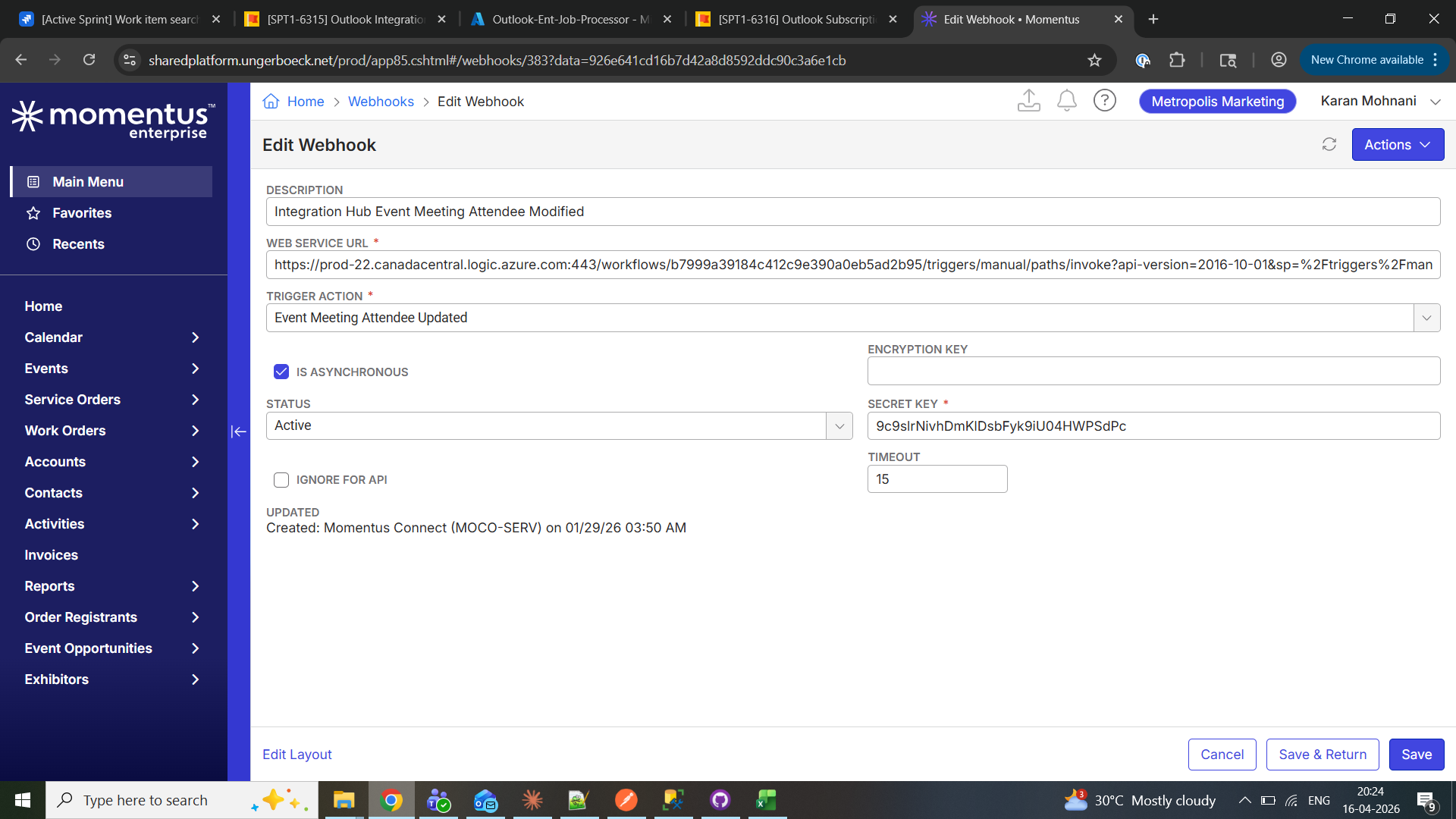
After onboarding, go into Enterprise and inactivate (don't delete in case we need to revert) the webhooks created by Momentus Connect. This means that even if changes are made in Enterprise, they will not be synced to Outlook. You will need to inactivate three webhooks:
- Integration Hub Booking Modified, trigger action “Booking Modified”
- Integration Hub Note Updated, trigger action “Note Updated”
- Integration Hub Event Meeting Attendees Modified, trigger action “Event Meeting Attendee Updated”
See the screenshots.
IMPORTANT: This is a workaround, not a designed feature. It needs careful handling and we should only use it if this use case is absolutely essential. I understand it is here and we should make the customer aware.
Thanks,
Victor.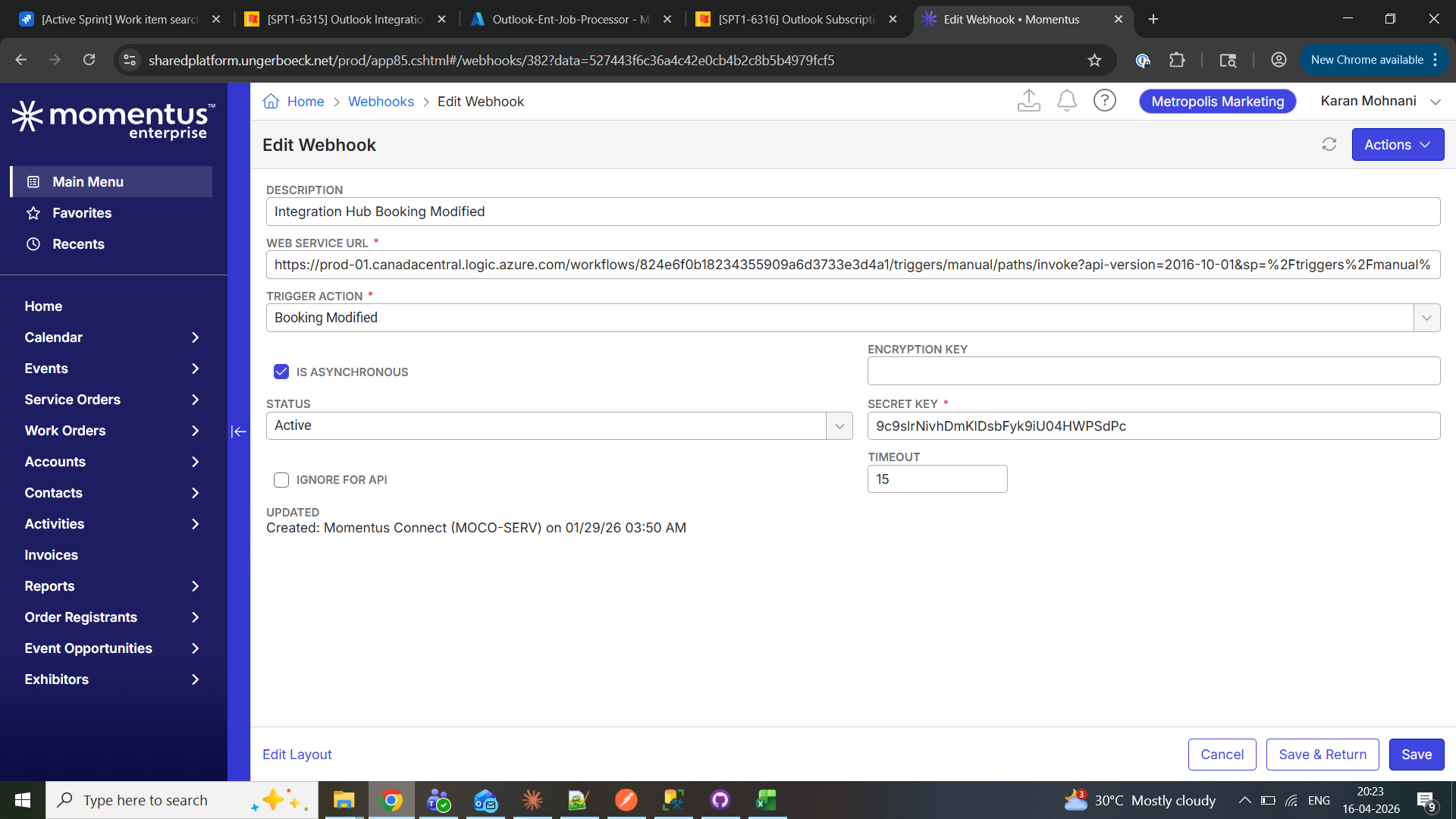
- Set all mapped spaces to "Outlook Managed" and carefully manage how bookings are created in Enterprise. In practice, don't create a booking in Momentus against one of those mapped spaces, that booking will still trigger a sync to Outlook.
-
I've added a note to both the Enterprise and Elite config articles stating that yes, you do need to both set of defaults regardless of the direction of your sync.
I'm not going to add #2 in Victor's reply. I think that's something they should talk through with their CSM or a consultant before doing that.
Please sign in to leave a comment.
Comments
7 comments
Date Votes