Organization Not Accessible error message in EXP
Answered
Cleveland Clinic has several orgs that use EXP. Recently, they have had some EXP users getting an “Organization Not Accessible” error message. We think this occurs because the Contact's public user record, which can exist across orgs, is not attached to the contacts in all of the Cleveland Clinic orgs it needs to be associated with.
Cleveland Clinic has a workaround and knows how to correct this for their EXP users but, we would like to understand the process of how the automatic creation and assignment of user records to organizations happens.
These two tickets 362671 and 296362 report this issue and this recording is from Allison Ridings and my conversation with the Cleveland Clinic team.
-

Tagging Tier 3 on these question Mike Schepker Pieter Fourie Satya Ram Nukala Nicole Loh
-

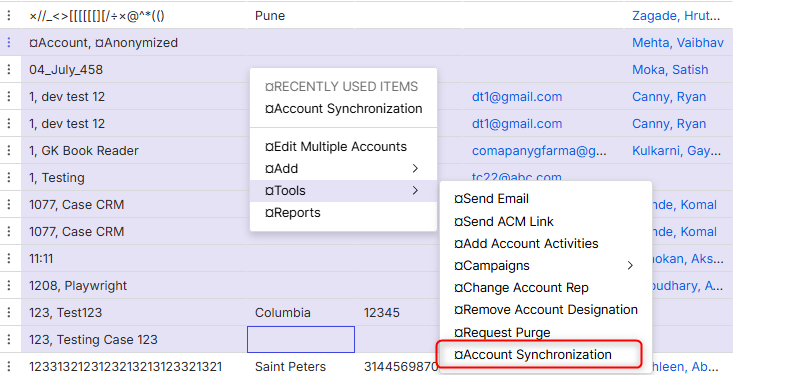
Hmm, I am not sure. I am wondering whether account synchronization does anything. Might be worth exploring. The other thing that I have heard in the past is that the passwords for public portals doesn't sync from one organisation to the other, so it's something else to think about especially when customer decides on whether to use multiple orgs or combine the subsidiaries into 1 organisation.
-

So registration is the only public app that goes across orgs. If the system finds an account with the same email address in org 10 when registering in org 50, it uses that account and adds the org to the user, etc. The other public apps do not do this. So if you sign in in a different org, you get that org error message. The workaround, as they know, is to add the org to the user. The other option is to have them sign up in the new org instead of sign in (which may causes issues since they are also reg customers).
Please sign in to leave a comment.
Comments
3 comments
Date Votes