Copy Exhibitor - Retired Contact is copied with

Description of the Issue:
1. Go to Events and click to edit any event. In this example, I have used event "The Hair Project 2026".
2. Go to the Exhibitors tab and click to "Add Exhibitor".
3. Create a new Company Account and Main Contact to be added. In this example I have used "Support Test" and "Main Contact1".
4. Click to Save and confirm that the exhibitor has been added to the event by sorting the list by status.
5. Right-click to Edit Exhibitor and then click on the "i" symbol next Company Account.
6. Go to the Relationships tab and right-click to Edit.
7. Change the Status to "Retired" and then Save.
8. Click to "Add Contact" and add a new Main Contact for the Company Account. In this example, I have used "Main Contact2".
9. Going back to the Edit Exhibitor tab on the event, go to Actions > Tools > Copy Exhibitors.
10. Leave the "Maintain Main and Co-Exhibitor Relationship" box unmarked (you may need to add this option to the layout) and then select "THE HAIR PROJECT 2026 KXPO" on the Events field.
11. After saving, go to the Exhibitors tab on the event that the exhibitor was copied.
12. Right-click to Edit Exhibitor and notice that the Main Contact1 will be copied:
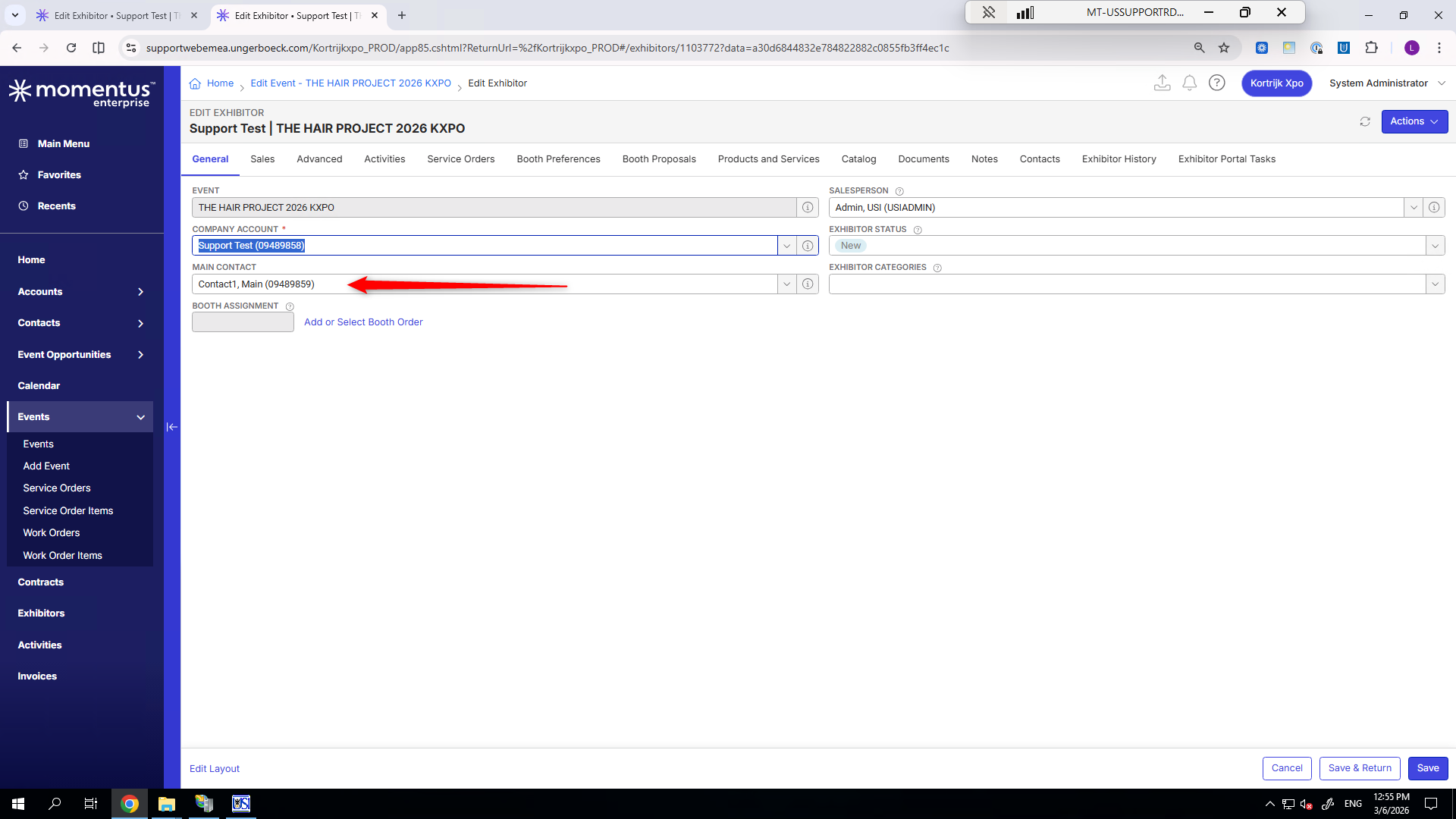
Sample Site is not available at the moment but maybe someone could just recall expected behaviour here as I think the retired contact should not be copied over but it does.
Client:
Kortrijkxpo_PROD_0317661473
Version:
25.32026111201
zendesk:
#346351
-

I would think this is working as designed. When copying the exhibitor, you're making a copy of the exhibitor record. I don't think the system cares if any of the accounts/contacts are active because it's just a copy of the existing data.
Please sign in to leave a comment.
Comments
2 comments
Date Votes