OSB Availability Calendar – Space Sorting Behavior Inquiry
Answered
Zendesk Ticket: https://ungerboeck.zendesk.com/agent/tickets/381801
Account: The George Washington University
Region: US
Articles used in your research:
General
Business impact if not resolved: The client is unable to control the display order of spaces in OSB, which affects how users view and select spaces in the Availability Calendar.
Short Summary of issue (issue description): The client consulted Ask Mo for guidance on sorting the order of spaces displayed when users search the Availability Calendar in OSB. Ask Mo indicated that the sort order could be adjusted using the column sort options (Order, Code, Description) on the Available side within the Manage Spaces tab in the OSB Configuration. However, these steps do not update the sort order in public OSB. I would like to confirm whether there is a supported method to sort or control the order of spaces in the search results for the Availability Calendar in OSB.
What does the client want to do? The client wants a way to define and control the order in which spaces appear in the public OSB Availability Calendar.
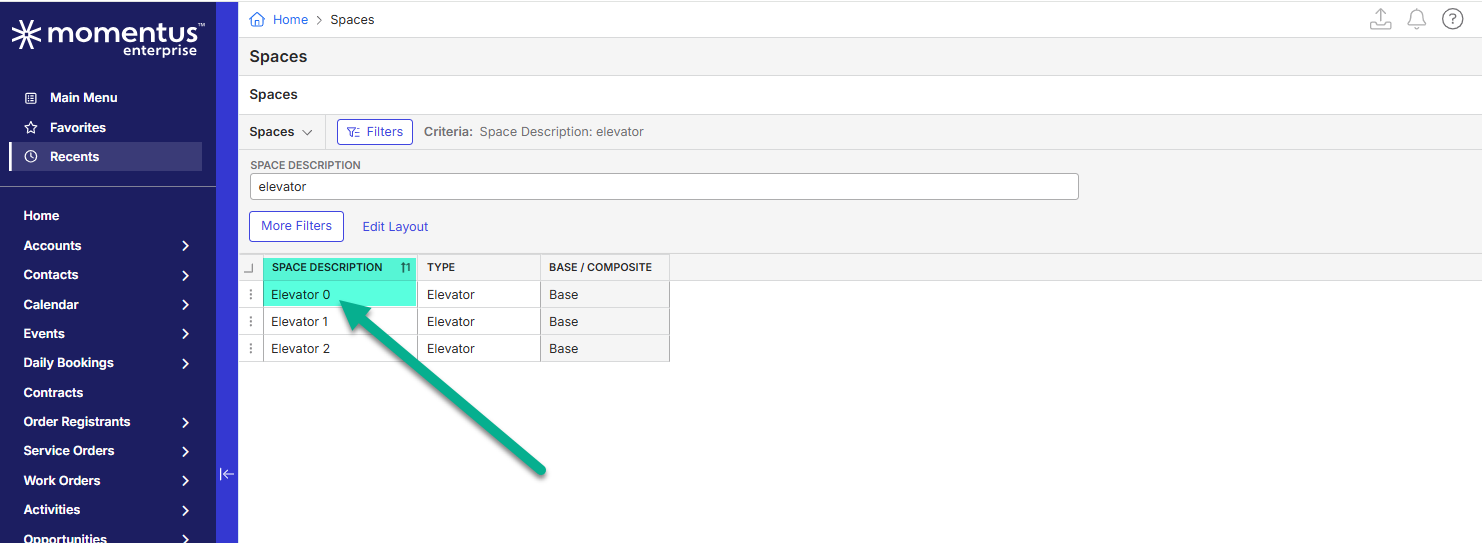
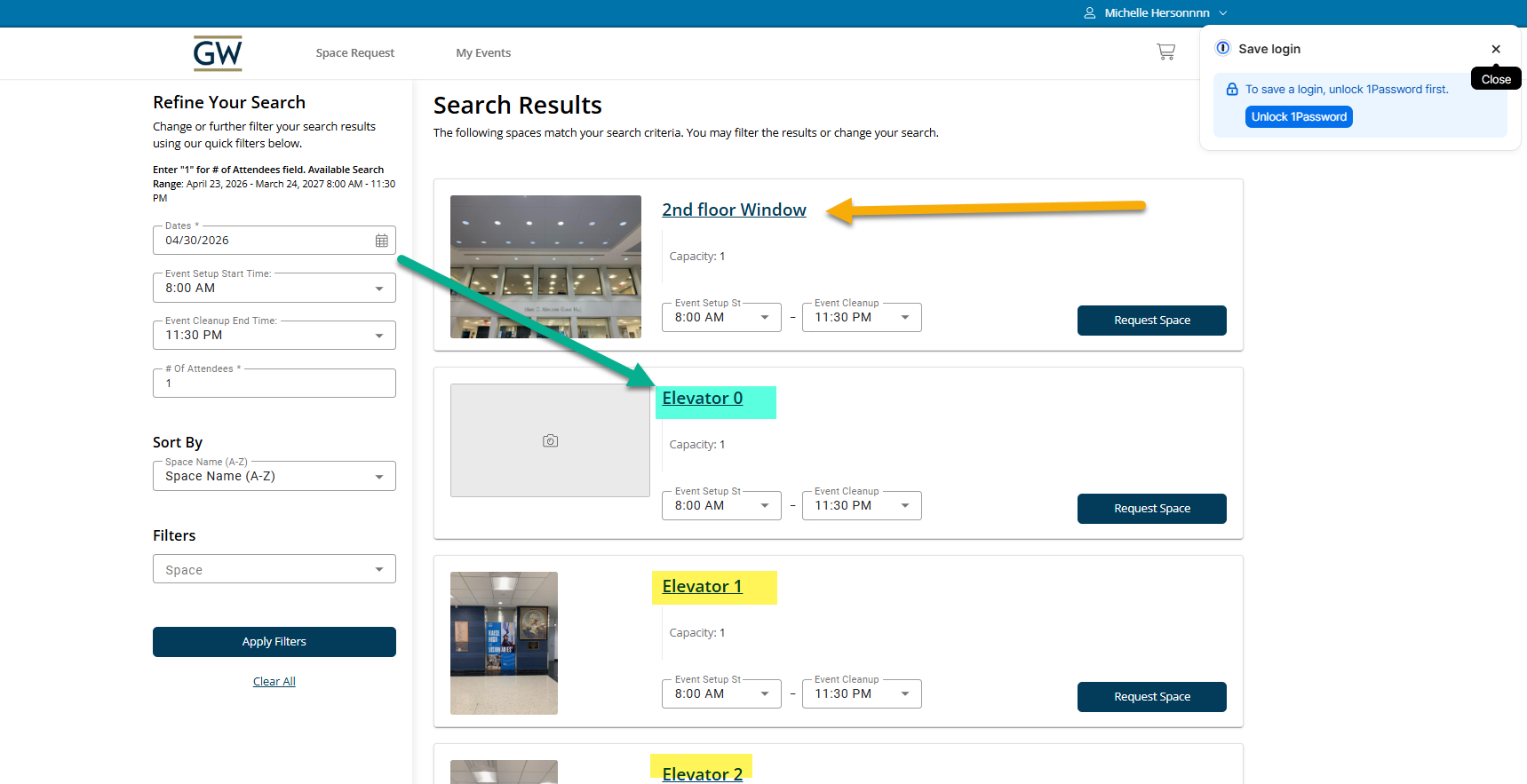
What you've already tried or suggested. Why does this not work? My local testing shows that the spaces in OSB are currently displayed alphabetically based on the Space Description field. Attempts to update the order using the following, did not change the display order in OSB:
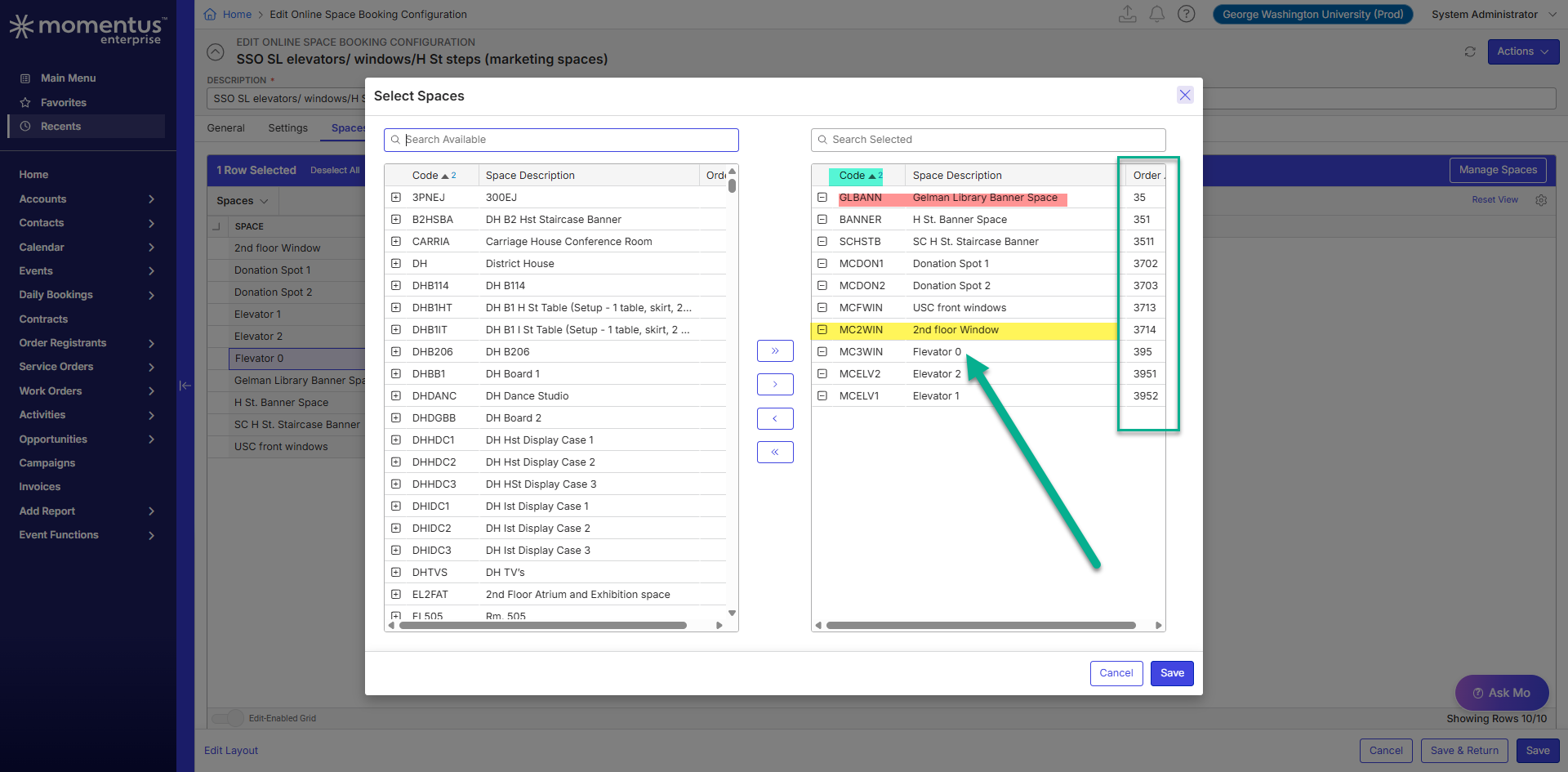
-Updating the space order in OSB Configuration > Manage Spaces (Sorting by column headers (Order, Code, Description) and saving)
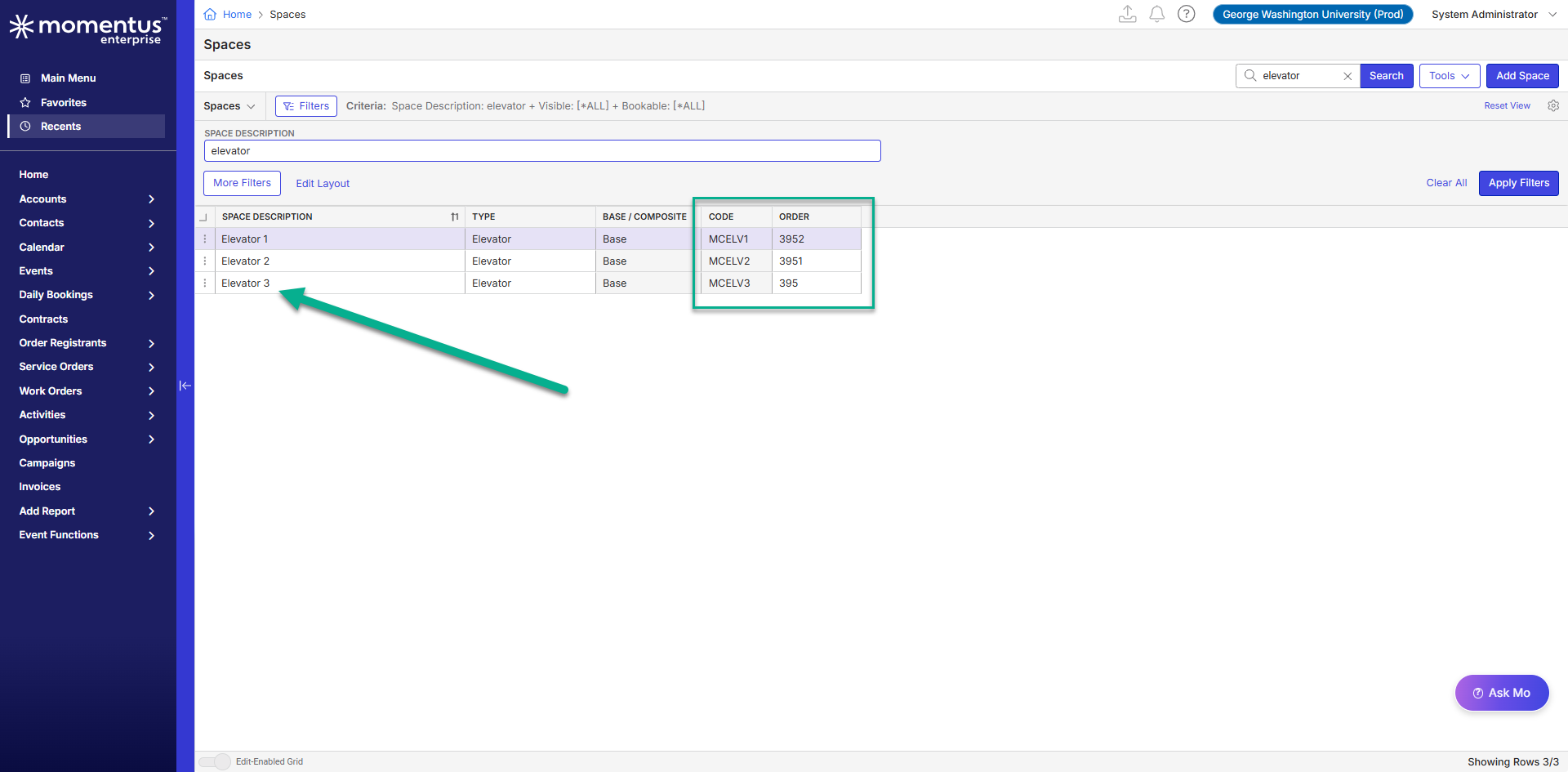
-Adjusting the Order or Code fields at the space level
The only possible way I see is by updating the Space Description field, which may not be a viable solution for the client.
Macro Vertical: Education
Debug Environment:
Customer DB Location: Hosted
Database: GWU_Prod_0409858732_USI
Server: Debug-US,1433
Version: 25.4.9571.33511 (2026031601)
V30 Link: https://supportwebus.ungerboeck.com/GWU_Prod
User Login: usiadmin/ITRocks2014
...
Public Link configuration code (if encrypted): 120
Public Login: test123@gomomentus.com/123456
...
Recreation Steps:
1. Log into: https://supportwebus.ungerboeck.com/GWU_Prod >> User Login: usiadmin/ITRocks2014
2. Navigate to Online Space Booking Configurations from the Main Menu > Locate the 'SSO SL elevators/ windows/H St steps (marketing spaces)' and open it for editing
3. Click Actions > Copy Shortcut > Paste it to a new browser window > Login: test123@gomomentus.com/123456 > In public OSB, enter Dates = 04/30/26, # Of Attendees = 1 > Click Search
4. Observe that the returned spaces are sorted alphabetically by the Space Description field.
5. Return to the OSB cofiguration in BackOffice > Spaces tab > Manage Spaces >
6. Attempt to update the order by clicking the column headers (Order, Code, Description) > Click Save
7. Return to public OSB and note that the sort order does not change.
...
Observed vs. Expected Results:
Observed: Updating the order in the Manage Spaces window does not affect the order of spaces displayed in public OSB.
Expected: Ask Mo suggested to the client that adjusting the order in Manage Spaces should update the display order in public OSB.
What does the client want to accomplish: The client wants a way to define and control the order in which spaces appear in the public OSB Availability Calendar.
Attachments:
Attachments or screenshots:
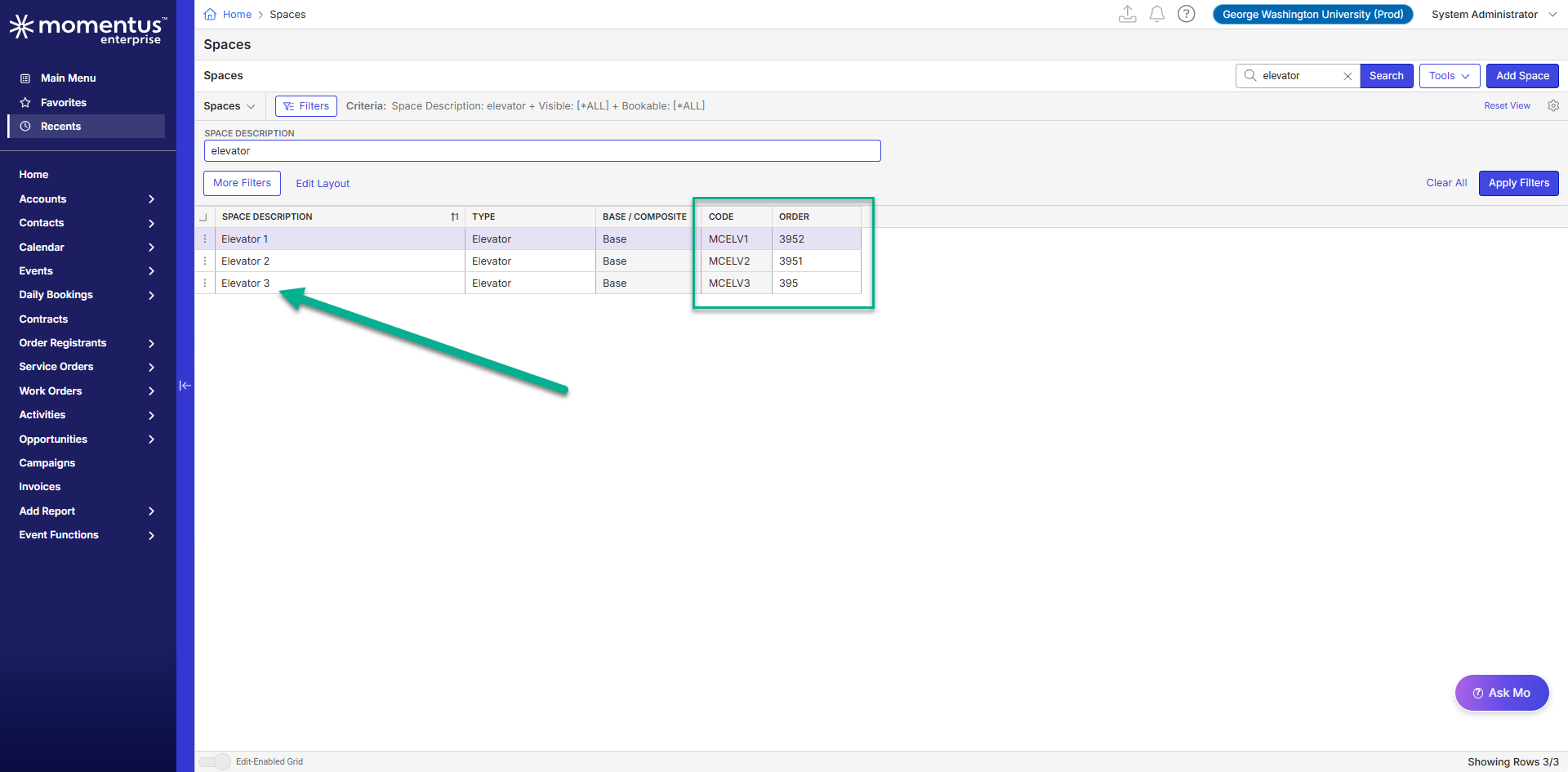
-
Additional notes: I've found a ticket where it looks like the order was managed by space code (https://ungerboeck.zendesk.com/agent/tickets/202101). I updated the code of the space locally and I still cannot display the order by space code in OSB. When I update the Space Description at the space level, I see the order is updated in public OSB.


-

Seth Halvaksz - not sure who is the PM for OSB currently.
The AI on the Zendesk ticket advised that OSB spaces can be sorted by their order on the management window on the OSB config - that is not the behavior observed.
Edwin tested and found that the sorting seems to be by Space Description. Can anyone confirm if there is a specific sorting order and if that is supposed to be Space Description?
We may need to have https://supportcenter.ungerboeck.com/hc/en-us/articles/4408511074199-Online-Space-Booking-OSB-Configuration > Spaces section updated to explain what order spaces will display on the OSB. -

Hi Edwin,
Spaces on the results page currently sort with this, on your left:
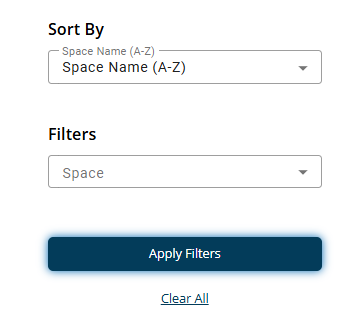
I do not believe we apply any back end sorting at the moment because it was never clear how a manual sort would interact with that drop down there.
Let me know if this answers your question.
Regards,
Ben -
Hello Ben, Thank you so much for this information. I’ve reached out to the client to let them know that this is working as intended. I appreciate you taking the time to look into this request.
-

Edwin Hernandez I've added a note with this information to the Spaces section in https://supportcenter.ungerboeck.com/hc/en-us/articles/4408511074199-Online-Space-Booking-OSB-Configuration .
-
Thank you Linda!
Please sign in to leave a comment.
Comments
6 comments
Date Votes