Header only usage in Price List Items for Packages

Description of the Issue:
The client wants to use the “Header only” option for Price List Items which belong to a Package but the field is greyed out / cannot be selected.
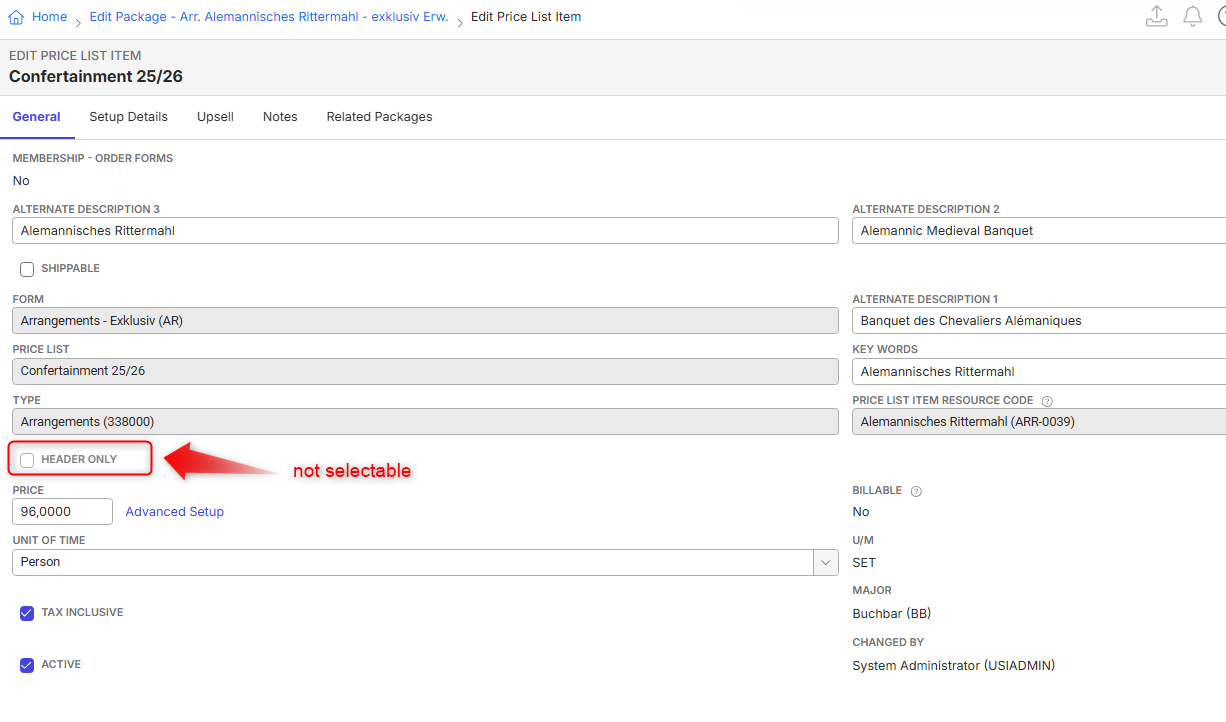
What exactly determines usage of this checkbox?
I tried to follow this article but do not fully understand the part of “Create Package Header”. Is it the Order Form, is it if there is only one Resource connected it won't work etc.:
https://supportcenter.ungerboeck.com/hc/en-us/articles/360034185473-Package-Configuration
I tried multiple things, also turning off the detailed pricing but have not been able to make this checkbox changeable.
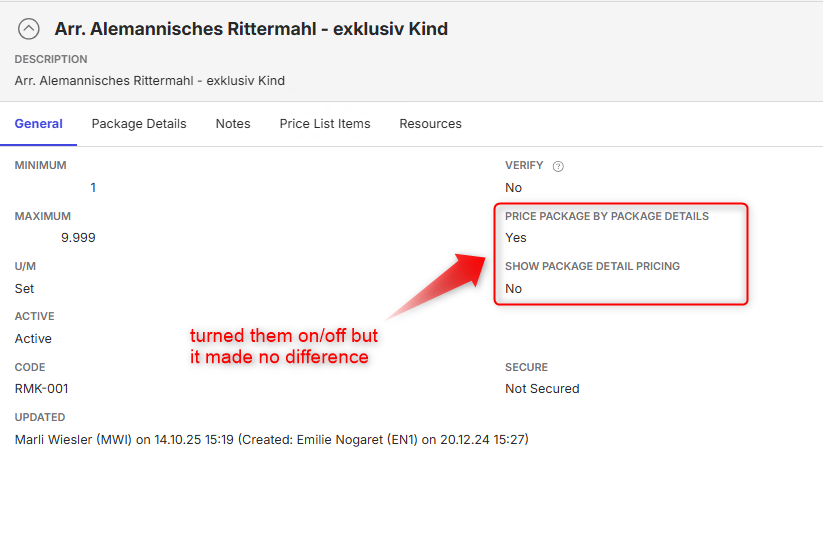
We have a sample site setup:
https://supportwebemea.ungerboeck.com/EuropaPark_PROD/app85.cshtml?ReturnUrl=%2fEuropaPark_PROD#/packageConfiguration/RM?data=d087eef1eeebae4794e8df5e242eb04d6c13
You can try with Package "Arr. Alemannisches Rittermahl - exklusiv Kind"
Client:
EuropaPark_Prod_0644683521
Version:
25.42026022601
zendesk:
#383020
-

following
-
Mike Schepker Nicole Loh Satya Ram Nukala Pieter Fourie anyone with an idea?
-
Samy Kheloufi maybe you can add something here? The client told me that they worked through this with you while at Illuminate. I understand that you won't have an answer here as they otherwise would not have issued a case for it but maybe you can just review the post and validate that I included all necessary information. Thanks!
-

I think what Header only means is it's just the header, you're not ordering the item and pricing specifically, that's applied to the individual items when you're using detailed pricing. For example, your header may be Lunch and the package items are Sandwich, chips, and apple.
If the item is part of a package, that would make sense that you can't make it a header item. It would need to be removed from the package to make it the header.
Please sign in to leave a comment.
Comments
5 comments
Date Votes