Inefficient workflow when approving Purchase Orders
Answered
- Description of the issue: While approving user has to click on skip for the first approval to proceed for next approvals
- Account name: MCEC
- Region: APAC
- Client version: 25..4
-
Steps to reproduce:
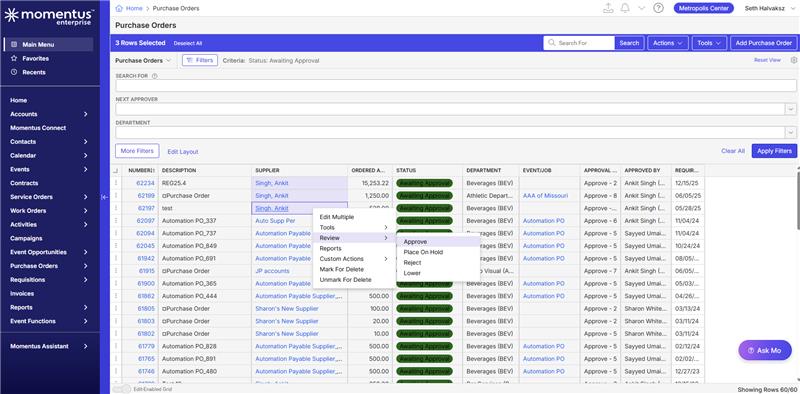
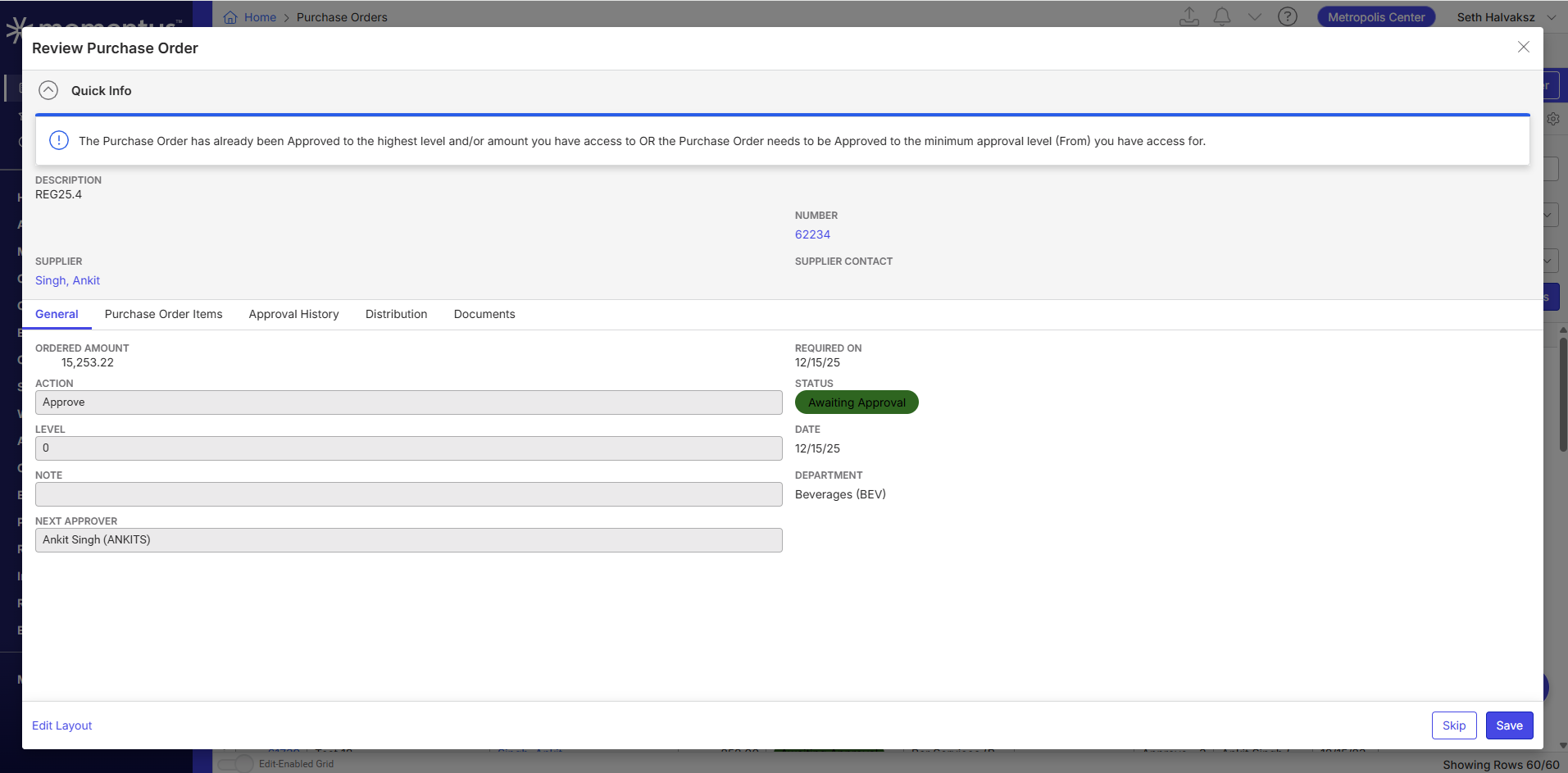
- Main menu > Purchase orders. Select multiple orders > Approve. Note that after the first order approval is saved message display as 'PO has already been approved' and we have "Save" and "Save & Return" button available. User cannot proceed for next PO until save and return/skip is clicked.
- Ideally the PO should go in sequence for approval with no blocking messages. Customer has noted that this issue hampers more when large number of PO needs approval in one time.
- Please see that this issue is also seen in QE Main as well.
- Observed results vs Expected results: PO should go in sequence for approval with no blocking messages
- What is the job the client is trying to accomplish: Approve bulk Purchase orders
- Business impact if not resolved: HIGH
- Links to articles where you've looked for solutions and also other steps you've taken to research the issue:
- As per the article if the user wants to skip then only user needs to click, but in this scenario after approval user has to skip to move to next PO.
- Link to Zendesk ticket: https://ungerboeck.zendesk.com/agent/tickets/381142
- Local v30 URL: https://supportwebap.ungerboeck.com/MCEC_Test_1700100308_USI_V30/app85.cshtml?
- Seems the site is currently unavailable as yesterday. Please review the customer video and sample site attachments.
- [Recording from customer] https://share.birdie.so/i/oPjfKxBm
- Attached sample files in the ticket
-
Nicole Loh Satya Ram Nukala Please review if this is a bug.
-

The fact that there are the two save buttons is a bug.
Improving the workflow beyond that is an enhancement. I've been toying around with a mass approve button on the first page that would allow you to just accept and approve all without reviewing the details. Wonder what their feedback would be on the whether that would be worthwhile. -

Ryan - i believe the 2 save buttons are “Save” and “Save and Return” which are on many screens. I don't think that's a bug.
-
It's a bug in this case - there's no reason to have a save button that doesn't also close the page.
-
Noting that this was fixed in 26.1 https://ungerboeck.atlassian.net/browse/FIN-8711
1) Select multiple POs and select approve
2) It now goes to this page
Please sign in to leave a comment.
Comments
6 comments
Date Votes