Wrong Due Dates / Payment Plan & Invoice

Description of the Issue:
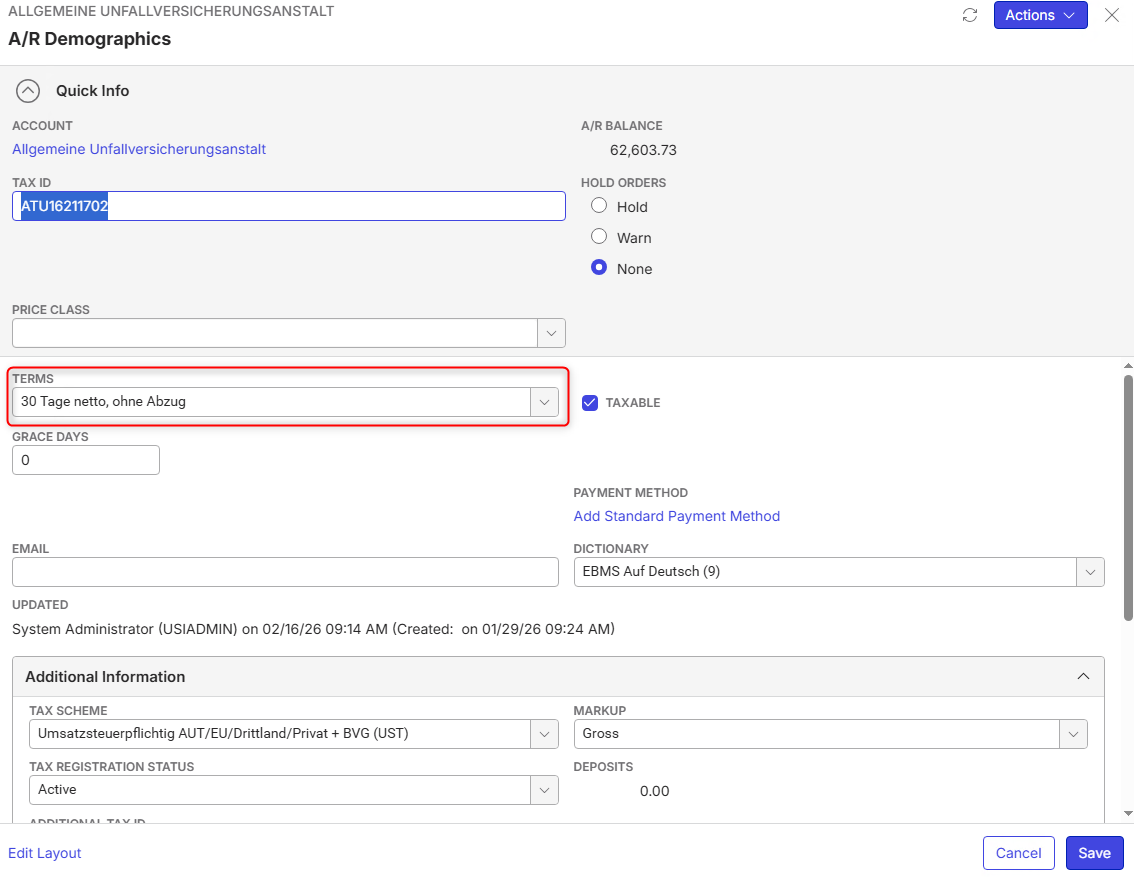
The client is using Due Dates based on the settings done in the Bill to Account which in this case is 30 Days / there are also other examples where it is 10 Days and it won't work with that either which makes me guess that the issue is not with the Terms Setting itself.
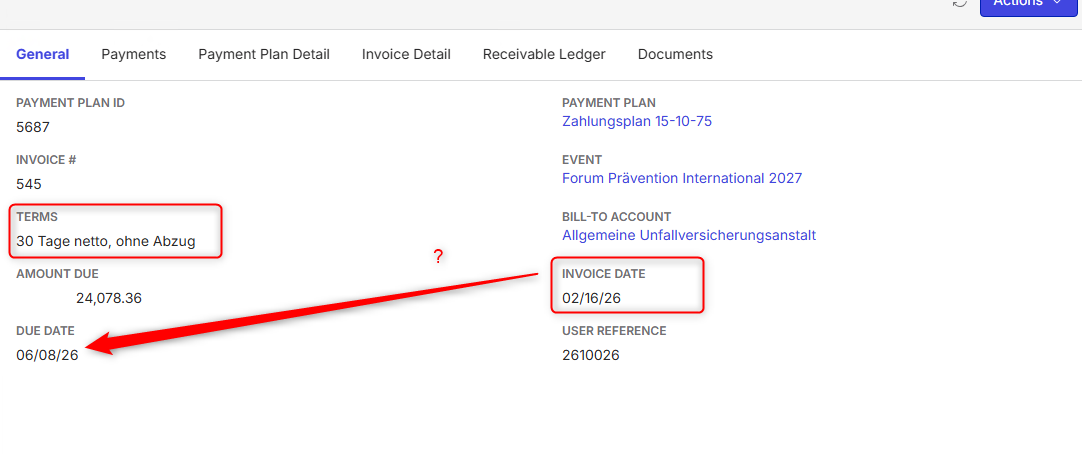
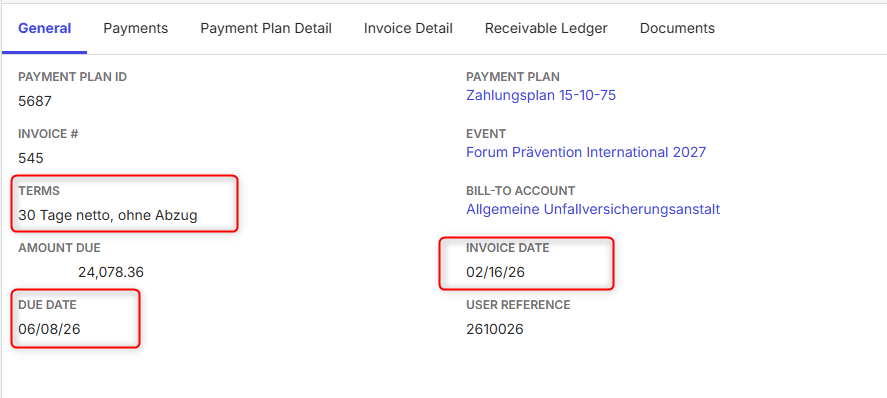
Anyways, when seeing the Invoice the Due Date seems very off. Jumping all the way to June is surely not within 30 Day range.
Then in the Payment Plan Steps the same Problem. The first line seems fine with issue date being 5th of February and Due Date 9th of March but the second step gets issued at 16th of February and Due Date is in June. This issue with then other dates also occurs with other Terms. Always pushing the Due Date in the far future.

Based on the Settings the client is not using override terms which then means that the used Due Date should be based on the AR Demog. Settings of the Bill to Account.
Any idea what is going on here? What factors might play a role?
Client:
ReedMesseWien_prod_1905367261
Version:
25.12025081101
zendesk:
#378960
-
Official comment

Is the due date calculated on the payment schedule correct before you invoice?
When you invoice - I expect it to use the later of:
1.) The due date of the payment schedule step (this is the default due date of a payment plan invoice - absent instructing it to check the customer terms)
2.) The due date per the customer terms based on the date the invoice is actually issued
From what I can tell - I assume you're testing on an event with a move in on or around July 27, 2027. So final step due date is July 6, 2027. If you issue that invoice today - it would be due July 6, 2027 as it uses the more favorable due date. -

Based on the information that you have given above, it might be the payment schedule configuration that needs to be looked at. How did they set up the due dates for the payment plan steps? I think the issue date changes to today if you create the invoice today - which might explain the more than 30 days distance between issue and due date.
-
Nicole Loh the schedule settings look like this for the Payment Plan from this example:
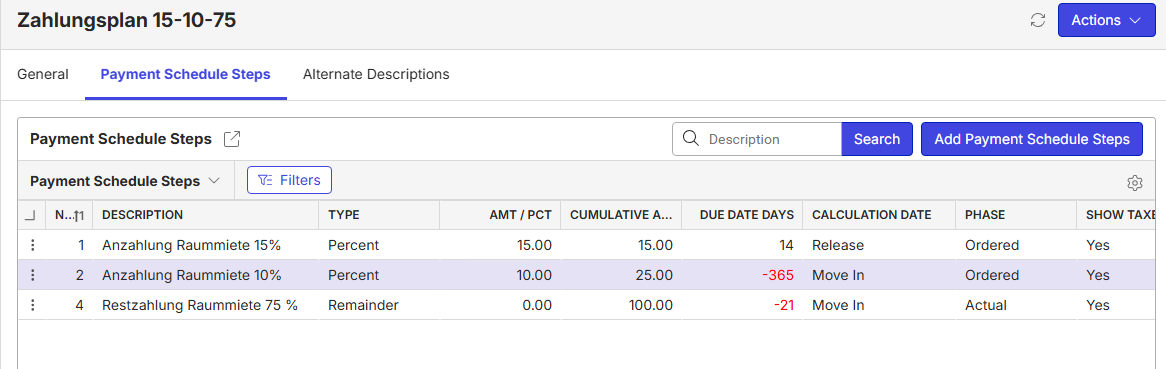
What confuses me is that the client expects the due date to come from the setting in the bill to accounts AR Demographics. How can it be set where the system actually takes it from. As far as I read this would be determined by the “Override Terms” which in this case is not selected.
I already asked the client for further information on how they did the setup but maybe you can tell me more before? -
Nicole Loh
configuration of the payment plan step, for which the invoice 545 was created:
From my perspective, the config is correct, as the checkbox "Override Terms" = "No", what means, that the config on the payment plan step, should not override the terms of the customer.
-
Nicole Loh would you have a Feedback on this? I also went through this already with Dorian Büdel and we do not understand or can explain why this is happening.
-
Ryan Ungerboeck would you have an idea what is going on here?
-
Dominik Obelöer - I already submitted my answer at the top of the thread / official comment
-
Ryan Ungerboeck
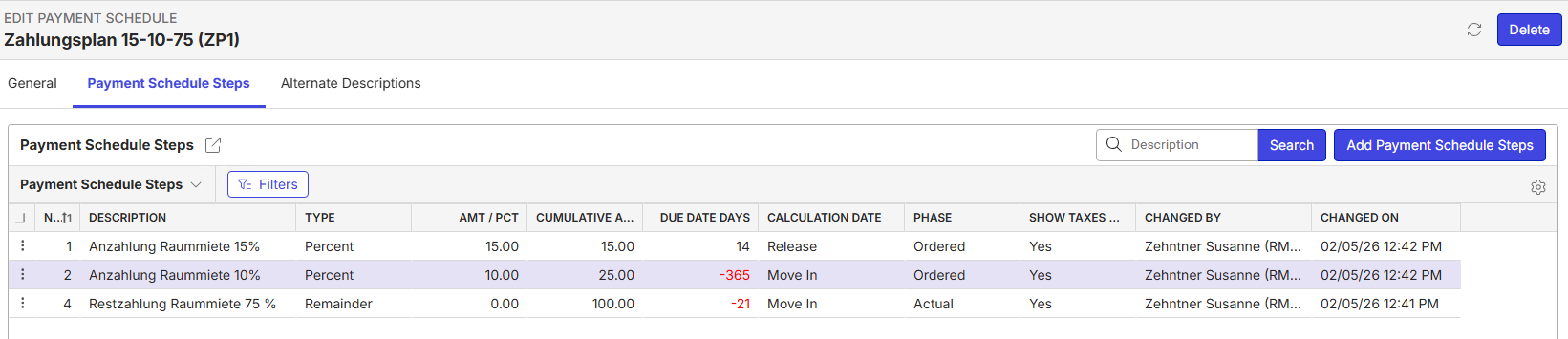
Schedule looks like this
Here the invoice
Here the Dates of the Event
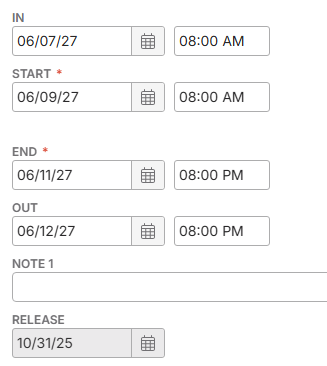
Under all this information the Due Date does make sense when looking at Schedule Step 2 as it is -365 Days but what the client wants is to have the 30 Days from the AR Demographics to apply and neither me or Dorian Büdel seem to understand why this is not pulling this information as we also already had the topic that “override terms” is set to no.
-
When creating the payment plan - the due date of the payment plan step is calculated and the issue date is either:
1.) Calculated based on the due date based on the days entered prior to due date
2.) Calculated based on the due date and the customer terms
The override customer terms comes into play on issuing the invoice:
1.) If override terms is set - the payment plan step due date will be the invoice due date regardless of the customer terms
2.) If override terms is NOT set - the invoice due date will be set to the LATER of the due date of the payment plan step and the due date calculated based on the invoice date and the customer terms
I have not previously had any concerns on this as I expect that the due date and issue date are calculated in the general time frame that the invoice should be expected to be issued. -
Due to the client:
The due date is always calculated as follows and not based on the payment schedule defined at the bill-to-account:
The Screenshot shows the Payment Plan Step and you see that the setup is 14 Day after for the Due Date.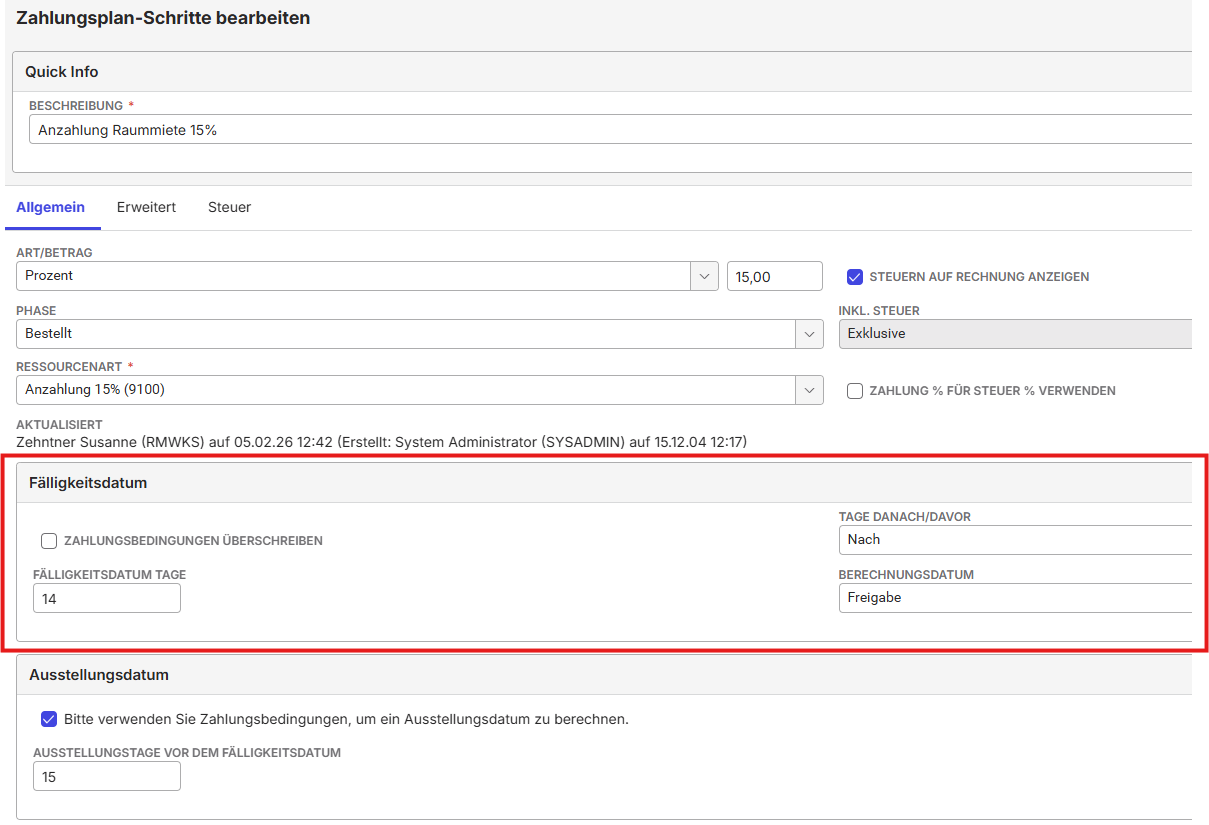
Please sign in to leave a comment.
Comments
12 comments
Date Votes