Exhibitor Names

Description of the Issue:
As the client has multiple exhibitors who changed their names over the years, there is now the situation that it is a bit unclear where exactly the system pulls the information in the split screen from. As you see in the Screenshot the Exhibitor Name gets stated as “Grün NTX GmbH” but the Company Account is “Grün Software Medien GmbH”. When you edit the Exhibitor there is no mentioning of “Grün NTX GmbH” anymore and the Company Account gets displayed.
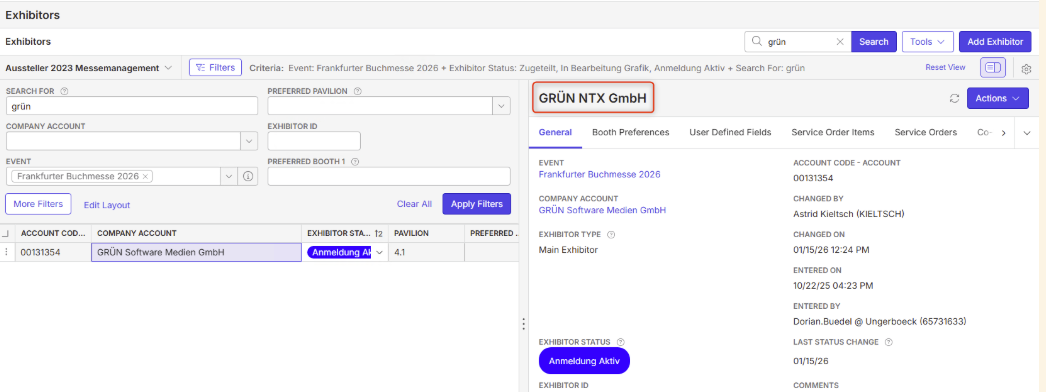
I tried to check via Edit Layout to see which field is the marked one but this does not get displayed there. Can you tell which field it is / where the information come from?
Client:
Buchmesse_Prod_0492951408
https://supportwebemea.ungerboeck.com/Buchmesse_PROD/
Version:
25.3.9508.32422 (20260112)
zendesk:
#378454
-

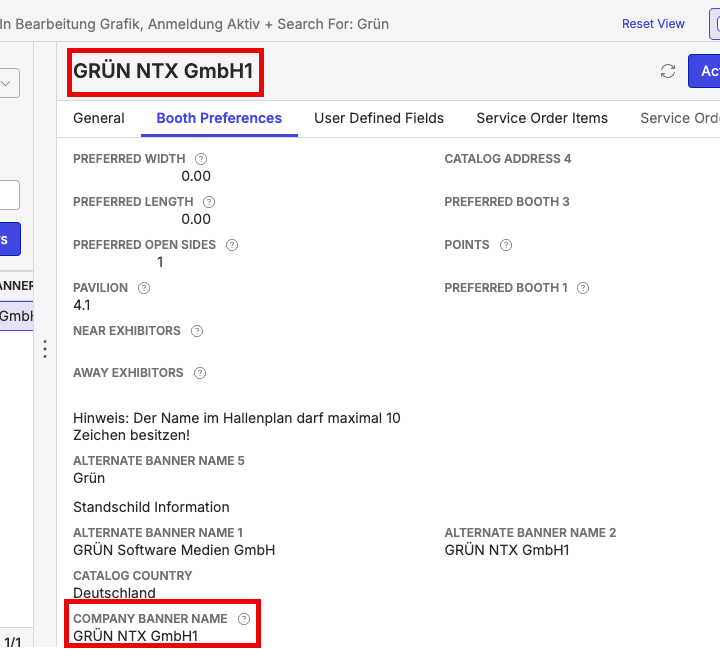
Looks like this is the Company Banner Name field (which was not on the layout).
-

Dominik Obelöer see also my post earlier about this topic: https://documentus.zendesk.com/hc/en-us/community/posts/36622593222807
-

Mike Schepker - Tragen Herrick
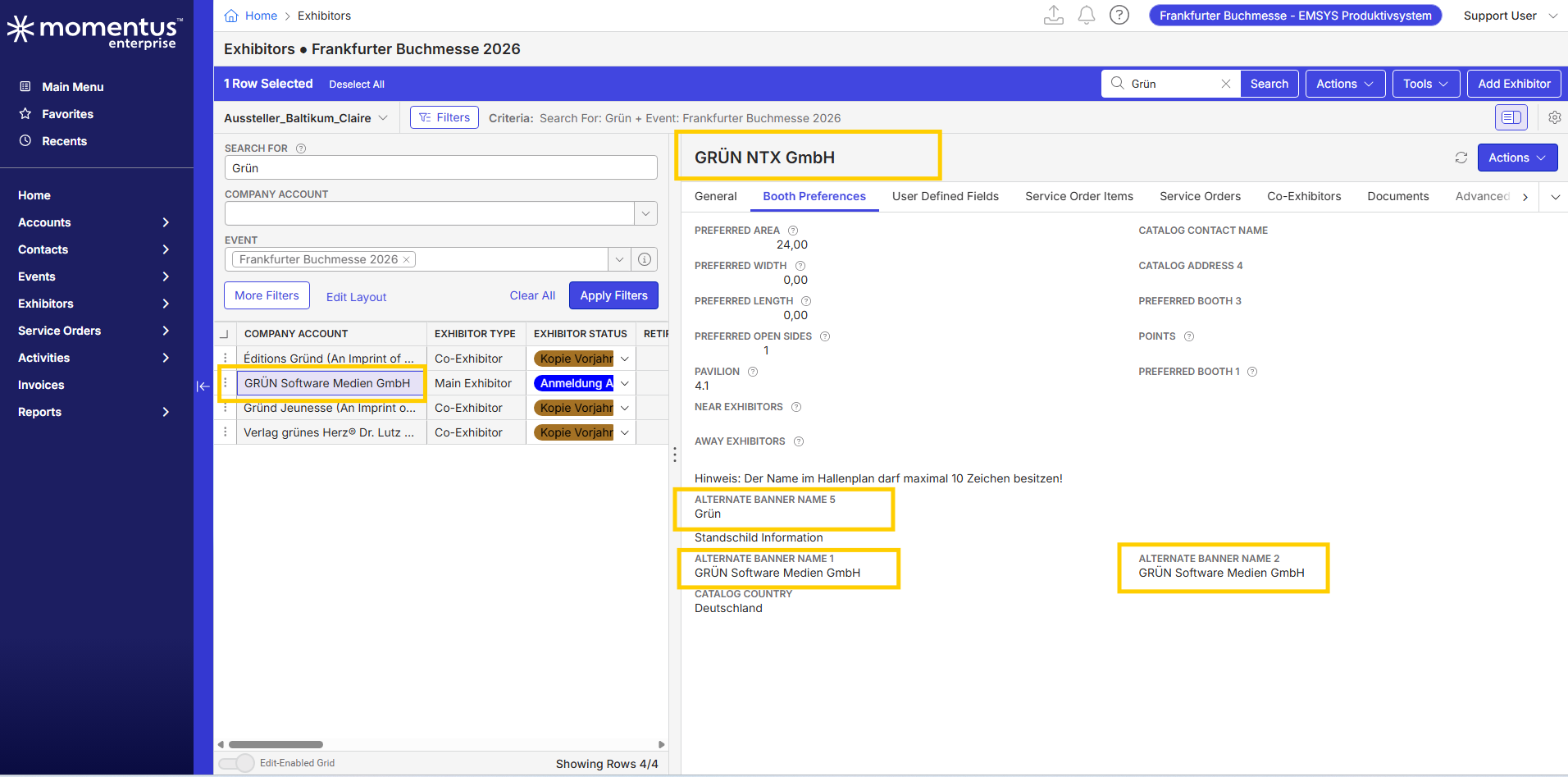
Toggled SPLIT SCREEN - COMPANY NAME Display
I advised the customer / Frankfurter Buchmesse (Frankfurt Bookfair) about the built-in copy functionality of the (exhibitors) COMPANY BANNER NAME fields, which copy to BANNER NAME 1, 2, 3, 4, 5 for the ALTERNATE LANGUAGES defined. They only use German (1) and English (2), but any not used language will keep the copy from the beginning. Once you break the automatism by changing manually the entries of one of the ALTERNATE BANNER NAMEs, it will no longer be copied over, if you change the COMPANY BANNER NAME field entry. So it gets stuck.
This is only an issue for the above exhibitor companies, who - over the years - have changed their legal names, because the system still keeps the manual previous changes in BANNER NAME 1, 2, 3 …
Frankfurter Buchmesse asked (via Astrid Kieltsch) whether it is possible to NOT use / change the displayed BANNER NAME in the SPLIT WINDOW and rather use the Company Account = Data Field EV290_ACCT_CODE - or Exhibitor Account Code?
In the example above this would display Grün Software Medien GmbH instead of Grün NTX GmbH, which is not displayed, even if manually changed.
Is it hard coded, or why can't we change the displayed COMPANY BANNER NAME name to the (Exhibitor) Company Name in the Split Screen Display?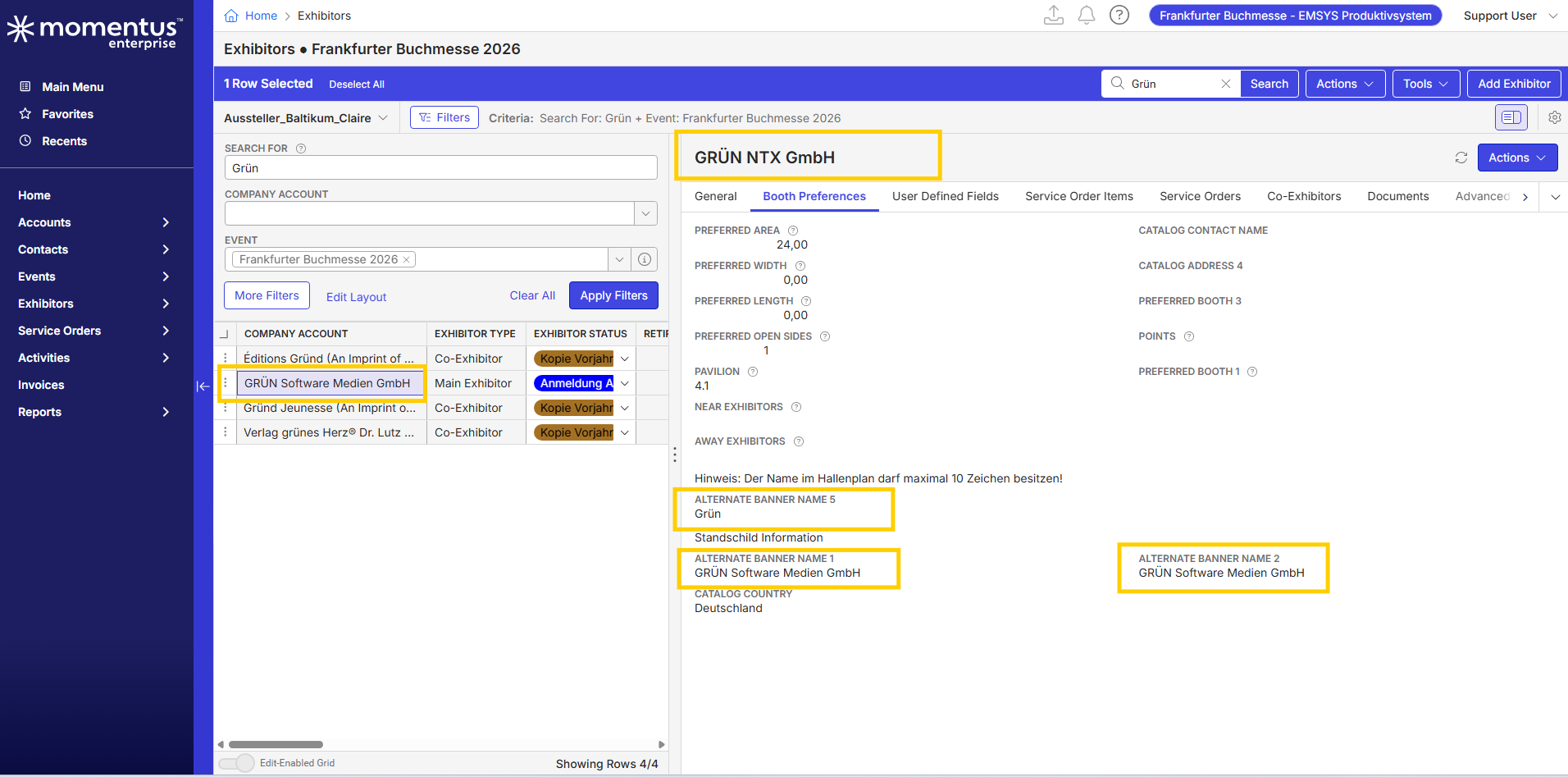
-
Ina Beate Ziegler It looks like that's hardcoded.
-
Thank you Mike Schepker - Looks like an enhancement request for Pendo then.
Please sign in to leave a comment.
Comments
6 comments
Date Votes