Show Map - Web skin
Refer to Product Ideas
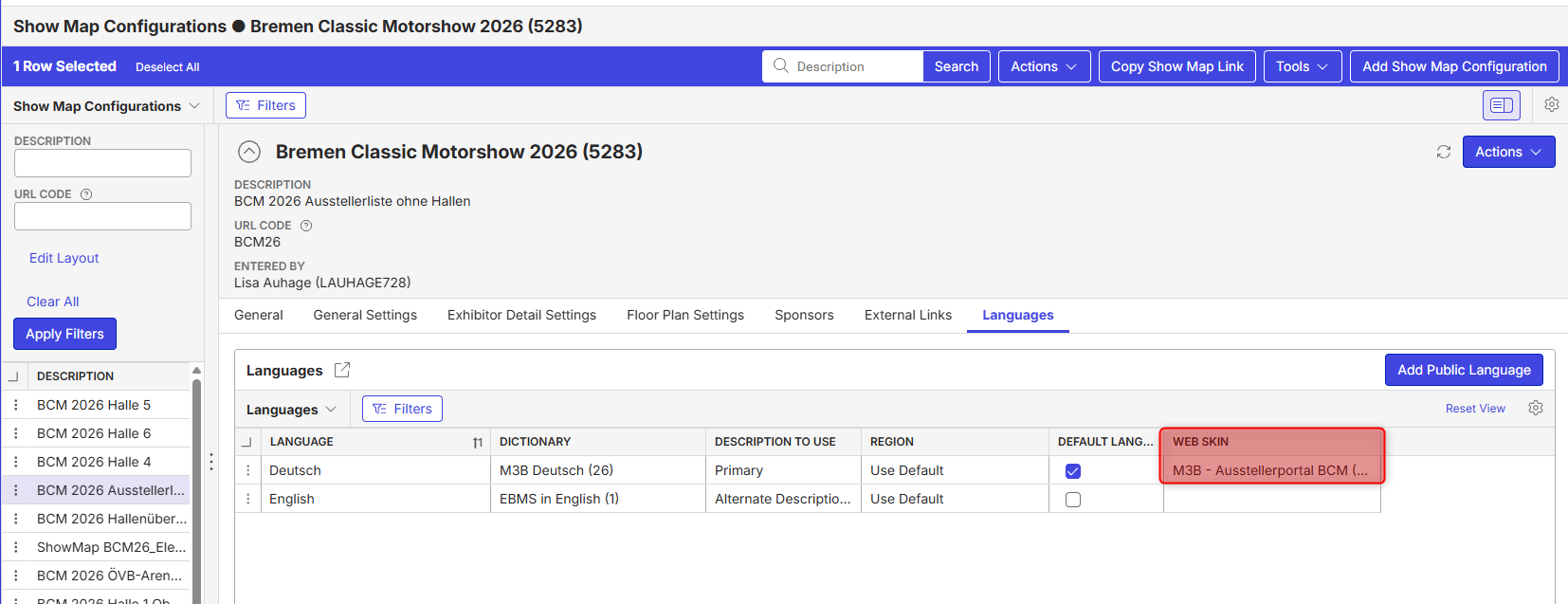
- Description of the issue: assigning a web skin on Show Map does not display any banners, changed colors, etc.
- Account name: Messe Bremen
- Region: EMEA
- Client version: 25.2
-
Steps to reproduce:
1. Go to an Event with a Floor Plan and configure Show Map (no particular configurations required)
2. Assign a web skin on the languages tab:
3. Copy the Show Map URL and view the result
-
Observed results vs Expected results: no web skin (banners, colors) are showing
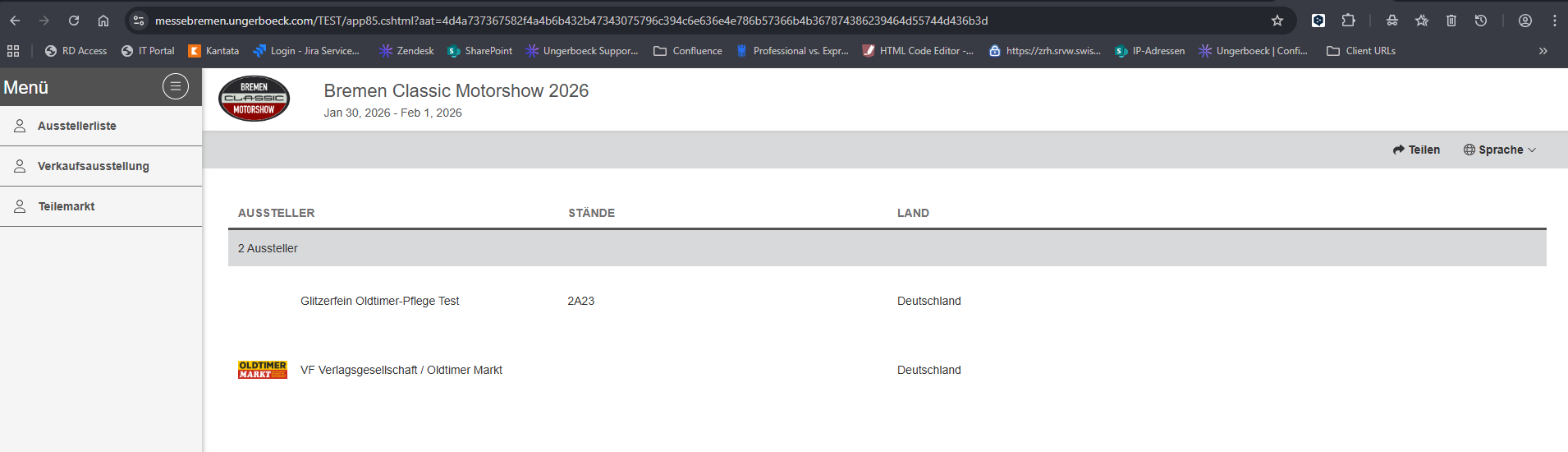
Now the question is whether the web skin actually has any effect on Show Map.
- What is the job the client is trying to accomplish: ensure the Show Map site is consistent with the Event's look and feel
- Links to articles where you've looked for solutions and also other steps you've taken to research the issue: in this article the web skin is mentioned, but as said I cannot see any change (https://supportcenter.ungerboeck.com/hc/en-us/articles/360008965033-Configure-Show-Map)
- Link to Zendesk ticket: not created yet
- Local v30 URL: https://messebremen.ungerboeck.com/TEST/app85.cshtml#/vfpConfig?data=3239102b62baf64af96929c6d3e6e3112c8f
-

Asking Tragen Herrick to confirm if this is a bug or working as designed
-

Sarah Götza We do not support web skins in Show Map (likely a generic copy from another area of the app when it was added) ideally we should remove that column from the show map page as adding the functionality is not on the roadmap. Languages are supported but web skins are not. Also, the article should be updated to reflect that.
-
Thanks Tragen for confirming.
Sarah Götza could you open the Pendo enhancement and include in this post for reference
-

I've updated the Configure Show Map article.
Please sign in to leave a comment.
Comments
4 comments
Date Votes