How to identify endpoints for custom/user defined fields on API Help
Answered
Description of the issue: User unable to identify endpoints for custom/user defined fields on API Help
Zendesk Ticket Number: 376008
Account name: ManchesterCentral_0498878510
Region: EMEA
Client version: 25.22025120301
Reproduction steps:
1. Go to API Help and Add Authentication by giving the credentials of any API User in the account. In this example, I have used the SHAREPOINT user ID.
2. Go to Events on the list and expand the first GET section.
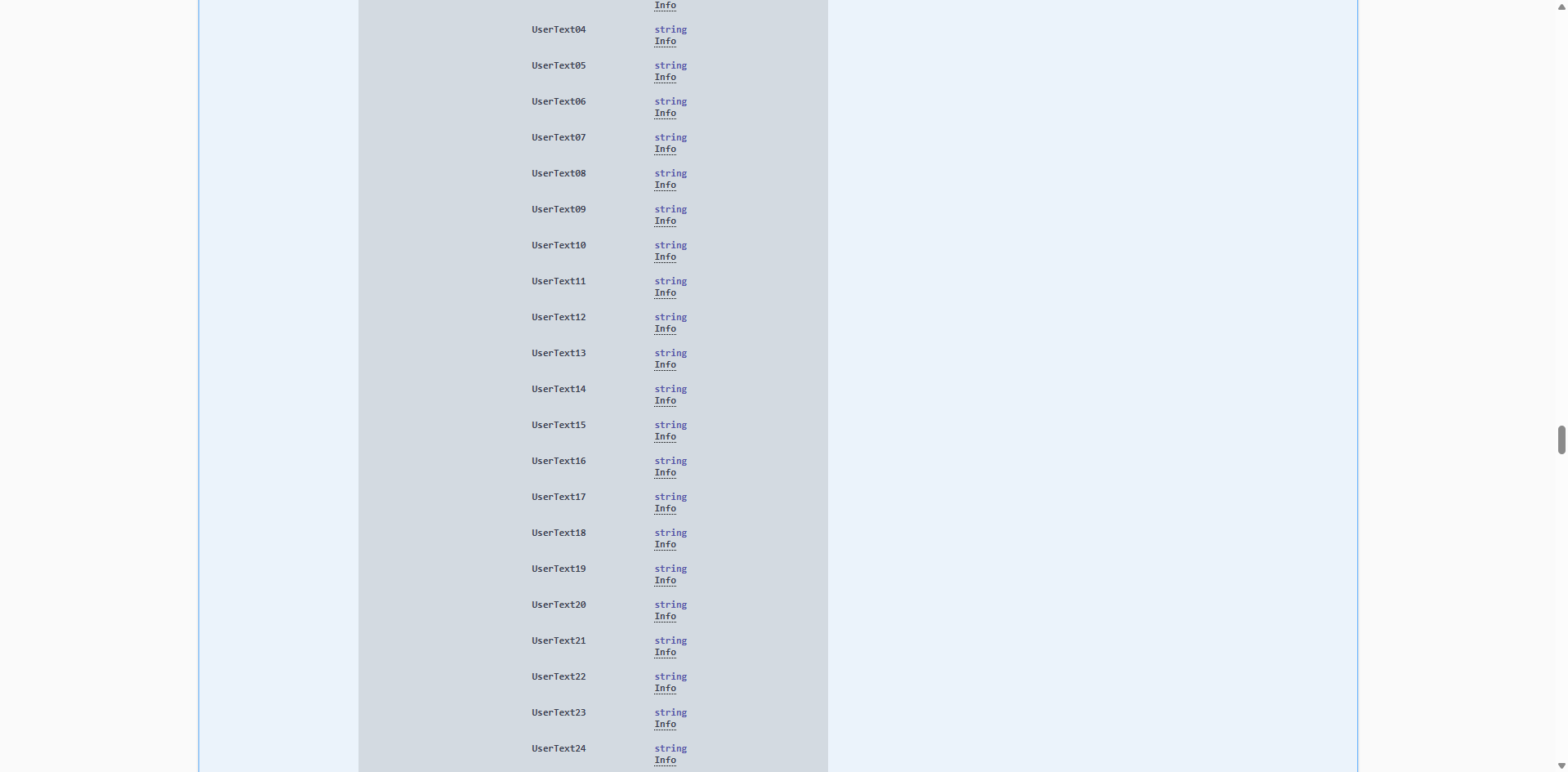
3. User Responses, click on Model and proceed with clicking on the arrows to expand until you have expanded the UserFields header section. Notice that the labels have just a generic text:
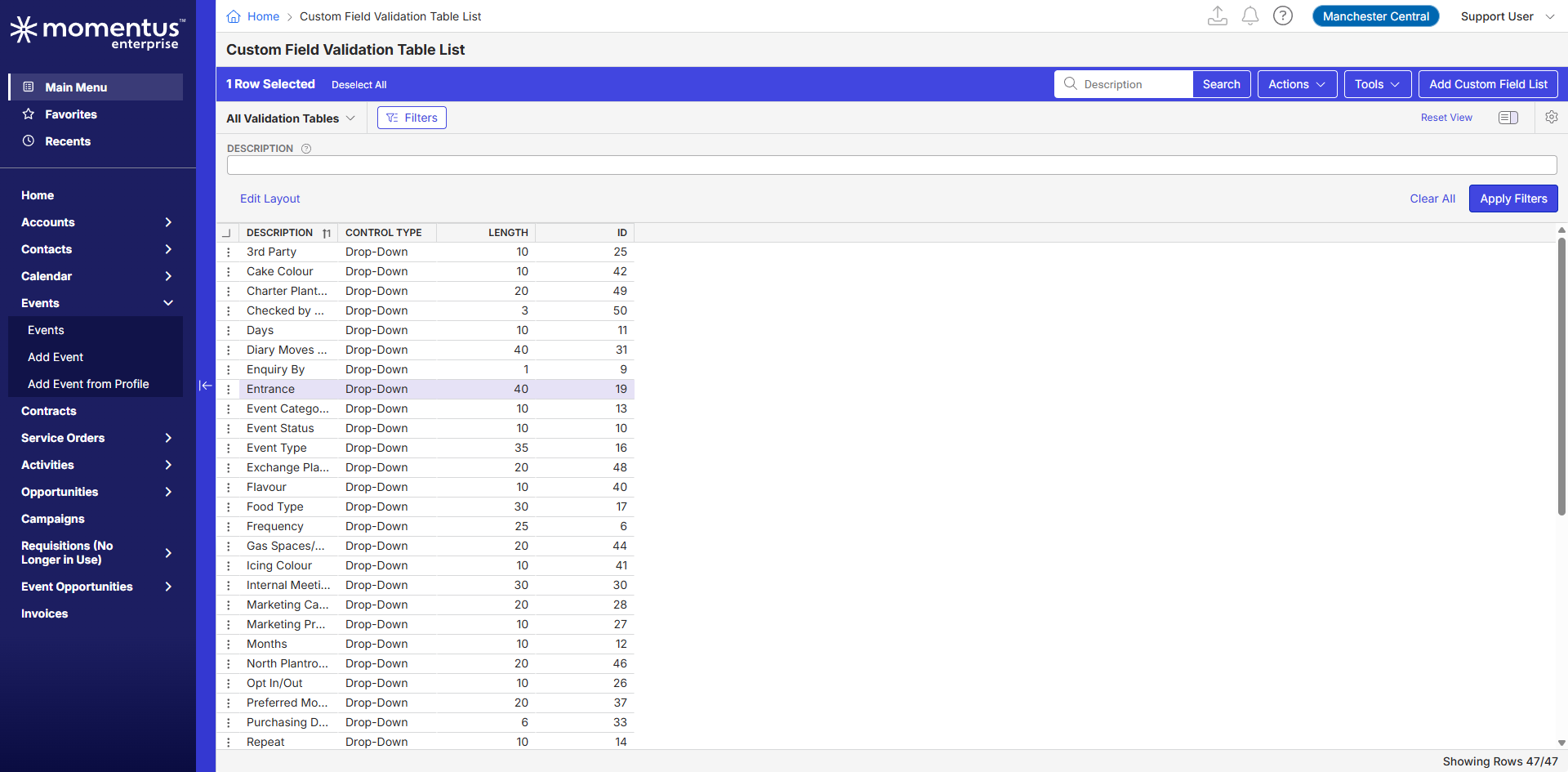
4. Going back to Enterprise, search on the Main Menu for the Custom Field Validation Table List. Notice that the ID for the field is set as 19:
5. From the Main Menu, access Custom Fields and search for ID 19. Notice that the result will prompt a different field:
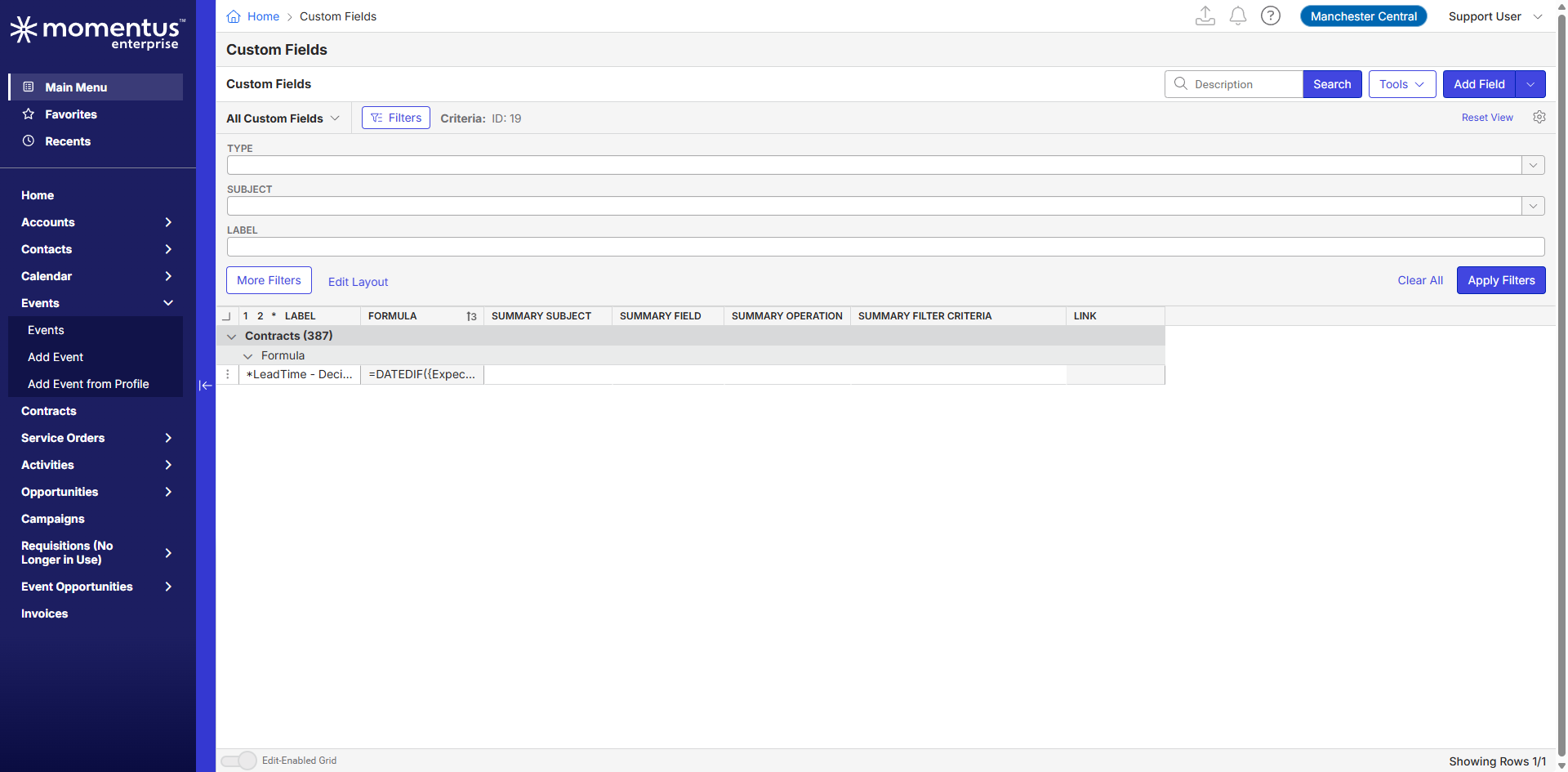
Observed Results vs Expected Results: Generic info displayed VS Being able to identify fields on the search
What is the job the client is trying to accomplish: We would like to understand what exactly can be checked to ensure which endpoint corresponds to the correct field. I thought that the ID could be used, but I am still unsure if “UserText19” or “UserNumber19” is the correct one. What exactly is the identifiable link between them? How can we know which string is the correct one?
Business impact if not resolved: The signage cannot pull directional data impacting delegates who are trying to find the appropriate entrance
Link to any articles referenced during Support investigation: The only article I could find that mention anything regarding this subject was this one, and AI also doesn't know the answer: https://supportcenter.ungerboeck.com/hc/en-us/articles/18885596005527-What-s-New-in-API-and-Webhooks-for-2023-2
-

Tagging tier 3 support on this post Pieter Fourie Mike Schepker to review first
Luiza Thummerer can you please tag tier 3 support on your posts? The agreement with Javier is that tier 3 support will review first, and will tag the product team if unable to answer.
-
Hi Seth Halvaksz Sure, I was not aware that we should tag them on the posts :)
-

You first need to look at what set of questions are saved to the event/order/registrant/etc. That should correspond to an Opportunity Types list of questions.
On this event example, It is looking at fields with the code AP.
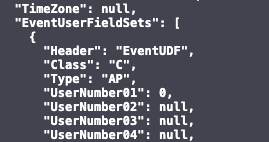
Which corresponds to these questions.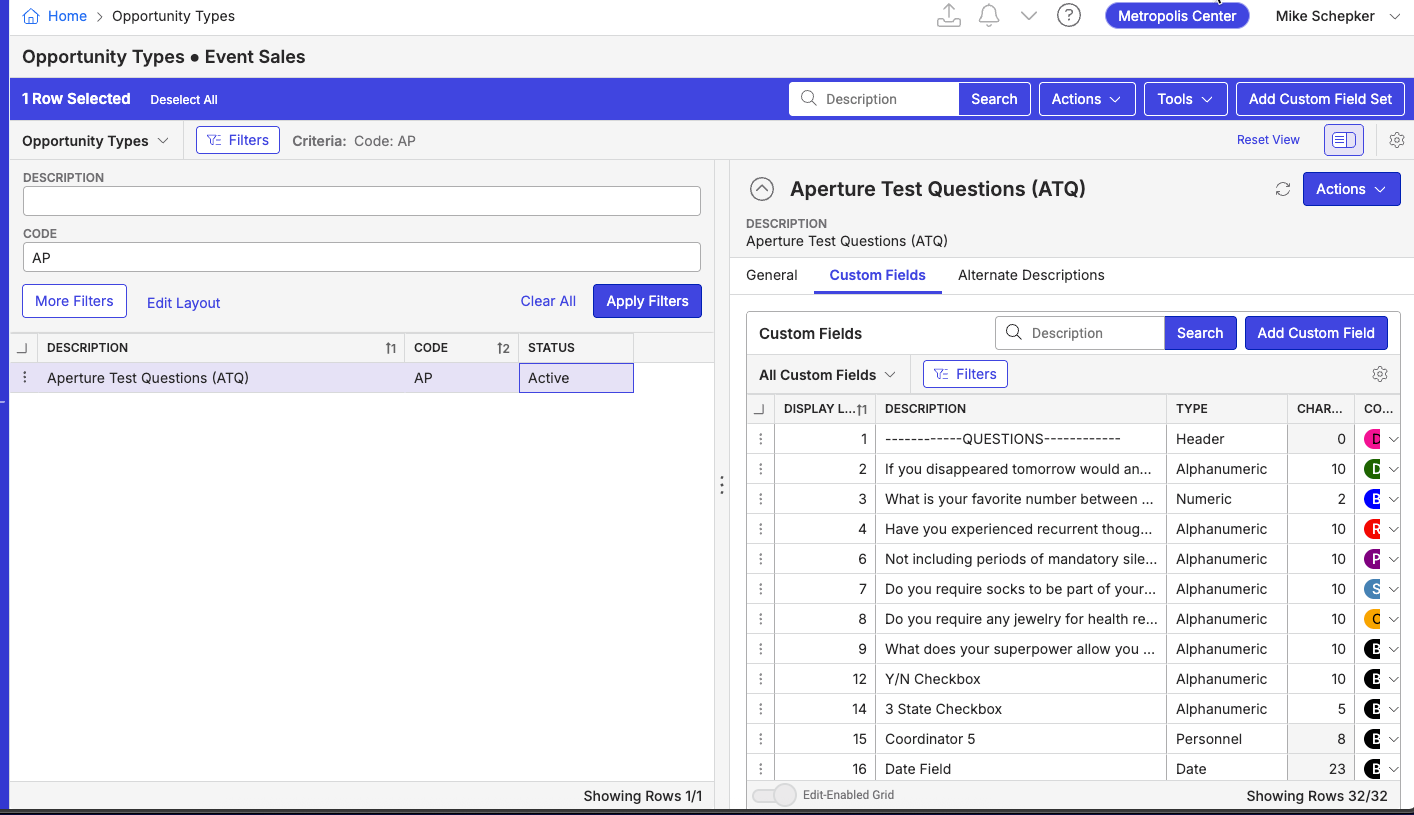
Those questions, point to specific fields in the database and pulls the value saved.

If those questions use custom field validation tables, then the value saved in those fields for those questions will correspond to the value in the validation list.
-
Hi Mike Schepker thanks for the detailed response! I believe I have made a confusion then with which fields were connected to the ones in the API Help page. What the client wants is to get the info added to the field marked in red on the image below:
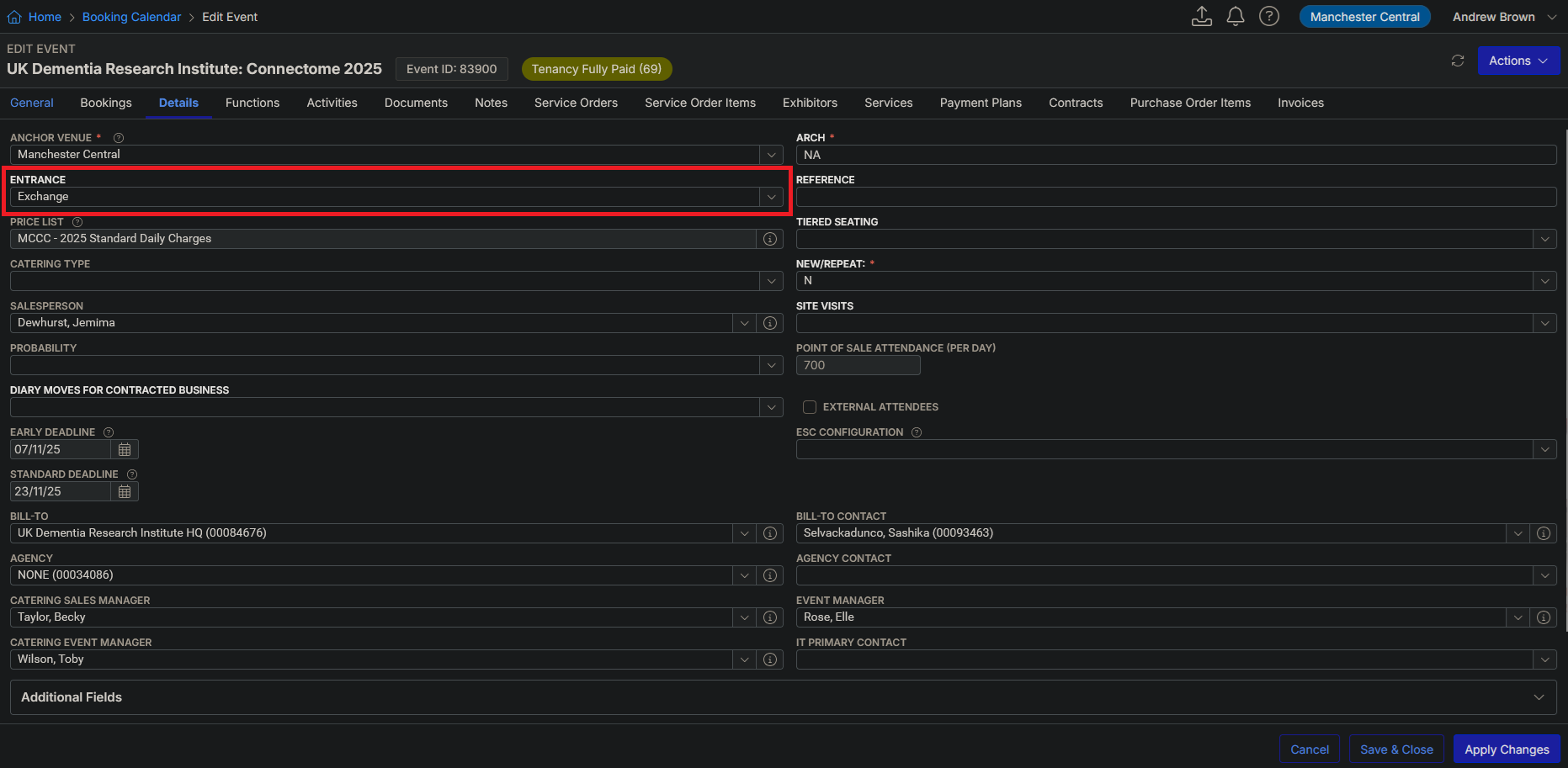
Do you know which could be the endpoint that it is linked to? Or are these just not available for this specific situation?
-
The Events API endpoint will return the data in the UDFs. They would probably need to combine that with the UserDefinedFields endpoint to get the UDF descriptions of the questions if they need it and CustomFieldValidationTables and ValidationEntries for the UDFs that have validation tables for those descriptions.
-
Hi Mike Schepker I think that's exactly what they need! Thanks again :D
-
Thank you Mike.
Tagging @... to review our help content for APIs to make sure this is covered.
-

We do not document API's, that's on the dev side.
-
Linda - there is this article for “using the API”.
https://supportcenter.ungerboeck.com/hc/en-us/articles/115010610608-Search-Using-the-API
This question is about how UDFs can be accessed through APIs. This sounds relevant for this article.
-
I will put this on the list and explore it.
-
Thank you
Please sign in to leave a comment.
Comments
11 comments
Date Votes