Operations portal support for public facing SSO
Refer to Product Ideas
- Account name : Edith Cowan University
- Region : Edith Cowan University
- Client version (Enterprise): 25.32025111001
- Description of the issue
- What does the client want to do? Why do they want to do this?
- Customer have Public SSO setup for the Operations Portal for Edith Cowan University (ECU)
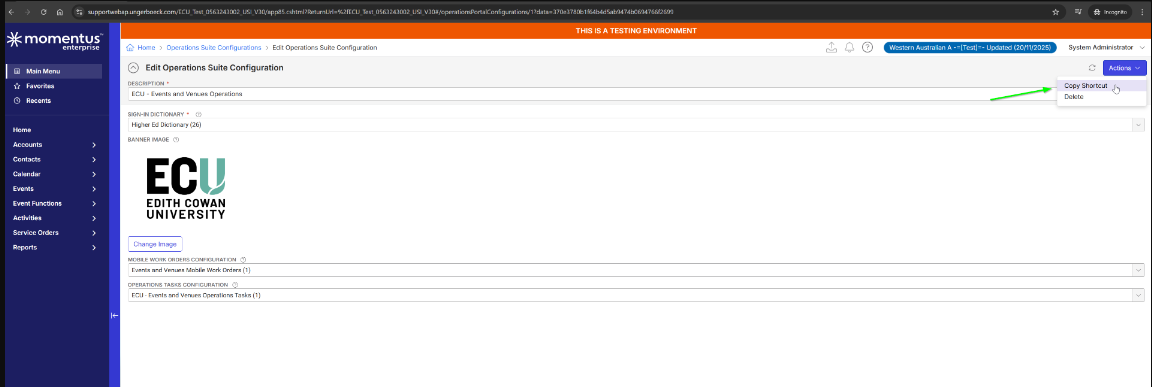
- Navigate to Main menu > ‘Operations Suite Configurations’ copy shortcut ex: https://ECU.ungerboeck.net/apps/test/operationsportal?aat=5156645064317a654579542f6d3152326b4753682f336e74736b516c68587a676b6f5379316e4b343144733d
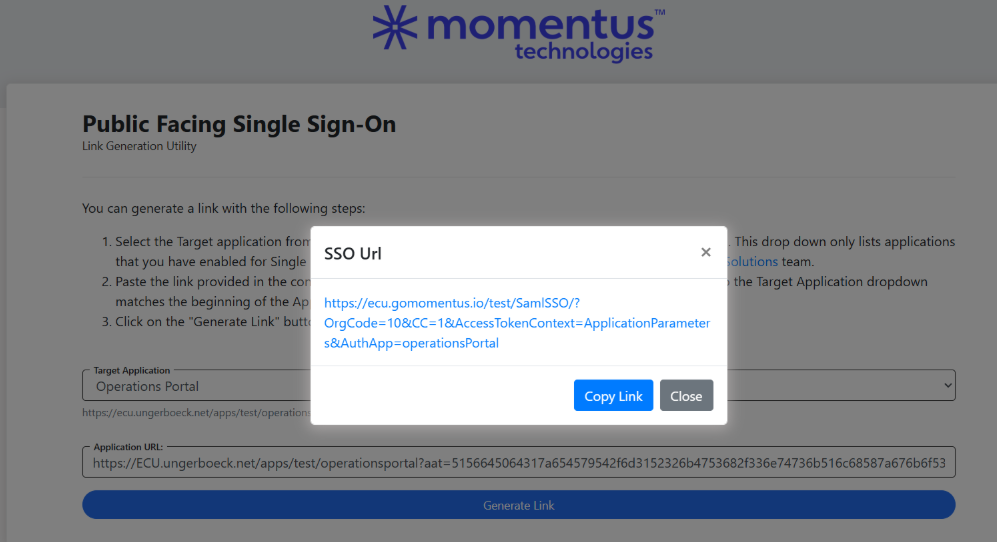
- Go to link https://ecu.gomomentus.io/test/SamlSSO/sp/link and generate Public SSO link for above suite URL and it generates as ‘ https://ecu.gomomentus.io/test/SamlSSO/?OrgCode=10&CC=1&AccessTokenContext=ApplicationParameters&AuthApp=operationsPortal ’
- User is able to navigate to this link and login successfully but users are redirected to the
/not-foundpage instead of the Operations Portal homepage. - As per the response from our technical team please confirm if the operation portal would actually support public facing SSO
- Business impact if not resolved : HIGH
- Attach relevant files (such as screenshots)
- Links to articles where you've looked for solutions and also other steps you've taken to research the issue.
Customer Test environment : https://ecu.ungerboeck.net/test/app85.cshtml
https://supportwebap.ungerboeck.com/ECU_Test_0563243002_USI_V30
https://ungerboeck.zendesk.com/agent/tickets/373481
-

This will need to first be reviewed by tier 3 support
-
Satya Ram Nukala Nicole Loh Please advise
-

Anitha Khairnar, need more information regarding the user details and timestamps for logs! I requested the client, will update here once we have information
-
Seth Halvaksz Hi Seth,
Can we get a confirmation from Product if the Operations portal supports Public facing SSO?
As mentioned above, as soon as the user login, it is redirected to the/not-foundpage instead of the Operations Portal homepage. There are no logs available in the app folder(I'm checking with SRE to reconfigure the logs location and ask them to re-try,) but the audit log captures authentication failure messages for this attempt. The same user can log in to OSB without any issues with SSO.
I had a call with tech team and can confirm the config looks good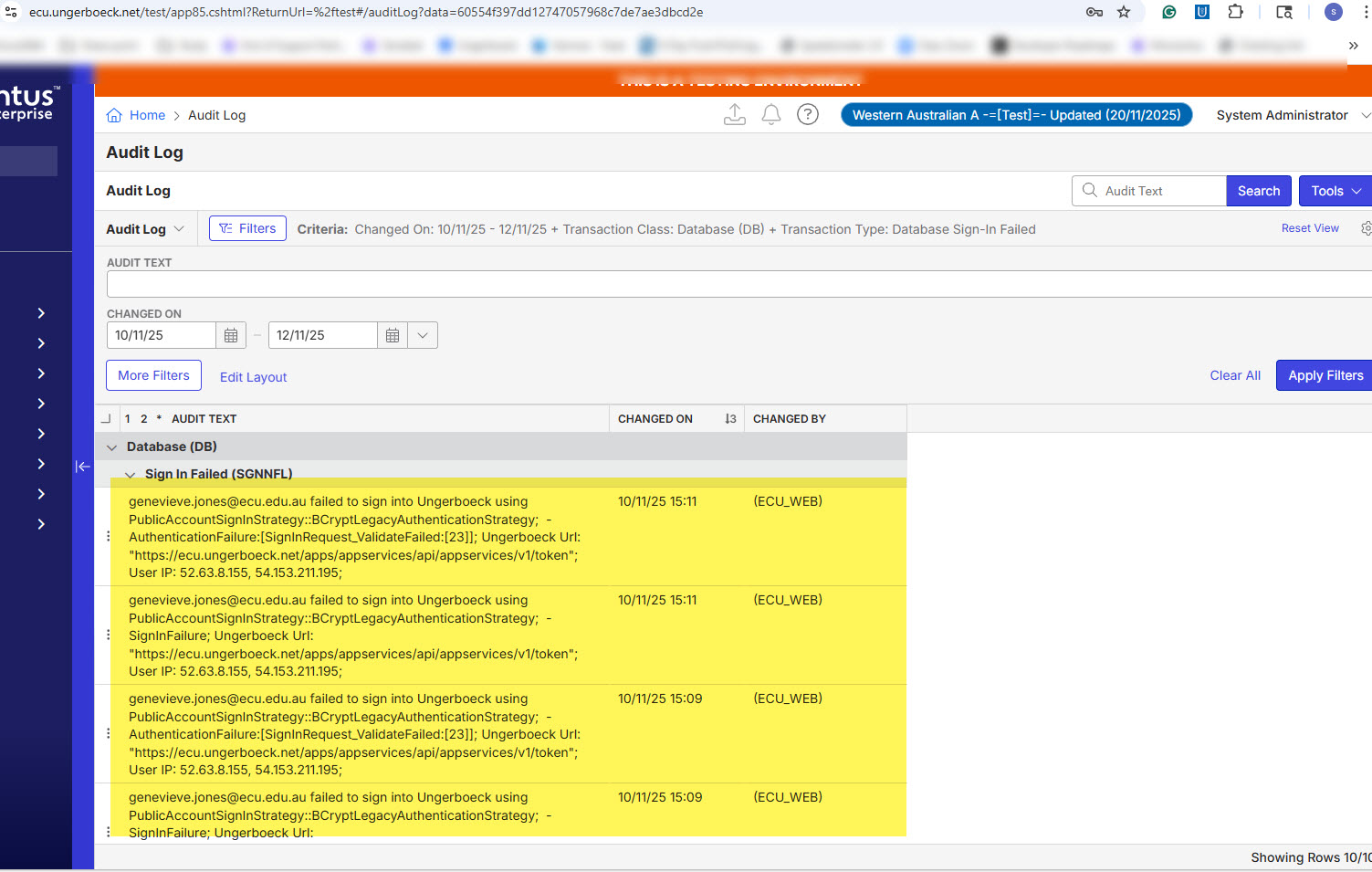
-
Satya Ram Nukala could you provide a link to the support article you are using for this?
-
Seth Halvaksz, There are no articles available for Public apps SSO
-
Satya Ram Nukala could you please provide the link
-
Seth Halvaksz https://ecu.ungerboeck.net/apps/test/operationsportal?aat=5156645064317a654579542f6d3152326b4753682f336e74736b516c68587a676b6f5379316e4b343144733d
As this is a public apps SSO we can't test the issue in sample; the above-provided link is their TEST sso link -
Thanks. Can you also provide the link to the support article you referenced in order to confirm that SSO is supported for Operations Portal?
-
Seth Halvaksz I don't see an article that confirms this, and that is one of the questions tech services wants to confirm if public SSO is supported in the operation suite portal. SSO(back office use) for operational portal works as we have a few other clients using this, one of the examples is RFAL
-
Ok confirmed that Operations Suite supports the same proper SSO that backoffice does, since its targeted at users that are venue employees. It does not support other public SSO.
Please sign in to leave a comment.
Comments
11 comments
Date Votes