Outlook Managed / Momentus Managed
Answered
The KB Article mentions that spaces have to be set for either Outlook Managed or Momentus Managed. This is also what is experienced in testing.
-
The rooms are booked primarily in Outlook:
- Users primarily schedule meetings in Outlook.
- Bookings approved in Outlook should be sent to Enterprise as Definite bookings.
- Configuration Recommendation: Use the Outlook Managed option. Outlook will control booking approvals, and only accepted bookings will sync to Momentus.
-
The rooms are booked primarily Momentus Enterprise:
- Users prefer managing events through Momentus.
- Configuration Recommendation: Use the Momentus Managed option, where all definite bookings in Momentus automatically sync to Outlook.
-
The rooms are booked both in Outlook and Momentus:
- Bookings occur interchangeably in both systems.
- Configuration Recommendation: Evaluate your operational workflows to determine management precedence. A room must be managed in one of the platforms; there is no option to do both, so you'll need to decide which platform should control each room. Management is configured for each room on an individual basis.
However the Implementation Documentation specifies this can be set as Momentus Managed, but also have the auto-accept set to yes and an event created in Outlook that is then added to Momentus.
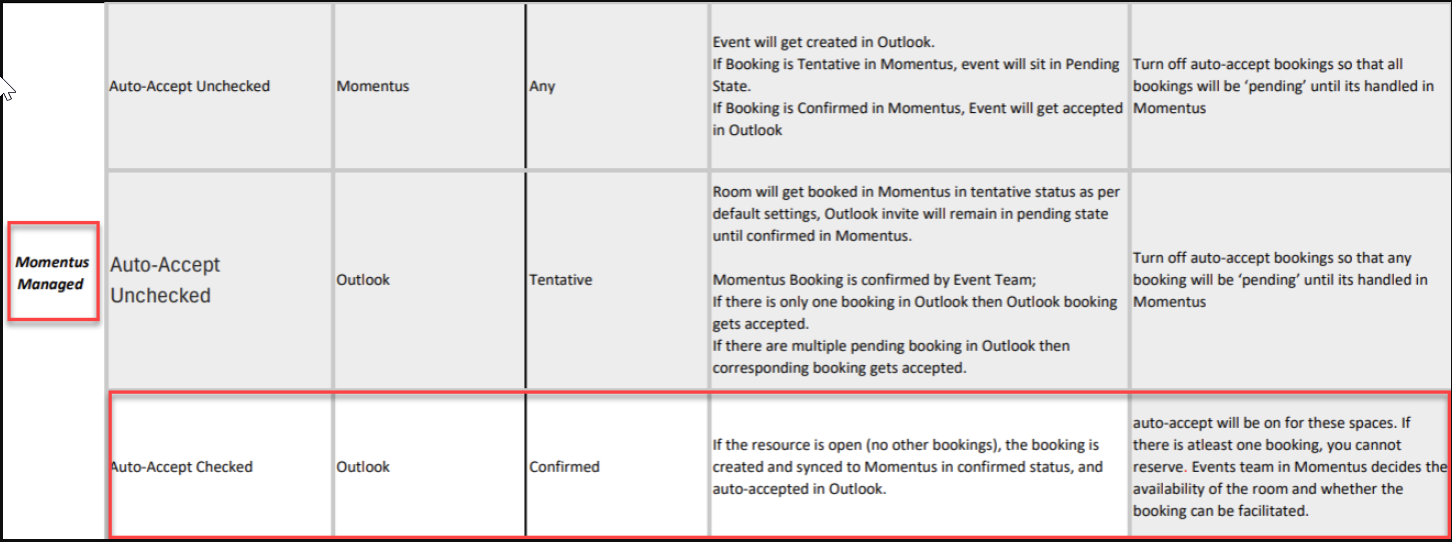
Can we confirm which is correct? Does each space have to be set to either Outlook or Momentus or should the events be created both ways when the Auto-Accept option is set to Yes.
-

Victor Nogales Junior - Sam and I discussed this and basically we need Product to weigh in as the KB is saying 1 thing on:
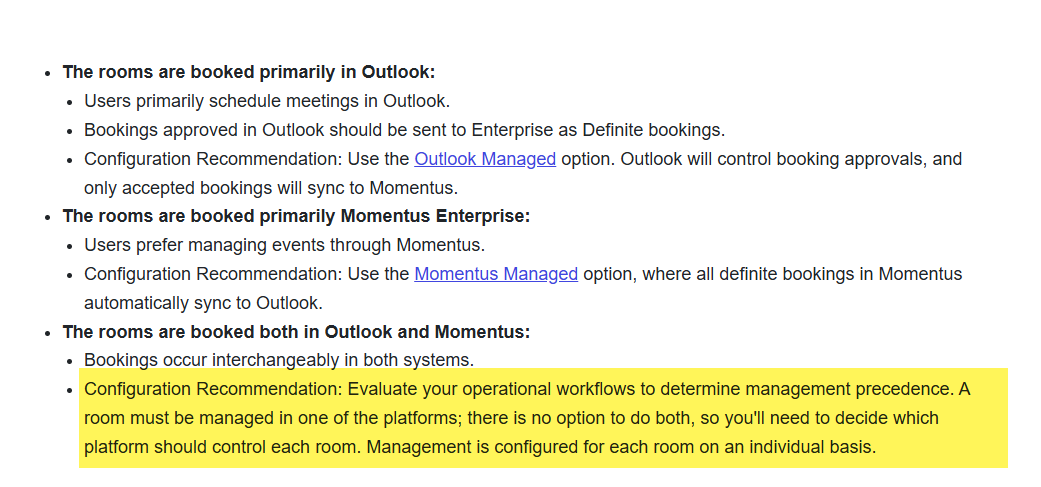
But the PS team's implementation docs say something else:
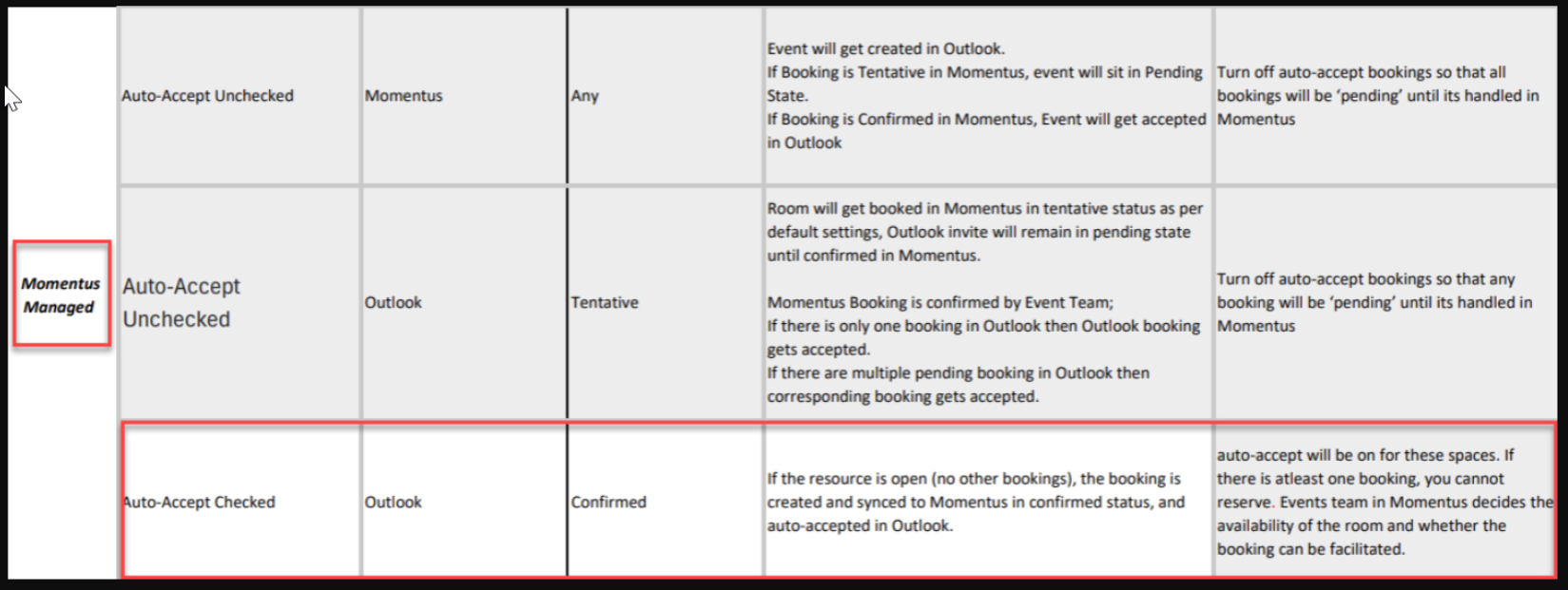
-

Hi Cathy Herrick , Samuel Davidson ,
I put together updated guidelines to help clarify this issue. I'm reviewing the scenarios with the team and will publish them by tomorrow.
Thanks, Victor. -
Victor Nogales Junior That sounds great. Thank you Victor.
Once published, can you include the links to those updated articles here so we can easily access them? -
Victor Nogales Junior Cathy Herrick Just wanted to check on this and see if the scenarios have been clarified on how this should function?
Thank you!
-
Hi Samuel Davidson ,
I'm still reviewing the revised workflows with engineers and QAs. But, as this is taking long, see below a direct answer while the new document is not ready:
Yes, each space must be set as either Outlook-managed or Momentus-managed.The attached implementation document explains the different scenarios for event syncing under each setup. Based on this, customers can choose which flow they want and configure the settings accordingly.
Let me know whether that helps.
Thanks,
Victor. -
Victor Nogales Junior So just to confirm - should a booking be able to be created and ready for approval in Momentus? Or is the expectation that a booking can only be created from 1 way?
We understand the booking/event itself can only be managed from 1 way based on how the space is configured. But should a booking created in Outlook be pushed to Momentus and either auto-accepted or awaiting approval to then be managed from Momentus. -
Hi Sam,
A booking or event can be created in either system. Approval occurs on only one side, depending on the space mapping.In this scenario, if the space is Momentus-managed and the Outlook room is set to Auto Accept = Off, a user can create an event in Outlook, which will sync to Momentus with a Tentative status. Once the booking is confirmed in Momentus, it is automatically accepted in Outlook during the next sync.Thanks,
Victor. -

Based on this statement by Victor:
if the space is Momentus-managed and the Outlook room is set to Auto Accept = Off, a user can create an event in Outlook, which will sync to Momentus with a Tentative status. Once the booking is confirmed in Momentus, it is automatically accepted in Outlook during the next sync.
I've updated the article to include this:

Please note that in the implementation guide pictured above, it shows an option to have Momentus Managed with Outlook Auto-Accept ON. In the article, we have this warning:

Should that warning be updated or removed, if this is something that consultants are doing?
-
@... , I'm cheking with the team. Thanks, Victor.
-
@..., just confirmed, the warning is still valid.
-
Thank you so much Victor Nogales Junior !
Anthony Costantino Note the above warning in the KB. Can you please make sure this information is in the consulting best practices? I can't remember where I've seen it in the past few months, but I think this was listed as an option without the warning. It may have been during the Nike conversation. Technically there are four options but one of them (Momentus Managed with Outlook Auto-Accept On) is not recommended.
-

@... thanks, we're pointing to the Support Center articles.
-
Excellent, thank you!
Please sign in to leave a comment.
Comments
14 comments
Date Votes